
Checking a SARS auto assessment before accepting it
16 October 2025

Checking a SARS auto assessment requires validating prepopulated third-party financial records against actual income and deductions before accepting the tax estimate.
Accepting an automatic assessment from the South African Revenue Service (SARS) without verification can lead to non-compliance if income is omitted or tax overpayment if qualifying deductions are missing 1 2 3. Taxpayers who agree with their assessment need take no further action, with refunds of R100 or more normally paid within 72 hours, subject to SARS verification and banking checks and liabilities payable by the stipulated grace date 1 2.
Where prepopulated figures contain errors or unreflected income exists, taxpayers must submit an edited ITR12 return by the relevant Filing Season deadline 1 4 5.
Prepopulated data and omitted income checks
For individual taxpayers in South Africa, evaluating an auto assessment during the 2026 year of assessment (covering income earned from 1 March 2025 to 28 February 2026) is a critical compliance requirement 6 7 8. Under Section 95(2) of the Tax Administration Act No. 28 of 2011, SARS issues an original assessment based on an estimate using third-party data provided by employers, financial institutions, medical schemes, and fund administrators 9 10 11.
Completing this check means performing an independent audit of SARS prepopulated records against your complete financial evidence for the tax year before accepting the assessment or filing an amended ITR12 return 1 2 12. Accepting an assessment commits the taxpayer to the tax outcome on record 2. Distinguishing the 2026 assessment year from the subsequent 2027 year of assessment is essential, as statutory tax tables, rebates, and Medical Scheme Fees Tax Credits change between tax periods 13 14 15 16.
— Practical point from this guide
Statutory tax law obliges every taxpayer to make a full and true declaration of all income 3. While regulator guidance provided in SARS external guides explains the administrative mechanics of auto assessments 11 17, Evolv Accountants recommends conducting an exhaustive omitted income review before agreeing to any automated estimate 1 2.
Prepare the information and authority: prepopulated data
To perform a thorough check of prepopulated figures and detect potential income omissions, taxpayers and appointed tax practitioners must assemble all relevant source documents for the 1 March 2025 to 28 February 2026 period 6 8 18.
Required documentation and evidence include:
- Employees' Tax Certificates (IRP5/IT3(a)): Certificates reflecting remuneration, taxable allowances, fringe benefits, and Pay-As-You-Earn (PAYE) withheld by employers or retirement funds 18 19.
- Investment Tax Certificates (IT3(b), IT3(c), IT3(t)): Bank and fund manager statements showing local interest, foreign interest, dividends, capital gains/losses, and prepopulated trust distributions 18 20 21.
- Medical Tax Documentation: Medical scheme tax certificates detailing annual contributions and dependants, alongside invoices and proof of payment for qualifying out-of-pocket medical expenditure 22 23 24. For claims relating to a disability, a valid Confirmation of Diagnosis of Disability form (ITR-DD) signed by a registered medical practitioner is required 22 25.
- Retirement Annuity Certificates: Proof of personal contributions paid to registered retirement annuity funds 26 27.
- Trade and Business Records: Financial statements, invoices, income summaries, and expense receipts for local trade, freelance activities, crypto asset transactions, or rental property letting 1 28 29.
- Travel Logbooks: Detailed logbooks recording business kilometres driven where a taxable travel allowance was received 30 31.
For tax practitioners managing client returns, proper eFiling shared access or registered representative authorisation must be configured on SARS eFiling prior to reviewing or editing returns 32 33.
Complete the task step by step: omitted income checks
Checking a SARS auto assessment requires following a structured, evidence-based process grounded in official SARS filing instructions 5 10 34:
- Verify Auto Assessment Status: Access SARS eFiling, the SARS MobiApp to confirm whether an auto assessment has been raised for the 2026 assessment year 4 7 35.
- Review the Prepopulated ITR12 Summary: Inspect the prepopulated ITR12 return and Notice of Assessment (ITA34) issued by SARS 36. Note that SARS describes an auto-assessment as being "based on the data we receive from employers, financial institutions, medical schemes, retirement fund administrators, and other third-party data providers" 9.
- Audit Third-Party Data Certificates: Log into eFiling, navigate to the "Third Party Data Certificate" search function, and search each certificate type (IRP5/IT3(a), IT3(b), IT3(c)) 34. Compare each pre-populated line item against your physical certificates 12 34.
- Conduct the Omitted Income Audit: Verify that all sources of gross income for the tax year are reflected 1. Check specifically for:
- Secondary employment or freelance consulting fees not covered by an IRP5 1 29.
- Local and foreign interest or foreign dividends earned 18 21 28.
- Net profits from letting fixed property 1 37.
- Capital gains or losses from the disposal of property, shares, or crypto assets 6 28 38.
- Director's remuneration or trust distributions 20 39.
- Check Deductions and Tax Credits: Confirm that medical scheme contributions, qualifying out-of-pocket medical expenses, retirement annuity contributions, and allowable travel expenses are fully captured 1 22 27 40.
- Determine the Required Action:
- If Prepopulated Data is Correct and Complete: If all prepopulated figures match your evidence and no income or deductions are missing, confirm it is complete and correct, then take no filing action 2 9. No further action is required 2 9.
- If Third-Party Data Contains Errors: If a bank or employer reported incorrect figures, contact the issuing institution to submit a corrected file to SARS 5 34 41. Once updated, re-access the return 34 41.
- If Income or Deductions were Omitted: Edit the prepopulated ITR12 return on eFiling or MobiApp to insert the missing figures, and submit the return on or before 23 October 2026 for non-provisional taxpayers 1 4 5.
Check the result against the evidence: prepopulated data
Completion of an auto assessment check must be verified through objective evidence rather than assuming notification equals finalization 2 36:
- Notice of Assessment (ITA34) Inspection: Ensure the ITA34 reflects the correct assessment type 36. An initial auto assessment displays as an "original estimate assessment" 36. When an edited return is filed, a revised ITA34 is issued showing updated taxable income and tax calculations 42.
- Statement of Account Verification: Check your SARS eFiling account balance 1. Where a refund of R100 or more is due, SARS pays the refund within 72 hours, provided no verification audit or bank detail check is pending 1 2. Refunds or debts under R100 roll over to the next tax year 1.
- Payment Grace Period: If tax is payable, confirm the interest-free payment due date stipulated on the ITA34 to avoid administrative non-compliance penalties or interest on late-paid assessed tax 2 43.
- Document Archiving: Under the Tax Administration Act, keep supporting certificates, receipts and logbooks for the applicable five-year period after return submission, or longer where required. Retain the ITR-DD disability confirmation for ten years from issue, as specified in the ITR12 guide.
Handle exceptions and unresolved cases: omitted income checks
Taxpayers frequently encounter complex scenarios requiring specialist tax intervention 5 42 44:
- Discrepancies in Prepopulated Third-Party Data: SARS cannot manually alter prepopulated third-party certificate data 45. If an employer or medical scheme refuses to rectify erroneous data, contact SARS with the certificates and other evidence if the issuer will not correct the data. Do not guess or overwrite locked third-party fields; follow the correction instructions SARS gives for the case.
- Spousal Assessments for Community of Property: For taxpayers married in community of property, SARS automatically links spouses and apportions investment income (local and foreign interest, dividends, REIT distributions) 50/50 21 44 46. If marital details are incorrect on SARS systems, taxpayers must rectify their status on page one of the return before filing 46.
- Declaration Alerts and Questionnaires: When an edited return is submitted, SARS validation algorithms may present an online "Declaration Questionnaire" 20 47. Answering these questions upfront can resolve automated risk flags and release refunds without routing the return to manual verification 20 47. Declining the questionnaire routes the return directly to verification 20 47.
- Extensions under Section 95(7): If a taxpayer disagrees with an auto assessment but cannot assemble the required documentation before 23 October 2026, a formal request for extension must be lodged with SARS under Section 95(7) of the Tax Administration Act prior to the filing deadline, showing reasonable grounds 4 48.
- Audit Requests and Section 95(8) Objections: Where SARS issues a revised estimated assessment under section 95(1)(c) for missing verification documents, the guide describes a 40-business-day material-submission procedure. A refusal to reassess an edited return is a separate route: use the rejection notice and the applicable section 95(8) objection period, described in the guide as 80 business days. Check the actual notice before selecting a remedy.
Next steps for Individual tax returns
Follow this operational checklist when managing individual auto assessments:
- Retrieve auto assessment notifications from SARS via eFiling, MobiApp 35 51.
- Gather all primary 2026 tax year certificates (IRP5, IT3(b), IT3(c), medical, retirement) 6 8 18.
- Cross-check prepopulated line items against physical source documentation 12 34.
- Identify and calculate any omitted trade, rental, freelance, or investment income 1 29 37.
- Correct third-party certificate errors with issuers or file an edited ITR12 return by 23 October 2026 4 5.
- Archive all supporting documentation securely for five years 26.
Task and completion checklist
| Step | Input or evidence | Responsible person | Completion check | Exception or next action |
|---|---|---|---|---|
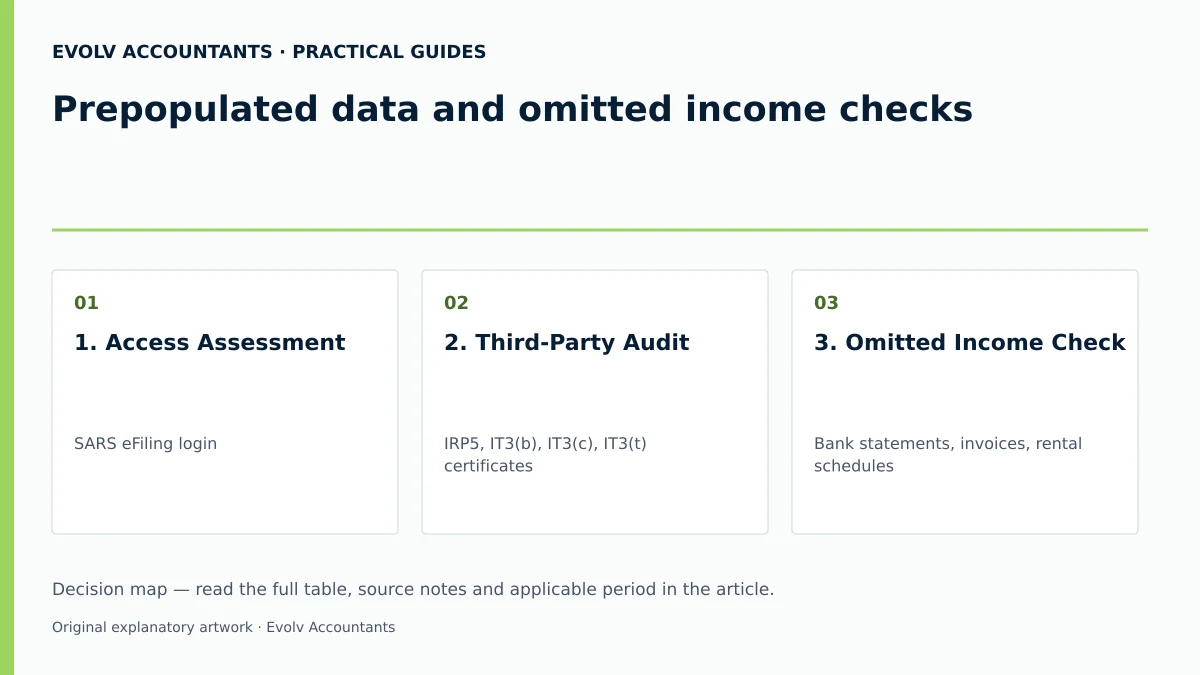
| 1. Access Assessment | SARS eFiling login 35 51 | Taxpayer / Tax Practitioner 52 | Auto assessment status displayed 35 | Register for eFiling or update contact details if unverified 53 |
| 2. Third-Party Audit | IRP5, IT3(b), IT3(c), IT3(t) certificates 18 21 | Tax Practitioner 52 | All certificate source codes matched 34 | Request issuer correction if prepopulated values are incorrect 5 34 |
| 3. Omitted Income Check | Bank statements, invoices, rental schedules 1 18 | Taxpayer / Accountant 3 | Unreflected trade or rental income quantified 1 29 | Edit ITR12 return to declare omitted income 1 5 |
| 4. Deductions Review | Medical tax certificates, out-of-pocket receipts, logbook 22 31 | Tax Practitioner 52 | Allowable medical tax credits and travel claims calculated 22 31 | Add uncaptured deductions on edited ITR12 return 1 5 |
| 5. Final Submission / Acceptance | Form Wizard declaration and signed ITR12 2 3 52 | Taxpayer / Tax Practitioner 3 52 | ITA34 Notice of Assessment issued and verified 36 42 | Complete Declaration Questionnaire if flagged by SARS 20 47 |
Reproducible hypothetical example: 2026 assessment year check
Scenario: Mr Sipho (age 42, under 65 with no disability; his newly identified freelance business income requires reassessing provisional-tax status) receives a SARS auto assessment notification for the 2026 year of assessment (1 March 2025 – 28 February 2026) 6 8 35.
Prepopulated Data on SARS Assessment:
- Gross Salary (IRP5 source code 3601): R400,000; PAYE withheld (source code 4102): R55,000 18 54.
- Local Interest (IT3(b)): R10,000 18 21. (Exempt under Section 10(1)(i)(i) as it is below the R23,800 threshold for individuals under 65; taxable interest = R0) 55.
- Medical Scheme Contributions: R30,000 (12 months, main member + 1 dependant) 22 23.
- Section 6A Medical Scheme Fees Tax Credit (MTC): R728 per month (R364 main member + R364 dependant) x 12 = R8,736 13 15 56.
Omitted Evidence Identified During Taxpayer Audit:
- Unreflected local freelance consulting income (trade): R50,000 1 29.
- Qualifying out-of-pocket medical expenditure paid: R15,000 22 24.
Comparative Calculation & Impact Analysis:
- If Accepted as Auto-Assessed (Incorrect):
- Prepopulated Taxable Income: R400,000.
- Auto-assessed Tax Liability: Normal tax on R400,000 (2026 tax table: R77,362 + 31% of amount over R370,500) = R86,507 57. Less Primary Rebate (R17,235) = R69,272 58 59. Less MTC (R8,736) = R60,536 net tax 15 56. With PAYE of R55,000, assessment shows R5,536 debt due 54.
- Risk: The R50,000 trade income must be disclosed; omitting it can lead to an additional assessment, penalties and interest under the applicable tax rules.
- If Corrected via Edited ITR12 Filing (Compliant):
- Corrected Taxable Income: R400,000 (salary) + R50,000 (trade) = R450,000 1 29.
- Gross Normal Tax on R450,000 (2026 rates): R77,362 + [31% x (R450,000 - R370,500)] = R77,362 + R24,645 = R102,007 57.
- Less Primary Rebate: R17,235 58 59.
- Normal Tax before credits: R84,772.
- Less Section 6A MTC: R8,736 15 56.
- Section 6B Additional Medical Expenses Tax Credit (AMTC) Check (Under 65, no disability) 24 60 61:
- Formula: 25% × \{[(Contributions - 4 × MTC) + Out-of-pocket] - (7.5% × Taxable Income)\} 24.
- Contributions (R30,000) less 4 × MTC (R34,944) = R0 excess 62 63.
- Out-of-pocket medical: R15,000 24.
- 7.5% × Taxable Income (R450,000) = R33,750 threshold 24 60 61.
- Since total allowable expenses (R15,000) do not exceed R33,750, AMTC = R0 64 65.
- Net Normal Tax Payable: R84,772 - R8,736 = R76,036.
- Less PAYE Paid: R55,000 54.
- Final Balance Due to SARS: R21,036.
Mr Sipho should correct this auto-assessment by 23 October 2026: SARS’s specific auto-assessment guidance says omitted rental or other income must be corrected by the non-provisional filing deadline. He must also review provisional-tax status and any IRP6 obligations arising from the freelance business. The general 22 January 2027 provisional-return deadline should not be used to postpone correcting this auto-assessment.
Filing the ITR12 does not cure an earlier IRP6 or payment default. Primary guidance.
Frequently Asked Questions
What happens if I accept an auto assessment that omitted local trade or rental income?
Accepting an auto assessment containing omitted income violates tax legislation requiring full disclosure 1 3. If SARS later identifies unreflected trade or rental income through bank data matching, SARS will issue a revised assessment, levy understatement penalties, and charge statutory interest 3 42 43.
How do I correct incorrect prepopulated IRP5 or IT3(b) data on my return?
SARS cannot edit third-party certificate data directly on the ITR12 45. You must request the issuing employer, bank, or medical scheme to correct the data and resubmit an amended certificate to SARS 34 41 45. Once the issuer processes the correction, the updated figures will reflect on your eFiling return 34 41.
What are the medical tax credit rates for the 2026 year of assessment versus 2027?
For the 2026 year of assessment (1 March 2025 – 28 February 2026), the Section 6A Medical Scheme Fees Tax Credit is R364 per month for the taxpayer, R364 per month for the first dependant (R728 combined), and R246 per month for each additional dependant 13 15 56. For the 2027 year of assessment (1 March 2026 – 28 February 2027), the rates increase to R376, R752, and R254 per month respectively 13 16.
What is the deadline to edit and submit an ITR12 if I disagree with an auto assessment?
For non-provisional individual taxpayers who disagree with an auto assessment, the updated ITR12 return must be filed on eFiling or the MobiApp on or before 23 October 2026 4 7 66. Provisional taxpayers have until 22 January 2027 7 66.
How does SARS handle investment income for taxpayers married in community of property?
SARS automatically links validated spouses married in community of property and splits prepopulated investment income (local interest, foreign interest, foreign dividends) 50/50 on each spouse's assessment 21 44 46. Both spouses must ensure their marital status is correctly marked on their respective returns 46. Ask Evolv about prepopulated data and omitted income checks. Share the relevant records so the support required can be scoped. Ask Evolv about prepopulated data and omitted income checks. Share the relevant records so the support required can be scoped. Link to #article-enquiry.
Related guides
- Completing an ITR12 for salary income
- Who must submit an individual income tax return
- Compliance and Regulations: Keeping Your Business on Track
Sources
- How does Auto-Assessment work | South African Revenue Service
- https://www.sars.gov.za/wp-content/uploads/Ops/Guides/IT-AE-36-G05-Comprehensive-Guide-to-the-ITR12-Income-Tax-Return-for-Individuals-External-Guide.pdf
- Do you need to submit a return? | South African Revenue Service
- Medical Tax Credit Rates | South African Revenue Service
- Updated Guides for Filing Season 2026 | South African Revenue Service
- https://www.sars.gov.za/wp-content/uploads/Ops/Guides/Legal-Pub-Guide-IT07-Guide-on-the-Determination-of-Medical-Tax-Credits.pdf
- Additional Medical Expenses Tax Credit | South African Revenue Service