
Completing an ITR12 for salary income
8 March 2026

Completing an ITR12 income tax return for salary income requires validating pre-populated IRP5/IT3(a) certificate fields against employer payroll records under South African Revenue Service rules.
Under South African tax administration, individuals receiving remuneration must verify that all pre-populated employee tax certificates accurately reflect their gross earnings, fringe benefits, and pay-as-you-earn (PAYE) deductions before finalising their submission 1 2. For the 2026 year of assessment (covering 1 March 2025 to 28 February 2026), auto-assessment notices are issued between 1 July and 12 July 2026 3.
Taxpayers who agree with their auto-assessment require no further action 4 5, whereas non-provisional taxpayers who disagree or have additional claims must edit and submit their ITR12 return by 23 October 2026 3 6 7. Provisional taxpayers filing via eFiling have until 22 January 2027 3 6.
Salary certificates and ITR12 field validation
This guidance is tailored for employee taxpayers, small-to-medium enterprise (SME) directors, and payroll specialists operating within the jurisdiction of the Republic of South Africa under the administration of the South African Revenue Service (SARS) 8 9. The legal framework governing this process is established under the Income Tax Act No. 58 of 1962 and the Tax Administration Act No. 28 of 2011 8 9.
Applicable Assessment Periods
Taxpayers must carefully distinguish between the active filing period and future rate adjustments:
- 2026 Year of Assessment (YOA): Covers income earned from 1 March 2025 to 28 February 2026 10 11. All ITR12 submissions for current filing season apply 2026 statutory tax tables, primary rebates (R17,235), and medical tax credit rates 12 13 14 15.
- 2027 Year of Assessment (YOA): Covers the period from 1 March 2026 to 28 February 2027 13 16 17. Updated statutory rates, primary rebates (R17,820), and increased medical scheme fees tax credits apply exclusively to payroll tax withholding and future returns for that cycle 12 17 18 19.
Defining Return Completion
Completing an ITR12 return does not merely mean transmitting an electronic form via eFiling or the SARS MobiApp 20 21. Legal completion requires validating every income, deduction, and tax credit field against primary source documents, ensuring complete data alignment with third-party records, and verifying that the final assessment correctly reflects the taxpayer's true tax liability 5 21 22.
— Practical point from this guide
Prepare the information and authority: salary certificates
Before attempting field validation on eFiling, taxpayers and authorised representatives must gather all statutory documentation and establish appropriate authority 23 24 25.
Primary Information Inputs
Taxpayers must assemble the following documentation:
- IRP5/IT3(a) Employee Tax Certificates: Issued by employers under Paragraph 13(1) of the Fourth Schedule to the Income Tax Act 26. An IRP5 reflects PAYE tax withheld, whereas an IT3(a) indicates remuneration where no tax was withheld alongside an explicit reason code 27 28 29.
- Medical Scheme Tax Certificates: Reflected under source code 4005 or issued directly by registered medical schemes showing total annual contributions and registered dependants 30 31 32.
- Retirement Annuity Certificates: Documenting individual contributions made under source code 4006 33 34.
- Travel Logbooks and Vehicle Documentation: Required under Section 8(1)(b) where a travel allowance (source code 3701) or employer-provided vehicle fringe benefit (source code 3802/3816) is claimed 35 36 37.
- Out-of-Pocket Medical Receipts and ITR-DD Forms: Required for Section 6B additional medical expense claims, including formal disability confirmation where applicable 38 39 40.
Statutory Permissions and Representative Authority
Taxpayers are ultimately responsible for declarations made on their return 21 25. When using accounting firms or tax practitioners, formal eFiling shared access must be configured, or an approved Tax Practitioner Declaration must be executed upon submission 24 41 42. Unregistered intermediaries are restricted to "Save" or "Save for Filing" functions and cannot legally transmit returns to SARS 41.
Key ITR12 Remuneration Source Codes
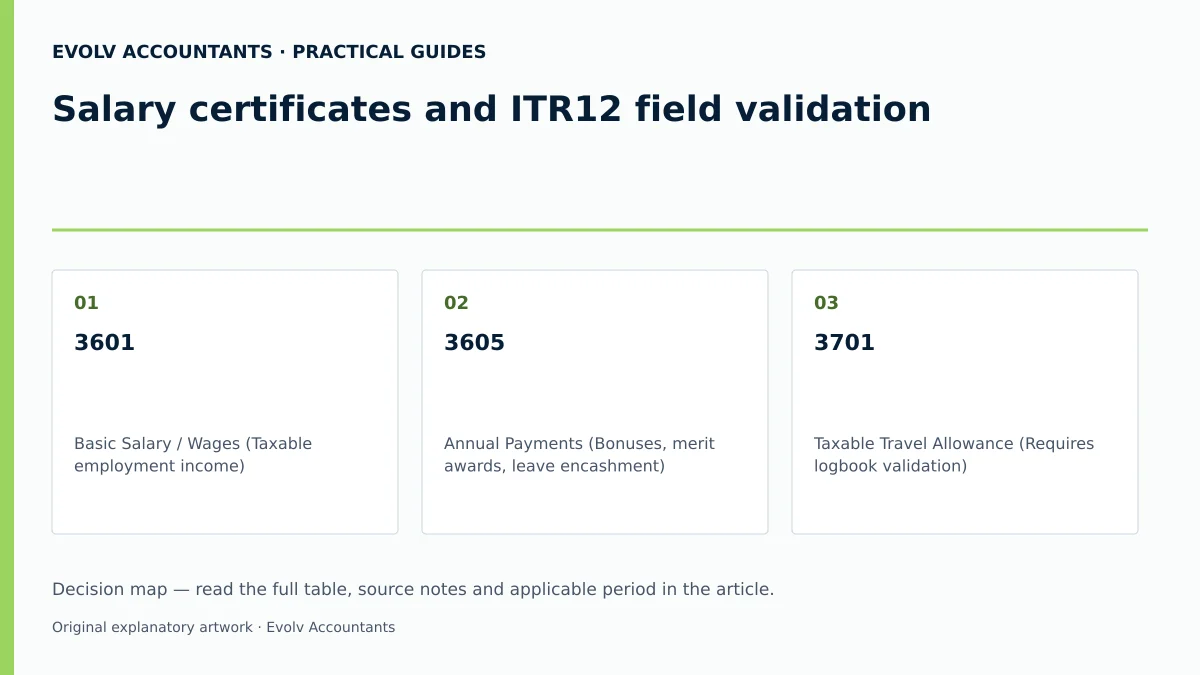
| SOURCE CODE | DESCRIPTION AND VALIDATION RULE |
|---|---|
| 3601 | Basic Salary / Wages (Taxable employment income) 43 44 |
| 3605 | Annual Payments (Bonuses, merit awards, leave encashment) 45 |
| 3701 | Taxable Travel Allowance (Requires logbook validation) 46 47 |
| 3802 / 3816 | Company Motor Vehicle Fringe Benefit 35 44 |
| 4102 | PAYE Tax Withheld by Employer 48 |
| 4116 | Medical Scheme Fees Tax Credit allowed on payroll 48 49 |
| 4150 | Reason for Non-Deduction of Tax (e.g., Code 02: Below threshold) |
Complete the task step by step: itr12 field validation
Taxpayers and advisors must follow a systematic workflow to validate and file the ITR12 return accurately.
- ITR12 VALIDATION WORKFLOW
- [Step 1: Access Platform] -> [Step 2: Form Wizard] -> [Step 3: IRP5 Audit]
- [Step 6: Submit Return] <- [Step 5: Medical Credits] <- [Step 4: Field Locks]
Access Platform and Review Auto-Assessment Status
Log into SARS eFiling or the SARS MobiApp 20. Between 1 July and 12 July 2026, check whether SARS has issued an auto-assessment based on third-party employer data 1 3 50.
Form Wizard Customisation
Open the ITR12 return and complete the initial Form Wizard questions 51. Ensure correct responses regarding employment status, number of IRP5 certificates received, medical scheme membership, and travel allowances 30 52 53. Non-residents receiving RSA-sourced salary must select the dedicated non-resident wizard to display appropriate return containers 51 54.
IRP5/IT3(a) Certificate Reconciliation
Cross-examine the pre-populated figures in the "Employee Tax Certificate Information" section against physical IRP5/IT3(a) certificates issued by employers 2 53:
- Verify that Gross Employment Income (source code 3699) agrees with the certificate’s full remuneration total, including any other applicable remuneration and benefit codes.
- Confirm that total PAYE withheld (source code 4102) is captured accurately 48.
Distinguish Non-Editable from Editable Fields
- Locked / Non-Editable Fields: Pre-populated third-party IRP5 financial data, ID numbers, date of birth, and passport details cannot be altered directly on the return 2 11 53.
- Editable Fields: Surname, first name, marital status, residential address, bank details, and supplementary deduction schedules (e.g., logbooks or out-of-pocket medical expenses) remain editable 7 11.
Validate Medical Scheme Fees Tax Credits (Section 6A & 6B)
For the 2026 YOA, verify that Section 6A Medical Scheme Fees Tax Credits are applied correctly according to monthly membership status 12 13 56:
- Taxpayer (Main Member): R364 per month 12 13 57.
- First Dependant: R364 per month 12 13 57.
- Each Additional Dependant: R246 per month 12 13 57.
Where out-of-pocket medical costs were incurred, capture qualifying expenses under Section 6B 58 59. For taxpayers under 65 without disability, the additional credit equals 25% of the amount by which scheme contributions exceeding four times the Section 6A credit, plus out-of-pocket expenses, exceed 7.5% of taxable income 59 60.
Declaration Questionnaire and Return Submission
Upon clicking submit, SARS automated systems evaluate the return 61. If flagged for clarification, a "Declaration Questionnaire" will display upfront 61. Answering this questionnaire immediately resolves potential queries and releases eligible refunds without routing the file into manual verification 61. Complete the digital signature via eFiling credentials and transmit 25.
Check the result against the evidence: salary certificates
Completing transmission does not guarantee unconditional acceptance by SARS 62. Independent completion verification is required.
Notice of Assessment (ITA34) Review
Upon processing, SARS issues an ITA34 Notice of Assessment 62 63. Taxpayers must check:
- Assessment Type: Ensure auto-assessments reflect "Original Estimate Assessment" 63, whereas self-submitted returns reflect final assessments 62.
- Account Balance Thresholds: If the final calculated refund or tax debt is less than R100, SARS automatically rolls the balance over to the next tax year rather than making an immediate payout or collection demand 20 64.
- Payment Grace Periods: Where tax is payable, settle the balance prior to the interest-free due date shown on the ITA34 to avoid interest on late-paid assessed tax 5 65.
If SARS selects the return for verification, read its document request and meet the stated deadline, commonly 21 business days in the ITR12 guide. Verification and audit are distinct processes. Missing documents can lead to disallowance or an estimated assessment; follow the actual notice and remedy rather than assuming an automatic final outcome. Primary guidance.
Statutory Document Retention
In accordance with Section 29 of the Tax Administration Act, keep ordinary supporting records for at least the applicable five-year period after filing, and longer where required by an open audit or dispute. The ITR12 guide separately requires retention of ITR-DD for ten years from issue.
Handle exceptions and unresolved cases: itr12 field validation
Specific complex scenarios require technical intervention beyond routine form filling.
Pre-Populated Employer Data Discrepancies
Because pre-populated third-party data is locked, taxpayers cannot manually edit incorrect IRP5 figures on eFiling 7 53 69. If an employer captured incorrect salary or PAYE figures:
- Do not submit the incorrect return 7.
- Formally request the employer to cancel the incorrect certificate and submit an amended EMP501 reconciliation to SARS 2 7 69.
- Once SARS processes the employer's updated data, refresh the ITR12 on eFiling to load the corrected pre-populated values 7 69.
Excess IRP5 Certificates (More than 15)
The eFiling system caters for a maximum of 15 individual IRP5 certificates 53 67. If a taxpayer received more than 15 certificates in a single tax year:
- Capture the first 14 certificates individually 67.
- Consolidate all similar source codes across the 15th and remaining certificates, and enter the combined totals into the 15th certificate container 67.
- Retain all underlying certificates for verification 67.
Section 23(m) Deduction Restrictions for Salaried Employees
Under Section 23(m) of the Income Tax Act, salary earners face restrictions on employment-related deductions. A home-office claim requires meeting the specific section 23(b) and 23(m) conditions; ordinary domestic spending is not automatically deductible. Home office or trade deductions may only be considered if:
- Remuneration is derived mainly (more than 50%) from sales commission (source code 3606) 70 71 72, or
- Duties are performed mainly in a specifically equipped private study used exclusively for employment 72.
Remuneration Clawbacks and Repayments (Section 11(nA) / 11(nB))
Where an employee is required to repay previously taxed remuneration to an employer (such as a bursary clawback or commission reversal), specific deduction rules apply 73 74 75:
- For the 2026 YOA, repayments under Section 11(nA) reflect under new IRP5 source codes 4042 (PAYE calculation deduction) and 4588 (total repaid amount) 75.
- Restraint of trade repayments under Section 11(nB) must be claimed in the "Other Deductions" section next to source code 4058 75 76.
Disagreeing with Auto-Assessments
Taxpayers who disagree with an auto-assessment must edit and file their corrected ITR12 on or before 23 October 2026 7 77. If unable to meet this deadline, a formal Request for Extension must be lodged under Section 95(7) of the Tax Administration Act prior to the deadline, citing reasonable grounds 7 78.
Next steps for Individual tax returns
Reusable Task Checklist for ITR12 Completion
- Obtain Official Records: Secure physical or digital copies of IRP5/IT3(a) certificates, medical aid tax certificates, and logbooks 23 26 34 36.
- Verify eFiling Profile: Confirm bank details, postal address, and marital status on RAV01 registration records 11 79.
- Confirm Auto-Assessment Status: Query eFiling, MobiApp between 1 July and 12 July 2026 3 50.
- Reconcile Pre-Populated Fields: Validate IRP5 income (code 3601) and PAYE (code 4102) against payroll certificates 2 43 48 53.
- Calculate Tax Credits: Apply Section 6A medical credits (R364/R364/R246 monthly for 2026 YOA) and Section 6B out-of-pocket claims 12 13 59.
- Address Declaration Alerts: Complete any automated upfront questionnaires to expedite return processing 61.
- Submit and Verify Assessment: Transmit before 23 October 2026 (non-provisional) or 22 January 2027 (provisional) and audit the resulting ITA34 3 6 63.
- Archive Supporting Documents: Store all records securely for the mandatory five-year period 22 67 68.
Operational Process Matrix
| Step | Input or Evidence | Responsible Person | Completion Check | Exception or Next Action |
|---|---|---|---|---|
| 1. Source Data Gathering | IRP5/IT3(a), Medical & RA Certificates 23 26 34 | Taxpayer / Payroll Administrator | All certificates for YOA collected and verified 26 28 | Request missing certificates from employers or funds 53 69 |
| 2. Pre-Populated Audit | eFiling ITR12 draft vs Physical IRP5 2 53 | Taxpayer / Tax Practitioner | Pre-populated 3601 & 4102 match IRP5 exactly 2 43 48 | Request employer EMP501 correction if mismatched 7 69 |
| 3. Deductions & Credits | Travel Logbook, Medical Receipts, RA Statement 34 36 39 | Taxpayer / Tax Practitioner | Logbook validated; Section 6A/6B credits calculated 13 36 59 | Apply Section 23(m) restrictions if non-commission employee 71 72 |
| 4. Submission & Alert Check | eFiling Form Wizard & Declaration Questionnaire 51 61 | Taxpayer / Tax Practitioner | Digital signature applied; Questionnaire answered 25 61 | Meet the document-request deadline; the guide commonly specifies 21 business days for verification 62 |
| 5. Post-Assessment Audit | ITA34 Notice of Assessment 62 63 | Taxpayer / Tax Practitioner | ITA34 tax calculation verified against draft 62 63 | Use the applicable correction or dispute route; section 95(8) provides 80 business days from the relevant refusal-to-reassess letter 62 80 |
Reproducial Hypothetical Example: 2026 Assessment Year Tax Calculation
Scenario Parameters (Illustrative Values)
- Taxpayer: Individual aged 38 (under 65), South African tax resident 14.
- Family Status: Married, main member on registered medical scheme with 1 dependant (spouse) for 12 full months during the 2026 YOA (1 March 2025 – 28 February 2026) 13.
- Gross Employment Salary (Code 3601): R300,000 43 44.
- PAYE Tax Withheld by Employer (Code 4102): R35,000 48.
- Out-of-Pocket Medical Expenses Paid: R0 (No additional Section 6B claim) 59.
Step-by-Step Statutory Calculation (2026 Rates)
- Gross Taxable Income:
Taxable Income = R300,000 43 44
- **Gross Normal Tax Calculation (2026 Statutory Rates) 14:**
- Tax Bracket: R237,101 to R370,500 is taxed at R42,678 + 26% of taxable income above R237,100 14.
Tax on first R237,100 = R42,678 14 Excess = R300,000 - R237,100 = R62,900 Tax on Excess = R62,900 × 26% = R16,354 Gross Normal Tax = R42,678 + R16,354 = R59,032 14
Subtotal Tax = R59,032 - R17,235 (Primary Rebate) = R41,797 14 15
Monthly Credit = R364 + R364 = R728 per month 12 13 57 Annual Section 6A Credit = R728 × 12 = R8,736 12 13 57
- Net Normal Tax Liability:
Net Normal Tax Due = R41,797 - R8,736 = R33,061
- Final Assessment Reconciliation:
PAYE Withheld (Code 4102) = R35,000 48 Assessment Result = R33,061 - R35,000 = -R1,939 (Refund due to Taxpayer)
Frequently Asked Questions
What is the technical distinction between an IRP5 and an IT3(a) certificate?
An IRP5 certificate is issued by an employer when Pay-As-You-Earn (PAYE) employees' tax was withheld from remuneration during the tax year 26 28. An IT3(a) certificate is issued when no tax was withheld from remuneration, requiring the employer to specify an official reason code (such as earnings below the tax threshold under reason code 02) next to source code 4150 on the certificate 27 28 29 48.
Can I manually edit pre-populated IRP5 earnings or PAYE amounts on my ITR12 return?
No. Financial data pre-populated from third-party IRP5 certificates is locked by SARS to maintain payroll reconciliation integrity 2 7 53 69. If pre-populated figures are incorrect, you must request your employer to rectify their payroll file and resubmit an amended EMP501 reconciliation to SARS 2 7 69. Once processed by SARS, the corrected data will automatically populate your return 7 69.
What steps should I take if I disagree with an Auto-Assessment notice (ITA34)?
If you disagree with an auto-assessment, you are not required to lodge a formal objection immediately 7 20. Instead, you must edit your ITR12 return on eFiling or the SARS MobiApp to declare the correct income, deductions, or credits, and submit it on or before 23 October 2026 7 20 77. If extra time is required, an extension request must be submitted via eFiling under Section 95(7) of the Tax Administration Act before the filing deadline 7 78.
What are the official submission deadlines for individual taxpayers for the 2026 assessment year?
For the 2026 year of assessment (1 March 2025 to 28 February 2026): Auto-Assessment Generation:* 1 July to 12 July 2026 3. Non-Provisional Individual Taxpayers:* Due by 23 October 2026 3 6. Provisional Taxpayers (eFiling):* Due by 22 January 2027 3 6.
How do Section 6A Medical Scheme Fees Tax Credits differ between the 2026 and 2027 assessment years?
Medical tax credits operate as fixed monthly rebates against tax payable 58. Statutory monthly credit rates vary by assessment year 12 13 18: 2026 YOA (1 Mar 2025 – 28 Feb 2026):* R364 per month for the main member, R364 for the first dependant, and R246 for each additional dependant 12 13 57. 2027 YOA (1 Mar 2026 – 28 Feb 2027):* R376 per month for the main member, R752 combined for main member plus one dependant, and R254 for each additional dependant 12 18. Ask Evolv about prepopulated data and omitted income checks. Share the relevant records so the support required can be scoped. Ask Evolv about salary certificates and ITR12 field validation. Share the relevant records so the support required can be scoped.
Related guides
- Submitting a first income tax return after starting work
- Who must submit an individual income tax return
- Compliance and Regulations: Keeping Your Business on Track
Sources
- How does Auto-Assessment work | South African Revenue Service
- https://www.sars.gov.za/wp-content/uploads/Ops/Guides/IT-AE-36-G05-Comprehensive-Guide-to-the-ITR12-Income-Tax-Return-for-Individuals-External-Guide.pdf
- https://www.sars.gov.za/wp-content/uploads/Ops/Guides/Legal-Pub-Guide-IT07-Guide-on-the-Determination-of-Medical-Tax-Credits.pdf
- Medical Tax Credit Rates | South African Revenue Service
- Additional Medical Expenses Tax Credit | South African Revenue Service
- Updated Guides for Filing Season 2026 | South African Revenue Service