
Submitting a first income tax return after starting work
25 April 2025

Submitting a first income tax return in South Africa requires reconciling employer evidence against SARS records for the applicable year of assessment.
For first-time employees and South African small and medium-sized enterprises (SMEs) onboarding new staff, completing an initial income tax return involves evaluating statutory filing thresholds, employer payroll declarations, and official tax schedules. Under South African revenue laws, an individual's tax position is determined during the statutory year of assessment, which runs from 1 March to the last day of February 1 2.
Employers are legally mandated to issue an Employees' Tax Certificate (IRP5/IT3(a)) capturing total remuneration paid and Pay-As-You-Earn (PAYE) tax withheld 3 4. While SARS automatically assesses eligible individuals using pre-populated third-party data 5 6, first-time workers must independently verify that all earnings, medical scheme fees tax credits under Section 6A 7 8, and allowable deductions are accurately reflected.
Reconciling employer records against official SARS guidance ensures compliance, avoids non-compliance administrative penalties 9, and establishes verified tax standing.
First year income period and employer evidence
This guide addresses first-time employed individuals in South Africa and SME employers managing payroll compliance. In the South African tax jurisdiction, the personal income tax framework is governed by the Income Tax Act No. 58 of 1962 and the Tax Administration Act No. 28 of 2011 6 10. The primary focus is the 2026 year of assessment, which covers income earned between 1 March 2025 and 28 February 2026 1 11.
This period is legally distinct from the 2027 year of assessment (1 March 2026 to 28 February 2027), which introduces updated statutory tax brackets, primary rebates, and medical tax credit rates 12 13 14.
For a first-time taxpayer, completion does not merely mean submitting an electronic form or receiving an automated notification. True completion means obtaining an official Notice of Assessment (ITA34) from SARS that reflects a verified, correct tax calculation 15 16. Accepting an auto-assessment without verification or submitting an incomplete ITR12 return can leave omitted income or unclaimed credits uncorrected, exposing the reader to future tax adjustments 17 18 19.
To maintain clarity, tax obligations must be viewed through three distinct frameworks:
- Statutory Law: Legislation such as Paragraph 13(1) of the Fourth Schedule to the Income Tax Act obliges employers to furnish employees with tax certificates detailing remuneration and withheld PAYE 4. Section 95 of the Tax Administration Act empowers SARS to issue original assessments based on estimates or third-party data 6.
- Regulator Guidance: Official SARS External Guides (such as IT-AE-36-G05) establish operational filing dates 1 20. For the 2026 year of assessment, auto-assessments are issued from 1 July to 12 July 2026 21, non-provisional individual returns must be submitted by 23 October 2026 1 9, and provisional taxpayers filing via eFiling have until 22 January 2027 1 9.
- Evolv Recommendations: Evolv Accountants advises SME employers to perform semi-annual payroll reconciliations (EMP501) and issue verified IRP5 certificates promptly 22. First-time workers should cross-check payslips against eFiling data prior to the October filing deadline.
Prepare the information and authority: first year income period
Before completing a first return, the taxpayer must compile required documentation, establish administrative authority, and understand core statutory inputs.
Document and Information Requirements
The taxpayer must gather the following primary records:
- IRP5/IT3(a) Employees' Tax Certificates: Issued by all employers worked for during the tax year, detailing total remuneration and PAYE deducted 23 24.
- Medical Scheme Tax Certificates: Issued by registered medical schemes detailing total annual contributions and registered dependants 25.
- Third-Party Investment Certificates: IT3(b) certificates from financial institutions reflecting local taxable interest 23.
- Logbooks and Expense Records: Detailed travel logbooks if claiming against a travel allowance (source code 3701) 26.
Access and Authority Setup
First-time taxpayers must register for tax and set up digital access via SARS eFiling or the SARS MobiApp 17 27. Where an employer or tax practitioner manages the filing, formal shared access or profile authority must be configured within eFiling 28. Personal particulars, including verified South African banking details and marital status as at 28 February, must be updated 2 29.
Essential Definitions
- Remuneration: Taxable earnings including basic salary (source code 3601), overtime (3607), annual bonus (3605), travel allowances (3701), and fringe benefits (38xx) 30 31.
- Year of Assessment: The 12-month statutory period running from 1 March to the last day of February 2.
- PAYE: Pay-As-You-Earn tax withheld by the employer under prescribed tax tables and remitted to SARS 32 33 34.
- Gross Income vs Taxable Income: Gross income represents total receipts before exemptions 32, whereas taxable income is the base upon which statutory tax rates apply after allowable deductions 35.
Statutory Filing Thresholds (2026 Year of Assessment)
Under SARS guidance for the 2026 tax year, an individual is not required to submit an Income Tax Return (ITR12) if their gross income consists solely of remuneration from a single employer, does not exceed R500,000, has had PAYE fully withheld, includes no travel allowance or car fringe benefit, includes no foreign income, and local interest does not exceed R23,800 for individuals under 65 years of age 32 36.
For the 2026 year of assessment, the primary rebate is R17,235, establishing an income tax entry threshold of R95,750 for taxpayers under age 65 13. Taxable income below R237,100 is taxed at a baseline rate of 18% 13. (For comparison, in the 2027 year of assessment, the primary rebate rises to R17,820 and the tax threshold to R99,000 14).
Complete the task step by step: employer evidence
First-time workers should follow a structured, sequential process grounded in SARS individual filing instructions.
— Practical point from this guide
- Step 1: Verify Tax Status via eFiling, SARS MobiApp
- Step 2: Inspect Pre-populated Third-Party Data (IRP5, IT3(b), Medical Scheme)
- Step 3: Reconcile IRP5 Remuneration (Codes 3601/3699) & PAYE (4102) vs Payslips
- Step 4: Check auto-assessment; take no action if correct, or file the required correction by the applicable deadline
- Step 5: Complete Declaration Alert Questionnaire if Prompted by SARS System
Step 1: Verify Filing Status and Auto-Assessment
From 1 July 2026, check whether SARS has selected you for auto-assessment. Check the assessment on SARS eFiling or the SARS MobiApp 17 27.
Step 2: Access Pre-populated Third-Party Certificates
Log into eFiling, navigate to the menu bar, and select "Third Party Data Certificate" search 18. View the data submitted by your employer, medical scheme, and financial institutions 18 38. Confirm that your employer has successfully remitted your IRP5 certificate details 18 22.
Step 3: Reconcile Employer Evidence Against Payslips
Cross-examine the pre-populated values on the IRP5 certificate against your 12 monthly payslips or final February cumulative payslip:
- Code 3601 / 3699: Verify gross salary and gross remuneration 30 39.
- Code 4102: Confirm total PAYE tax withheld 34.
- Code 4141 & 4142: Check Unemployment Insurance Fund (UIF) and Skills Development Levy (SDL) contributions 34.
- Code 4005 / 4116: Verify medical scheme contributions paid via payroll and corresponding Medical Scheme Fees Tax Credits 34 40 41.
- Code 4150: If an IT3(a) certificate was issued with zero PAYE, confirm that the reason code for non-deduction is correct (e.g., code 02 indicating earnings below the tax threshold) 34 42.
Step 4: Execute Return Submission or Confirmation
- If Selected for Auto-Assessment and Data is Correct: If you agree with the pre-populated auto-assessment, no further action is needed 5 16. SARS will issue an ITA34 Notice of Assessment 15. If a refund is due, it will be paid within 72 hours subject to verification 16.
- If Disagreeing or Additional Data Exists: If employer data is incomplete, or you have extra income or allowable out-of-pocket medical expenses under Section 6B 17 43, edit the ITR12 return on eFiling or MobiApp 17 44. Submit the updated return on or before 23 October 2026 for non-provisional taxpayers 9 27.
Step 5: Complete Declaration Alerts
When submitting an edited return, the SARS system validates the entries. If flagged for clarification, complete the online "Declaration Questionnaire" upfront 45. Addressing questions immediately allows SARS to process the return and release any refund without routing the case into manual verification 45.
Check the result against the evidence: first year income period
Compliance is verified through official evidence issued directly by SARS.
The ITA34 Notice of Assessment
Independent proof of tax completion is provided exclusively by the ITA34 Notice of Assessment 15. The taxpayer must examine the ITA34 to verify:
- Assessment Description: Confirms whether the return was processed as an "original estimate assessment" (auto-assessment) or an "original assessment" based on a submitted ITR12 15.
- Taxable Income Calculation: Verifies that gross remuneration matches employer IRP5 totals 30 39.
- Rebates Applied: Ensures the primary rebate of R17,235 (for 2026) has been credited 13.
- Section 6A Medical Tax Credits: For the 2026 tax year, verifies monthly medical credits calculated at statutory rates: R364 per month for the taxpayer, R728 per month for the taxpayer and one dependant, and R246 per month for each additional dependant 8 12 46.
- Net Result: Displays whether a refund is due or an amount is payable. Net refunds or debts under R100 are rolled over to the next tax year 17.
Statutory Document Retention
Under Section 29 of the Tax Administration Act, taxpayers must retain all supporting documentation—including IRP5/IT3(a) certificates, medical aid statements, out-of-pocket receipts, bank statements, and logbooks—for five years from the date of return submission 47 48. SARS may request these documents at any time during this period 47.
Handle exceptions and unresolved cases: employer evidence
First-time workers frequently encounter title-specific edge cases surrounding employer evidence.
Missing or Incorrect Employer IRP5 Data
A taxpayer cannot manually alter or delete pre-populated third-party IRP5 data on eFiling 19 22. If an employer failed to submit IRP5 data or captured incorrect remuneration/PAYE figures:
- Contact the employer's payroll department immediately 18 19 44.
- Request the employer to rectify the data and submit an amended EMP501 reconciliation to SARS 18 22 44.
- Once SARS processes the employer's corrected file, refresh the ITR12 return on eFiling to populate the updated figures 18 22.
If the employer has ceased trading or refuses to submit data, the employee must lodge a formal enquiry with SARS, presenting pay slips and bank statements proving PAYE was withheld.
SARS Verification and Audit Requests
If SARS selects the return for verification, a formal letter will request supporting documentation 49. The taxpayer must upload unencrypted copies of all requested documents via eFiling, MobiApp, or the SARS website within 21 business days 47 49. If documents are not submitted timeously, SARS may issue a revised estimated assessment under Section 95(1) disallowing claimed expenses or credits 49 50 51.
Rejections and Formal Objections
If SARS declines to reassess an edited return or issues an adverse assessment, a rejection letter is issued 49. Under Section 95(8) of the Tax Administration Act, the taxpayer has 80 business days from the date of the rejection letter to lodge a formal dispute via eFiling 49 52.
Specialist Boundaries
While routine filing is manageable individually, Evolv Accountants recommends engaging professional tax advisory and payroll specialists when managing complex scenarios such as director fees, foreign employment income exemptions under Section 10(1)(o)(ii) 53 54, fringe benefit motor vehicles 55, or dispute resolution with SARS.
Next steps for Individual tax returns
Practical Task and Completion Checklist
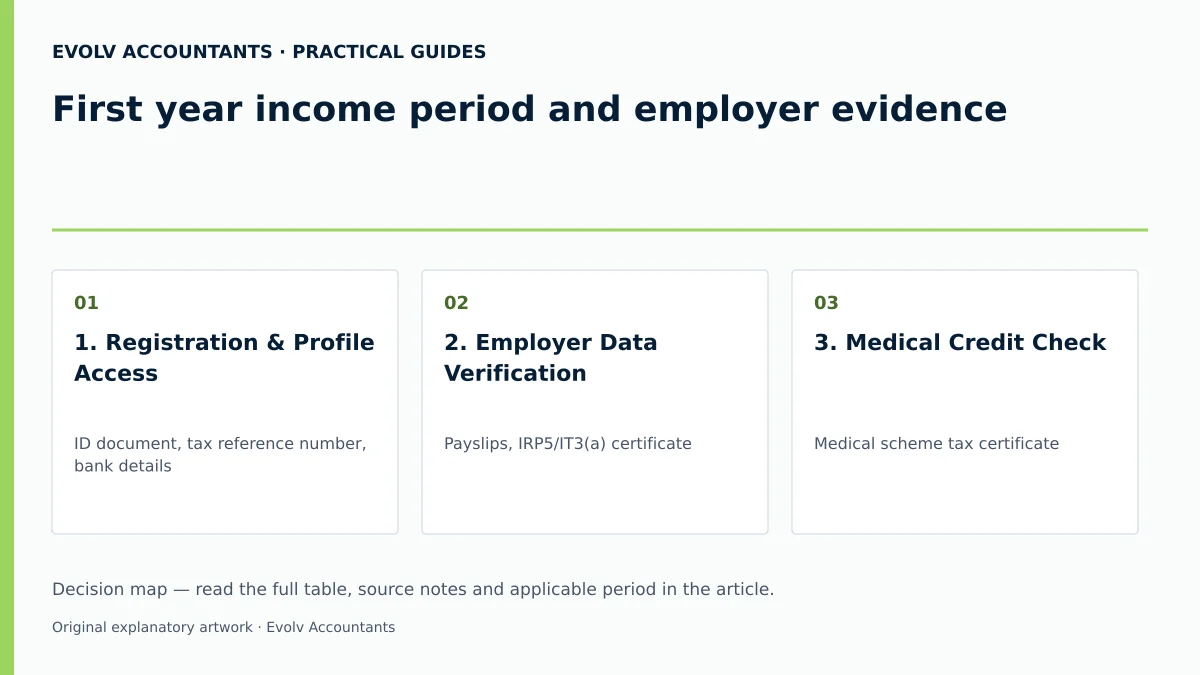
| Step | Input or evidence | Responsible person | Completion check | Exception or next action |
|---|---|---|---|---|
| 1. Registration & Profile Access | ID document, tax reference number, bank details | Individual / Evolv | Active eFiling profile & verified bank details 2 29 | Update details via RAV01 form if locked 56 |
| 2. Employer Data Verification | Payslips, IRP5/IT3(a) certificate | SME Payroll / Individual | IRP5 codes 3601, 4102 match annual payslip totals 30 34 | Request employer EMP501 correction if mismatched 18 19 |
| 3. Medical Credit Check | Medical scheme tax certificate | Individual | Section 6A credits (R364/m member, R364/m dependant) verified 8 12 | Add Section 6B out-of-pocket expenses if applicable 17 43 |
| 4. Return Submission | Draft ITR12 / Auto-assessment notice | Individual / Tax Practitioner | Complete/correct auto-assessment checked with no further filing action, or required correction submitted by the applicable deadline 9 27 | Request extension under Section 95(7) if unable to file 16 52 |
| 5. Result Reconciliation | ITA34 Notice of Assessment | Individual / Evolv | ITA34 issued displaying net tax calculation and refund/debt status 15 16 | Follow the applicable notice and dispute procedure; the guide’s 80-business-day section 95(8) period runs from the relevant refusal-to-reassess letter 49 52 |
| 6. Evidence Archiving | All tax certificates, receipts, logbooks | Individual | All files stored securely in digital format | Retain records for at least the applicable five-year period, and longer where an audit, dispute or other rule requires 47 48 |
Reproducible Hypothetical Example (2026 Year of Assessment)
To illustrate how employer evidence and Section 6A credits determine final tax liability, consider the following hypothetical example for a first-time employee under 65 years of age during the 2026 tax year (1 March 2025 – 28 February 2026):
- Gross Remuneration (Code 3601): R240,000 (Illustrative salary)
- PAYE Withheld by Employer (Code 4102): R22,000 (Illustrative deductions)
- Medical Scheme Membership: Main member with one registered dependant for 12 months.
Tax Calculation Breakdown (2026 Statutory Rates) 8 13:
- Gross Taxable Income: R240,000
- Normal Tax Calculation:
- Tax on first R237,100 = R42,678 13
- Tax on remaining R2,900 (at 26%) = R754 13
- Total Normal Tax Before Rebates = R43,432
- Less Primary Rebate (2026 YOA): (R17,235) 13
- Tax After Primary Rebate = R26,197
- Less Section 6A Medical Scheme Fees Tax Credit:
- Rate for member + 1 dependant = R728 per month 8 12
- Annual MTC Credit = R728 × 12 months = (R8,736) 8 57
- Net Normal Tax Liability = R17,461
- Final Settlement Calculation:
- Net Tax Liability: R17,461
- Less PAYE Paid via Employer (Code 4102): (R22,000)
- Result: R4,539 Refund due to Taxpayer (subject to SARS processing and any verification or banking checks).
Frequently Asked Questions
Do I need to submit an ITR12 return if my total salary is under R500,000?
Not necessarily. Under SARS guidelines for the 2026 year of assessment, you are exempt from submitting a return if your gross remuneration is below R500,000 from a single employer, PAYE was deducted, you have no travel allowance or fringe benefits, no foreign income, and local interest income is below R23,800 32 36. However, if you wish to claim extra medical deductions or had multiple employers, you must file a return 17 32.
What should I do if my employer has not issued an IRP5 certificate or filed with SARS?
You cannot manually type IRP5 details onto eFiling if third-party data is missing 19 22. Contact your employer's payroll office to confirm whether they submitted their annual EMP501 reconciliation 22. Once submitted, the data will auto-populate your return 22. If the employer defaults, present your monthly payslips and proof of payment to SARS as evidence of tax withheld.
How does the SARS auto-assessment system work for first-time workers?
SARS receives third-party data directly from employers, banks, and medical aids 5 38. Between 1 July and 12 July 2026, SARS creates an estimated assessment (ITA34) 15 21. Check the notice on SARS eFiling or the SARS MobiApp 17 27. If you agree with the pre-populated data, no further action is required 5 16. If data is missing or incorrect, edit and submit your ITR12 by 23 October 2026 27 44.
What is the difference between Section 6A and Section 6B medical tax credits for 2026?
Section 6A is a fixed monthly rebate for belonging to a registered medical scheme (in 2026: R364/month for the main member and first dependant, R246/month for extra dependants) 8 12. Section 6B is an Additional Medical Expenses Tax Credit for qualifying out-of-pocket medical expenses, calculated via specific statutory formulas depending on age and disability status 35 43 58 59.
What filing deadlines apply to non-provisional individual taxpayers for the 2026 tax year?
For the 2026 year of assessment (1 March 2025 – 28 February 2026), auto-assessments run from 1 July to 12 July 2026 1 21. Non-provisional individuals who need to edit or file a return must submit by 23 October 2026 1 9. Provisional taxpayers filing via eFiling have until 22 January 2027 1 9. Ask Evolv about prepopulated data and omitted income checks. Share the relevant records so the support required can be scoped. Ask Evolv about first year income period and employer evidence. Share the relevant records so the support required can be scoped.
Related guides
- Who must submit an individual income tax return
- Checking a SARS auto assessment before accepting it
- Compliance and Regulations: Keeping Your Business on Track
Sources
- https://www.sars.gov.za/wp-content/uploads/Ops/Guides/IT-AE-36-G05-Comprehensive-Guide-to-the-ITR12-Income-Tax-Return-for-Individuals-External-Guide.pdf
- How does Auto-Assessment work | South African Revenue Service
- https://www.sars.gov.za/wp-content/uploads/Ops/Guides/Legal-Pub-Guide-IT07-Guide-on-the-Determination-of-Medical-Tax-Credits.pdf
- Medical Tax Credit Rates | South African Revenue Service
- Updated Guides for Filing Season 2026 | South African Revenue Service
- Additional Medical Expenses Tax Credit | South African Revenue Service