
Allocating an employer payment across PAYE SDL and UIF
23 September 2025

Allocating an employer payment requires matching monthly PAYE, SDL and UIF liabilities on the EMP201 declaration using a systematically generated 19-digit Payment Reference Number.
Employers in South Africa declare their monthly payroll tax liabilities for Pay-As-You-Earn (PAYE), Skills Development Levy (SDL) and Unemployment Insurance Fund (UIF) on a single Monthly Employer Declaration (EMP201) 1 2. When funds are remitted to the South African Revenue Service (SARS) using the pre-populated Payment Reference Number (PRN), SARS credits the payment to a clearing account and automatically allocates the funds across PAYE, SDL and UIF in accordance with the declared values 2 3 4.
Maintaining exact alignment between internal payroll outputs, monthly electronic declarations and bank payment references prevents misallocations, avoids statutory interest and late penalties, and eliminates duplicate credit claims during employer reconciliations 2 5 6 7.
Allocation across tax types without duplicate credits
This practical guidance is written for South African small and medium-sized enterprise (SME) employers, financial managers, payroll administrators and registered tax practitioners operating within the South African tax jurisdiction. It applies to monthly payroll tax declarations and payments submitted to SARS for current and applicable tax years 1 7 8.
— Practical point from this guide
Defining completion and compliance boundaries
Successful payment allocation means achieving a fully reconciled account state where the total net payment received in the SARS clearing account perfectly matches the individual tax liabilities declared on the EMP201, as reflected on the official Employer Statement of Account (EMPSA) 2 6 9. Completion requires that no unallocated credits remain in suspense and no unexpected tax debts, late payment penalties or interest charges are raised on the account 6 9.
To maintain compliance and avoid administrative confusion, employers must strictly distinguish between three distinct regulatory processes 7 10 11:
- Registration obligations: Registering for PAYE, SDL and UIF creates the underlying statutory tax accounts with SARS and the Unemployment Insurance Commissioner 8 11 12.
- Monthly declarations (EMP201): The monthly self-assessment return where the employer calculates, declares and remits PAYE, SDL, UIF and qualifying Employment Tax Incentive (ETI) amounts 1 3 4 13.
- Employer reconciliations (EMP501): The bi-annual (August) and annual (February) process where monthly EMP201 declarations and payments are reconciled against individual employee IRP5/IT3(a) tax certificates 7 14.
Employers must align calculations with the correct tax year, monthly payroll frequency and statutory earnings ceilings 14 15 16. Note that historical portal user manuals or older administrative documentation do not serve as evidence of current system interfaces or legal rules; current SARS external guides and statutory provisions govern all submission channels 8 17 18.
Prepare the information and authority: allocation across tax types without duplicate credits
Before completing a monthly payment allocation, employers must gather primary source documentation, verify administrative authorities and confirm key calculation inputs 2 5 19.
Primary documentation and system credentials
The following documents and platform access rights are required 2 17 19 20:
- Monthly EMP201 Declaration: Requested via SARS eFiling or e@syFile™ Employer, reflecting calculated liabilities for PAYE, SDL, UIF and ETI 3 5 17.
- Payment Advice Notice (PAN) & PRN: The systematically generated 19-digit Payment Reference Number pre-populated on the EMP201 3 4 19 21.
- Payroll Summary Reports: Gross remuneration, allowable deductions, taxable remuneration, leviable SDL remuneration and UIF-liable earnings per pay period 15 22 23 24.
- EMPSA Statement of Account: Requested from SARS Correspondence on eFiling to review clearing account balances and allocated payments 9 20 25.
- Administrative Authority: Valid eFiling profile permissions or a registered Tax Practitioner mandate to submit returns and manage payroll tax accounts 17 26.
Statutory tax definitions and calculation rules
- Employees' Tax (PAYE): Withheld from employee remuneration according to statutory deduction tables issued under the Fourth Schedule to the Income Tax Act 8 27 28.
- Skills Development Levy (SDL): A compulsory 1% levy on total leviable remuneration, applicable to employers whose total annual remuneration is reasonably expected to exceed R500,000 over a 12-month period 3 10 12 22 29.
- Unemployment Insurance Fund (UIF): A total 2% contribution (1% deducted from employee remuneration and 1% contributed by the employer) payable on remuneration up to the statutory earnings ceiling 15 16 30 31. Effective 1 June 2021, the maximum earnings ceiling is R17,712 per month (R212,544 annually), fixing the maximum total monthly UIF contribution at R354.24 (R177.12 employee share and R177.12 employer share) per employee 4 16 32.
- Employment Tax Incentive (ETI): A qualifying tax incentive offset against the net PAYE liability on the EMP201, subject to tax compliance verification 1 3 33.
Legal statutory statutory framework vs regulator guidance vs Evolv recommendations
- Statutory Law: Set out in the Fourth Schedule to the Income Tax Act No. 58 of 1962, the Skills Development Levies Act, the Unemployment Insurance Contributions Act, and the Tax Administration Act 8 22 34 35.
- Regulator Guidance: Official operational procedures prescribed in SARS external guides (EMP-GEN-02-G01, UIF-GEN-01-G01, SDL-GEN-01-G01) 6 13 36 37.
- Evolv Recommendations: Best-practice professional advice to perform monthly bank-to-EMPSA ledger reconciliations and verify PRN entries before releasing bank payments.
Complete the task step by step: documented completion and exceptions
Follow this structured, sequential workflow to execute monthly employer tax declarations and ensure payments allocate correctly across PAYE, SDL and UIF without duplicate credit entries 1 2 5 38.
Sequenced completion procedure
- Extract payroll liabilities: Run monthly payroll reports to determine exact amounts withheld for PAYE, employer SDL liability, and combined employee/employer UIF contributions 15 16 22 28 39.
- Request the monthly EMP201: Log into eFiling or e@syFile™ Employer, select the relevant tax period, and request an electronic EMP201 declaration 3 5 17.
- Declare liabilities: Enter calculated totals into the respective fields for PAYE, SDL, UIF and ETI Utilised 3 5 26. Verify that auto-calculated net payable amounts match payroll totals 26.
- Obtain the Payment Reference Number (PRN): Extract the unique, systematically generated 19-digit PRN displayed on the declaration and Payment Advice Notice 2 3 19.
- Submit the declaration electronically: Submit the completed EMP201 on or before the due date—within 7 days after the end of the calendar month 1 27 38. If the 7th falls on a weekend or public holiday, submission and payment must occur by the last business day prior 1 27 38.
- Remit payment via approved channels: Pay the exact total declared amount via eFiling credit push or electronic funds transfer (EFT) using the 19-digit PRN as the mandatory beneficiary payment reference 2 19 38 40.
- Verify clearing account allocation: Allow processing time, then request an EMPSA Statement of Account to confirm that SARS has moved funds from the clearing account into the individual PAYE, SDL and UIF sub-accounts in exact accordance with the declaration 2 6 9 20.
Reproducible hypothetical calculation example
To illustrate the calculation and allocation methodology, consider a hypothetical South African SME with five employees earning monthly salaries, where total annual payroll exceeds R500,000 10 12:
- Employee 1: Gross Remuneration = R12,000 per month
- Employee 2: Gross Remuneration = R15,000 per month
- Employee 3: Gross Remuneration = R17,712 per month
- Employee 4: Gross Remuneration = R25,000 per month (Capped at R17,712 for UIF) 4 16
- Employee 5: Gross Remuneration = R30,000 per month (Capped at R17,712 for UIF) 4 16
Calculation breakdown (all values labelled as illustrative):
- PAYE (illustrative statutory deduction table output):
- SDL (1% of leviable remuneration):
- Total Gross Remuneration = R99,712.00
- Leviable amount = R99,712.00
- SDL calculation = R99,712.00 × 1% = R997.12 3 22 23 29
- UIF (2% total: 1% employee + 1% employer up to R17,712 ceiling):
- Employee 1 (R12,000 × 2%) = R240.00
- Employee 2 (R15,000 × 2%) = R300.00
- Employee 3 (R17,712 × 2%) = R354.24
- Employee 4 (Capped R17,712 × 2%) = R354.24 4 16
- Employee 5 (Capped R17,712 × 2%) = R354.24 4 16
- Total monthly UIF liability = R1,602.72 4 15 16 30 31
- Total Monthly Payment Declared & Remitted:
When R16,849.84 is paid using the 19-digit PRN, SARS deposits the amount into the clearing account and automatically allocates exactly R14,250.00 to PAYE, R997.12 to SDL, and R1,602.72 to UIF 2 3 6.
Check the result against the evidence: allocation across tax types without duplicate credits
Employers must independently verify that payment allocation has succeeded rather than assuming that initiating a bank transfer equals tax compliance 2 6 9.
Verifying allocation on the EMPSA Statement of Account
Request an EMPSA Statement of Account via eFiling under SARS Correspondence > Request PAYE Notices 20 25. Review the document to confirm 6 9 20:
- PRN Match: The transaction description reflects the 19-digit PRN used for payment 2 3 19.
- Clearing Account Balance: The clearing account reflects a zero balance, confirming full allocation 2 9.
- Sub-account Credits: PAYE, SDL and UIF sub-accounts show credits equal to the EMP201 declared liabilities 2 6 41.
- Zero Outstanding Balance: No unpaid tax balances, late payment penalties (10%) or statutory interest charges appear on the statement 6 42 43 44.
Compliance status and ETI lock
When an EMP201 is requested, SARS automatically checks the employer's Tax Compliance Status (TCS) 33. If the employer is non-compliant, the ETI Utilised field is locked, preventing the employer from offsetting ETI against PAYE liabilities 33. Re-establishing tax compliance is mandatory before ETI credits can be utilised 33 45.
Handle exceptions and unresolved cases: documented completion and exceptions
When payment allocations fail or discrepancies arise, employers must follow established administrative remedies 6 9 13 46.
Statutory order of allocation on shortfalls
If an employer remits less than the total declared amount, SARS applies statutory allocation rules 6. Payments are allocated in the following strict order 6:
- Penalties levied on the account 6.
- Interest accrued, to the extent the payment exceeds penalties 6.
- Outstanding Tax (PAYE, SDL, UIF) or additional penalties 6.
Because shortfalls are consumed by penalties and interest first, the underlying tax debt remains partially unpaid, causing statutory interest to continue accruing until the tax principal is settled in full 6 43.
Correcting misallocations and EMP201 revisions
- Missing or Incorrect PRN: Payments made without a valid 19-digit PRN remain unallocated in the clearing account 2 9 19. Employers must submit proof of payment and written instructions to SARS to manually map the transaction 2 6.
- Request for Correction (RFC): If an error occurred in the declared liability figures, the employer must submit an RFC on the relevant EMP201 13 46. SARS guidance notes that payments are stored in your clearing account, which is then automatically allocated to PAYE, SDL and/or UIF inline with your submitted EMP201 2.
- Overpayments: Overpayments are moved to an unallocated credit account after processing 9. Employers may apply to have unallocated credits reallocated against future liabilities or formally request a refund from SARS 9.
- Excessive Liability Change (ELC): If EMP501 reconciliation figures differ substantially from monthly EMP201 declarations, SARS issues an ELC notice 47 48. Employers must submit supporting documentation via the SARS Online Query System (SOQS) 48.
Next steps for Employer reconciliations
Monthly EMP201 payment allocations directly feed into the bi-annual and annual employer reconciliation process (EMP501) 7 14. Ensuring that monthly declarations, PRN references and bank payments balance perfectly each month prevents administrative disputes and ensures smooth submission of employee tax certificates 2 7 49.
Task and completion checklist
| Step | Input or evidence | Responsible person | Completion check | Exception or next action |
|---|---|---|---|---|
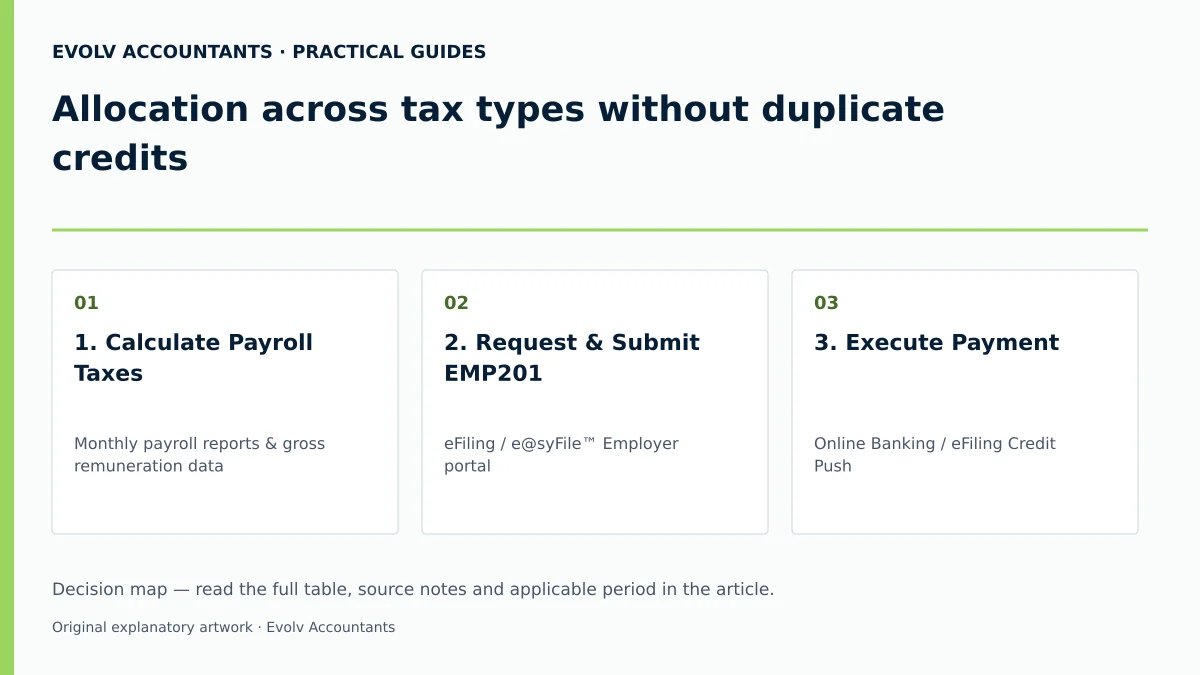
| 1. Calculate Payroll Taxes | Monthly payroll reports & gross remuneration data | Payroll Administrator | PAYE, SDL (1%) and UIF (2% capped at R17,712 ceiling) calculated 15 16 22 28 | Verify non-taxable allowances and exclusions 23 24 |
| 2. Request & Submit EMP201 | eFiling / e@syFile™ Employer portal | Tax Practitioner / Financial Manager | EMP201 submitted within 7 days post month-end; 19-digit PRN generated 1 5 19 | Verify Tax Compliance Status if ETI is locked 33 |
| 3. Execute Payment | Online Banking / eFiling Credit Push | Finance Officer | Payment remitted using exact 19-digit PRN before deadline 2 38 40 | Ensure payment released prior to weekend/holiday cut-off 1 27 |
| 4. Statement of Account Review | EMPSA Statement of Account from SARS Correspondence | Tax Administrator / Accountant | Clearing account balance is R0.00; payments allocated to PAYE, SDL, UIF 6 9 20 | If unallocated, submit proof of payment and PRN instruction to SARS 2 9 |
| 5. Bi-annual/Annual Reconciliation | EMP501 return & individual IRP5/IT3(a) certificates | Evolv Lead Accountant / Tax Specialist | EMP201 liabilities and payments match IRP5 certificate totals 7 14 49 | If discrepancies exist, submit RFC on EMP201 or resolve ELC notice 13 46 48 |
Ask Evolv about allocation across tax types without duplicate credits. Share the relevant records so the support required can be scoped.
Frequently Asked Questions
What happens if an employer pays SARS without using the 19-digit Payment Reference Number (PRN)?
Without the systematically generated 19-digit PRN, SARS cannot automatically link the bank remittance to the monthly EMP201 declaration 2 19. The payment remains in a clearing account as an unallocated credit, while the PAYE, SDL and UIF accounts reflect unpaid liabilities, exposing the business to automatic 10% late payment penalties and interest 6 9 19 42.
In what specific order does SARS allocate partial payments when there is a payment shortfall?
In terms of SARS payment allocation rules, any partial payment is allocated first to outstanding penalties, secondly to accrued interest, and only lastly to the principal tax debt (PAYE, SDL and UIF) 6. Unpaid tax balances continue to attract interest at the prescribed rate 6 43.
How does the Unemployment Insurance Fund (UIF) monthly earnings ceiling affect contribution calculations?
Effective 1 June 2021, the maximum earnings ceiling for UIF contributions is R17,712 per month (R212,544 annually) 4 16. Remuneration exceeding R17,712 per month is excluded from the UIF calculation, capping the maximum monthly deduction at R177.12 for the employee and R177.12 for the employer (R354.24 total) 4 16.
Can an employer claim duplicate tax credits on an EMP201 if an error occurred in a prior month?
No 2 46. Employers may not claim duplicate credits or manually inflate credit entries 2 46. Prior-period errors must be corrected by submitting a Request for Correction (RFC) on the specific EMP201 where the error occurred, which automatically adjusts the clearing account allocation 13 46.
How do monthly EMP201 allocations impact the bi-annual and annual EMP501 reconciliations?
The bi-annual (August) and annual (February) EMP501 reconciliations compare the total monthly liabilities declared on EMP201 returns and actual payments made against the total tax values disclosed on employee IRP5/IT3(a) certificates 7 14. Accurate monthly allocations ensure that certificate totals balance perfectly with SARS account records, avoiding reconciliation rejections or ELC audit queries 7 48 49.
Related guides
- Submitting an EMP201 employer declaration
- Preparing an interim EMP501 reconciliation
- Compliance and Regulations: Keeping Your Business on Track
Sources
- COMPLETING THE MONTHLY EMPLOYER DECLARATION (EMP201) | South African Revenue Service
- Skills Development Levy | South African Revenue Service
- Unemployment Insurance Fund | South African Revenue Service
- Guide for Employers in Respect of Employees' Tax (2027) | South African Revenue Service
- https://www.sars.gov.za/wp-content/uploads/Ops/Guides/EMP-GEN-02-G01-A-Guide-to-the-Employer-Reconciliation-Process-External-Guide.pdf
- https://www.sars.gov.za/wp-content/uploads/Ops/Guides/SDL-GEN-01-G01-Guide-for-Employers-in-respect-of-Skills-Development-Levy-External-Guide.pdf
- https://www.sars.gov.za/wp-content/uploads/Ops/Guides/UIF-GEN-01-G01-Guide-for-Employers-in-respect-of-the-Unemployment-Insurance-Fund-External-Guide.pdf