
Submitting an EMP201 employer declaration
7 June 2025

Submitting an EMP201 employer declaration requires an employer to declare and remit monthly payroll liabilities for PAYE, SDL, and UIF to SARS within seven days following the month end.
An EMP201 is a statutory monthly self-assessment payment declaration submitted by employers in South Africa to account for statutory deductions and employer contributions 1 2. By submitting this form, an organisation links its monthly payroll records directly to its account with the South African Revenue Service (SARS), declaring liabilities for Pay-As-You-Earn (PAYE), Skills Development Levy (SDL), and Unemployment Insurance Fund (UIF) contributions, while offsetting any eligible Employment Tax Incentive (ETI) 1 2 3 4.
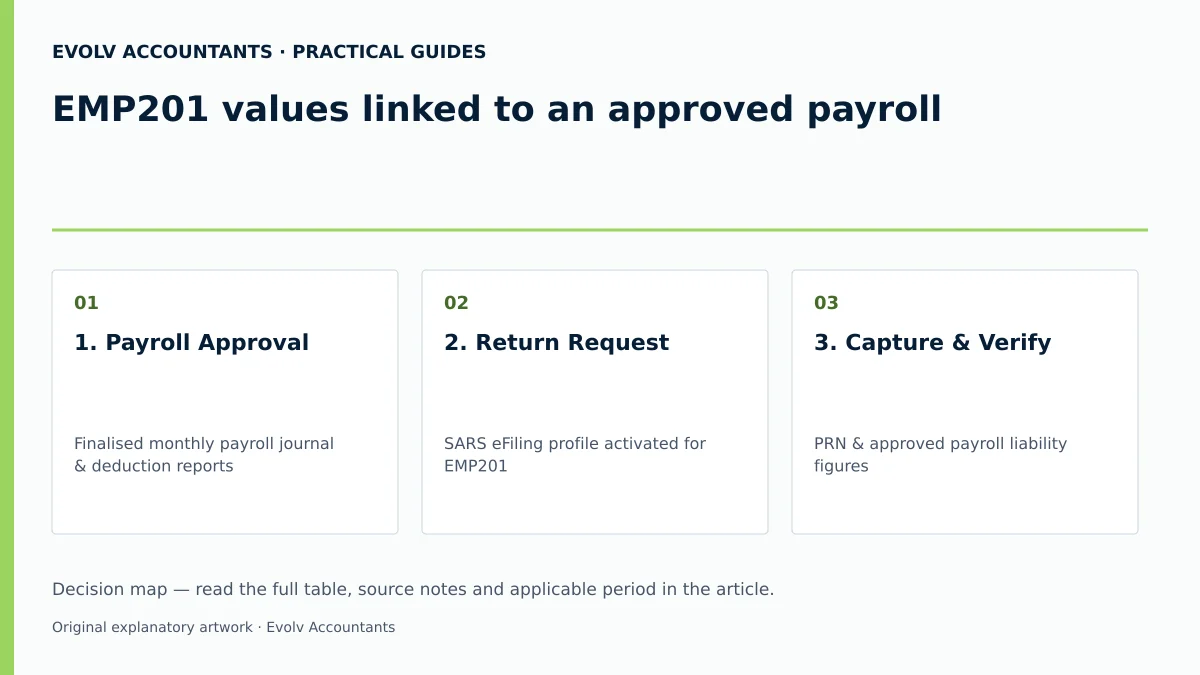
EMP201 values linked to an approved payroll
This guide is designed for South African small and medium-sized enterprise (SME) employers, financial managers, and payroll administrators operating within the South African tax jurisdiction 2 5. Declarations cover specific monthly tax periods from the first to the last calendar day of each month within the national tax year (1 March to 28/29 February) 2 6.
Completing an EMP201 declaration means calculating, declaring, and remitting the exact monthly liabilities derived from a finalised, approved payroll run 1 2. The declaration consolidates three distinct payroll taxes into a single monthly return, generating a unique 19-digit Payment Reference Number (PRN) that links the payment directly to the employer's clearing account at SARS 3 4 7 8.
— Practical point from this guide
To ensure legal compliance and audit readiness, employers must distinguish between statutory law, regulator administrative guidance, and Evolv advisory recommendations:
- Statutory Law: The Fourth Schedule to the Income Tax Act No. 58 of 1962 mandates that employers deduct PAYE from employee remuneration and remit it to SARS 6 9. The Skills Development Levies Act No. 9 of 1999 governs the payment of SDL 10 11 12, while the Unemployment Insurance Contributions Act No. 4 of 2002 mandates employee and employer UIF contributions 9 13 14. The Tax Administration Act No. 28 of 2011 prescribes rules for self-assessment returns, interest, and non-compliance penalties 15 16 17.
- Regulator Guidance: SARS external guides specify that declarations must be submitted electronically via SARS eFiling, e@syFile Employer, or a SARS branch, and paid within seven days after the end of each month 1 9 18 19.
- Evolv Recommendations: Evolv Accountants advises SME managers to lock all payroll journals upon executive approval prior to generating the EMP201 return. This prevents post-approval adjustments from creating discrepancies between internal accounting ledgers and SARS monthly declarations.
Prepare the information and authority: emp201 values linked to an approved payroll
Before logging into filing portals, the designated payroll officer must gather specific documentation, verify system permissions, and apply statutory calculation thresholds 5 18 19.
Required Documents and Permissions
Employers must compile the following inputs from the approved monthly payroll run:
- Approved Payroll Summary Report: Detailed gross remuneration, taxable allowances, fringe benefits, allowable retirement fund deductions, and net statutory withholdings 6 10 20.
- SARS eFiling Credentials and Access: An active SARS eFiling user profile registered and activated for the organisation's "Employee's Tax (EMP201)" tax type, or formal tax practitioner power of attorney 21 22 23 24.
- Prior Period Statements: The latest Employer Statement of Account (EMPSA) to verify outstanding balances or unallocated clearing account credits 7 22 25.
Statutory Definitions and Rates
- Pay-As-You-Earn (PAYE): Deducted from taxable remuneration according to the Fourth Schedule statutory tax deduction tables 6 26.
- Skills Development Levy (SDL): An employer-funded levy fixed at 1% of the leviable remuneration balance 10 12 27. Leviable remuneration is calculated after deducting allowable pension, provident, or retirement annuity fund contributions and approved donations 10 27 28. Statutory Exemption: Employers with a total projected annual payroll of R500,000 or less across all branches are legally exempt from paying SDL 3 10.
- Unemployment Insurance Fund (UIF): Total contribution is 2% of remuneration (1% withheld from the employee's salary and 1% contributed by the employer) 13 14 29. Statutory Ceiling: Effective 1 June 2021, the maximum earnings threshold for UIF calculations is R17,712 per month (R212,544 annually) 4 29 30. The maximum monthly contribution per employee earning at or above this threshold is R177.12 for the employee and R177.12 for the employer, totalling R354.24 per month 4.
- Employment Tax Incentive (ETI): An incentive allowing qualifying employers to offset calculated ETI amounts against their total monthly PAYE liability 1 2 3 31. ETI figures are pre-populated from SARS system records 32 33. If the employer is classified as tax non-compliant, SARS locks the "ETI Utilised" field, prohibiting any offset against PAYE 32 34 35.
Reproducible Hypothetical Calculation Example
(Note: All monetary figures below are illustrative values formulated to demonstrate statutory application.)
An SME employer has one qualifying full-time employee earning a gross monthly salary of R20,000.00 with no allowable retirement deductions:
- Gross Remuneration: R20,000.00 6 28
- PAYE Deduction: R2,500.00 (illustrative table tax figure) 6 26
- SDL Calculation (1% of Leviable Amount): R20,000.00 × 1% = R200.00 10 12
- UIF Calculation (Capped at R17,712.00 threshold): R17,712.00 × 1% (Employee) = R177.12; R177.12 (Employer) = R354.24 total 4 29
- Subtotal Monthly Liability: R2,500.00 (PAYE) + R200.00 (SDL) + R354.24 (UIF) = R3,054.24 36
- ETI Utilised: R0.00 33
- Total EMP201 Amount Payable to SARS: R3,054.24 7 36
Complete the task step by step: documented completion and exceptions
Employers must complete the monthly EMP201 declaration electronically using current SARS primary procedures 18 19 37. According to SARS guidance, "A payment can't be made without first submitting the EMP201" 37. Paper forms dropped off in branch drop-boxes, posted declarations, and faxed or emailed submissions are not accepted by SARS 18 37 38 39.
Numbered Action Checklist
- Access Portal: Log into SARS eFiling or open e@syFile Employer 18 19 23.
- Request Return: Navigate to Returns Issued > Employee's Tax (EMP201), select the tax year and period month, and click Request Return 24.
- Verify PRN: Open the return and confirm the pre-populated 19-digit Payment Reference Number (PRN) 3 4 8 40.
- Capture Liabilities: Enter the verified monthly figures from the approved payroll report into the respective fields:
- Confirm Calculated Totals: Verify that the "Total Monthly Liability" field automatically sums the PAYE, SDL, and UIF entries 20 36.
- Verify ETI Utilisation: Check pre-populated ETI values 32 33. If tax compliance verification fails, ETI offset will be set to zero 32 34 35.
- Submit Declaration: Click File Return or Submit form to generate an electronic acknowledgement of receipt ("EMP201 received") 38 41 42.
- Release Payment: Execute payment before the statutory deadline via eFiling credit push or internet banking EFT, ensuring the exact 19-digit PRN is used as the transfer reference 1 43 44.
Check the result against the evidence: emp201 values linked to an approved payroll
Submitting the form on eFiling does not equal complete tax clearance; completion requires verification of independent evidence matching the declaration to actual bank settlements and account postings 7 8 35 41.
Employers must retain the following three audit trail documents for a mandatory minimum retention period of five years 8 45:
- SARS Submission Receipt: An electronic confirmation showing the date, time, and declared liabilities for PAYE, SDL, and UIF 8 38 41.
- Bank Credit Push Proof of Payment: A bank-issued payment confirmation reflecting the exact 19-digit PRN and transaction date 7 8 43 44. Debit pull transactions are discontinued; only credit push or approved bank EFT transactions are accepted 43 44.
- Employer Statement of Account (EMPSA): Requested via eFiling under SARS Correspondence > Request PAYE Notices 22 46 47. The EMPSA provides a consolidated view of SARS's clearing account, confirming that payments have been successfully allocated to PAYE, SDL, and UIF accounts without leaving unpaid balances, interest, or administrative penalties 7 22 47 48.
Handle exceptions and unresolved cases: documented completion and exceptions
Statutory Penalties and Interest
- Late Payment Penalty: A mandatory, once-off percentage-based penalty of 10% is levied under the Fourth Schedule and the Tax Administration Act on any portion of tax paid late or remaining unpaid after the due date 16 49.
- Statutory Deadline Adjustments: Payments and declarations are due within seven days following the month end 1 9 44. If the 7th falls on a Saturday, Sunday, or public holiday, the final submission and payment date shifts to the last business day before the weekend or public holiday 1 9 44 50.
- Interest Accrual: Interest accrues on outstanding tax balances at the prescribed statutory rate from the due date until full settlement 17 48 49.
- SARS Payment Allocation Order: When a partial payment or remittance is received, SARS automatically allocates funds in the following strict legal hierarchy: penalties first, interest second, and outstanding tax liability third 48. Interest continues to accrue on any remaining tax balance 48.
Under-Deductions and Employer Liability
Under Paragraph 5(1) of the Fourth Schedule, an employer who fails to deduct or withhold the correct amount of PAYE or UIF from employee remuneration is held personally liable to SARS for the shortfall 48 51. While the employer retains a statutory right to recover the paid tax shortfall from future employee remuneration, this recovery requires a formal directive from SARS 51.
If the shortfall cannot be recovered from the employee, the unrecovered amount is deemed a non-deductible penalty in the hands of the employer under section 23(d) of the Income Tax Act 33 51.
Over-Deductions and Tax Year Boundaries
Employers are not permitted to refund over-deducted PAYE directly to employees after the end of the tax year in which the over-deduction occurred 51. Adjustments may only be made within the active tax year prior to 28/29 February 6 51. Once the tax year closes, any over-deducted tax can only be claimed by the individual employee upon submitting their annual income tax return (ITR12) to SARS 51.
Excessive Liability Changes and Audits
If an employer makes substantial adjustments to previously submitted monthly liabilities during the annual or interim employer reconciliation process (EMP501), SARS flags the submission as an "Excessive Liability Change" 41 52. The declaration is routed for manual assessment and audit review 41 52. Employers must submit detailed payroll journals and written explanations; failing to satisfy SARS within specified turnaround times results in SARS reverting account values to original declarations 52 53.
Dispute Mechanisms
Employers aggrieved by penalty assessment notices (EMP301) must submit an electronic Request for Remission (RFR) via eFiling on or before the payment due date 54 55. If a tax liability dispute arises, formal objections must be lodged via a Notice of Objection (NOO) on eFiling within 30 business days of the assessment date 56.
Next steps for Employer reconciliations
Monthly EMP201 declarations form the direct underlying foundation for the bi-annual (interim) and annual Employer Reconciliation Declarations (EMP501) 2 57 58. During the interim reconciliation period (September to October) and annual filing season, employers must reconcile all monthly EMP201 declarations against actual payments made and total values disclosed on employee tax certificates (IRP5/IT3(a)) 57 58.
Reconciliations submitted via eFiling support a maximum of 50 IRP5/IT3(a) certificates; employers issuing more than 50 certificates must use e@syFile Employer 40 59. Furthermore, once a specific submission channel (eFiling or e@syFile) is chosen for a reconciliation period, that exact same channel must be used for any subsequent revisions for that period 40 59.
Task and Completion Checklist
| Step | Input or evidence | Responsible person | Completion check | Exception or next action |
|---|---|---|---|---|
| 1. Payroll Approval | Finalised monthly payroll journal & deduction reports 6 20 | Payroll Administrator / Finance Manager | Payroll summary signed off & figures locked | Re-perform payroll calculation if gross totals do not balance |
| 2. Return Request | SARS eFiling profile activated for EMP201 22 24 | Designated Tax Officer / Practitioner | EMP201 requested for correct tax month 24 | Verify tax profile activation on eFiling if period is unavailable |
| 3. Capture & Verify | PRN & approved payroll liability figures 8 20 36 | Payroll Administrator | PAYE, SDL, UIF & net total match payroll report 36 | Resolve demographic or ETI lock warnings before submitting 32 33 |
| 4. Submission | Portal electronic submission command 38 42 | Authorised Financial Signatory | System generates "EMP201 received" status 38 41 | Re-submit via correct electronic channel if transmission fails 18 38 |
| 5. Payment Execution | Bank credit push / EFT facility & 19-digit PRN 43 44 | Finance Manager / Treasury | Payment released prior to 7th-day statutory cut-off 1 9 | Process immediate payment if 7th falls on weekend/holiday 1 9 |
| 6. Evidence Verification | Employer Statement of Account (EMPSA) 22 47 | Financial Controller | EMPSA shows zero balance & correct tax allocation 7 47 | Lodge Request for Remission (RFR) via eFiling if penalties arise 55 |
Frequently Asked Questions
What happens if the 7th day of the month falls on a Saturday, Sunday, or public holiday?
In terms of statutory tax rules, if the 7th calendar day falls on a weekend or official public holiday, the EMP201 declaration and its accompanying payment must be submitted to SARS on or before the last business day prior to that weekend or public holiday 1 9 44.
Can an employer manually increase ETI figures or claim ETI if tax non-compliant?
No. ETI figures are pre-populated by SARS system controls 32 33. If an employer is classified as non-compliant regarding tax returns or outstanding balances, SARS automatically locks the ETI Utilised field, prohibiting the employer from setting off ETI against PAYE liability 32 34 35.
How does SARS allocate partial payments made towards an EMP201 liability?
Under statutory payment rules, SARS allocates incoming payments in a strict mandatory order: penalties are paid first, accrued interest is paid second, and outstanding tax liability (PAYE, SDL, UIF) is paid last 48. Interest continues to accrue on any remaining tax shortfall 48.
What is the current maximum earnings ceiling for monthly UIF calculations?
Effective from 1 June 2021, the statutory maximum remuneration ceiling for UIF contributions is R17,712 per month (R212,544 per annum) 4 29 30. For any employee earning above this amount, monthly UIF deductions are capped at R177.12 (1% employee) and R177.12 (1% employer), giving a maximum total monthly contribution of R354.24 per employee 4.
What is the limit for submitting employee tax certificates on eFiling during reconciliations?
Employers filing their EMP501 reconciliations directly on SARS eFiling can submit a maximum of 50 IRP5/IT3(a) certificates 40 59. If an employer has more than 50 employee certificates to submit, the reconciliation must be processed using e@syFile Employer 40 59. Ask Evolv about eMP201 values linked to an approved payroll. Share the relevant records so the support required can be scoped.
Related guides
- Correcting an EMP201 with incorrect amounts
- Allocating an employer payment across PAYE SDL and UIF
- Compliance and Regulations: Keeping Your Business on Track
Sources
- COMPLETING THE MONTHLY EMPLOYER DECLARATION (EMP201) | South African Revenue Service
- https://www.sars.gov.za/wp-content/uploads/Ops/Guides/EMP-GEN-02-G01-A-Guide-to-the-Employer-Reconciliation-Process-External-Guide.pdf
- Skills Development Levy | South African Revenue Service
- Unemployment Insurance Fund | South African Revenue Service
- Guide for Employers in Respect of Employees' Tax (2027) | South African Revenue Service
- https://www.sars.gov.za/wp-content/uploads/Ops/Guides/SDL-GEN-01-G01-Guide-for-Employers-in-respect-of-Skills-Development-Levy-External-Guide.pdf
- https://www.sars.gov.za/wp-content/uploads/Ops/Guides/UIF-GEN-01-G01-Guide-for-Employers-in-respect-of-the-Unemployment-Insurance-Fund-External-Guide.pdf