
Correcting an EMP201 with incorrect amounts
13 July 2026

Correcting an incorrect EMP201 declaration requires an employer to submit a formal Request for Correction via SARS eFiling or e@syFile to rectify payroll tax liabilities.
When a South African small or medium enterprise (SME) identifies an error in a previously submitted Monthly Employer Declaration (EMP201), the employer must adjust the declared Pay-As-You-Earn (PAYE), Skills Development Levy (SDL), Unemployment Insurance Fund (UIF), or Employment Tax Incentive (ETI) figures using the official Request for Correction (RFC) functionality 1 2 3 4.
Amending an EMP201 recalculates the statutory tax debt or credit for that specific tax period, directly impacting payment obligations, potential late payment penalties (10%), and prescribed interest 5 6 7 8 9 10. The correction process requires strict adherence to statutory reconciliation rules, preservation of original payroll records, and verification against official SARS Statements of Account 5 11 12.
Correction period and payment consequences
Identifying Erroneous Fields Across Payroll Tax Components
Employers must first pinpoint the specific payroll tax field, transaction period, and source record where the reporting discrepancy occurred 1 3 13. The EMP201 return captures four distinct payroll liabilities:
— Practical point from this guide
- Pay-As-You-Earn (PAYE): Employees' tax withheld from remuneration in accordance with Fourth Schedule tax tables 3 14 15.
- Skills Development Levy (SDL): A mandatory 1% contribution on total leviable remuneration, statutory under the Skills Development Levies Act for employers whose total annual remuneration bill is reasonably expected to exceed R500,000 over a 12-month period 16 17 18 19 20.
- Unemployment Insurance Fund (UIF): A combined 2% contribution (1% deducted from employee remuneration and 1% contributed by the employer) under the Unemployment Insurance Contributions Act 21 22 23 24. Contributions are capped at the statutory monthly earnings ceiling of R17,712 (effective 1 June 2021), restricting the maximum employee deduction to R177.12 per month 22 25 26.
- Employment Tax Incentive (ETI): A statutory tax incentive offset against payable PAYE for qualifying employees 1 19 27.
Material Consequences of Inaccurate Declarations
Under-declaring monthly liabilities creates an unpaid tax debt with SARS on the submission due date (the 7th of the following month, or the last business day prior if the 7th falls on a weekend or public holiday) 1 4 28. Statutory law mandates a automatic 10% late payment penalty on outstanding payroll tax amounts, alongside interest calculated at the prescribed rate under the Tax Administration Act 7 8 9 10.
SARS payment allocation rules automatically allocate any incoming employer payment in a strict sequence: first to outstanding penalties, second to accrued interest, and third to the principal tax debt 6. If an under-declaration is corrected late, any partial payment will be absorbed by penalties and interest, leaving a residual tax debt that continues to compound interest 6.
Conversely, over-declaring liabilities artificially inflates employer tax liabilities, tying up operational working capital or triggering SARS audit verification checks 29 30 31.
Payment Reference Number (PRN) Continuity
When an EMP201 declaration is generated, SARS pre-populates a unique 19-digit Payment Reference Number (PRN) 5 19 25 32. "The PRN is used for the whole period, including any revisions submitted" 5. Using the correct PRN ensures that supplementary payments or reallocations are accurately credited to the specific monthly tax account rather than sitting in unallocated suspension 5 19 32.
Preserve the original records: correction period
Statutory Record-Retention Mandates
Legislation and SARS external guides strictly mandate that employers must retain complete copies of all original EMP201 declarations, payroll summary journals, employee payslips, and payment advice notices for a minimum period of five (5) years 5 12 33. Under no circumstances should original payroll run records or previous submission histories be overwritten, altered, or discarded when executing a correction 5 12.
Establishing an Unbroken Audit Trail
To defend an EMP201 correction during subsequent SARS employer audits or Excessive Liability Change (ELC) reviews, the payroll control manager must archive:
- The original eFiling submission receipt and Payment Advice Notice (PAN) 5 34 35.
- The initial payroll software summary report supporting the original return.
- The revised payroll summary report highlighting the corrected calculation errors.
- Authorisation documentation explaining the operational or technical cause of the error 36.
- The updated eFiling submission confirmation and revised Statement of Account 11 37.
Submission Channel Consistency
SARS administrative guidelines dictate that once a submission channel is selected for a specific tax period, any subsequent revision must be executed through that exact same channel 38 39 40. If an employer submitted the original EMP201 via eFiling, the Request for Correction must be lodged on eFiling 38 39. Attempting to submit a revised return via e@syFile™ Employer when eFiling was used originally will result in an automated system rejection 39 40.
Choose the correct amendment route: payment consequences
Request for Correction (RFC) vs. Replacement Declarations
Prior to the submission of the bi-annual (Interim September–October) or annual EMP501 employer reconciliation, any error discovered on a monthly EMP201 return must be corrected by lodging a Request for Correction (RFC) directly on that specific EMP201 return 2 4 41. The RFC opens the saved return, allowing the employer to adjust the declared liability fields to reflect true payroll figures 2 41 42.
Statutory Restrictions: ETI and Timing Rules
Employer options differ depending on the nature of the error and statutory constraints:
- Omitted ETI Amounts: Under Section 9(4) of the Employment Tax Incentive Act, an employer who omitted to claim an ETI amount on a past EMP201 cannot perform an RFC on that prior return to claim the missing incentive 2 43. Instead, regulator guidance dictates that the omitted ETI must be claimed in any subsequent month within that respective 6-month reconciliation period (March–August or September–February) 2 43. If omitted ETI is not claimed by the end of the reconciliation period, the incentive is permanently forfeited 2 43.
- Tax Table Delays: If an adjustment is caused by a delay in implementing updated SARS tax tables, statutory guidance allows the adjustment to be made in the month immediately following table release without revising prior EMP201 returns 44.
- Audits and Agreed Estimates: An EMP201 cannot be amended via an RFC if an agreed estimated assessment was performed by SARS, if the period is subject to a Voluntary Disclosure Programme (VDP) agreement, or if an active SARS audit is in progress with an allowable RFC already submitted 2 12 33 45.
Managing Disputes and Penalty Remissions
Where an under-declaration results in an automated late payment penalty assessment notice (EMP301), the employer cannot use an RFC to reverse the penalty 46 47. The employer must submit an electronic Request for Remission (RFR) via eFiling, providing valid supporting grounds and evidence demonstrating circumstances beyond their control 46 47 48. If the RFR is disallowed, the employer may lodge a formal Notice of Objection (NOO) under the Tax Administration Act 46 47.
Make and verify the correction: correction period
Step-by-Step Electronic Correction Sequence
To make a formal correction on SARS eFiling, employers and tax practitioners must follow this sequence:
- Access the Work Page: Log into SARS eFiling, navigate to 'Returns Issued' > 'Employee's Tax (EMP201)', select the affected tax period, and click 'Open' 35 49 50.
- Initiate Request for Correction: Click the 'Request for Correction' (RFC) button to generate an editable version of the return 2 4 39.
- Capture Revised Liabilities: Enter the correct monthly liability amounts for PAYE, SDL, and UIF in their respective fields 1 42 51.
- Provide Reason for Over/Understatement: If the adjustment exceeds SARS system thresholds, complete the mandatory 'Reason for Over / Understatement of Declaration' field 42 52.
- Submit Revised Return: Verify the pre-populated 19-digit PRN, accept the legal declaration, and click 'Submit form' 5 19 53.
Verifying Account Adjustments via EMPSA
Submitting the RFC updates the employer's tax account, but verification is required to confirm processing 11 30 37. The employer must request an Employer Statement of Account (EMPSA) on eFiling 11 30 37. The EMPSA reflects updated monthly liability values, newly raised debits or credits, accrued interest, applied late payment penalties, and the net overall balance ('Due By You' or 'Due To You') 6 11 37 52.
Consequences and remaining exceptions: payment consequences
Downstream Impact on Reconciliations and Certificates
Adjustments made on monthly EMP201 returns directly impact bi-annual and annual employer reconciliations (EMP501) 3 54 55. The annual total of monthly EMP201 liabilities must balance perfectly with the cumulative tax values reported on individual employee tax certificates (IRP5/IT3(a)) 54 56 57:
- Code 4102: Total PAYE deducted 15 56.
- Code 4141: Total employee and employer UIF contributions 21 56 57.
- Code 4142: Total employer SDL contributions 21 56 57.
If monthly declarations do not align with certificate totals during the EMP501 submission, eFiling will flag a balancing error or generate an Excessive Liability Change (ELC) audit case 30 31 58.
Excessive Liability Change (ELC) Audit Reviews
Where an RFC results in a substantial downward adjustment of liabilities, SARS automated risk engines trigger an Excessive Liability Change notice 31 58. The employer must submit supporting payroll records, monthly summaries, and detailed explanations via the SARS Online Query System (SOQS) within the stipulated turnaround window 31 36. Failure to respond satisfactorily will result in SARS rejecting the correction and reverting to original account values 36 59.
Employer Personal Liability and Recovery Limitations
Under Paragraph 5 of the Fourth Schedule, an employer who fails to deduct or pay the full amount of PAYE or UIF remains personally liable to SARS for the shortfall 6 60. However, Paragraph 5(3) grants the employer the statutory right to recover the PAYE shortfall from future employee remuneration 60.
Conversely, if an employer over-deducts PAYE from an employee, the employer is strictly prohibited from refunding the tax directly to the employee; the adjustment must be processed via payroll in subsequent months of the same tax year or resolved when the employee submits their annual income tax return (ITR12) 12 41 60.
Next steps for Employer reconciliations
Appointing a Control Owner and Recurrence Schedule
Evolv Accountants recommends establishing strict internal payroll governance to prevent declaration errors:
- Assign a Control Owner: Designate a senior payroll administrator or tax practitioner to sign off on monthly payroll reconciliations prior to eFiling submission.
- Monthly Recurrence Check: Schedule a recurring pre-submission audit on the 3rd of every month to reconcile payroll software totals against draft EMP201 declarations before the monthly deadline 1 28.
Practical Corrective Action Checklist
- Review monthly payroll summaries against submitted EMP201 returns to identify discrepancies.
- Confirm the exact statutory liability components affected (PAYE, SDL, UIF, or ETI) 1 17 21.
- Archive all original submission receipts, payment notices, and payroll journals 5 12.
- Log into SARS eFiling, select the appropriate period, and initiate a Request for Correction (RFC) 35 39 49.
- Enter corrected amounts, provide mandatory understatement reasons if prompted, and submit 42 52 53.
- Pay any resulting tax shortfall immediately using the pre-populated 19-digit PRN to limit interest accumulation 5 7 19.
- Request an EMPSA on eFiling to confirm account balance updates and penalty allocations 11 37.
- Align payroll master files to ensure year-end IRP5/IT3(a) certificate values match corrected EMP201 totals 54 57.
Correction Audit Trail
| Original record | Error | Authorised action | Changed record | Proof and downstream check |
|---|---|---|---|---|
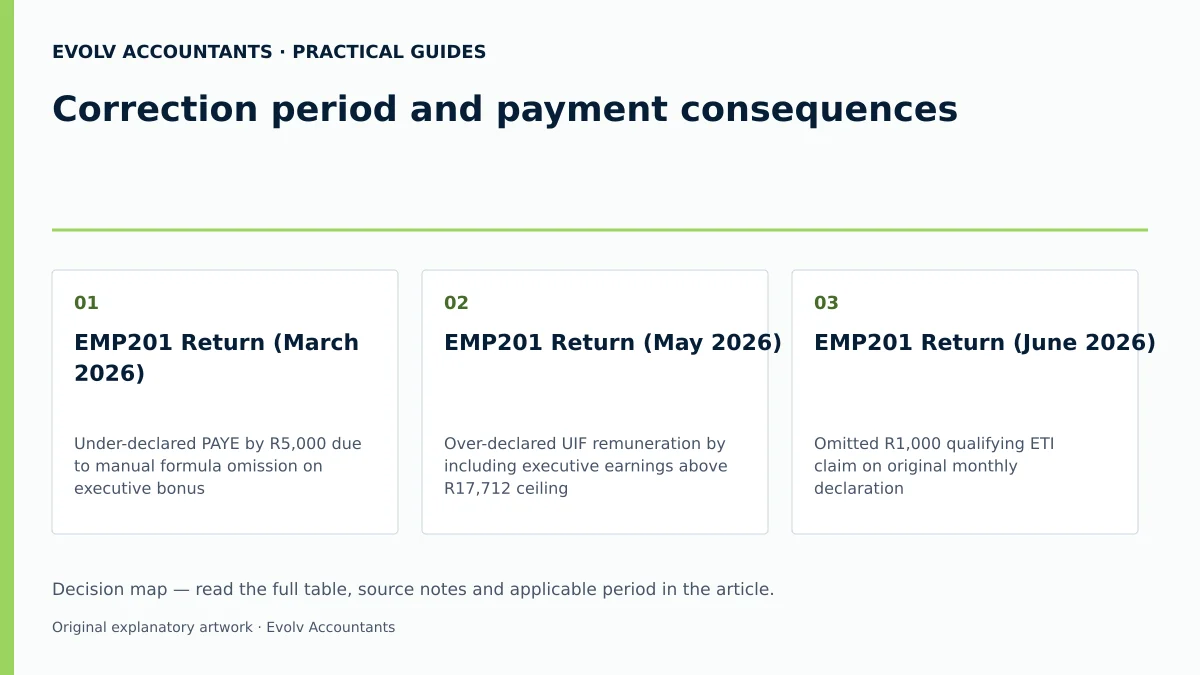
| EMP201 Return (March 2026) | Under-declared PAYE by R5,000 due to manual formula omission on executive bonus | Initiate Request for Correction (RFC) on eFiling for March 2026 period 2 4 39 | Revised EMP201 Return reflecting updated PAYE liability 1 42 | Request EMPSA to verify updated liability, PRN payment receipt, and Code 4102 alignment on draft IRP5 11 15 37 |
| EMP201 Return (May 2026) | Over-declared UIF remuneration by including executive earnings above R17,712 ceiling 22 25 | Submit RFC on eFiling adjusting monthly UIF liability to statutory ceiling cap 21 25 42 | Amended EMP201 Return showing reduced UIF contribution 25 42 | EMPSA showing credit reflection; upload payroll report to SOQS if ELC notice is issued 30 31 |
| EMP201 Return (June 2026) | Omitted R1,000 qualifying ETI claim on original monthly declaration 2 43 | Do NOT lodge RFC; claim omitted R1,000 ETI in July EMP201 return 2 43 | July EMP201 Return reflecting cumulative ETI claim 2 43 | EMP501 interim reconciliation work page showing valid ETI roll-over within 6-month cycle 2 30 |
Reproducible Hypothetical Example
Illustrative Scenario: SME Employer "Alpha Construction CC" employs 10 staff with a total monthly remuneration bill of R250,000. In April 2026, the payroll administrator manually declared liabilities on eFiling as:
- PAYE: R20,000 (Correct)
- SDL: R0 (Error: Failed to declare 1% levy despite annual payroll exceeding R500,000) 17 18 19
- UIF: R2,500 (Error: Calculated 1% instead of combined 2% employer/employee contribution) 21 22 23
Correct Liabilities Calculation:
- PAYE: R20,000
- SDL (1% of R250,000): R2,500 17 19
- UIF (2% of R250,000, assuming no employee exceeds R17,712 cap): R5,000 21 22 24
- Total Correct Monthly Liability: R27,500
- Original Declared & Paid: R22,500
- Under-declared Shortfall: R5,000 (SDL short by R2,500; UIF short by R2,500)
Corrective Action & Payment Consequences: Alpha Construction CC discovers the error in June 2026 and submits an RFC for April 2026 on eFiling 2 39.
- Revised Declaration: Liabilities updated to PAYE R20,000, SDL R2,500, UIF R5,000 42.
- Shortfall Principal Debt: R5,000.
- Late Payment Penalty (10% of unpaid R5,000 under Tax Administration Act): R500 7 8 10.
- Prescribed Interest: Accrues on R5,000 from 8 May 2026 until payment date 7 10 61.
- Payment Execution: Employer pays R5,500 plus interest using the original 19-digit April PRN 5 19.
- Account Verification: EMPSA requested on eFiling confirms allocation: R500 to penalty, accrued interest cleared, R5,000 clearing principal tax shortfall 6 11 37.
Frequently Asked Questions
What happens if an employer omits an ETI claim on a past EMP201?
Under Section 9(4) of the ETI Act, an employer cannot submit an RFC on a prior EMP201 to claim an omitted ETI amount 2 43. The omitted ETI must be claimed on a subsequent month's EMP201 declaration within the same 6-month reconciliation period (March–August or September–February) 2 43. If not claimed before the end of that reconciliation period, the ETI benefit is forfeited 2 43.
Can an EMP201 be corrected after the EMP501 reconciliation has been submitted?
Once an EMP501 employer reconciliation has been submitted and processed by SARS, any adjustments to monthly liabilities must be made by submitting a revised EMP501 reconciliation return along with amended or cancelled IRP5/IT3(a) certificates 41 62. Submitting an RFC on an individual EMP201 after EMP501 finalisation is restricted 4 41.
How does SARS allocate payments when an EMP201 under-declaration is corrected late?
In terms of statutory SARS payment rules, any payment received is allocated in a fixed hierarchy: first to administrative late payment penalties (10%), second to accrued prescribed interest, and third to the outstanding principal employees' tax, SDL, or UIF liability 6 7.
Is an employer required to register for SDL if annual remuneration is under R500,000?
No. An employer is exempt from registering and paying SDL if there are reasonable grounds to believe that total leviable remuneration paid to all employees over the next 12-month period will not exceed R500,000 16 18 63 64.
Can an employer refund over-deducted PAYE directly to an employee?
No. Under Fourth Schedule provisions and SARS regulator guides, employers are strictly prohibited from paying direct tax refunds to employees 12 60. Over-deductions must be adjusted against future payroll months in the same tax year or refunded to the employee by SARS upon assessment of their annual ITR12 tax return 60. Ask Evolv about correction period and payment consequences Ask Evolv about correction period and payment consequences. Share the relevant records so the support required can be scoped.
Related guides
- Submitting an EMP201 employer declaration
- Allocating an employer payment across PAYE SDL and UIF
- Compliance and Regulations: Keeping Your Business on Track
Sources
- COMPLETING THE MONTHLY EMPLOYER DECLARATION (EMP201) | South African Revenue Service
- https://www.sars.gov.za/wp-content/uploads/Ops/Guides/EMP-GEN-02-G01-A-Guide-to-the-Employer-Reconciliation-Process-External-Guide.pdf
- Guide for Employers in Respect of Employees' Tax (2027) | South African Revenue Service
- https://www.sars.gov.za/wp-content/uploads/Ops/Guides/SDL-GEN-01-G01-Guide-for-Employers-in-respect-of-Skills-Development-Levy-External-Guide.pdf
- https://www.sars.gov.za/wp-content/uploads/Ops/Guides/UIF-GEN-01-G01-Guide-for-Employers-in-respect-of-the-Unemployment-Insurance-Fund-External-Guide.pdf
- Skills Development Levy | South African Revenue Service
- Unemployment Insurance Fund | South African Revenue Service