
Preparing an interim EMP501 reconciliation
10 April 2026

Preparing an interim EMP501 reconciliation requires employers to balance declared monthly payroll taxes against actual SARS payments and tax certificates for the six-month period.
An interim EMP501 submission covers the first six months of the South African tax year (March to August) and must be submitted electronically during September and October 1 2. It enables small and medium enterprises (SMEs) to review and balance monthly employer declarations across Pay-As-You-Earn (PAYE), Skills Development Levy (SDL), Unemployment Insurance Fund (UIF), and Employment Tax Incentive (ETI) 3 4 5.
Conducting this mid-year audit identifies payroll variances early, preventing late penalties and laying the foundation for an accurate annual reconciliation 1 6.
Interim period employee and payment reconciliations
Under Paragraph 14(3) of the Fourth Schedule to the Income Tax Act, every employer is legally obligated to submit a reconciliation statement balancing all payroll tax deductions and issued tax certificates 4 7. Reconciling payroll requires balancing three distinct, independent records:
— Practical point from this guide
- Employee Tax Certificates (IRP5/IT3(a)): The cumulative individual employee records generated from payroll reflecting total tax, levy, and contribution values 5 8.
- Monthly Employer Declarations (EMP201): The monthly self-assessment returns declaring total PAYE, SDL, UIF liabilities, and ETI utilised 4.
- SARS Employer Statement of Account (EMPSA) / Bank Records: The actual cash payments remitted to SARS and processed into the employer's clearing account 3 9 10.
Achieving mathematical agreement across these three records indicates that the declarations balance, but it does not validate the underlying factual accuracy of tax classifications 5 11. For example, if an employer incorrectly classifies remuneration, the IRP5 total may match the EMP201 declaration, yet remain factually non-compliant upon audit 11.
Statutory framework vs operational guidance
- Tax Law: The Income Tax Act (Fourth Schedule) mandates statutory tax withholding and personal employer liability for under-deductions 4 12, the SDL Act prescribes levy obligations 13 14, and the Unemployment Insurance Contributions Act establishes mandatory contribution limits 15 16.
- Regulator Guidance: SARS external guides prescribe operational workflows, platform validation rules, and mandatory reporting codes 17 18.
- Evolv Recommendations: Professional advisors recommend implementing monthly transaction-level bridging schedules, maintaining independent exception registers, and performing supervisor sign-offs prior to filing 9.
Prepare the opening balances and period: interim period employee
Reconciliation period and submission window
The interim period covers the first six calendar months of the tax year, spanning 1 March to 31 August (designated as period 08) 1 2 19. SARS opens the interim filing window during September and October 1.
Mandatory enterprise identifiers
Before initiating the reconciliation, employers must verify that all entity identifiers match official SARS registration records:
- PAYE Reference Number: The 10-digit registration number under which Employees' Tax is remitted 20.
- SDL Reference Number: The 10-digit number assigned for Skills Development Levy contributions 21.
- UIF Reference Number: The 10-digit SARS-issued UIF reference number 21.
- Payment Reference Number (PRN): The systematically generated 19-digit reference number linking monthly bank payments directly to submitted EMP201 declarations 22 23.
- 30-Digit Certificate Number: A unique 30-digit identifier assigned to each IRP5/IT3(a) certificate, incorporating the 10-digit PAYE number, 4-digit transaction year, 2-digit period code (08), and 14 unique alphanumeric characters 24.
Filing channel rules
SMEs can submit declarations via eFiling or e@syFile Employer 18 25. Submissions on eFiling are restricted to a maximum of 50 IRP5/IT3(a) certificates; employers with more than 50 certificates must use e@syFile Employer 18 26. Once a channel is selected for a specific reconciliation period, that exact channel must be used for all subsequent revisions or corrections for that period 26 27 28.
Match transactions and explain differences: payment reconciliations
During the matching process, employers frequently encounter variances between monthly EMP201 declarations, payroll totals, and SARS statement values 29 30. Distinguishing between administrative timing differences and operational errors is essential 30 31.
Common sources of variance
- Tax Table Delays: Delays in updating payroll software with statutory tax tables cause monthly withholding variances that must be adjusted in subsequent months 30.
- Remuneration Fluctuations & Bonuses: Spreading tax on annual 13th cheques across the year leads to over- or under-deductions if an employee resigns prematurely 31.
- PRN Misallocations: Remitting funds without the exact 19-digit PRN causes payments to sit unallocated in the SARS clearing account rather than offsetting declared monthly liabilities 3 22.
Transaction-level reconciliation bridge
The following structured bridge outlines the standard methodology for identifying, documenting, and resolving discrepancies across independent records:
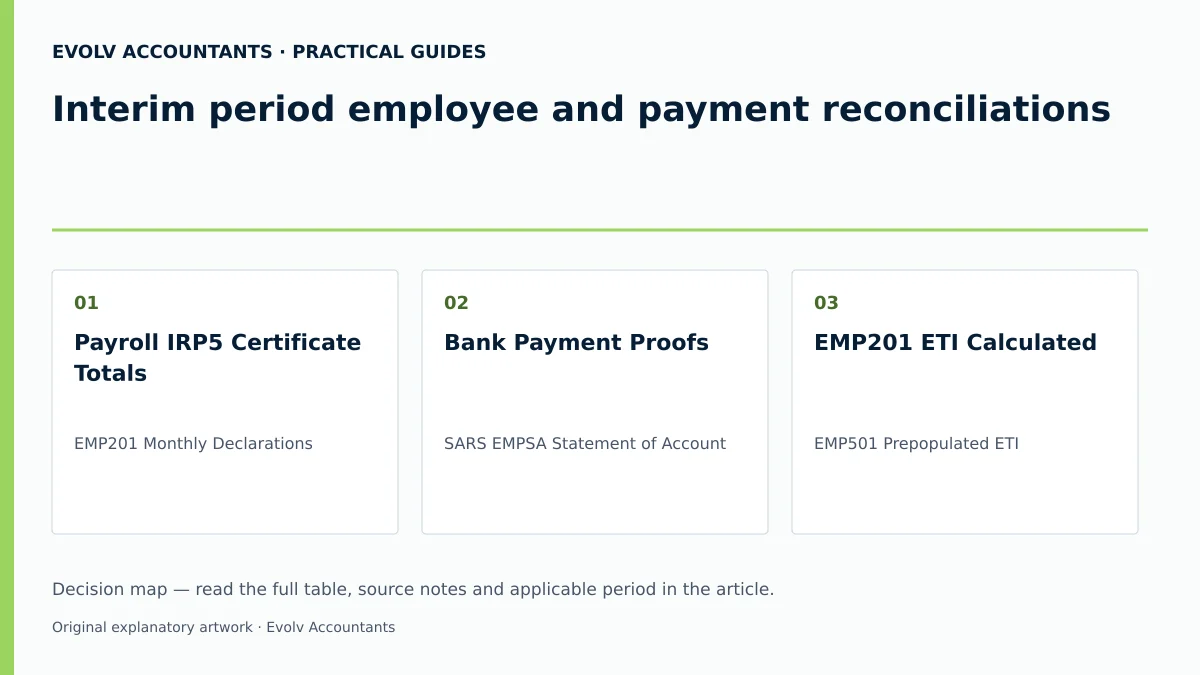
| Independent record A | Independent record B | Difference | Reason and evidence | Action and owner |
|---|---|---|---|---|
| Payroll IRP5 Certificate Totals | EMP201 Monthly Declarations | IRP5 total exceeds or falls below EMP201 declared liability | Mid-year salary adjustments or unrecorded back-pay; verified via payroll audit trail 29 31. | Update monthly liabilities on EMP501 return and provide mandatory explanation — Payroll Specialist 29 32. |
| Bank Payment Proofs | SARS EMPSA Statement of Account | Payment made but not reflected on SARS account | Incorrect 19-digit PRN used during bank transfer; proved by bank confirmation advice 3 22. | Submit proof of payment via SARS Online Query System (SOQS) to reallocate funds — Finance Manager 3 10 33. |
| EMP201 ETI Calculated | EMP501 Prepopulated ETI | ETI figures differ or show unclaimed amounts | Omitted ETI not claimed within the 6-month cycle; proved by monthly ETI calculation schedules 34 35. | Unclaimed ETI is deemed nil on EMP501; claim future ETI on monthly EMP201s within the active cycle — Tax Accountant 34 35. |
| Bank Payment Total | EMP201 Declared Total | Monthly under-payment or short-remittance | Cash flow timing mismatch; confirmed via bank statement and EMPSA debt notice 9. | Settle outstanding balance plus statutory interest using the specific period PRN — Financial Controller 9 22. |
Post only supported corrections: interim period employee
Corrections posted to payroll records or tax returns must be strictly supported by verifiable evidence and compliant with statutory provisions 6 12.
Rules governing tax corrections
- EMP201 Request for Correction (RFC): Prior to submitting the EMP501, any identified monthly error on an EMP201 should be corrected directly via an RFC on eFiling 6.
- Prohibition of Direct Employee Refunds: Employers are strictly prohibited from paying direct tax refunds to employees for over-deducted PAYE 12 35. Over-deductions may only be adjusted against PAYE in subsequent months within the same tax year (without reducing monthly tax below zero) 12. Otherwise, the employee recovers the over-deduction from SARS upon personal assessment (ITR12) 12.
- Employer Liability for Under-Deductions: If an employer fails to deduct the required PAYE, the employer becomes personally liable to SARS for the shortfall under Paragraph 6(1) of the Fourth Schedule 12. The employer retains the legal right to recover the tax from the employee's future remuneration, subject to a SARS directive 12.
- ETI Correction Restrictions: ETI calculated or utilised cannot be captured for the first time or increased on the EMP501 return 36. ETI values pre-populate from monthly EMP201s 36. Under Section 9(4) of the ETI Act, omitted ETI must be claimed on a subsequent monthly EMP201 within that 6-month cycle (March to August); unclaimed ETI at the end of the cycle is deemed nil 34 35.
- Notice of Excessive Liability Change (ELC): If an employer submits substantial liability adjustments on the EMP501, SARS flags the return for Excessive Liability Change, requiring written reasons and supporting documents via SOQS 33 37.
Review unresolved and old items: payment reconciliations
Unresolved differences between declared liabilities and actual SARS credit allocations must be maintained in an aged exception log rather than hidden in suspense accounts 9.
Managing balances on the Statement of Account (EMPSA)
- Under-payments (Debts): When the processed EMP501 creates a debit balance, the employer must request an EMPSA, verify the debt allocation, and settle the unpaid liability using the period-specific PRN 9 38.
- Over-payments (Credits): Over-payments create credits in the unallocated account 9. Compliant employers may request a SARS refund or allow the credit to offset future monthly liabilities 9 39.
- Compliance Impact on ETI Refunds: SARS verifies tax compliance before issuing ETI refunds 39 40. If non-compliant, the employer has until the end of the next 6-month period to restore compliance; otherwise, the ETI refund is forfeited and deemed nil 39.
Reproducible hypothetical calculation
To illustrate the mathematical balancing process, consider the following structured scenario for Apex Tech Solutions (Pty) Ltd for the interim period (March to August):
- Workforce & Remuneration: 5 qualifying employees earning a fixed salary of R20,000 per month each (total monthly payroll = R100,000; total 6-month remuneration = R600,000).
- Statutory Rates & Ceiling Limits:
- PAYE: Calculated per Fourth Schedule tax tables at R2,200 monthly per employee (total monthly PAYE = R11,000; 6-month total = R66,000) 41 42.
- SDL: 1% of leviable remuneration (1% of R100,000 = R1,000 monthly; 6-month total = R6,000) 13 14.
- UIF: 2% total contribution (1% employee deduction + 1% employer contribution) capped at R17,712 monthly remuneration per employee (effective 1 June 2021) 15 16. Maximum monthly remuneration per employee for UIF = R17,712; monthly 2% contribution per employee = R354.24 (R177.12 employee + R177.12 employer). Total monthly UIF for 5 employees = R1,771.20; 6-month total = R10,627.20 15 16.
- Reconciliation Summary:
- Total Monthly Payroll Taxes: R11,000 (PAYE) + R1,000 (SDL) + R1,771.20 (UIF) = R13,771.20 per month.
- 6-Month Declared EMP201 Liabilities: R82,627.20 (PAYE R66,000 + SDL R6,000 + UIF R10,627.20) 4 43.
- 6-Month Sum of IRP5 Certificate Totals: Code 4102 (PAYE) R66,000 + Code 4142 (SDL) R6,000 + Code 4141 (UIF) R10,627.20 = Code 4149 Total R82,627.20 42 44.
- Actual Payments Remitted to SARS: R82,627.20 paid using 19-digit PRNs 22 43.
- Variance: Total Liabilities (R82,627.20) less Payments (R82,627.20) = R0.00 (Balanced) 32 45.
*(Note: All monetary figures and employee numbers in this example are illustrative values based on statutory rates: SDL at 1% under Section 3(1) of the SDL Act 14, and UIF at 2% capped at R17,712 per month under Section 6 of the UIC Act and Gazette Notice 15 16).*
Next steps for Employer reconciliations
Management and payroll reviewers should complete the following structured verification steps before authorising submission:
- Recalculate Tax Certificates: Verify that all IRP5/IT3(a) tax certificates accurately reflect taxable/non-taxable source codes, PAYE (code 4102), SDL (code 4142), and UIF (code 4141) 12 42 44.
- Verify Channel Eligibility: Ensure eFiling is selected only if certificate volume is 50 or fewer; otherwise, load e@syFile Employer 18 26.
- Check Channel Consistency: Confirm that the filing channel matches the platform used for prior submissions in the same period 26 27.
- Refresh Historic Data: On eFiling or e@syFile, click "Refresh Historic Data" to pull updated SARS payment records and current compliance status 46 47.
- Validate ETI Pre-populations: Confirm that ETI values match pre-populated SARS figures and that no new ETI is being added directly on the EMP501 35 36.
- Review Discrepancies & Explanations: If total liabilities differ from prepopulated monthly totals, ensure mandatory explanation fields are completed 32 48.
- Submit and Save Acknowledgements: Complete the formal declaration, submit the return, and archive the "EMP501 received" notification along with work schedules for five years 22 49 50.
Transition to the next period
Once the interim submission is processed, interim certificates are retained on file by SARS (and not issued to staff) 51. The enterprise then transitions into the second half of the tax year (September to February), preparing for the final annual reconciliation submission 1 19 51.
Frequently Asked Questions
Can an employer issue interim IRP5 certificates to employees after submitting the September EMP501?
No. Interim IRP5/IT3(a) certificates generated for period 08 are submitted strictly to SARS and must not be issued to employees 51. Tax certificates are issued to employees only after the final annual reconciliation (period 02) is processed 51 52.
What happens if an employer misses claiming ETI during the March to August cycle?
Under Section 9(4) of the ETI Act, omitted ETI must be claimed on a subsequent monthly EMP201 within that same 6-month reconciliation period 34 35. If an employer fails to claim the ETI by the due date of the final month of the cycle (August), that unclaimed ETI is deemed nil and cannot be recovered on the EMP501 35.
Can an SME file its interim EMP501 reconciliation on eFiling if it has 75 employees?
No. SARS restricts eFiling to reconciliations containing a maximum of 50 IRP5/IT3(a) certificates 18 26. Employers submitting more than 50 certificates are required to use the e@syFile Employer software package 18 25.
How should an employer handle an over-deduction of PAYE discovered during the interim review?
Employers cannot pay direct cash refunds to employees for over-deducted Employees' Tax 12 35. The employer may adjust the PAYE withholding in subsequent months within the same tax year, provided the tax deducted is not reduced below zero 12. Otherwise, the employee receives their refund directly from SARS upon assessment of their personal income tax return (ITR12) 12.
What triggers a SARS Notice of Excessive Liability Change (ELC)?
SARS generates an ELC notice when an employer submits an EMP501 return with total monthly liability figures that differ substantially from the original monthly EMP201 returns or SARS account records 33 37. The employer must submit supporting documentation via the SARS Online Query System (SOQS) to justify the adjustments before SARS will process the reconciliation 33. Describe your declaration, payment-allocation or reconciliation question and the payroll records available.
Related guides
- Submitting an EMP201 employer declaration
- Preparing the annual EMP501 reconciliation
- Compliance and Regulations: Keeping Your Business on Track
Sources
- https://www.sars.gov.za/wp-content/uploads/Ops/Guides/EMP-GEN-02-G01-A-Guide-to-the-Employer-Reconciliation-Process-External-Guide.pdf
- https://www.sars.gov.za/wp-content/uploads/Ops/Guides/SDL-GEN-01-G01-Guide-for-Employers-in-respect-of-Skills-Development-Levy-External-Guide.pdf
- COMPLETING THE MONTHLY EMPLOYER DECLARATION (EMP201) | South African Revenue Service
- https://www.sars.gov.za/wp-content/uploads/Ops/Guides/UIF-GEN-01-G01-Guide-for-Employers-in-respect-of-the-Unemployment-Insurance-Fund-External-Guide.pdf
- Guide for Employers in Respect of Employees' Tax (2027) | South African Revenue Service