
Checking a supplier tax compliance status
6 July 2025

Checking a supplier’s tax compliance status requires the supplier’s authorised TCS PIN and a current SARS verification; an old certificate does not confirm today’s position.
Checking a supplier tax compliance status requires an official third-party online verification on South African Revenue Service eFiling using the supplier’s tax reference number and active security PIN.
In South African SME procurement and accounts payable governance, relying on a static Tax Clearance Certificate document, printed letter, or PDF screenshot creates significant commercial and regulatory risk 1 2. Under the South African Revenue Service (SARS) Tax Compliance Status (TCS) architecture, a supplier's tax standing is dynamic rather than permanent 3 4. Validating supplier compliance necessitates performing an active third-party verification on SARS eFiling using the vendor's tax reference number and active security PIN 1 3 5.
This process generates a real-time, time-stamped verification result that confirms overall standing across return submissions, debt management, and product registrations without compromising taxpayer confidentiality 1 4 6.
Official verification without relying on a screenshot
In South African business procurement, finance managers and accounts payable teams should verify tax standing against official revenue records where required by the procurement process rather than accepting static document attachments 1 7 8. Operating under the jurisdiction of the Republic of South Africa and the Tax Administration Act, 28 of 2011 9 10, tax compliance verification applies across all active tax periods 7 11.
— Practical point from this guide
Completion of this task means executing an electronic verification request directly on SARS eFiling, obtaining an official time-stamped verification outcome letter, and confirming that the vendor's legal registered name and tax reference number match active, compliant SARS records 4 12 13.
Distinguishing statutory law, regulator guidance, and Evolv recommendations is essential for sound financial governance:
- Statutory law: Section256 in Chapter19 of the Tax Administration Act governs confirmation of tax compliance status. The21-business-day period concerns SARS issuing or declining the taxpayer’s confirmation request, with permitted extensions; it is not a waiting period for a buyer’s PIN query. SARS may alter a confirmation issued in error or obtained through misrepresentation, fraud or non-disclosure of material facts. The status shown to a verifier also changes as ongoing obligations are met or missed. SARS tax-administration guidance; Current TCS guidance.
- Regulator Guidance: SARS eFiling External Guide GEN-ELEC-08-G01 clarifies that physical paper certificates were replaced by the electronic TCS PIN system, which presents a live compliance view at the exact date and time of query while protecting confidential taxpayer data 1 3 7.
- Evolv Recommendations: Evolv Accountants recommends mandating live eFiling PIN verification during vendor onboarding and prior to releasing major contract disbursements, integrating this control alongside professional bookkeeping/accounting, tax advisory, payroll, and company statutory compliance workflows.
Prepare the information and authority: official verification without relying on a screenshot
Before initiating an online supplier verification, the verifying organisation must gather required inputs and configure appropriate user access on eFiling 5 16.
Required Documents and Inputs
- Supplier Registered Particulars: The vendor's legal registered name and trading name as recorded on SARS RAV01 registration profile 5 17 18.
- Tax Reference Number: The supplier's 10-digit SARS tax reference number (such as Income Tax, Value-Added Tax, or Pay As You Earn reference number) 5 17 19.
- TCS Security PIN: An active, system-generated security PIN issued by SARS to the supplier 1 3 20.
Allocating eFiling Rights and Authority
To perform verifications, an organisation's eFiling administrator must assign specific verification rights to user profiles 16 21:
- Log into SARS eFiling, select Organisation from the top menu, click Rights Group, and select Manage Groups 16 22.
- Select the relevant group (such as System Default) and click Open 16.
- Under the Tax Types options, select Tax Compliance Status Verification and click Update 16 23.
- Navigate to Tax Status > Tax Compliance Status Verification > Activation, check Tax Compliance Status Verification, and click Activate 24 25.
Core Definitions
- TCS Security PIN: A unique alphanumeric code issued by SARS via eFiling or SMS that authorizes a designated third party to view a taxpayer's live overall compliance status 1 3 26.
- My Compliance Profile (MCP): The SARS eFiling dashboard displaying visual indicators across registration, return submissions, and tax debt 27 28 29.
- Registered Representative (RR): An individual formally verified on eFiling via form RAV01 to maintain entity records and authorise access 18 30 31.
Complete the task step by step: documented completion and exceptions
Executing an official supplier verification follows a structured online sequence governed by SARS eFiling primary instructions 4 7.
Sequenced Verification Process
- Access eFiling: Log into SARS eFiling at www.sars.gov.za using authorised organisational credentials 16 22.
- Select Taxpayer Profile: Select the verifying organisation from the eFiling taxpayer list 16 24.
- Navigate to Verification Menu: Click Tax Status from the main top menu, expand Tax Compliance Status Verification on the left menu, and select New Verification Request 4 16.
- Capture Vendor Query Details: On the Tax Compliance Status Verification work page, enter the supplier's 10-digit Tax Reference Number, Security PIN, and the visual captcha Security Code, then click Continue 4 5.
- Confirm Entity Identity: Review the Details of Taxpayer confirmation screen to verify that the displayed registered legal name matches the vendor entity on your contract or purchase order 5.
- Execute Verification: Click Continue to run the real-time query against SARS records 5.
- Review Result Summary: View the live Result Summary screen displaying the compliance indicator (Green Compliant or Red Non-Compliant), description, purpose (such as Good Standing), date, and time 4 12.
- Document Outcome: Click View on the result page to generate, print, or save the official SARS Tax Compliance Status Verification letter for your audit repository 12 13.
Check the result against the evidence: official verification without relying on a screenshot
Relying on submission acknowledgements or vendor-supplied PDFs does not constitute valid completion 2 3 12. Independent verification requires confirming live SARS eFiling system feedback 4 12.
According to official SARS eFiling documentation, "The response represents the taxpayer's compliance status at the date and time of this response." 4.
Interpreting Status Indicators
- Compliant (Green): The supplier has no outstanding returns, no unmanaged tax debt, updated registered particulars, and active registrations for all tax types for which it is liable 6 28 29.
- Compliant (New Taxpayer): Refers to a newly registered entity that has not yet reached its first filing or payment due date; additional commercial due diligence may be required by the verifying party 4 32 33.
- Non-Compliant (Red): Indicates that the supplier has overdue tax returns, outstanding debt without an agreed payment arrangement or suspension, unmerged tax profiles, or unverified registration details 6 29 34.
SARS automatically logs all queries under Status Verification History for the verifying party, logs the audit trail under Who viewed my status for the supplier, and provides the supplier’s verification audit trail; check that audit trail to verify access rather than relying on an SMS 12 35 36.
Handle exceptions and unresolved cases: documented completion and exceptions
When verification outputs deviate from expected results, specific administrative and legal remediation steps apply 36 37.
Common Edge Cases and Discrepancies
- Mismatched Reference Number or PIN: If eFiling indicates that the tax reference number and PIN do not correspond, verify whether the PIN was mistyped or whether the supplier provided a PIN linked to a different tax product branch 17 36.
- Expired or Cancelled PINs: TCS PINs carry specific validity windows and can be cancelled by the taxpayer on eFiling at any time 20 38 39. An expired or cancelled PIN returns minimal verification data, requiring the vendor to generate a new PIN via eFiling 20 36 38.
- Newly Registered Entities: Where a vendor reflects "Compliant (New Taxpayer)", inspect their legal entity registration details on RAV01 and verify statutory liabilities for Value-Added Tax (VAT) or Payroll Taxes (PAYE/SDL/UIF) 19 32 40 41.
- Remediating Supplier Non-Compliance: Non-compliant vendors must access My Compliance Profile on eFiling, select non-compliant red indicators, submit outstanding returns, or request debt payment arrangements via Fix My Account 27 29 37. Factually incorrect SARS records must be challenged via Challenge Status on eFiling and tracked under My Account Enquiries 37 42.
Specialist Boundaries
While procurement officers can perform routine PIN verifications on eFiling, resolving complex tax non-compliance, negotiating payment arrangements under the Tax Administration Act, or correcting corporate registration structures on RAV01 requires specialist tax advisory, accounting, and statutory compliance intervention.
Next steps for Tax clearance and compliance
To establish a standardised supplier compliance process, SME finance teams should implement the structured task list and verification matrix below.
Task Checklist
- Obtain the vendor's 10-digit tax reference number and active TCS Security PIN in writing 1 5 17.
- Confirm that your eFiling user profile has Tax Compliance Status Verification rights allocated 16 21 23.
- Log into eFiling and navigate to Tax Status > Tax Compliance Status Verification > New Verification Request 4 24.
- Capture queried details, verify the displayed legal entity name, and run the verification 5.
- Download and archive the official SARS verification outcome letter in your vendor master file 12 13.
- Schedule periodic re-verifications prior to releasing major recurring contract payments 3 4.
Supplier Compliance Task and Completion Matrix
| Step | Input or evidence | Responsible person | Completion check | Exception or next action |
|---|---|---|---|---|
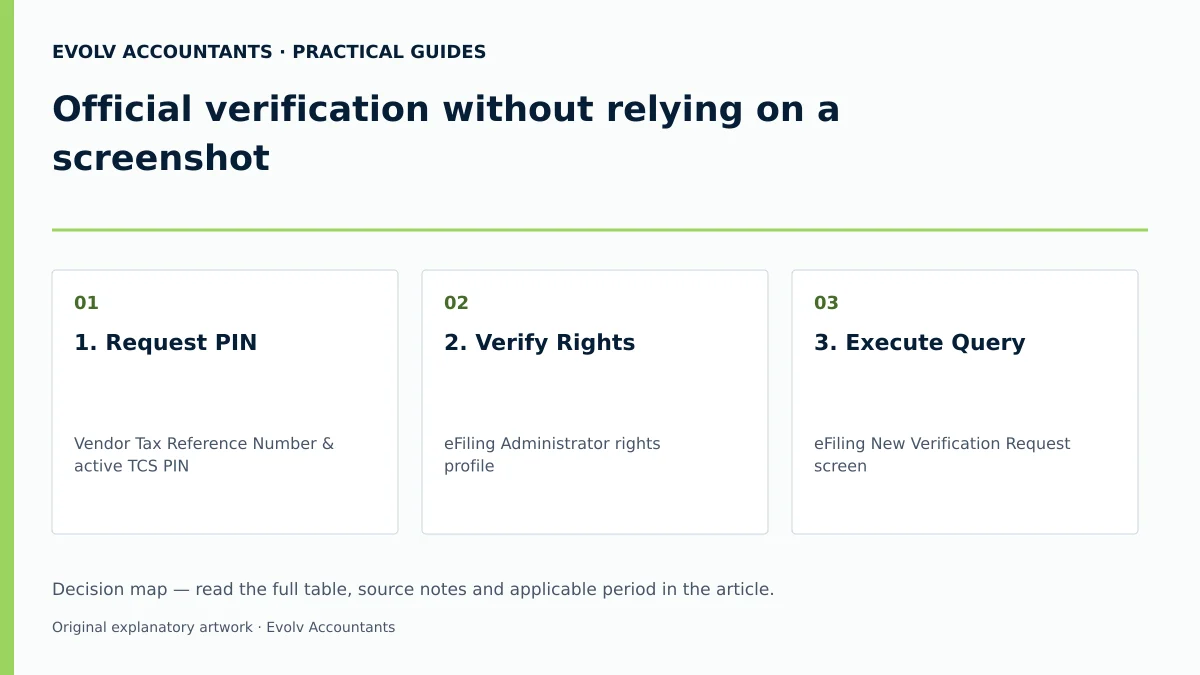
| 1. Request PIN | Vendor Tax Reference Number & active TCS PIN 1 17 | Procurement / Accounts Payable | Written PIN submission received from supplier 1 3 | Request fresh eFiling PIN if expired or invalid 20 38 |
| 2. Verify Rights | eFiling Administrator rights profile 16 23 | eFiling Administrator | Tax Compliance Status Verification box updated 16 23 | Assign rights in Manage Groups menu 16 |
| 3. Execute Query | eFiling New Verification Request screen 4 5 | Accounts Payable Officer | Visual entity confirmation matches contract legal name 5 | Stop processing if legal name or tax reference mismatches 5 36 |
| 4. Check Outcome | Live Result Summary & status indicator 4 12 | Finance Manager | Actual status and query time recorded, whether compliant or non-compliant 4 29 | Escalate a red result under the contract and procurement policy; do not assume it cancels a payment obligation 6 29 |
| 5. File Record | SARS Verification Outcome Letter 12 13 | Accounts Payable Clerk | PDF letter downloaded and saved to vendor master 12 13 | Re-run query if letter generation fails or times out 12 |
Practical Hypothetical Example
Scenario: Cape Town Logistics (Pty) Ltd evaluates Zambezi Express Haulage (Pty) Ltd for a sub-contracted haulage agreement valued at R500,000 per month (illustrative value).
- Inputs: Zambezi Express provides Tax Reference Number 9123456789 and TCS PIN 13446ED236 (illustrative code format) 5 26.
- Execution: Cape Town Logistics logs into eFiling TCS Verification on 2026-10-20 at 09:30:00 4 7.
- Result: Live eFiling verification returns "Compliant" status across Registration, Submission of Returns, and Debt 4 28 29.
- Scope check: The TCS result is a tax-compliance check at the query time. It does not prove commercial creditworthiness, delivery capacity or whether a particular supply should carry VAT. Assess those matters separately; no VAT turnover threshold is needed for this PIN-verification example. SARS verification guidance.
- Outcome: Cape Town Logistics archives the verification outcome letter, approves Zambezi Express on the vendor master, and schedules quarterly re-verification 3 4 13.
Frequently Asked Questions
Why is a supplier's PDF tax clearance certificate or screenshot insufficient for vendor compliance?
A static PDF or screenshot reflects a single historical moment and cannot prove current compliance 3 4. Tax compliance status is dynamic and changes whenever returns become overdue or debts arise 2 3. Live SARS eFiling PIN verification provides an immediate, time-stamped confirmation of real-time standing 1 4.
How long is a supplier's TCS PIN valid, and does it guarantee future compliance?
A TCS PIN remains active until its specified expiry date or until cancelled by the taxpayer on eFiling 20 38. However, a PIN provides access to view current status and is not a permanent guarantee of future compliance 3 4. SARS reserves the right to alter a taxpayer's status to non-compliant at any time if non-compliance occurs 2.
What information can a buyer see when verifying a supplier via eFiling?
To protect taxpayer confidentiality, eFiling verification displays only overall compliance status indicators (Compliant or Non-Compliant), description, purpose, trading name, and tax reference numbers 1 4 17. Buyers cannot view confidential financial statements, income figures, or bank details 1.
What should an SME buyer do if a supplier's status reflects "Non-Compliant" during eFiling verification?
The buyer should record the non-compliant result, ask the supplier to address the cause, and escalate the decision under the contract and procurement policy. A red TCS result does not by itself establish a general right to withhold payment for goods or services already supplied. The supplier can inspect MCP and remedy or challenge the reported issue. SARS MCP guidance.
How does a newly registered supplier business reflect on SARS eFiling TCS verification?
A newly registered entity with limited filing history displays an indicator reading "Compliant (New Taxpayer)" 4 32 33. This confirms that the taxpayer has no outstanding requirements but has not yet reached its first statutory filing due date; buyers should perform standard commercial due diligence 4 32. Describe your tax-compliance question and the records available so Evolv can scope the next steps. Ask Evolv about official verification without relying on a screenshot. Share the relevant records so the support required can be scoped.
Related guides
- Tax compliance for a dormant company
- Obtaining a tax compliance status PIN
- The Proactive SARS Audit Guide: Keeping Your Business Ledger Sanitised
Sources
- Manage your Tax Compliance Status | South African Revenue Service
- https://www.sars.gov.za/wp-content/uploads/Ops/Guides/LAPD-TAdm-G01-Short-Guide-to-the-Tax-Administration-Act-2011.pdf
- https://www.sars.gov.za/wp-content/uploads/Ops/Guides/GEN-ELEC-08-G01-Guide-to-the-Tax-Compliance-Status-functionality-on-eFiling-External-Guide.pdf
- https://www.sars.gov.za/wp-content/uploads/Ops/Guides/GEN-REG-01-G04-How-to-Complete-the-Registration-Amendments-and-Verification-Form-RAV01-External-Guide.pdf