
Choosing between eFiling and e@syFile for employer submissions
1 December 2024

Selecting the appropriate SARS electronic submission channel requires matching employer reconciliation volume with supported portal software versions.
South African employers managing Pay-As-You-Earn (PAYE), Skills Development Levy (SDL), and Unemployment Insurance Fund (UIF) liabilities must submit monthly declarations (EMP201) and biannual employer reconciliations (EMP501) alongside employee tax certificates [IRP5/IT3(a)] 1 2 3. While SARS eFiling provides a browser-based platform suited for smaller payrolls containing up to 50 certificates, e@syFile Employer is a dedicated desktop application engineered to import payroll system extract files and manage larger certificate volumes 4 5.
Select the channel using the number of certificates for the reconciliation period, supported functionality and the original channel for any revision 4 5.
Filing channel scope and actual supported version
South African tax law mandates that employers withhold Employees' Tax (PAYE) from remuneration and remit these funds alongside mandatory SDL and UIF contributions to the South African Revenue Service (SARS) 1 6. To maintain statutory compliance, employers utilise two main electronic submission channels provided by SARS: SARS eFiling and e@syFile Employer 7 8.
— Practical point from this guide
Digital filing platform definitions
SARS eFiling is a web-based portal accessible through standard internet browsers, operating 24 hours a day 7 8. It allows employers or registered tax practitioners to request, manually complete, and submit monthly EMP201 declarations, release credit push payments, and process biannual EMP501 reconciliations 8 9 10. However, eFiling restricts employer reconciliation submissions to a maximum of 50 IRP5/IT3(a) tax certificates per reconciliation period 5 11.
e@syFile Employer is a free, standalone desktop software application supplied by SARS specifically designed for payroll tax administration 4 12. It enables employers to import CSV tax certificate data files exported directly from payroll software, capture manual certificates, cancel invalid certificates, generate EMP501 returns, and transmit encrypt data packages to SARS using eFiling login credentials 4.
The cited guide does not impose the 50-certificate eFiling limit on e@syFile Employer, making it the required platform for organisations issuing more than 50 tax certificates 4 5.
Supported version and channel binding rules
Operational compliance requires strict adherence to software version control and channel consistency rules established by SARS 5 8:
- Software version compliance: Employers submitting returns via e@syFile Employer must always download and install the latest software version issued by SARS 8. Reconciliations transmitted using outdated or unsupported software versions are automatically rejected by SARS system validation checks 8.
- Single-channel binding rule: Once a specific submission channel (e.g. eFiling or e@syFile Employer) is elected and submitted for a specific reconciliation period, that exact channel must be used for all subsequent corrections, revisions, or resubmissions for that period 5 11. An employer can only switch submission channels when filing a brand-new reconciliation for a subsequent tax period 5 11.
- Branch submission constraints: Manual completion of paper returns dropped off at SARS branches or posted via mail is no longer accepted 7 9 13. While a SARS branch agent can assist in completing returns electronically, branch visits are strictly restricted to small employers issuing five or fewer IRP5/IT3(a) certificates 14.
Compare the criteria that matter: filing channel scope
Choosing the correct submission channel requires comparing organisational constraints across operational control, legal liability, technical reporting, tax compliance, and cash management.
Per SARS external guidance, "eFiling is the quickest, easiest, and most convenient way to submit the EMP501 return" for small and medium-sized businesses 8. However, operational scope dictates whether eFiling or e@syFile Employer fits an organisation's payroll workflow.
Statutory monthly obligations require employers to submit an EMP201 declaration and settle the declared PAYE, SDL, and UIF liability within 7 calendar days following the end of each month 15. If the 7th day falls on a weekend or public holiday, payment and submission must occur by the last business day prior to that weekend or holiday 15 16 17.
Each EMP201 systematically generates a unique 19-digit Payment Reference Number (PRN), which must be quoted on all electronic funds transfers (EFT) or credit push banking releases to ensure correct ledger allocation 18 19.
Employers claiming ETI must complete the required interim and annual reconciliations. If an ETI refund is due but the employer is non-compliant, SARS’s reconciliation guide allows until the end of the next six-month ETI period to become compliant; only if non-compliance remains then is the refund deemed nil. This differs from the separate rule for ETI not claimed by the relevant EMP201 deadline.
Keep the required payroll and filing records for at least five years. SARS reconciliation guide.
Decision comparison matrix
| Criterion | Option A: SARS eFiling | Option B: e@syFile Employer | Evidence or assumption | Implication for this reader |
|---|---|---|---|---|
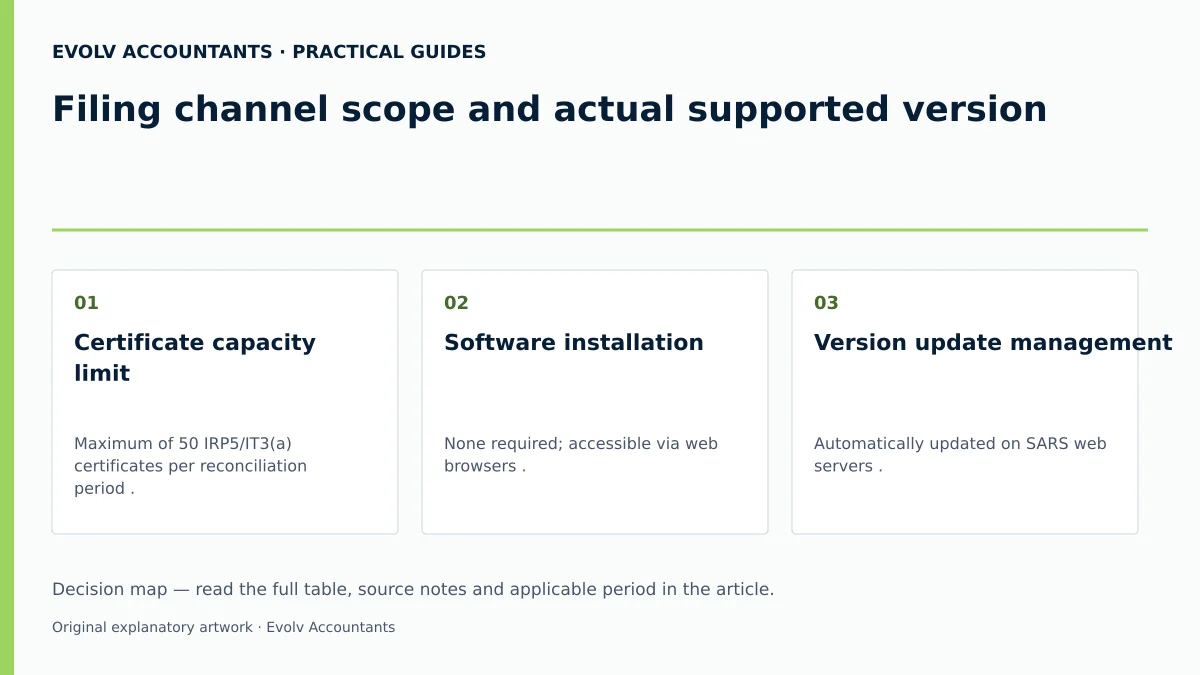
| Certificate capacity limit | Maximum of 50 IRP5/IT3(a) certificates per reconciliation period 5 11. | Supports payroll-file import and submissions above the eFiling 50-certificate limit 4 5. | SARS External Guide EMP-GEN-02-G01 4 5. | Reconciliations containing more than 50 certificates must use e@syFile Employer 5. |
| Software installation | None required; accessible via web browsers 7 8. | Desktop application download and installation required 4 12. | SARS eFiling & e@syFile manuals 4 7. | eFiling reduces local IT installation overhead for micro-employers 7 8. |
| Version update management | Automatically updated on SARS web servers 24. | Mandatory manual updates to the latest software release before filing 8. | SARS External Guide EMP-GEN-02-G01 8. | e@syFile users must verify software updates prior to every filing season 8. |
| Payroll CSV file integration | Manual capturing or limited web import functionality 5. | Native bulk import and automated validation of payroll CSV data extracts 4. | SARS External Guide EMP-GEN-02-G01 4. | Test the payroll export against the current BRS and review import errors before reconciliation 4. |
| Channel lock constraint | Locks submission channel for the specific tax period upon filing 5 11. | Locks submission channel for the specific tax period upon filing 5 11. | SARS External Guide EMP-GEN-02-G01 5 11. | Revisions must strictly use the original channel elected for that period 5 11. |
| Monthly EMP201 filing | Fully supported web interface for capturing and credit push payments 7 10. | Supported via online synchronisation with eFiling credentials 4 9. | SARS EMP201 Completion Guide 7 9 10. | Both channels support monthly EMP201 filing and PRN payment generation 7 9. |
How the obligations differ: actual supported version
To manage payroll compliance effectively, employers must distinguish between statutory acts of parliament, regulatory guidance issued by SARS, and professional practice recommendations.
Statutory payroll obligations under South African law
Statutory law establishes the core legal duties for all employers operating in South Africa:
- Employees' Tax (PAYE): Paragraph 2 of the Fourth Schedule to the Income Tax Act No. 58 of 1962 mandates that an employer must deduct PAYE from remuneration paid to employees in accordance with prescribed tax deduction tables 1 25.
- Skills Development Levy (SDL): Sections 3(1) and 3(4) of the Skills Development Levies Act No. 9 of 1999 impose a compulsory levy of 1% of total leviable remuneration on employers whose total salary bill is reasonably expected to exceed R500,000 over a 12-month period 26 27 28 29.
- Unemployment Insurance Fund (UIF): Section 6 of the Unemployment Insurance Contributions Act No. 4 of 2002 mandates a total monthly contribution of 2% of remuneration (1% deducted from the employee and 1% contributed by the employer) 30 31 32 33. Effective 1 June 2021, the maximum statutory earnings ceiling for UIF is R17,712 per month (R212,544 annually), capping the maximum combined monthly contribution at R354.24 (R177.12 per party) 31 34 35.
- Employer personal liability: An employer who fails to deduct or remit the full PAYE or UIF amount remains personally liable to SARS for the shortfall, along with a mandatory 10% late payment penalty and prescribed statutory interest 36 37 38.
Regulator guidelines issued by SARS
Regulator guidelines published in SARS external practice manuals govern platform operational rules:
- Channel volume boundaries: SARS restricts direct eFiling web reconciliation to 50 certificates, directing larger payrolls to e@syFile Employer 5 11.
- Channel persistence: Corrections to a filed reconciliation must strictly use the platform originally chosen for that reconciliation period 5 11.
- Version lock: Submissions attempted on older e@syFile Employer software versions will fail SARS system gateway checks 8.
Evolv professional recommendations
- Performing monthly reconciliations between payroll journals, general ledger control accounts, and EMP201 declarations before releasing monthly credit push payments.
- Conducting a full payroll data audit—verifying employee tax numbers, ID numbers, residential addresses, and directive numbers—at least 30 days prior to the interim and annual EMP501 filing windows.
- Checking and updating e@syFile Employer software versions immediately before initiating any reconciliation export.
Two business situations with different outcomes: filing channel scope
The operational choice between eFiling and e@syFile Employer is illustrated through two typical SME scenarios.
Scenario A: Micro professional services firm (Company Alpha)
Company Alpha employs 12 permanent administrative staff with a total monthly remuneration bill of R250,000 (R3,000,000 projected annually) 27.
- Analysis: The headcount of 12 is well below the 50-certificate threshold for eFiling 5. Because the annual payroll exceeds R500,000, Company Alpha is registered for and liable to pay 1% SDL (R2,500 per month) alongside PAYE and UIF 26 27 28.
- Filing outcome: Company Alpha elects SARS eFiling 7 8. The payroll administrator captures the 12 tax certificates directly on the eFiling web form, completes the EMP501 reconciliation online, and submits without installing local desktop software 5 7 8.
Scenario B: Medium commercial enterprise (Company Beta)
Company Beta operates a commercial facility employing 75 wage and salaried staff 5.
- Analysis: The headcount of 75 exceeds the 50-certificate maximum limit on SARS eFiling 5.
- Filing outcome: Company Beta must use e@syFile Employer 4 5. The payroll manager exports a validated CSV data file from their specialised payroll software, imports it into the latest updated version of e@syFile Employer, runs internal validation checks, and transmits the EMP501 and 75 IRP5/IT3(a) certificates using eFiling access credentials 4 8. Attempting this filing on eFiling would cause a system rejection 5 11.
Reproducible hypothetical calculation
Consider the following two employees in a hypothetical monthly payroll. Assume the employer’s expected leviable remuneration, including other planned remuneration, exceeds R500,000 for the next 12 months, so SDL applies:
- Employee A (Salaried staff): Gross monthly remuneration of R15,000.
- PAYE: Calculated per statutory tax tables on R15,000 25 36.
- SDL: R15,000 × 1% = R150.00 19 26.
- UIF: Remuneration is below the R17,712 monthly ceiling 34. Employee deduction (1%) = R150.00; Employer contribution (1%) = R150.00. Total UIF = R300.00 31.
- Employee B (Senior manager): Gross monthly remuneration of R25,000.
- PAYE: Calculated per statutory tax tables on R25,000 25 36.
- SDL: R25,000 × 1% = R250.00 19 26.
- UIF: Remuneration exceeds the R17,712 monthly ceiling 34. Calculations are capped at R17,712. Employee deduction (1%) = R177.12; Employer contribution (1%) = R177.12. Total UIF = R354.24 31 34.
- Combined monthly EMP201 liability summary:
- Total Leviable SDL: R150.00 + R250.00 = R400.00 26.
- Total Combined UIF: R300.00 + R354.24 = R654.24 31 34.
- PAYE: Sum of Employee A and B PAYE deductions 1.
- Payment: Remitted via EFT/credit push quoting the pre-populated 19-digit PRN within 7 days after month-end 15 16 18.
When the comparison needs specialist input: actual supported version
Certain complex corporate transactions, historical payroll disputes, and technical statutory conditions require specialist accounting and legal guidance.
Employers must seek professional advisory support in the following circumstances:
- Pre-1999 and historical adjustments (1999–2008): Adjustments to reconciliations prior to 1999 are denied by SARS systems 39. For tax years between 1999 and 2008 where a return was previously submitted using paper/legacy stock, an EMP701 return must be utilized 13 39. For 2009 onwards, all adjustments must be made by filing a revised EMP501 on the original channel 40 41.
- Prohibition of employee refunds post tax year-end: Employers are strictly prohibited from refunding over-deducted PAYE directly to employees after the close of the tax year (28/29 February) 42. Any over-deduction must be settled directly between SARS and the individual employee via their annual income tax assessment (ITR12) 42.
- Active SARS audits or Voluntary Disclosure Programme (VDP): An employer cannot submit a revised EMP501 reconciliation while a SARS payroll audit is actively in progress 41. Furthermore, VDP applications cannot be used to claim refunds for payroll taxes 43.
- Section 11F retirement deductions & variable remuneration: Calculating correct allowable pension or provident deductions (subject to the applicable section 11F monetary, percentage and taxable-income limits) and applying Section 7B variable remuneration rules require careful technical oversight during certificate prepopulation 44 45 46.
Next steps for Employer reconciliations
To execute a compliant employer reconciliation, business owners and financial managers should complete the following structured checklist:
- Determine employee certificate count: Audit total active and terminated employee records for the tax period. If the count exceeds 50, confirm e@syFile Employer as the mandatory channel 5.
- Verify e@syFile software version: If using e@syFile, check the SARS website to ensure the local application is updated to the latest build 8.
- Reconcile monthly EMP201 payments: Cross-check all 12 monthly EMP201 declared liabilities and PRN payments against general ledger bank disbursements and SARS Statement of Account (EMPSA) 3 18.
- Audit employee demographic data: Validate employee Income Tax Reference Numbers, ID numbers, physical addresses, and directive numbers to prevent certificate processing errors 47 48.
- Confirm ETI compliance status: Check SARS "My Compliance Profile" on eFiling to ensure tax compliance before claiming ETI refunds 22.
- Submit reconciliation and archive records: Transmit the EMP501 and IRP5/IT3(a) certificates, download the final SARS receipt, and securely archive all files for five years 18 23 49.
Decision record framework
Maintain a written internal decision record documenting:
- Selected channel (eFiling vs e@syFile Employer) and total certificate count 4 5.
- e@syFile version build installed at the time of filing 8.
- PRN numbers linking monthly payments to SARS declarations 18.
- Date of submission and official SARS acknowledgment receipt 49.
Frequently Asked Questions
Can an employer switch from eFiling to e@syFile mid-year for the same reconciliation period?
No. Once a reconciliation for a specific period is submitted on one channel (e.g. eFiling), SARS locks that filing period to that channel 5 11. Any revised return or correction for that period must be submitted using the same platform 5 11. A different channel can only be selected when filing a new reconciliation for a subsequent tax period 5 11.
What happens if an employer submits an EMP501 reconciliation on e@syFile using an outdated software version?
SARS automatically rejects reconciliation files submitted from outdated versions of e@syFile Employer 8. Employers must update their local software to the latest version released by SARS before capturing or transmitting returns 8.
How are monthly EMP201 liabilities corrected if an error is identified before the biannual reconciliation?
Employers can correct a previously submitted EMP201 by submitting a Request for Correction (RFC) directly on eFiling 50 51. It is not necessary to wait for the biannual EMP501 reconciliation to correct monthly EMP201 error declarations 51.
Does submitting monthly returns on uFiling replace the statutory obligation to submit EMP201 returns to SARS?
No. Commercial employers registered with SARS for PAYE or SDL must submit monthly EMP201 declarations and payments directly to SARS 2 52 53. uFiling supports UIF employee declarations. Employers paying UIF to SARS must still submit employee details directly to the UI Commissioner; uFiling does not replace the SARS EMP201 52 53 54.
What is the maximum number of tax certificates that can be submitted directly through SARS eFiling?
SARS eFiling permits a maximum of 50 IRP5/IT3(a) tax certificates per reconciliation submission 5 11. Employers issuing more than 50 certificates must use e@syFile Employer 4 5. Ask Evolv about filing channel scope and actual supported version. Share the relevant records so the support required can be scoped.
Related guides
- Fixing an e@syFile import validation error
- Submitting an EMP201 employer declaration
- Compliance and Regulations: Keeping Your Business on Track
Sources
- Guide for Employers in Respect of Employees' Tax (2027) | South African Revenue Service
- https://www.sars.gov.za/wp-content/uploads/Ops/Guides/EMP-GEN-02-G01-A-Guide-to-the-Employer-Reconciliation-Process-External-Guide.pdf
- COMPLETING THE MONTHLY EMPLOYER DECLARATION (EMP201) | South African Revenue Service
- https://www.sars.gov.za/wp-content/uploads/Ops/Guides/SDL-GEN-01-G01-Guide-for-Employers-in-respect-of-Skills-Development-Levy-External-Guide.pdf
- Skills Development Levy | South African Revenue Service
- Unemployment Insurance Fund | South African Revenue Service
- https://www.sars.gov.za/wp-content/uploads/Ops/Guides/UIF-GEN-01-G01-Guide-for-Employers-in-respect-of-the-Unemployment-Insurance-Fund-External-Guide.pdf
- https://www.labour.gov.za/DocumentCenter/Publications/Unemployment%20Insurance%20Fund/uFiling%20System%20User%20Guide.pdf