
Fixing an e@syFile import validation error
12 December 2025

Fixing an e@syFile import validation error requires aligning rejected payroll source codes with SARS business requirement specifications before re-submitting employer reconciliation returns.
When an e@syFile import validation error occurs, South African small and medium-sized enterprises (SMEs) must identify the specific failing field code in the import error log, preserve all original submission records, and rectify the source payroll export file. Use the South African Revenue Service (SARS) Business Requirement Specifications (BRS) for the relevant tax year to correct the identified validation error. A successful import still requires reconciliation, submission and review of the processing result 1 2.
Import error code field and source payroll records
Import validation errors occur when payroll export files or manual certificate captures fail structural or statutory validation rules prescribed by SARS 1. Official SARS guidance specifies that "the external guide must be read together with the 'Business Requirement Specifications for PAYE Employer Reconciliation' for all validation rules" 1.
Common validation error triggers
When importing an IRP5/IT3(a) CSV file into e@syFile Employer or eFiling, the system validates the file header, certificate structure, employee demographics, and financial source codes 1 3. Typical import error messages logged by SARS portals include:
— Practical point from this guide
- Header or file-layout failure: Compare the actual error log with the SARS BRS version applicable to the transaction year. Do not infer the required record structure from a generic example; regenerate the file from the correct payroll export. SARS reconciliation guide.
- Mandatory field omissions: Required fields are highlighted with an asterisk (*) and displayed in red, generating messages such as “field name is a mandatory field” 4.
- Invalid certificate layout: Unique 30-character certificate numbers must follow a strict composition comprising the 10-digit PAYE reference number, 4-digit transaction year, 2-digit period of reconciliation (08 or 02), and a 14-digit unique alphanumeric string 5.
- Invalid tax reference numbers: Income tax reference numbers containing only zeros or duplicate tax numbers allocated across different employees are rejected during import validation 6 7.
- Excessive tax deductions: Certificates reflecting Employees' Tax (Code 4102) greater than the total of taxable and non-taxable source codes, or reflecting R1 remuneration with substantial tax, are classified as invalid 8 9.
- Tax directive mismatches: Directive numbers, issue dates, and amounts captured on certificates are validated against the SARS Directive System; mismatches prevent processing 10.
Material consequences of uncorrected validation errors
If an import validation error remains unresolved, SARS blocks the submission of the entire EMP501 employer reconciliation return 9. Failure to submit an accurate, balanced EMP501 declaration by the prescribed statutory deadline renders the employer liable for administrative non-compliance penalties under Paragraph 14(6) of the Fourth Schedule to the Income Tax Act No. 58 of 1962 1 11.
Invalid or unsubmitted certificates prevent individual employee tax returns (ITR12) from pre-populating correctly, causing significant downstream friction for staff 10.
Preserve the original records: import error code field
When encountering an import error, finance teams must preserve all historical submission data, audit logs, and source documents before attempting adjustments 12. Paragraph 14 of the Fourth Schedule to the Income Tax Act and SARS operational guides mandate that employers retain all employee IRP5/IT3(a) certificates, monthly EMP201 declarations, EMP501 returns, and supporting payroll records for statutory audit purposes 1 12.
Audit preservation standards
Employers must observe the following record preservation controls:
- Export and save error logs: Select the Save errors to file button in e@syFile or eFiling to generate a permanent record of the exact import validation errors logged during the import attempt 3.
- Retain source payroll files: Store the original, unedited payroll CSV export file alongside the corrected version in a secure, write-restricted directory 12.
- Maintain monthly declaration evidence: Preserve all filed EMP201 returns, unique Payment Reference Numbers (PRNs), and bank proof of payments linking actual monthly settlements to SARS 2 13 14.
- Protect authority and access logs: Ensure that user credentials, eFiling access rights, and submission timestamps are maintained securely, avoiding unauthorised modifications to historical payroll databases 15 16.
Choose the correct amendment route: source payroll records
Correcting an e@syFile import validation error requires distinguishing between statutory law, regulator administrative guidance, and Evolv advisory recommendations.
Framework of legal and procedural rules
- Statutory Law: Under the Fourth Schedule to the Income Tax Act No. 58 of 1962, employers are legally obligated to deduct employees' tax from remuneration and remit payments to SARS within seven calendar days after month end 1 17. The Unemployment Insurance Contributions Act No. 4 of 2002 mandates a total UIF contribution of 2% (1% employee deduction + 1% employer contribution) on remuneration up to the statutory ceiling 18 19 20. The Skills Development Levies Act No. 9 of 1999 imposes a 1% levy on total leviable remuneration 13 21.
- Regulator Guidance (SARS EMP-GEN-02-G01):
- Monthly EMP201 Corrections: Errors identified in monthly declarations prior to filing the EMP501 must be corrected via a Request for Correction (RFC) directly on the affected EMP201 return 17.
- EMP501 Liability Adjustments: If recalculated liability according to corrected IRP5/IT3(a) certificates differs from submitted EMP201 returns, monthly liabilities on the EMP501 work page must be updated 22.
- Channel Lock Rule: Once a submission channel (eFiling or e@syFile) is chosen for a specific reconciliation period, the exact same channel must be used for all subsequent resubmissions or revisions for that period 16 23.
- Channel Volume Limits: eFiling supports recons containing up to 50 certificates; payrolls exceeding 50 certificates must use e@syFile Employer 15 16.
- Prohibited Amendment Routes: The historic EMP701 return is not applicable for transaction years 2009 onwards (revised EMP501 returns and EMP601 cancellation forms must be used instead) 24. Revised Declarations (RD) raised by SARS cannot be reduced by the employer, and agreed estimated assessments under Section 95(3) of the Tax Administration Act No. 28 of 2011 cannot be altered via an RFC 12 25.
- Dispute Process: Penalty assessments (EMP301) or disallowed adjustments must be formally contested by lodging a Notice of Objection (NOO) within the applicable period under current SARS dispute rules, using the prescribed dispute channel 26 27.
- Evolv Recommendations: Evolv advises SMEs to correct errors within the underlying payroll masterfile software first, rather than applying manual text overrides to CSV files, ensuring that future reporting periods remain fully synchronised.
Make and verify the correction: import error code field
To resolve an import validation error, employers should execute a systematic, verifiable correction sequence.
Step-by-step correction checklist
- Locate the error source: Open the error file saved via Save errors to file and note the specific line numbers, employee names, and code fields flagged 3.
- Correct the payroll masterfile: Update the employee masterfile or financial record in the core payroll software (e.g., correct invalid ID/tax numbers, apply correct source codes, or cap UIF earnings) 6.
- Re-export the CSV file: Generate a fresh IRP5/IT3(a) CSV export file adhering strictly to current SARS BRS specifications 1 16.
- Re-import into e@syFile/eFiling: Import the updated CSV file via Upload Certificates and confirm that zero import errors are displayed 3 16.
- Validate tax certificates: Click the Validate button on e@syFile/eFiling to verify that all certificate fields pass internal SARS calculation checks 28.
- Refresh historic data: On the EMP501 work page, click Refresh Historic Data to ensure pre-populated EMP201 values reflect the latest SARS account records 29 30.
- Verify financial totals: Confirm that pre-populated certificate totals for PAYE (Codes 4101, 4102, 4115), SDL (Code 4142), and UIF (Code 4141) match recalculations 31 32.
- Submit revised EMP501: Complete the declaration, select Submit, and archive the "EMP501 received" acknowledgment status 33 34.
Reproducible hypothetical example
- Entity: Highveld Logistics (Pty) Ltd (5 full-time employees, monthly payroll).
- Tax Period: 2026/2027 Tax Year (Annual Reconciliation Period 202702) 35.
- Illustrative Remuneration: Senior Driver earning gross remuneration of R20,000.00 per month.
- Sourced Rates & Ceilings:
- UIF Statutory Ceiling: Effective 1 June 2021, the maximum earnings ceiling for UIF is R17,712.00 per month (R212,544.00 annually) 19 36.
- UIF Contribution Calculation: 1% employee deduction (R177.12/month) + 1% employer contribution (R177.12/month) = R354.24 per month (Annual Code 4141 = R4,250.88) 14 19 37. Remuneration exceeding R17,712.00 per month (R2,288.00) is excluded from UIF remuneration 14.
- SDL Contribution Calculation: 1% of total gross remuneration (R20,000.00 x 1%) = R200.00 per month (Annual Code 4142 = R2,400.00) 13 21.
- PAYE Deduction: Calculated via statutory tax tables (illustrative R2,500.00 per month; Annual Code 4102 = R30,000.00) 38 39.
- Validation Error Scenario: The company's payroll software failed to apply the UIF ceiling, exporting Code 4141 as R400.00/month (R4,800.00/year). e@syFile rejected the file due to Code 4141 exceeding the statutory ceiling threshold 1 3 14.
- Resolution: The administrator adjusted the software ceiling parameter to R17,712.00, re-exported the CSV file with Code 4141 set to R4,250.88, re-imported without error, validated certificates, and successfully submitted the EMP501 3 22 28 29.
Artefact: Correction audit trail
| Original record | Error | Authorised action | Changed record | Proof and downstream check |
|---|---|---|---|---|
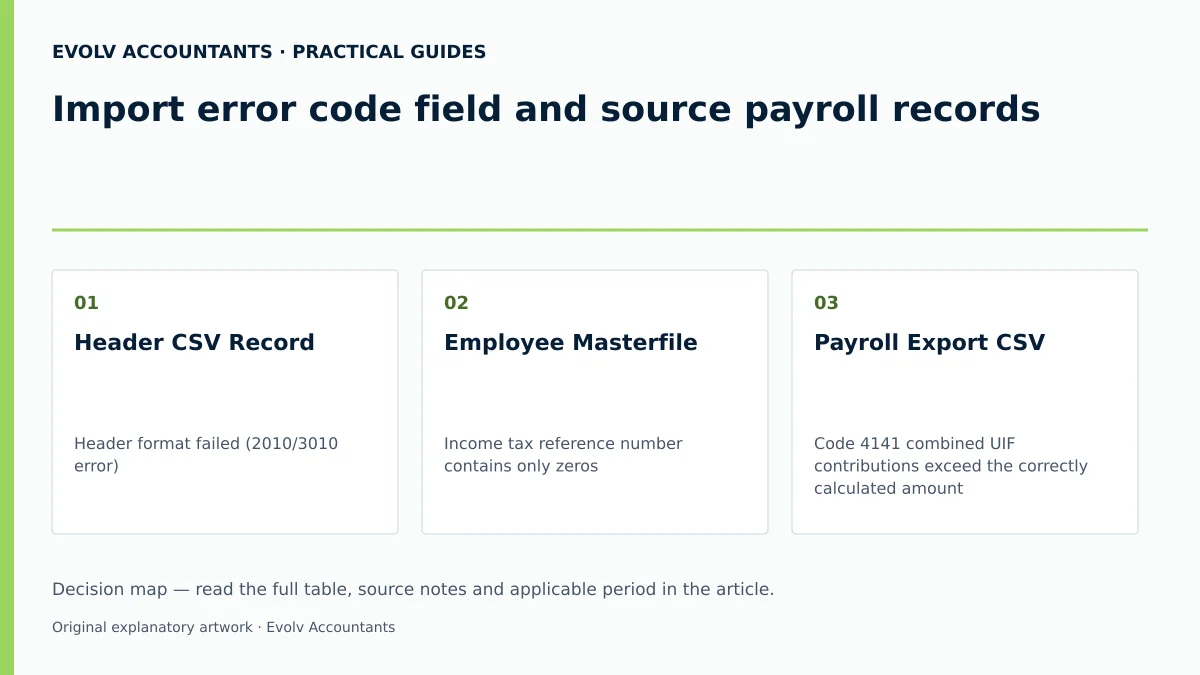
| Header CSV Record 3 | Header format failed (2010/3010 error) 3 | Re-export CSV using updated SARS BRS layout 1 | Corrected Tax Certificate CSV File 16 | Zero errors displayed on e@syFile Upload Certificates screen 3 |
| Employee Masterfile 6 | Income tax reference number contains only zeros 6 | Request employee tax number via eFiling Tax Reference Number Request 7 | Updated Employee IRP5 Certificate 6 | Successful certificate validation pass in portal 28 |
| Payroll Export CSV 14 | Code 4141 combined UIF contributions exceed the correctly calculated amount 14 19 | Apply statutory UIF earnings cap in payroll software 14 | Corrected code 4141; illustrative R4,250.88 only for twelve months at the combined monthly maximum | Check the revised reconciliation and respond to any Excessive Liability Change notice |
| Tax Certificate Form 10 | Directive number mismatch against SARS system 10 | Cross-check and capture exact SARS directive number 10 | Amended Directive details on IRP5 certificate 10 | Validate the directive details and check the subsequent certificate-processing result |
Consequences and remaining exceptions: source payroll records
Altering payroll values during reconciliation carries strict compliance implications across linked SARS tax accounts.
Downstream account impacts
- Excessive Liability Change (ELC): If an employer alters monthly liability fields on the EMP501 by substantial amounts compared to previously filed EMP201s, SARS issues a Notice of Excessive Liability Change 41. The reconciliation is routed for manual assessment, requiring supporting documentation to be submitted via the SARS Online Query System (SOQS) 41 42.
- Employer Personal Liability: Under Paragraph 5(1A) and Paragraph 21 of the Fourth Schedule to the Income Tax Act, an employer who fails to deduct or pay employees' tax becomes personally liable to SARS for the tax shortfall 43. Employers are strictly prohibited from refunding tax over-deductions directly to employees after the end of the tax year 43.
- ETI Restrictions: Employment Tax Incentive (ETI) amounts cannot be claimed for the first time or increased on the EMP501 return 29. On e@syFile, employers claiming ETI must select "SARS Values" rather than "Own Values" to prevent return rejection 44.
- Non-Compliance Penalties: Late or unbalanced submissions trigger non-compliance administrative penalties under Paragraph 14(6) of the Fourth Schedule, assessed via an EMP301 notice 11 26.
Next steps for Employer reconciliations
Small business managers must assign an internal control owner (e.g., Senior Payroll Administrator or Finance Head) to execute monthly pre-submission validation checks, ensuring that payroll records, EMP201 filings, and PRN payments balance prior to reconciliation filing periods.
Frequently Asked Questions
How should I investigate an e@syFile import error?
Use the exact error text and line number in the saved log to check the applicable SARS BRS and the export version selected in payroll. Correct the source data or exporter, regenerate the file, then re-import and validate it. SARS reconciliation guidance.
Can an employer submit a revised EMP501 on eFiling if the original return was filed via e@syFile?
No. SARS enforces a mandatory channel lock rule. Once a reconciliation period is submitted via e@syFile, all subsequent revisions or corrections for that specific period must be submitted using e@syFile 16 23.
Why does e@syFile reject a tax certificate where PAYE exceeds total source codes?
SARS validation rules classify any certificate where Employees' Tax (Code 4102) exceeds the combined total of taxable and non-taxable source codes as invalid, blocking the submission of the entire EMP501 until corrected 8 9.
How should an employer fix an EMP201 monthly declaration error before filing the EMP501?
If an error is identified in a monthly return prior to EMP501 submission, the employer should submit a Request for Correction (RFC) directly on the relevant monthly EMP201 return 17.
What is the maximum number of IRP5 certificates allowed for direct filing on eFiling?
eFiling allows direct manual capture or CSV import for reconciliations containing up to 50 IRP5/IT3(a) certificates; employer payrolls exceeding 50 certificates must use e@syFile Employer 15 16.
Related guides
- Reconciling employee certificates after a payroll migration
- Submitting an EMP201 employer declaration
- Compliance and Regulations: Keeping Your Business on Track
Sources
- https://www.sars.gov.za/wp-content/uploads/Ops/Guides/EMP-GEN-02-G01-A-Guide-to-the-Employer-Reconciliation-Process-External-Guide.pdf
- Skills Development Levy | South African Revenue Service
- Unemployment Insurance Fund | South African Revenue Service
- Guide for Employers in Respect of Employees' Tax (2027) | South African Revenue Service
- https://www.sars.gov.za/wp-content/uploads/Ops/Guides/UIF-GEN-01-G01-Guide-for-Employers-in-respect-of-the-Unemployment-Insurance-Fund-External-Guide.pdf
- https://www.sars.gov.za/wp-content/uploads/Ops/Guides/SDL-GEN-01-G01-Guide-for-Employers-in-respect-of-Skills-Development-Levy-External-Guide.pdf