
Completing a VAT201 return step by step
19 October 2025

Completing a VAT201 return requires South African SME vendors to accurately reconcile output tax and input tax working papers against official SARS declaration fields.
To achieve tax compliance, Value-Added Tax (VAT) vendors must request the electronic declaration via SARS eFiling, extract financial totals from their accounting journals, populate mandatory demographic and calculation fields, and verify net liabilities before submitting 1 2 3. Every declared amount must be directly traceable to valid primary documents, such as tax invoices, credit notes, and bills of entry, maintained within a strict five-year audit trail 4 5 6.
Where errors occur or SARS issues estimated assessments, specific administrative remedies exist to correct returns or request extensions 7 8.
VAT201 fields linked to supporting working papers
For small and medium enterprises (SMEs) operating within the Republic of South Africa, fulfilling periodic VAT obligations is a core statutory duty administered by the South African Revenue Service (SARS) 5 9. Completion of the VAT201 declaration is the formal self-assessment process whereby a registered vendor reports output tax collected on taxable supplies and deducts permissible input tax incurred during a designated tax period 10 11.
Tax period allocations dictate submission frequency:
- Category A and B: Two-monthly tax periods ending on alternating calendar months 12 13.
- Category C: Monthly tax periods applicable to vendors whose taxable supplies exceed or are likely to exceed R30 million in a 12-month period 13 14.
- Category D: Six-monthly tax periods reserved primarily for qualifying agricultural enterprises with taxable supplies under R1.5 million and micro-businesses 15 16.
- Category E: Annual tax periods for specific connected property or asset leasing companies and trusts 17 18.
Completing the VAT201 return means verifying that every numeric value populated in Part A (Output Tax), Part B (Input Tax), and Part C (Diesel Refund) corresponds exactly to reconciled monthly working papers 19 20 21. Merely submitting figures through eFiling does not satisfy the legal standard; completion requires having full documentary proof on hand to support every line item prior to submission 5 22.
— Practical point from this guide
Prepare the information and authority: vat201 fields linked to supporting working papers
Before accessing the VAT201 form on eFiling, vendors and authorised tax practitioners must organise primary records, verify user access rights, and establish clear accounting boundaries 23 24.
Primary documentation required
- Sales and Output Tax Records: Taxable sales invoices, tax invoices issued for capital asset sales, credit notes received, debit notes issued, and records of commercial accommodation or employee fringe benefits 19 25 26 27 28.
- Purchases and Input Tax Records: Prescribed tax invoices from local suppliers (reflecting full vendor details for transactions of R5 000 or more, or abridged details for smaller amounts) 29 30, signed VAT264 declarations for second-hand goods acquired from non-vendors 31, debit notes received, and credit notes issued 28 32.
- Customs Importation Proof: Customs bills of entry (e.g., SAD 500), EDI Customs Status 1 Release Messages, and official eFiling customs payment receipts linked to a valid 10-digit Customs Code 33 34 35.
- Diesel Logbooks: Storage and usage logbooks detailing eligible and non-eligible litres if registered for the Diesel Refund Scheme 36 37.
eFiling access permissions
The individual completing the return must be designated on eFiling with active tax type access for VAT 38. Log-in credentials serve as the declarant's binding electronic signature under tax administration rules 39.
Core accounting principles
Under South African tax law, the default accounting method is the invoice (accrual) basis, where output tax is declared when invoices are issued or payments received, and input tax is deducted upon holding valid tax invoices 40 41. The payments (cash) basis is restricted to qualifying natural persons or partnerships with annual taxable supplies not exceeding R2.5 million, public authorities, welfare organisations, and foreign electronic services suppliers 42 43.
Practical workflow summary:
- Reconcile the sales, purchase, import and diesel working papers to the accounting records and VAT control accounts.
- Populate the relevant VAT201 declaration fields and submit through eFiling.
- Check the filing confirmation and VAT Statement of Account, including payment-reference allocation.
- If SARS opens a verification or audit, provide the requested evidence and follow the case instructions.
Complete the task step by step: documented completion and exceptions
To ensure accuracy, follow this structured, sequential workflow when populating the VAT201 return on SARS eFiling 1 44.
Step 1: Request the VAT201 return on eFiling
- Log into SARS eFiling, navigate to Returns, select Returns Issued, and click Value Added Tax (VAT201) 45.
- Select the applicable tax period from the drop-down menu and click Request Return 45.
- Open the generated VAT201 Work Page to display the electronic return 2.
Step 2: Review pre-populated vendor header details
Verify the pre-populated fields furnished by SARS: Trading Name, 10-digit VAT Registration Number, Tax Period (CCYYMM), 19-digit Payment Reference Number (PRN), and pre-loaded Diesel Rates 46 47 48. Editable container fields display in green, mandatory incomplete fields show in red, and auto-calculated summary fields appear greyed out 2 25.
Step 3: Complete Part A — Calculation of Output Tax and Imported Services
- Field 1 (Standard rate excluding capital goods/services and accommodation): Enter the total VAT-inclusive consideration for local standard-rated supplies (charged at 15%) 25 49. Field 4 auto-calculates output tax using the tax fraction 15/115 49.
- Field 1A (Standard rate only capital goods/services): Enter the VAT-inclusive amount for capital assets sold 49. Field 4A auto-calculates output tax (15/115) 26.
- Field 2 & 2A (Zero-rate supplies): Enter local zero-rated supplies in Field 2 and direct exports in Field 2A 50.
- Field 3 (Exempt and non-supplies): Enter exempt income (such as financial services or residential accommodation rents) 49 50.
- Fields 5–9 (Commercial accommodation): For accommodation exceeding 28 days, enter the VAT-exclusive consideration in Field 5 26. Field 6 auto-calculates 60% of this value 51. Add Field 7 (accommodation ≤ 28 days) to derive Field 8 51 52. Field 9 calculates output tax by applying 15% to Field 8 52.
- Fields 10 & 11 (Change in use adjustments): Declare considerations for assets applied to private/exempt use or exported second-hand goods 52 53. Field 11 auto-calculates output tax (15/115) 53.
- Field 12 (Other and imported services): Declare output tax adjustments, including debit notes issued, credit notes received, irrecoverable debts recovered, motor vehicle fringe benefits, and VAT payable on imported services acquired for non-taxable purposes 19 27 28.
- Field 13 (Total Output Tax): Auto-sum of Fields 4 + 4A + 9 + 11 + 12 19.
Step 4: Complete Part B — Calculation of Input Tax
- Field 14 (Capital goods/services supplied to you): Enter permissible input tax on local capital acquisitions 54.
- Field 14A (Capital goods imported by you): Enter VAT paid on imported capital goods (requires entering the 10-digit Customs Code) 33.
- Field 15 (Other goods/services supplied to you): Enter permissible input tax on local operational goods, trading stock, and overhead expenses 33.
- Field 15A (Other goods imported by you): Enter VAT paid on imported non-capital stock (requires Customs Code) 34.
- Field 16 (Change in use): Enter input tax adjustments for assets previously used for non-taxable purposes now applied to taxable supplies 55.
- Field 17 (Bad debts): Enter input tax on irrecoverable trade debts written off (invoice basis only) 55.
- Field 18 (Other): Enter input tax adjustments for credit notes received, debit notes issued, or turnover apportionment shortfall adjustments 20 28 56.
- Field 19 (Total Input Tax): Auto-sum of Fields 14 + 14A + 15 + 15A + 16 + 17 + 18 20.
Step 5: Net calculation and submission
- Field 20 (VAT Payable / Refundable): Auto-calculated as Total Output Tax (Field 13) minus Total Input Tax (Field 19) 20 21. A positive result indicates payment due to SARS; a negative value (prefixed with a minus sign) indicates a refund due to the vendor 21.
- Part C (Diesel Refund): If registered, enter total litres (Field 21) and non-eligible litres (Field 22) 57 58. Claimable litres auto-calculate at the 80% concession rate to yield the diesel refund 58.
- Complete contact details and submit the return by clicking Submit VAT201 59 60.
Check the result against the evidence: vat201 fields linked to supporting working papers
Submitting the return on eFiling does not guarantee final acceptance by SARS 61. Independent verification must be performed against system notices and official accounting statements 8 62.
Verification steps
- Confirm eFiling Filing Status: Ensure the status updates from "Saved" to "Filed through eFiling" or "Submitted at SARS" 61 63 64.
- Request Statement of Account (VATSOA): Navigate to eFiling, select Request Statement of Account, specify the transactional period CCYYMM, and review the summary 62. Verify that the declared liability matches the open balance 62.
- Validate Payment Reference Number (PRN): Ensure payments made via internet banking (EFT) or eFiling credit push utilise the exact 19-digit PRN pre-populated on the return to prevent unallocated payments 48 65.
- Audit and Verification Alerts: If selected for verification, eFiling will display "Waiting for Documentation to be Uploaded" 64 66. Supporting documents must be uploaded promptly via the eFiling link or SARS Online Query System 66 67.
- Refund Verification: SARS aims to process valid refund claims within 21 business days 68 69. Refunds may be withheld if the vendor has outstanding returns, unverified bank details, or active audit cases 70 71.
Handle exceptions and unresolved cases: documented completion and exceptions
Request for Correction (RFC) on past returns
Where an error is identified in a previously submitted return, vendors can request a correction via eFiling, which creates a new version under the same PRN 72 73.
- Output Tax (Part A): Amounts may be increased or decreased 7.
- Input Tax (Part B): Amounts can only be decreased on a revised return 7 74.
- Omitted Input Tax Rule: If a vendor omitted valid input tax from a past tax period, they cannot increase input tax on a revised past return 74. Instead, the omitted input tax must be claimed in a current or future VAT201 return, provided it is claimed within five years from the date of first entitlement 74 75.
- Multiple Revisions: Submitting a second revision onwards (version 3 or higher) automatically triggers a requirement to upload supporting working papers alongside the submission 76 77.
Section 95(1)(c) estimated assessments
If a vendor fails to submit requested supporting documents during a verification, SARS may issue a Section 95(1)(c) estimated assessment (VAT217) 8 78. Vendors cannot directly dispute an estimated assessment via notice of objection, but must instead submit the outstanding relevant material or request an extension on eFiling 8 78. Vendors may also apply for a Suspension of Payment while submitting material 8 78.
Administrative position on registration thresholds
While statutory guides (VAT404) reference the R1 million turnover threshold for compulsory registration under Section 23(1) 79, current SARS registration guidance administers an updated operational threshold of R2.3 million. This reflects SARS's administrative position regarding vendor registration processing rather than an unqualified statutory amendment.
Specialist boundaries
SME finance teams should escalate complex transactions to professional tax advisers when dealing with:
- Capital asset change in use calculations 52 55.
- Turnover apportionment ratio adjustments for mixed taxable and exempt supplies 56 80.
- Domestic Reverse Charge (DRC) regulations governing valuable metals 81 82 83.
Next steps for VAT returns
Reproducible hypothetical example
The following values are illustrative figures designed to demonstrate the mathematical calculation on the VAT201 return.
Apex Industrial Supplies (Pty) Ltd, a vendor accounting for VAT on the invoice basis under Category B (two-monthly), prepares its VAT201 return for the tax period 12 13 40.
Primary financial data (VAT-inclusive where applicable)
- Standard-rated local sales (taxable supplies): R115 000.00 25 49.
- Zero-rated export sales: R20 000.00 50.
- Local operational purchases (overhead stock and stationery): R46 000.00 33.
- Local capital equipment purchase (office machinery): R11 500.00 54.
Step-by-step VAT201 calculation
- Part A — Output Tax Calculation:
- Field 1 (Standard rate sales): R115 000.00 25.
- Field 4 (Output tax auto-calculated): R115 000.00 × (15 ÷ 115) = R15 000.00 49.
- Field 2A (Zero-rated export sales): R20 000.00 50.
- Field 13 (Total Output Tax): R15 000.00 19.
- Part B — Input Tax Calculation:
- Field 14 (Capital goods supplied locally): R11 500.00 × (15 ÷ 115) = R1 500.00 54.
- Field 15 (Other goods/services supplied locally): R46 000.00 × (15 ÷ 115) = R6 000.00 33.
- Field 19 (Total Input Tax): R1 500.00 + R6 000.00 = R7 500.00 20.
- Part C — Net Declaration:
- Field 20 (VAT Payable): Field 13 (R15 000.00) - Field 19 (R7 500.00) = R7 500.00 20 21.
Apex Industrial Supplies pays R7 500.00 to SARS using the pre-populated 19-digit PRN on or before the last business day of the month following the tax period end 3 48 84.
Task and completion checklist
| Step | Input or evidence | Responsible person | Completion check | Exception or next action |
|---|---|---|---|---|
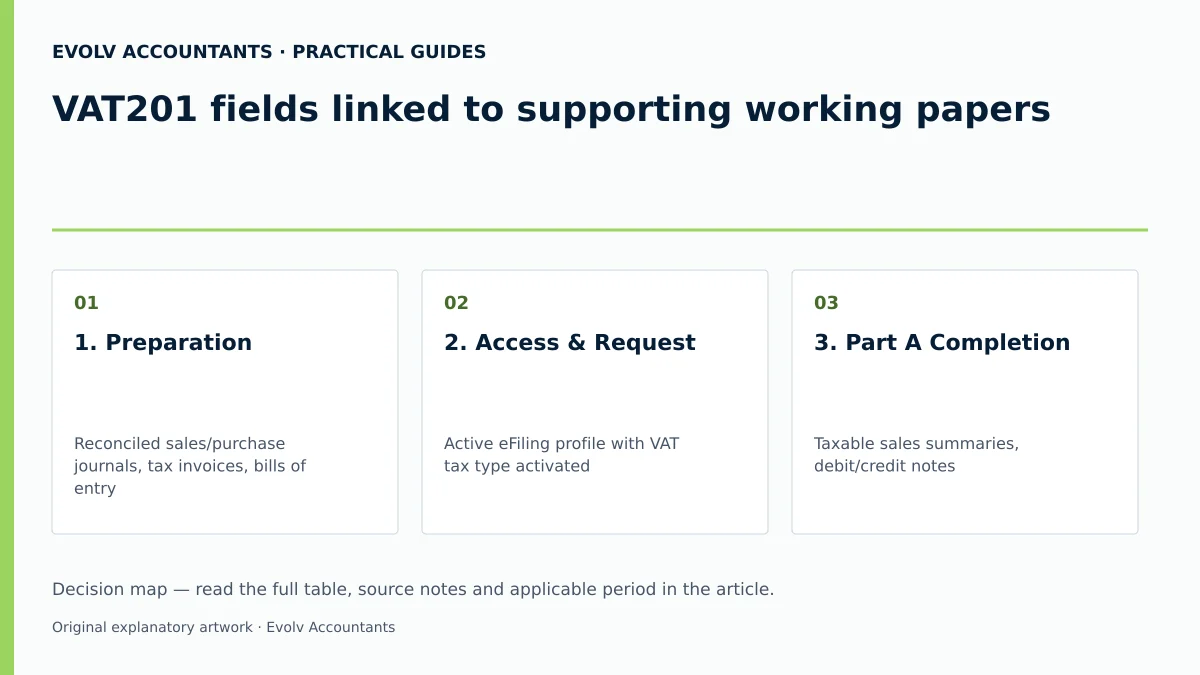
| 1. Preparation | Reconciled sales/purchase journals, tax invoices, bills of entry 4 29 | Financial Accountant | Output/Input VAT accounts balanced to general ledger | Resolve unverified invoices or missing customs receipts 35 |
| 2. Access & Request | Active eFiling profile with VAT tax type activated 38 45 | Registered eFiler / Tax Practitioner | VAT201 return generated on eFiling work page 2 45 | Re-activate tax type or make branch eBooking if blocked 38 |
| 3. Part A Completion | Taxable sales summaries, debit/credit notes 19 25 28 | Tax Administrator | Field 13 Total Output Tax verified against sales journal 19 | Check accommodation 60% rule or imported services 19 51 |
| 4. Part B Completion | Valid tax invoices (≥ R5 000 full details), VAT264 forms 29 31 | Tax Administrator | Field 19 Total Input Tax matched to purchase working paper 20 | Verify Customs Code for imported goods in 14A/15A 33 34 |
| 5. Net Calculation | Field 20 auto-calculation (Field 13 - Field 19) 20 21 | Finance Manager | Net payable/refundable amount approved for submission | Ensure minus sign is present if claiming a refund 21 |
| 6. Submission | Electronic signature declaration on eFiling 39 | Authorised Declarant | eFiling status reflects "Filed through eFiling" 61 | Request extension if Section 95 estimate is raised 8 |
| 7. Post-filing Check | 19-digit PRN, Statement of Account (VATSOA) 48 62 | Financial Accountant | Payment cleared or refund verified within 21 days 68 69 | Upload supporting documents if selected for verification 66 |
Frequently Asked Questions
What happens if an input tax deduction was omitted from a previous VAT201 return?
Omitted input tax cannot be claimed by increasing input tax on a revised past return 74. Vendors must claim the omitted input tax in a current or future VAT201 return, provided the claim is submitted within five years from the date of first entitlement 74 75.
How does SARS handle a return where declared figures differ substantially from prior periods?
If declared values differ significantly from historical filing patterns, eFiling displays an automated pop-up warning regarding an amount mismatch 63 67. The vendor may proceed with submission if figures are correct, but the return is likely to be flagged for verification, requiring supporting document uploads 66 67.
What is the process if SARS issues a Section 95(1)(c) estimated assessment?
Vendors cannot lodge an objection against a Section 95(1)(c) estimate 8 78. Instead, the vendor must upload the outstanding relevant material via eFiling or request an extension to submit the required documentation 8 78.
How are commercial accommodation supplies calculated on the VAT201 return?
For commercial accommodation provided for a period exceeding 28 days, the VAT-exclusive consideration is declared in Field 5 26. Field 6 automatically calculates 60% of Field 5 51. Field 7 captures accommodation ≤ 28 days, and Field 9 applies the 15% rate to the combined total (Field 8) 51 52.
Can a vendor increase input tax deductions when submitting a Request for Correction (RFC)?
No. When submitting an RFC for a past tax period, Part A (Output Tax) can be increased or decreased, but Part B (Input Tax) can only be decreased 7 74.
Related guides
- VAT return periods and filing categories in South Africa
- When a VAT201 return and payment are due
- The Proactive SARS Audit Guide: Keeping Your Business Ledger Sanitised
Sources
- https://www.sars.gov.za/wp-content/uploads/Ops/Guides/GEN-ELEC-04-G01-Guide-for-completing-the-Value-Added-Tax-VAT201-Declaration-External-Guide.pdf
- Obligations of a VAT vendor | South African Revenue Service
- https://www.sars.gov.za/wp-content/uploads/Ops/Guides/Legal-Pub-Guide-VAT404-VAT-404-Guide-for-Vendors.pdf
- Tax periods for VAT | South African Revenue Service