
Correcting a VAT201 return after submission
22 February 2025

Correcting a VAT201 return after submission requires a formal request for correction via SARS eFiling or branch channels to remedy undisputed errors while preserving complete tax audit trails.
Under South African tax administration, filing a Value-Added Tax (VAT201) declaration constitutes an original tax assessment 1. When a registered vendor identifies an oversight or miscalculation on a previously lodged return, the South African Revenue Service (SARS) regulatory framework provides specific administrative mechanisms to rectify the record 1 2.
A fundamental distinction exists between submitting a formal Request for Correction (RFC) for past-period errors and declaring later-period adjustments—such as credit or debit notes, bad debt write-offs, or change-in-use adjustments—on a current return 2 3 4 5 6 7. Crucially, while SARS permits vendors to adjust Part A output tax figures upward or downward on an RFC, Part B input tax deductions cannot be increased on a past-period revision 2 8.
Any unclaimed input tax from a previous period must instead be claimed on a subsequent return within five years from the date of entitlement 9 10 11.
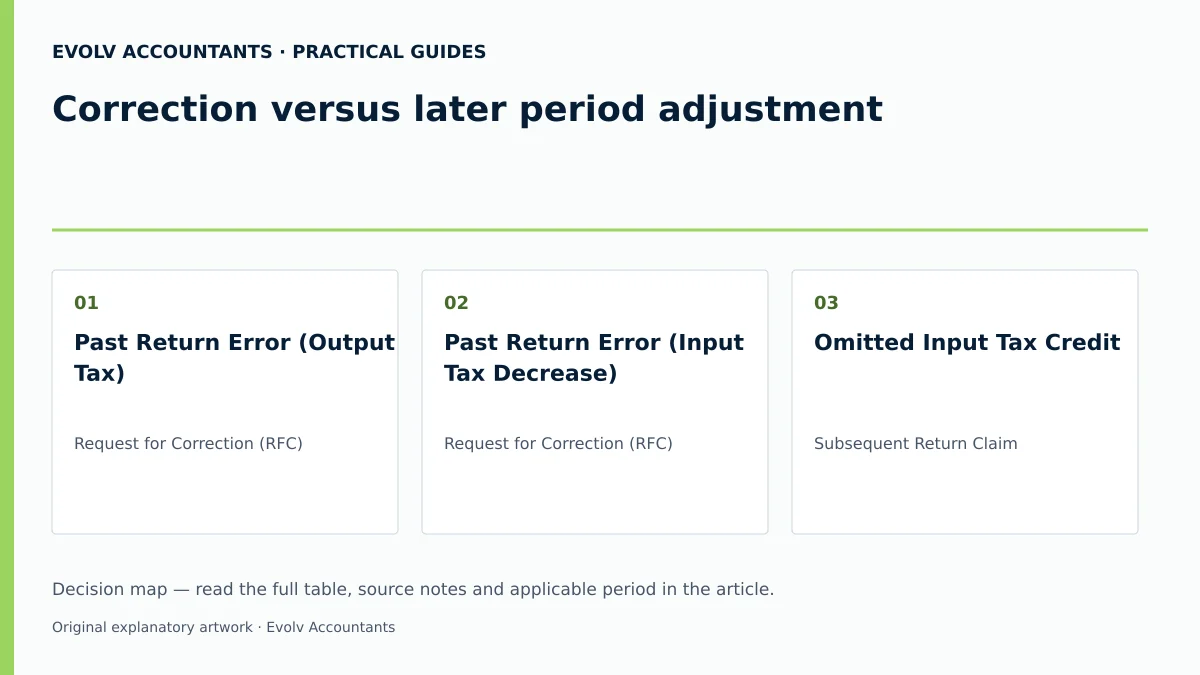
Correction versus later period adjustment
Identifying Erroneous Declarations and Their Consequences
When a vendor files a VAT201 return, every entry across Part A (Output Tax and Imported Services, Fields 1 to 12) and Part B (Input Tax, Fields 14 to 18) carries legal weight 1 12 13. An error occurs when declared figures diverge from the underlying accounting records, source documents, or statutory principles 1 14. Common misstatements include omitted standard-rated sales in Field 1, incorrectly applied zero-rating in Field 2, arithmetic miscalculations in output tax, or input tax claimed without holding a valid tax invoice 12 13 14 15.
— Practical point from this guide
The material consequences of a return error depend on whether it results in an under-declaration or an over-declaration of net tax payable in Field 20 13 16. Understating output tax or overstating input tax creates a tax shortfall, exposing the SME to late-payment penalties, interest, and potential Understatement Penalties (USP) if detected during a SARS verification or audit 17 18 19.
Conversely, overdeclaring output tax or underdeclaring input tax adversely impacts business cash flow by overpaying SARS or delaying legitimate tax refunds 20 21 22.
Distinguishing Fundamental Error from Subsequent Adjustments
Regulator guidance from SARS establishes a clear boundary between correcting a prior return and making a later-period adjustment 1 2 6. A Request for Correction (RFC) is strictly reserved for rectifying undisputed errors, omissions, or factual misstatements that existed at the time the original VAT201 declaration was submitted 1 2.
In contrast, commercial events that alter the consideration or tax position after the tax period has closed are not errors and must not be retroactively inserted into past returns via an RFC 6 7. These post-invoice events are accounted for in the period in which the relevant adjustment arises, using the field for that adjustment: for example, Field 12 or 18 for the appropriate note direction, Field 17 for qualifying bad debts written off, and the applicable change-in-use fields 3 5 6 7 13 23.
| Adjustment Category | Mechanism | Target VAT201 Field | Timing / Statutory Basis |
|---|---|---|---|
| Past Return Error (Output Tax) | Request for Correction (RFC) | Part A (Fields 1–12) | Historical period within 5 years 2 24 |
| Past Return Error (Input Tax Decrease) | Request for Correction (RFC) | Part B (Fields 14–18) | Historical period within 5 years 2 24 |
| Omitted Input Tax Credit | Subsequent Return Claim | The applicable input field for the transaction | Current/future return within 5 years 9 10 11 |
| Credit Note Issued / Debit Note Received | Later Period Adjustment | Field 18 | Period in which document is issued 5 13 23 |
| Irrecoverable Bad Debt Written Off | Later Period Adjustment | Field 17 | Period in which debt is written off 4 6 |
| Change in Asset Use (Taxable to Non-Taxable) | Later Period Adjustment | Field 10 / Field 12 | Period in which change of use occurs 3 25 |
Preserve the original records: correction
Audit Trail Retention Requirements
The Tax Administration Act and the VAT Act impose a mandatory duty on all registered vendors to retain complete accounting records, source documents, tax invoices, credit/debit notes, and bank statements for a minimum period of five years 14 15 19. When executing a VAT201 correction, this record-keeping obligation expands to encompass the entire audit trail of the correction itself 14 19.
Vendors must preserve the original VAT201 submission receipt, the working papers supporting the original declaration, the document identifying the error, and the authorisation for the correction 14 26. Erasing financial history or overwriting original audit files is strictly prohibited under statutory record-keeping rules 14 19.
Access Controls and Historical Submission Locks
SARS eFiling enforces strict system controls to protect the integrity of submitted tax data 26 27 28. Once a VAT201 return is filed, Version 1 is permanently locked in the eFiling system history 26 28. Requesting a correction generates a new version (Version 2) in a "Saved" status, pre-populated with minimal vendor details while preserving the original Payment Reference Number (PRN) 28 29 30.
The demographic contact details of the declarant completing the revision must be fully recorded 31. Furthermore, SARS guidelines stipulate that manual copies of VAT201 returns printed from eFiling or photocopied returns will be rejected and will not be processed by SARS branch offices 32 33.
Choose the correct amendment route: later period adjustment
Request for Correction (RFC) versus Dispute Procedures
Navigating SARS amendment routes requires selecting the legal mechanism matched to the scenario:
- Request for Correction (RFC): Used when the vendor voluntarily identifies an undisputed error on a previously submitted return 1 2. The vendor submits full revised figures for the affected period via eFiling or a branch appointment 8 30.
- Subsequent Period Claim: Applied when input tax was validly incurred in a past period but inadvertently omitted 9 10. Because SARS rules prohibit increasing Part B input tax on an RFC, the vendor must claim the deduction on a subsequent return within the 5-year statutory window under section 16(3) 2 9 10 11.
- Dispute / Notice of Objection: Used for an objection-eligible additional assessment or decision with which the vendor disagrees. A section 95(1)(c) estimate arising from missing relevant material follows the material-submission and extension route first 34 35 36 37. An RFC cannot be used to overturn a SARS-issued assessment or a finalised audit case 38.
- Voluntary Disclosure Programme (VDP): Utilized when an SME identifies unprompted defaults or multi-year tax non-compliance that could trigger severe penalties, offering relief under a formal VDP agreement with SARS 39.
Using Later Period Adjustments
SMEs must establish operational controls to route post-invoice adjustments to current returns rather than reopening closed periods 6. For instance, if a vendor issues a credit note to a client due to a price reduction or returned goods, SARS guidance dictates that the output tax adjustment must be declared in Field 18 of the current tax period's VAT201 return 5 23.
Similarly, where an invoice becomes irrecoverable and is written off in the enterprise's books, the input tax adjustment is claimed in Field 17 of the return covering the period of the write-off 4 6.
Make and verify the correction: correction
The SARS eFiling Approved Change Sequence
To execute a VAT201 correction on SARS eFiling, finance personnel must follow a precise administrative sequence:
- Log into SARS eFiling and navigate to Returns, select Returns History, and click Value Added Tax (VAT201) 16 40 41.
- Locate the specific tax period requiring correction and click Open to access the VAT201 Work Page 28 41 42.
- Click the Request for Correction (RFC) button 16 30. The system automatically generates a new version of the VAT201 return under "Saved" status, assigned the identical Payment Reference Number (PRN) as the original return 28 29 30.
- Open the editable return and complete the FULL REVISED AMOUNTS across all applicable fields, NOT merely the net difference between the original and corrected figures 8 10 30.
- Verify that Part A output tax amounts are correctly adjusted and that Part B input tax amounts are equal to or lower than the original submission 2 8.
- Click Submit VAT201 to transmit the revised return to SARS 43 44.
Verifying Versioning and Status Updates
After submission, the vendor must verify that the correction has registered correctly on eFiling 26 44. The VAT201 Work Page will reflect the updated version number (e.g., Version 2), the submission date, the channel used, and the status "Filed through eFiling" or "Processed by SARS" 26 28 44.
When a vendor submits a revision for a second time onwards (Version 3 or higher), SARS system logic automatically triggers a mandatory requirement to upload supporting documentation before the return can be processed 24. If an audit case has been finalised or a SARS official has performed a manual adjustment on the return, the eFiling system will lock the RFC button, preventing further vendor revisions 38.
Consequences and remaining exceptions: later period adjustment
Downstream Tax and Payment Reconciliations
Submitting a revised VAT201 return alters the vendor's tax account position with SARS 45 46. If the correction increases net VAT payable in Field 20, the additional tax liability must be settled immediately using the pre-populated PRN to minimize interest accrual 8 17 30 47 48. If the correction reduces net VAT payable or creates a refund position, SARS reflects the adjustment on the vendor's Statement of Account (VATSOA) 45 46.
Downstream accounting records, general ledger VAT control accounts, and financial reporting schedules must be reconciled to match the final revised figures accepted by SARS 14.
Complex Exceptions and Verification Triggers
Vendors must manage specific statutory exceptions and regulatory triggers during the correction process:
Submit the requested material within the 40-business-day period applicable to the section 95(1)(c) estimate, or request an extension promptly. The SARS guide describes the extension-button availability up to five years and 40 business days after the original assessment for which verification was created; this is not an automatic extension.
Check the date and conditions in the actual notice and any approved extension. SARS VAT201 guide.
The five-year period is a minimum, not an automatic destruction date. SARS record-keeping guidance requires the relevant records to remain available; retain them beyond the ordinary minimum where an ongoing audit, investigation, objection or appeal or another applicable rule requires it.
Next steps for VAT returns
To ensure flawless VAT compliance and prevent recurring errors, South African SMEs should implement robust internal tax controls.
Recommended Compliance Checklist for SMEs
- Designate a Control Owner: Assign a qualified internal finance officer or registered tax practitioner as the primary declarant responsible for reviewing source documents and verifying return entries 31 43.
- Perform Pre-Submission Reconciliations: Reconcile monthly general ledger sales and expense accounts against valid tax invoices and credit notes prior to locking the VAT201 return 14 15.
- Verify Allocated Tax Period Category: Confirm filing frequency against SARS registration details—Category A or B (two-monthly) 53 54, Category C (monthly for turnover exceeding R30 million) 55 56, Category D (six-monthly for farming under R1.5 million or micro-businesses) 57 58, or Category E (annual for connected property/goods letting entities) 59 60.
- Monitor Registration Threshold Positions: Continuously track the enterprise's 12-month rolling turnover against statutory requirements 61 62. Under Section 23(1) of the VAT Act, compulsory registration is legally required when taxable supplies exceed R1 million in a 12-month period 61 62. Current SARS registration guidance administers an operational R2.3 million threshold position; SMEs must understand that this represents an administrative posture rather than an unqualified statutory amendment to Section 23 61. Current SARS guidance administers the standard voluntary threshold at R120 000, with specified alternative eligibility grounds 63 64.
- Conduct Post-Correction Audits: Following any RFC submission, inspect the VAT Work Page, verify version updates, confirm payment allocation via the PRN, and archive all supporting calculation schedules 8 14 26 48.
Illustrative Correction Scenario
An SME registered under Category A (two-monthly tax period ending July) originally submitted its VAT201 declaration (Version 1) declaring the following figures 43 53 54:
- Field 1 (Standard-Rate Sales, VAT Inclusive): R1 150 000,00 12
- Field 4 (Output Tax @ 15%): R150 000,00 12 65
- Field 13 (Total Output Tax): R150 000,00 12 13
- Field 15 (Standard-Rate Input Tax Expenses): R80 000,00 13
- Field 19 (Total Input Tax): R80 000,00 5 13
- Field 20 (Net VAT Payable): R70 000,00 5 13
Three weeks after submission, the internal accountant discovers two errors:
- Standard-rated sales invoices totalling R200 000,00 (VAT exclusive) were omitted from Field 1 12.
- A valid supplier invoice for R10 000,00 (VAT exclusive) was omitted from Field 15 13.
Corrective Action via RFC:
- Output tax in Part A must be corrected on Version 2 via RFC 2 30. Revised Field 1 becomes R1 380 000,00 (VAT inclusive), resulting in an auto-calculated Field 4 Output Tax of R180 000,00 (using the 15/115 tax fraction on inclusive amounts or 15% on exclusive amounts) 12 65.
- Input tax in Part B cannot be increased on Version 2 via RFC 2 8 10. Field 15 remains at R80 000,00 2 9.
- Revised Field 20 Net VAT Payable becomes R100 000,00 (Version 2) 5 13.
- The additional R30 000,00 output tax liability is paid to SARS using the original PRN 8 30 48.
- The omitted purchase of R10 000,00 excluding VAT carries R1 500,00 input tax, is claimed on the subsequent August/September VAT201 return in Field 15 within the 5-year statutory window under section 16(3) 9 10 11.
Evolv Compliance Services
Ask Evolv about correction versus later period adjustment. Share the relevant records so the support required can be scoped.
Frequently Asked Questions
Can an SME increase its input tax deduction on a past VAT201 return using a Request for Correction?
No. SARS GEN-ELEC-04-G01 completion guidelines explicitly state that while amounts under Part A (Output Tax) can be increased or decreased, amounts under Part B (Input Tax) can only be decreased on a past-period revision 2 8. GEN-ELEC-04-G01 specifies that "amounts under Part A can be increased or decreased, however amounts under Part B can only be decreased" 2. If an SME omitted a valid input tax deduction from a past return, it must claim that deduction on a subsequent VAT201 return in Field 15 or Field 18 within five years from the date of entitlement under section 16(3) of the VAT Act 9 10 11.
How long does a vendor have to make a Request for Correction on a previously submitted VAT201 return?
A vendor is permitted to submit a Request for Correction on the general VAT portion of a VAT201 return for any tax period within 5 years from the date of original assessment 1 24. However, revisions to the diesel refund portion of the VAT201 return are strictly limited to past tax periods within 2 years 24.
What happens if an SME needs to revise a VAT201 return for a second or third time?
There is no statutory limit on the number of revisions permitted per tax period 24. However, when a vendor revises a VAT201 return for the second time onwards (resulting in Version 3 or higher), eFiling automatically requires the vendor to upload supporting documentation to validate the changes before SARS will process the return 24.
How should an SME handle an estimated VAT assessment issued by SARS under section 95?
Submit the requested material within the 40-business-day period applicable to the section 95(1)(c) estimate, or request an extension promptly. The SARS guide describes the extension-button availability up to five years and 40 business days after the original assessment for which verification was created; this is not an automatic extension. Check the date and conditions in the actual notice and any approved extension. SARS VAT201 guide.
What is the difference between the statutory registration threshold and SARS administrative guidance?
Current SARS registration guidance administers new applications from 1 April 2026 at R2.3 million in taxable supplies over any consecutive 12 months for compulsory registration and R120 000 for the standard voluntary route, with specified alternative conditions. Older guides quote R1 million and R50 000. These older figures must not be presented as the current application thresholds, and the administrative guidance does not itself prove an amendment to section 23.
Related guides
- Dealing with a missed VAT return period
- Completing a VAT201 return step by step
- The Proactive SARS Audit Guide: Keeping Your Business Ledger Sanitised
Sources
- https://www.sars.gov.za/wp-content/uploads/Ops/Guides/Legal-Pub-Guide-VAT404-VAT-404-Guide-for-Vendors.pdf
- https://www.sars.gov.za/wp-content/uploads/Ops/Guides/GEN-ELEC-04-G01-Guide-for-completing-the-Value-Added-Tax-VAT201-Declaration-External-Guide.pdf
- Obligations of a VAT vendor | South African Revenue Service
- FAQs for VAT vendors | South African Revenue Service
- Tax periods for VAT | South African Revenue Service
- Register for VAT | South African Revenue Service