
Dealing with a missed VAT return period
18 February 2026

Dealing with a missed South African VAT return period requires requesting the outstanding VAT201 declaration, submitting accurate financial records, and settling any resulting tax liability.
Registered South African Value-Added Tax (VAT) vendors that fail to submit a VAT201 return or settle their net tax commitment by the statutory deadline face immediate administrative and financial exposure 1 2 3. Re-establishing tax compliance involves requesting the overdue return through South African Revenue Service (SARS) eFiling or branch channels, accurately reporting output and input tax, settling the outstanding balance along with mandatory statutory late payment charges, and verifying that SARS has updated the Statement of Account 3 4 5 6 7.
While SARS imposes an automatic 10% penalty on late payments alongside monthly interest, vendors must note that input tax claims on historical returns remain subject to a strict five-year statutory limitation 3 8 9 10.
Outstanding period recovery and late consequences
For South African Small and Medium Enterprises (SMEs) operating as registered VAT vendors, maintaining an uninterrupted tax compliance record is a core statutory duty 11 12. Every vendor is assigned by SARS to a specific tax period category—ranging from monthly (Category C) and two-monthly (Categories A and B) to six-monthly (Category D) or annual (Category E) filing cycles 13 14 15 16 17.
— Practical point from this guide
A missed VAT return period occurs when a vendor fails to submit the prescribed VAT201 declaration or fails to pay the net VAT due by the applicable statutory deadline 1 2 18. For electronic filers, the submission and payment deadline is the last business day of the calendar month following the end of the tax period, whereas manual or branch filers must submit by the 25th day of that month 1 19 20 21.
Achieving complete recovery for an outstanding period requires far more than merely generating an electronic form 4 7 22. True completion means retrieving the specific historical CCYYMM return from SARS, compiling complete and verifiable accounting evidence, submitting an accurate VAT201 declaration, and fully discharging the resulting financial liability 2 4 5 6 23.
The recovery process is only complete when SARS issues an updated Statement of Account (VATSOA) reflecting an assessed, fully reconciled, and un-flagged tax position 7 22 24 25.
Failing to resolve outstanding periods triggers significant administrative consequences 3 26 27. Late payment of output tax attracts an automatic 10% penalty under section 39 of the VAT Act and section 213 of the Tax Administration Act (TA Act), as well as interest charged at the prescribed rate for every month or part of a month that the debt remains unpaid 3 8 28 29.
Unfiled VAT returns automatically block the payout of legitimate tax refunds across all tax types and expose the enterprise to estimation assessments raised by SARS under section 95 of the TA Act 26 30 31.
Prepare the information and authority: outstanding period recovery
Required Documentation and Source Evidence
Before initiating an outstanding period recovery, an SME must assemble and verify all source records for the specific tax period 11 32 33 34:
- Full Tax Invoices: Required for all taxable supplies of goods or services where the consideration is more than R5,000 35 36. Must contain the words "Tax Invoice", "VAT Invoice", or "Invoice"; the supplier’s name, address, and 10-digit VAT registration number; the recipient’s name, address, and VAT registration number; an individual serial number and date; a full description of goods or services; the quantity or volume; and the consideration and VAT charged 35 36.
- Abridged Tax Invoices: Permissible for taxable supplies R5,000 or less 35 37. Must include supplier identification, serial number, date, description of goods, and VAT details, but omits recipient details 35 37.
- Import Documentation: Customs bills of entry, EDI Customs Release Messages, and official SARS payment receipts proving VAT was paid on imported goods 38 39.
- Second-Hand Goods Declarations: Signed VAT264 forms detailing supplier identity, purchase value, description, and proof of payment for non-taxable acquisitions of second-hand goods 38 40 41.
- Debit and Credit Notes: Official adjustment documents reflecting increases or decreases in taxable consideration 42.
- Five-Year Record Retention: All underlying accounting books, general ledgers, bank statements, and tax invoices must be retained in their original form for five years 11 34 43 44.
Access Permissions and System Authority
To submit overdue declarations electronically, the business must possess active administrative access to SARS eFiling with the VAT tax type successfully activated 4 45. Under SARS guidelines, logging into eFiling using authorised credentials constitutes a valid electronic signature on behalf of the declarant 23. If a registered tax practitioner assists the enterprise, their official practitioner registration number and contact details must be included on the return 46.
If an in-person branch submission is required, the declarant must schedule an eBooking appointment prior to visiting the SARS service centre 4 47.
Core Definitions and Statutory Distinctions
To maintain strict compliance, vendors must distinguish between statutory legislation, administrative guidance, and Evolv advisory recommendations:
- Statutory Law (VAT Act 89 of 1991 & Tax Administration Act 28 of 2011): Imposes the standard VAT rate of 15% on taxable supplies 48; mandates a 10% penalty on late payments under section 39 / section 213 3 28; charges interest under section 80 of the Public Finance Management Act (PFMA) 29; and enforces a strict five-year statutory limit for claiming input tax deductions under the proviso to section 16(3) 9 10.
- Regulator Guidance (SARS VAT404 & GEN-ELEC-04-G01 Guides): Outlines operational step-by-step procedures for requesting historical returns via eFiling, managing Payment Reference Numbers (PRNs), and verifying accounts 4 5 7 49.
- Administrative Threshold Position: Current SARS web guidance administers a compulsory VAT registration threshold of R2.3 million in annual taxable turnover, whereas older published vendor guides retain the historical R1 million threshold 50 51. This reflects the regulator’s administrative position rather than an unqualified statutory amendment, and the Rates and Monetary Amounts Act does not amend section 23 of the VAT Act.
- Evolv Recommendations: SME management should perform a comprehensive pre-filing reconciliation matching accounting ledgers against valid tax invoices before submitting overdue returns, ensuring zero ungrounded input claims.
Complete the task step by step: late consequences
To recover an outstanding VAT period and resolve late consequences, vendors must follow this primary sequence:
Step 1: Request the Outstanding VAT201 Return on eFiling
Log into SARS eFiling, navigate to Returns, select Returns Issued, and click Value Added Tax (VAT201) 5. Access the VAT Filing Control Table and input the date range for the overdue tax period (CCYYMM) 52. Click Request Return 4 5. If a "No Results" message displays within an active liability period, click Refresh to update historic data 52.
Step 2: Verify Pre-Populated Header Fields
Inspect the generated VAT201 work page to verify that pre-populated details match official records 49 53:
- Trading or Other Name 49.
- 10-Digit VAT Registration Number 49 53.
- Tax Period (CCYYMM) 49 53.
- Unique Payment Reference Number (PRN) linked specifically to this tax period 19 49.
Step 3: Complete Part A (Calculation of Output Tax)
Declare all taxable turnover achieved during the specific tax period:
- Field 1: Enter the VAT-inclusive consideration for standard-rated supplies of goods and services (excluding capital assets and accommodation) 54.
- Field 1A: Enter consideration for standard-rated capital goods or services sold 55.
- Field 2 & 2A: Enter zero-rated local supplies and exported goods 46.
- Field 3: Enter exempt and non-supplies 46.
- Field 4 & 4A: Verify the auto-calculated output tax, computed using the standard tax fraction of 15 / 115 (r / (100 + r)) 54 56.
- Field 13: Confirm Total Output Tax (Total A) 6 46.
Step 4: Complete Part B (Calculation of Input Tax)
Declare all permissible input tax deductions incurred for enterprise operations:
- Fields 14 & 15: Enter input tax on capital and other goods imported 6 33.
- Field 16 & 17: Enter adjustments for change in use or irrecoverable bad debts written off (invoice basis vendors only) 6.
- Field 18: Enter all other deductible input tax on local standard-rated business purchases supported by valid tax invoices held at the time of completion 6 32 57.
- Field 19: Confirm Total Input Tax (Total B) 6 10.
Step 5: Submit Declaration and Settle Outstanding Liability
Field 20 automatically calculates the Net VAT Payable or Refundable (Total A minus Total B) 6 23 58. Complete the electronic declaration and click Submit VAT201 23. Immediately execute payment using the pre-populated PRN via eFiling credit push, EFT, or approved bank channels 19 20 21.
Understanding Late Payment Consequences
When a VAT payment is made after the due date, SARS automatically applies statutory late charges 3 8 28 29:
- 10% Late Payment Penalty: Applied immediately to the unpaid VAT liability under section 39 of the VAT Act and section 213 of the TA Act 3 8 28.
- Prescribed Interest: Charged per month (or part of a month) under section 80 of the PFMA, running from the first day of the month following the due date until the debt is settled in full 3 29 59.
- Late Submission Position: SARS currently does not charge an administrative penalty on the late filing of the VAT return document itself; the 10% penalty is triggered strictly by late payment 8.
Check the result against the evidence: outstanding period recovery
Submitting a return on eFiling does not automatically guarantee final assessment or acceptance by SARS 22 25 26. Vendors must independently verify completion using objective evidence:
- OVERDUE VAT RETURN RECOVERY FLOW
- 1. SUBMIT RETURN 2. EXECUTE PAYMENT 3. VERIFY STATUS 4. AUDIT STATEMENT
- Request VAT201 via -> Settle Net VAT using -> Check VAT Work Page -> Request VATSOA to
- eFiling Control Table unique period PRN shows "Filed" confirm zero debt
Verification Protocol
- Inspect VAT Work Page Status: Access the VAT Work Page on eFiling. Successful electronic submission displays the status as "Filed through eFiling" 60 61. Returns filed manually at a branch display "Filed through another channel" 22.
- Request a VAT Statement of Account (VATSOA): Select Request Statement of Account on eFiling, specify the start and end tax periods (YYYYMM), and click Request 7 24. Review the summary to confirm that the declared VAT liability, 10% late payment penalty, and interest have been posted and matched against your payment allocation 24 58 62.
- Review Notice of Assessment (VAT217): Inspect the assessment notice to ensure SARS processed the return without raising an estimated assessment or adjustment 22 30.
- Confirm Verification and Audit Clearance: Ensure the return has not been flagged for SARS verification or audit 22 25 26. Active audit flags withhold refund payouts and block subsequent return revisions until the review is finalised 22 26 60.
Handle exceptions and unresolved cases: late consequences
Understated or Overstated Historical Returns (Request for Correction)
If an error or omission is discovered after submitting an overdue return, the vendor can submit a Request for Correction (RFC) on eFiling 60 63 64.
- Part A (Output Tax): May be increased or decreased on an RFC 63.
- Part B (Input Tax Statutory Restriction): Part B can only be decreased on an RFC 9 63 65. Under SARS rules, a vendor is strictly prohibited from increasing input tax deductions when revising a past period return 9 65. Unclaimed input tax from a past period must instead be claimed in a subsequent or current VAT return, provided it is claimed within five years from the date of first entitlement 9 10 65.
Remission of Penalties and Interest
Vendors facing late charges may request administrative relief under specific statutory conditions:
- Remission of 10% Late Payment Penalty: The vendor must submit a Request for Remission (Form RFR01) via eFiling or a SARS branch 66 67. SARS may remit the penalty if the amount is under R2,000, if it is a first incidence within 36 months, or if non-compliance was caused by exceptional circumstances such as natural disasters, civil disruption, serious illness, or SARS capturing/processing delays 68 69. Submission of an RFR01 automatically suspends penalty payment obligations until SARS issues a decision 67 70.
- Remission of Interest: Governed by section 187(6) of the TA Act 71 72. Interest can only be remitted if payment was delayed due to circumstances strictly beyond the vendor’s control (such as an irrecoverable banking system failure) 71 72 73. The underlying tax debt must be paid in full before an interest remission request can be considered, and no formal objection is permitted against a disallowed interest remission request 72 74.
Unassessed Defaults and Voluntary Disclosure Programme (VDP)
Where an SME has failed to submit returns or declare output tax across multiple historical periods, seeking relief through the Voluntary Disclosure Programme (VDP) can prevent severe non-compliance penalties 46 75. A valid VDP application must be submitted before SARS initiates an audit or investigation, culminating in a formal VDP agreement 75.
Missing Source Documents and Invoices
Input tax deductions are strictly prohibited if the vendor does not hold valid tax invoices at the time of filing 32 33 43. If supplier invoices are lost or missing, the input tax must be excluded from the overdue return and claimed in a future tax period once duplicate invoices are secured (within the 5-year limit) 9 10. Where documents are permanently unobtainable due to circumstances beyond control, the vendor must apply for a section 16(2)(g) ruling (Form VAT301) as a last resort 76 77.
Specialist Boundaries and Dispute Resolution
Where SARS issues an adverse assessment or disallows a penalty remission, the vendor may lodge a formal Notice of Objection (Form DISP01) via eFiling within 80 business days 78 79. Filing an objection does not automatically suspend the obligation to pay tax; a separate application for Suspension of Payment under section 164 of the TA Act must be submitted 30 79. Complex audit cases, section 164 applications, and High Court review proceedings fall outside routine bookkeeping and require Evolv tax advisory specialists.
The five-year period is a minimum, not an automatic destruction date. SARS record-keeping guidance requires the relevant records to remain available; retain them beyond the ordinary minimum where an ongoing audit, investigation, objection or appeal or another applicable rule requires it.
Next steps for VAT returns
Task and Completion Checklist
| Step | Input or evidence | Responsible person | Completion check | Exception or next action |
|---|---|---|---|---|
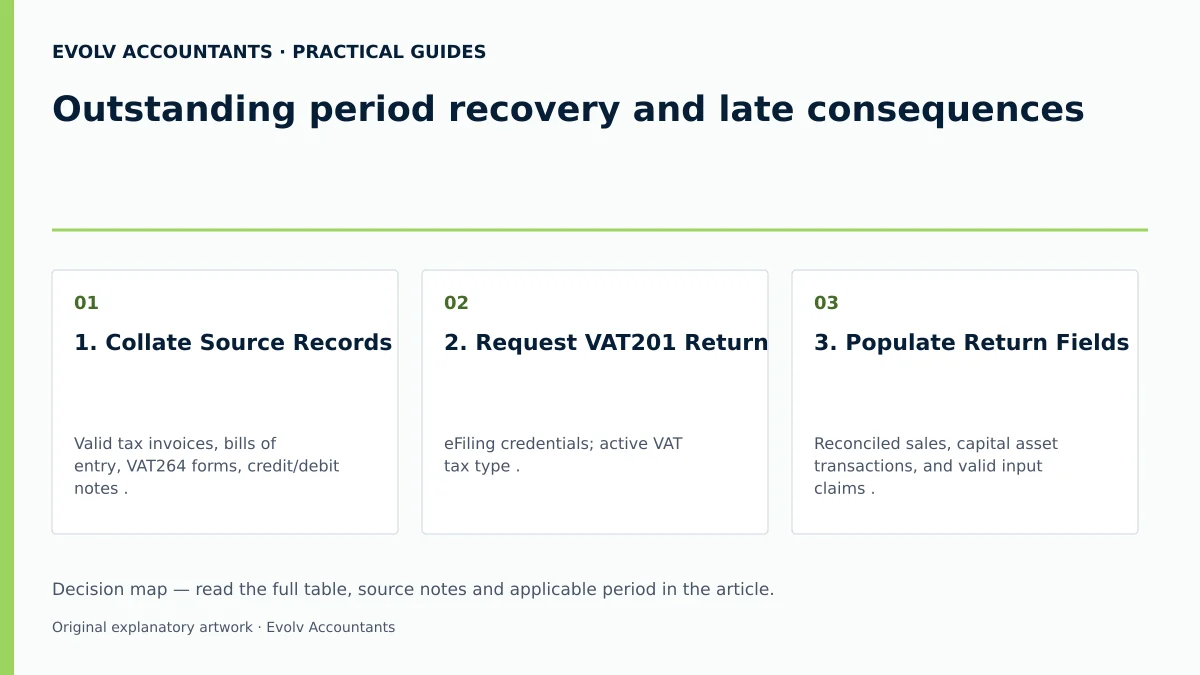
| 1. Collate Source Records | Valid tax invoices, bills of entry, VAT264 forms, credit/debit notes 32 35 38 40. | Senior Bookkeeper / SME Owner | All purchases and sales reconciled to general ledger; 5-year retention verified 11 34. | Defer input tax if valid tax invoice is missing; claim within 5 years 9 10. |
| 2. Request VAT201 Return | eFiling credentials; active VAT tax type 4 5 45. | Authorised eFiler / Tax Practitioner | VAT Filing Control Table accessed; CCYYMM return generated 4 5 52. | Click "Refresh" if "No Results" error displays within liability dates 52. |
| 3. Populate Return Fields | Reconciled sales, capital asset transactions, and valid input claims 6 46 54 55. | Tax Practitioner / Financial Manager | Header details verified; Fields 1–19 completed; Part A output & Part B input checked 6 46 49. | Verify auto-calculated Field 4 and 19 totals match underlying summary ledgers 6 54. |
| 4. Submit and Pay | Form VAT201 declaration; Payment Reference Number (PRN) 19 23 49. | Public Officer / Managing Director | Electronic signature executed; Net VAT paid via eFiling credit push or EFT 19 20 21 23. | If payment fails, access "General Unpaid" menu on eFiling to re-initiate payment 62 63. |
| 5. Audit Completion | SARS Statement of Account (VATSOA); Notice of Assessment (VAT217) 7 22 24. | Financial Controller | Return Work Page confirms filing; VATSOA assessment and payment entries reconcile to the balance or approved arrangement 24 60. | If penalty levied, submit RFR01; if audit flagged, prepare verification file 22 25 67. |
Reproducibly Illustrative Recovery Example
To demonstrate the mathematical calculation of output tax, input tax, net liability, and late charges, consider the following hypothetical scenario:
Business Context
An SME registered for VAT under Category A (two-monthly filing, ending May) missed the statutory eFiling deadline of 30 June. The business completes and submits its overdue VAT201 return and payment on 31 July (one month overdue).
Transaction Summary for the Period
- Standard-Rated Sales (VAT Inclusive): R230,000.
- Standard-Rated Business Purchases (VAT Inclusive, backed by valid tax invoices): R115,000.
Step 1: Net VAT Calculation on Form VAT201
- Output Tax (Part A, Field 4):
Output Tax = R230,000 × ((15 ÷ 115)) = R30,000 54
- Input Tax (Part B, Field 15):
Input Tax = R115,000 × ((15 ÷ 115)) = R15,000 6 57
- Net VAT Payable (Field 20):
Net VAT Payable = R30,000 - R15,000 = R15,000 6 58
Step 2: Calculation of Statutory Late Charges
- 10% Late Payment Penalty (Section 39 VAT Act / Section 213 TA Act):
Late Penalty = R15,000 × 10% = R1,500 3 8 28
- Prescribed Monthly Interest (Section 80 PFMA, assuming an illustrative prescribed rate of 10.25% per annum for 1 month overdue):
Monthly Interest = R15,000 × 10.25% × ((1 ÷ 12)) = R128.13 29 59
Step 3: Total Settlement Requirement
Total Amount Payable to SARS = R15,000 + R1,500 + R128.13 = R16,628.13
Contextual CTA
Ask Evolv about outstanding period recovery and late consequences. Share the relevant records so the support required can be scoped.
Frequently Asked Questions
Is there an administrative penalty for submitting a VAT return late if no tax is payable?
Currently, SARS does not impose an administrative penalty on the late filing of a VAT return document itself; the 10% late payment penalty is triggered strictly by late payment of tax 8. If a return reflects a zero balance or a refund, no late payment penalty is levied 8. However, outstanding returns create an uncompliant tax status and block the payout of refunds on all tax accounts 26.
Can I claim omitted input tax from a missed past period by revising the historical return?
No. When submitting a Request for Correction (RFC) on a past VAT201 return, SARS rules specify that Part B (input tax) can only be decreased, not increased 9 63 65. Omitted input tax must be claimed in a current or future VAT return within five years from the date of first entitlement 9 10 65.
What should I do if the business cannot pay the full VAT liability when filing an overdue return?
You must submit the overdue VAT201 return immediately to establish filing compliance and prevent SARS from issuing an estimated assessment under section 95 30 80. While the unpaid debt will attract the 10% penalty and monthly interest, you can apply for a formal SARS payment arrangement or request a suspension of payment under section 164 of the TA Act 30 60 79.
How does an outstanding VAT return impact pending VAT refunds?
SARS is required to pay legitimate VAT refunds within 21 business days, but statutory rules mandate that refunds must be withheld if the vendor has any unfiled VAT returns for past tax periods 8 26 81. The refund will only be released after all outstanding returns are submitted, assessed, and verified 26 31.
What is the official compulsory VAT registration threshold for South African businesses?
Current SARS web guidance administers a compulsory VAT registration threshold of R2.3 million in annual taxable turnover, whereas older published vendor guides retain the historical R1 million threshold 50 51. This reflects the administrative position enforced by SARS rather than an unqualified statutory amendment to section 23 of the VAT Act.
Related guides
- Understanding VAT201 output tax fields
- Completing a VAT201 return step by step
- The Proactive SARS Audit Guide: Keeping Your Business Ledger Sanitised
Sources
- Obligations of a VAT vendor | South African Revenue Service
- https://www.sars.gov.za/wp-content/uploads/Ops/Guides/Legal-Pub-Guide-VAT404-VAT-404-Guide-for-Vendors.pdf
- https://www.sars.gov.za/wp-content/uploads/Ops/Guides/GEN-ELEC-04-G01-Guide-for-completing-the-Value-Added-Tax-VAT201-Declaration-External-Guide.pdf
- FAQs for VAT vendors | South African Revenue Service
- Tax periods for VAT | South African Revenue Service