
Correcting UIF over deductions on payroll
12 October 2026

Correcting UIF over-deductions on payroll requires adjusting excess employee deductions, reimbursing affected staff promptly, and updating monthly tax declarations.
When an employer over-deducts Unemployment Insurance Fund (UIF) contributions from an employee's remuneration—such as failing to apply the statutory monthly ceiling of R177.12 (1% of the R17,712 monthly remuneration limit effective 1 June 2021)—the employer is legally obligated under Section 7(5) of the Unemployment Insurance Contributions Act 4 of 2002 (UIC Act) to refund the excess to the employee 1 2 3. This refund duty applies regardless of whether the South African Revenue Service (SARS) or the UI Commissioner has refunded the employer 3.
Correcting an over-deduction requires preserving historical payroll audit trails, submitting amended monthly EMP201 payment declarations to SARS, updating employee declarations (UI-19) with the UI Commissioner, and reconciling annual EMP501 returns 2 3 4 5 6.
Refund or correction of excess employee deductions
Identifying the Erroneous Field, Period, and Transaction
Under South African tax legislation, Unemployment Insurance Fund contributions are calculated as a percentage of an employee's remuneration 7. The legal framework establishes that:
- Statutory Rates: The employee contribution rate is exactly 1% of remuneration, matched by an employer contribution of 1%, creating a total monthly contribution of 2% paid to SARS 1 7 8.
- Statutory Earnings Ceiling: Effective 1 June 2021, the maximum earnings ceiling for UIF contribution calculations is R17,712 per month (R212,544 annually) 1 2 9.
- Deduction Limit: For any employee earning above R17,712 per month, the statutory maximum deduction for the employee portion is capped at R177.12 per month 2. Remuneration exceeding R17,712 must be excluded from the UIF calculation base 2.
An over-deduction occurs when a payroll field, formula, or transaction error applies the 1% deduction to total earnings above the R17,712 threshold, includes amounts excluded from UIF remuneration (such as commission, pensions or superannuation allowances) in the UIF base, or executes duplicate deductions during a pay cycle 2 10 11.
Material Consequences for Employers and Employees
- Law (UIC Act & Tax Administration Act): Section 7 of the UIC Act explicitly prohibits an employer from deducting amounts in excess of the contribution due by the employee 11. Section 7(5) mandates that when an employer discovers an over-deduction, the employer "must refund the employee such amounts" 3. Failing to comply or submitting inaccurate returns constitutes an offence under Chapter 17 of the Tax Administration Act 28 of 2011 (TA Act) 6 12 13.
- Regulator Guidance (SARS & UI Commissioner): SARS guides clarify that excess remuneration beyond the statutory ceiling must never be included in the EMP201 declaration base 2. Furthermore, the UI Commissioner relies on monthly employee history to establish benefit entitlements; incorrect salary or contribution records pollute the national worker database 6 14.
- Evolv Recommendation: Employers must isolate the exact transaction period and pay run, quantify the net over-deduction per employee, and separate the internal employee reimbursement process from the tax authority credit recovery process 3 11.
Preserve the original records: refund or correction of excess employee deductions
Audit Trail Preservation and Statutory Record Keeping
- Law: Paragraph 14(1) of the Fourth Schedule to the Income Tax Act 58 of 1962 and Chapter 4 of the TA Act mandate that every employer keep detailed records of remuneration paid and UIF contributions deducted for a minimum of 5 years from the date of return submission 15 16.
- Regulator Guidance: SARS requires employers to maintain original submitted declarations, payment receipts featuring unique Payment Reference Numbers (PRNs), bank proof of payment, and employee certificates 2 16 17.
- Evolv Recommendation: Never alter, delete, or overwrite historical payroll runs, past pay slips, or filed returns 3 15. Every adjustment must be processed as a distinct, transparent transaction with line-item traceability showing the original deduction, the corrective adjustment, and the net payout 3 15.
Access Authority and Governance
System permissions on payroll software, uFiling, and SARS eFiling / e@syFile platforms must be restricted to designated representative employers, public officers, or authorised tax practitioners 18 19 20 21. Assigning clear delegation permissions prevents unauthorised edits and maintains compliance across reporting channels 19.
Choose the correct amendment route: documented completion and exceptions
Distinguishing Correction, Replacement, and Later-Period Adjustment
Employers must select the appropriate amendment channel based on whether the correction relates to the employee refund, the monthly SARS tax payment, or the UI Commissioner worker records:
— Practical point from this guide
- Employee Cash Reimbursement (Immediate Payroll Adjustment): The UIC Act requires the employer to refund excess employee deductions directly to the employee through payroll or manual payout without waiting for SARS or the UIF to approve or remit a credit 3.
- SARS Monthly Declarations (EMP201 Amendment / Credit Allocation): Monthly payments made to SARS via the EMP201 payment declaration include PAYE, SDL, and UIF allocations linked by a pre-populated 19-digit Payment Reference Number (PRN) 2 17. If an overpayment was made to SARS, the employer must submit an amended EMP201 for the affected period on SARS eFiling or request a refund/credit adjustment under Chapter 13 and Section 190 of the TA Act 3 17 22.
- UI Commissioner Worker History (UI-19 / uFiling Adjustment): Monthly individual worker details (UI-19 data) are submitted exclusively to the UI Commissioner via uFiling or electronic payroll uploads, regardless of whether contribution payments are made to SARS 4 6 23. On uFiling, monthly declarations cannot be directly overwritten; employee salary details must be updated in the Declarations Manager, which then updates the monthly return history 18.
- Annual Reconciliations (EMP501 Correction): Annual or interim Employer Reconciliation Declarations (EMP501) reconcile monthly EMP201 submissions with individual IRP5/IT3(a) certificates 5 24. Over-deductions corrected before EMP501 filing ensure that total tax certificates match revised EMP201 figures 5.
Make and verify the correction: refund or correction of excess employee deductions
Numbered Action Checklist for SMEs
- Audit Historical Pay Runs: Review historical pay slips and payroll reports for the affected period against the statutory monthly ceiling of R17,712 and the maximum employee deduction of R177.12 1 2.
- Calculate Net Employee Over-Deduction: Re-calculate correct statutory deductions per staff member to determine exact reimbursement amounts 2 3.
- Process Employee Reimbursement: Execute a direct refund to the employee on the next pay run (or via special payment), showing the credit clearly on the employee's pay slip 3.
- Adjust Employer Payroll General Ledger: Correct internal employer UIF expense and liability accounts to reflect true 1% matching liabilities 1 7.
- Amend SARS EMP201 Submissions: Access SARS eFiling or e@syFile, revise the monthly EMP201 declaration for the relevant period, and calculate any resultant credit balance 2 3 17.
- Update UI Commissioner Declarations: Log onto uFiling or re-submit electronic UI-19 payroll files to update the UI Commissioner’s worker database with corrected monthly remuneration 6 18 23.
- Verify Downstream Alignment: Confirm that corrected payroll ledgers match revised EMP201 balances, updated uFiling status logs, and annual EMP501 certificate totals 5 25.
Reproducible Hypothetical Example
- Scenario: A South African SME employs a senior manager earning a monthly gross remuneration of R25,000.00.
- Statutory Baseline:
- Effective 1 June 2021, the monthly UIF remuneration ceiling is R17,712.00 1 2 9.
- Statutory employee deduction (1%): R17,712.00 × 1% = R177.12 1 2.
- Statutory employer contribution (1%): R17,712.00 × 1% = R177.12 1 7.
- Total correct monthly remittance to SARS: R354.24 1 8.
- Payroll Error: The SME's payroll software failed to apply the statutory ceiling cap and deducted 1% on the full gross earnings of R25,000.00:
- Erroneous employee deduction: R250.00 (Over-deduction = R250.00 − R177.12 = R72.88).
- Erroneous employer matching: R250.00 (Over-contribution = R250.00 − R177.12 = R72.88).
- Total over-remittance to SARS on EMP201: R500.00 − R354.24 = R145.76.
- Corrective Payout & Accounting:
- The employer refunds R72.88 directly to the employee on the current pay slip 3.
- The employer adjusts the SARS EMP201 return, reflecting the corrected UIF liability of R354.24, creating an overpayment credit of R145.76 on SARS eFiling 2 3.
- The employer updates uFiling employee details to reflect monthly UIF deductible salary of R17,712.00 and contribution of R177.12 2 18.
Consequences and remaining exceptions: documented completion and exceptions
Downstream Tax, Reporting, and Payment Impact
- EMP501 Certificate Matching: The total UIF contributions reported on monthly EMP201 declarations must equal the sum of UIF contributions reflected on employee IRP5/IT3(a) tax certificates 5. Unresolved discrepancies trigger SARS validation failures during the interim or annual EMP501 reconciliation process 5 24.
- UIF Benefit Entitlements: Under the Unemployment Insurance Act 63 of 2001 (UI Act), worker benefit claims (unemployment, maternity, illness, adoption) are calculated based on reported salary history 26 27 28. Over-declaring or misreporting remuneration distorts benefit eligibility records held by the UI Commissioner 14.
Correction Audit Trail
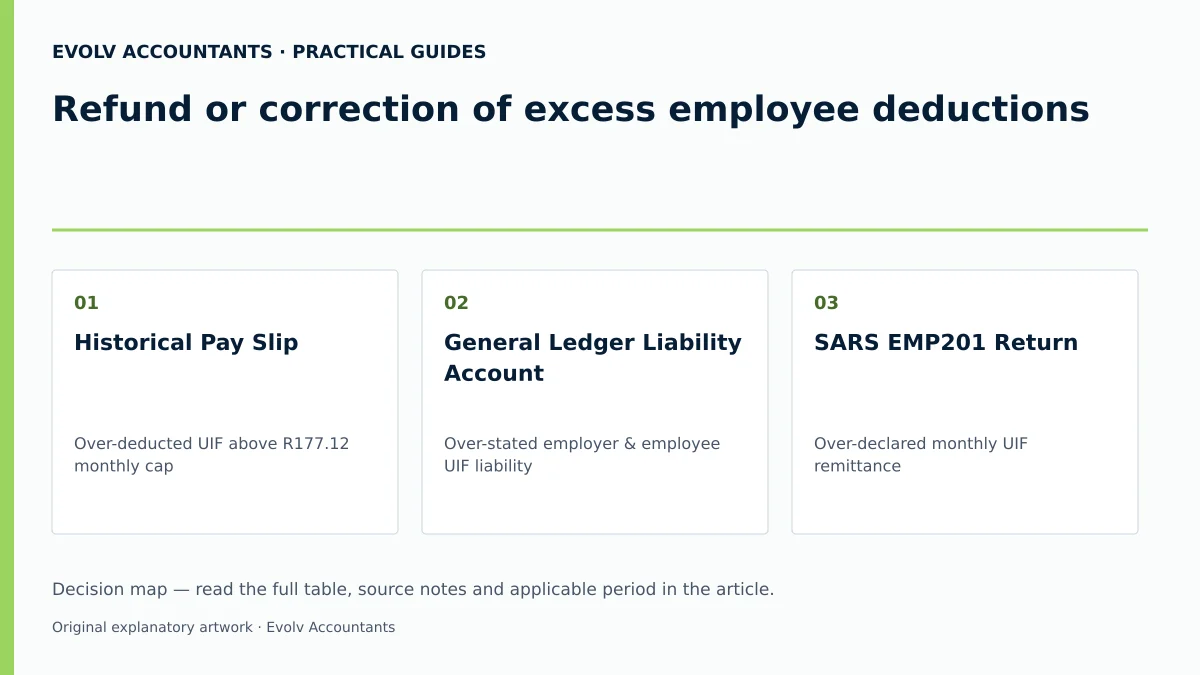
| Original record | Error | Authorised action | Changed record | Proof and downstream check |
|---|---|---|---|---|
| Historical Pay Slip | Over-deducted UIF above R177.12 monthly cap | Process employee reimbursement line item | Adjusted Pay Slip | Signed employee payout receipt & corrected payroll summary 3 15 |
| General Ledger Liability Account | Over-stated employer & employee UIF liability | Journal entry reversing excess contribution | Corrected GL Ledger | Approved adjustment journal & balanced trial balance 2 7 |
| SARS EMP201 Return | Over-declared monthly UIF remittance | Submit amended EMP201 on eFiling / e@syFile | Amended EMP201 | SARS eFiling confirmation & PRN statement of account 2 3 17 |
| UIF uFiling Declaration | Inaccurate monthly remuneration & contribution | Update employee salary details in uFiling | Updated UI-19 Record | uFiling declaration status showing "Submitted" 6 18 29 |
| Annual EMP501 Return | Mismatch between EMP201s and IRP5 certificates | Reconcile annual totals prior to submission | Reconciled EMP501 | SARS EMP501 dashboard completion receipt 5 24 |
Exceptional Cases
- Cross-Tax-Year Adjustments: Section 7(3)(b) of the UIC Act restricts an employer from deducting arrear contributions after the financial year ends, but statutory refunds under Section 7(5) remain mandatory 3 11. For earlier-year over-deductions, establish whether the affected IRP5/IT3(a) and EMP501 figures need correction, and use the applicable SARS correction process 5.
- Business Cessation: An employer ceasing operations must meet the applicable 14-day SARS cessation-return and notification duties, while also completing final employee declarations to the UI Commissioner 24 30.
Next steps for UIF employer duties
Assigning Control Owners and Recurrence Checks
- Control Ownership: Appoint a qualified payroll administrator or representative employer to oversee monthly statutory contribution limits 11 20 21.
- Recurrence Check: Implement a monthly pre-payroll validation step verifying that all staff earnings exceeding R17,712 per month are automatically capped at the statutory employee deduction limit of R177.12 prior to finalising pay slips and submitting EMP201 returns to SARS 2 11.
Frequently Asked Questions
What is the statutory limit for employee UIF deductions in South Africa?
With effect from 1 June 2021, the maximum monthly remuneration subject to UIF is R17,712 per month (R212,544 annually) 1 2 9. The statutory employee deduction rate is 1%, which establishes a maximum monthly deduction cap of R177.12 per employee 1 2.
Must an employer wait for a refund from SARS before reimbursing an over-deducted employee?
No. Section 7(5) of the Unemployment Insurance Contributions Act 4 of 2002 explicitly states that if an over-deduction occurs, the employer must refund the employee, despite the amount not having been refunded to the employer by the SARS Commissioner 3.
How are monthly UIF contributions remitted and declared to SARS?
Contributions must be paid to SARS within seven days following the end of the calendar month 11 31. Payment is declared using the Monthly Employer Declaration (EMP201) via SARS eFiling or e@syFile, referencing a pre-populated Payment Reference Number (PRN) 2 17.
Are monthly employee worker declarations sent to SARS or to the UI Commissioner?
Financial payment declarations (EMP201/EMP501) are submitted to SARS 2 5. However, individual monthly worker declarations (UI-19 details / employee employment history) must be submitted directly to the UI Commissioner via uFiling or approved electronic payroll files, regardless of where contribution payments are sent 4 6 23.
What are the statutory record-keeping requirements for payroll UIF adjustments?
Under Chapter 4 of the TA Act and Paragraph 14(1) of the Fourth Schedule to the Income Tax Act, employers must retain all payroll registers, pay slips, EMP201 returns, PRN receipts, and UI-19 records for 5 years from the date of return submission 15 16.
Related guides
- Choosing between eFiling and e@syFile for employer submissions
- When a small business must register for UIF
- Compliance and Regulations: Keeping Your Business on Track
Sources
- Unemployment Insurance Fund | South African Revenue Service
- https://www.sars.gov.za/wp-content/uploads/Ops/Guides/UIF-GEN-01-G01-Guide-for-Employers-in-respect-of-the-Unemployment-Insurance-Fund-External-Guide.pdf
- https://www.labour.gov.za/DocumentCenter/Publications/Unemployment%20Insurance%20Fund/uFiling%20System%20User%20Guide.pdf