
Dealing with a late EMP501 submission
11 January 2026

Dealing with a late EMP501 submission requires reconciling monthly PAYE, SDL, and UIF declarations with employee tax certificates to resolve outstanding SARS non-compliance penalties.
When a South African employer fails to submit the Employer Reconciliation Declaration (EMP501) by the statutory deadline, the South African Revenue Service (SARS) may impose recurring administrative non-compliance penalties; interest depends on unpaid tax, not lateness of the reconciliation alone 1 2 3 4.
Regularising an overdue reconciliation requires auditing payroll records, filing any outstanding monthly EMP201 declarations, balancing declared liabilities against IRP5/IT3(a) certificates, and verifying system clearance on eFiling or e@syFile Employer 5 6 7 8 9.
Outstanding reconciliation and late consequences
Legal scope, jurisdiction, and reader responsibility
This guide applies to small and medium-sized enterprise (SME) employers, representative employers, and registered tax practitioners managing payroll compliance in South Africa under the oversight of SARS 5 10 11. Employers are required under the Fourth Schedule to the Income Tax Act to reconcile payroll taxes bi-annually 5 12. The employer reconciliation process is split into two distinct reporting windows:
— Practical point from this guide
- Interim Reconciliation Period (Period 08): Covers the six-month period from March to August and is submitted during September and October 13 14 15.
- Annual Reconciliation Period (Period 02): Covers the full twelve-month tax year from March to February and is submitted during the annual filing season published by SARS 13 14 15.
Completing an outstanding reconciliation requires more than simply sending a form 5 6. True completion means submitting an accurate EMP501 return that perfectly balances three underlying financial elements: the total monthly liabilities declared on EMP201 declarations, the actual tax payments remitted to SARS, and the combined tax values reflected on individual employee IRP5/IT3(a) tax certificates 5 6 16.
Statutory penalties and interest for late submission
Failing to submit an final annual EMP501 reconciliation by the deadline can trigger statutory administrative actions under the Fourth Schedule to the Income Tax Act and the Tax Administration Act 1 2 3. SARS distinguishes between late payment penalties and late submission administrative penalties:
- Late Payment Penalty: A once-off 10% percentage-based penalty is imposed on any tax amount that is paid late or remains unpaid past the monthly due date 3 17 18. Late payments also accrue interest at the prescribed statutory rate under Section 89bis(2) of the Income Tax Act 4 19.
- Administrative Non-Compliance Penalty: Under Paragraph 14(6) of the Fourth Schedule, a recurring administrative penalty is levied for each month or part of a month that the EMP501 return remains outstanding 1 3. This penalty is calculated as a percentage of the total employees' tax liability for the reconciliation period, up to an aggregate cap of 10% 3.
- Estimated Liability for Missing EMP201s: Where an employer has failed to submit monthly EMP201 returns during the reconciliation period, SARS aggregates or estimates the 12-month employees' tax liability solely to calculate the non-compliance administrative penalty 20.
- ETI refunds and time limits: Complete the required reconciliations and inspect ETI separately. Where an ETI refund is due and the employer is non-compliant, the guide allows until the end of the next six-month ETI period to become compliant before the refund is deemed nil. ETI not claimed on EMP201 by the applicable deadline is a separate rule. SARS ETI reconciliation guidance.
Prepare the information and authority: outstanding reconciliation
Required payroll evidence and reference records
Before initiating an overdue EMP501 submission, the employer must gather and verify primary payroll evidence across all twelve months of the tax year 5 6 19:
- Monthly EMP201 Declarations and PRNs: Copies of all submitted monthly EMP201 returns reflecting declared Pay-As-You-Earn (PAYE), Skills Development Levy (SDL), Unemployment Insurance Fund (UIF) contributions, and ETI utilised 5 22 23. Each payment must be linked to its unique 19-digit Payment Reference Number (PRN) generated by SARS 23 24.
- Proof of Payments: Bank statements or SARS payment receipts confirming actual tax remittances allocated to the employer’s PAYE account 6 25.
- Employee Master Data and Payroll Registers: Monthly payroll summaries showing gross remuneration, allowable deductions, and itemised tax withheld per employee 5 19.
- Tax Certificates (IRP5/IT3(a)): Draft tax certificate data for all employees 5 15. An IRP5 certificate is generated when employees' tax was deducted, whereas an IT3(a) certificate is generated when no tax was withheld, requiring a valid reason code (such as source code 4150) 15 26 27.
System access, authority, and statutory deduction thresholds
Submitting an overdue reconciliation requires active credentials on SARS eFiling or e@syFile Employer, with the "EMP501-Submission" tax type activated under the organisation profile 7 28. Registered tax practitioners acting on behalf of an SME must hold a valid Special Power of Attorney (TPPOA) filed with SARS 29.
Reconciliation figures must be calculated strictly against statutory deduction rates and ceilings applicable to the tax year 10 30 31:
- PAYE: Deducted in accordance with the official SARS tax deduction tables and statutory tax brackets 10 26.
- Skills Development Levy (SDL): Levied at 1% of total leviable remuneration 30 32. An employer is legally exempt from paying SDL if there are reasonable grounds to believe that total leviable remuneration paid to all employees over the following 12-month period will not exceed R500,000 33 34 35. Remuneration for SDL excludes superannuation or pension allowances, qualifying learner contracts under section 18(3) of the Skills Development Act, and payments from exempt public benefit organisations 36 37 38.
- Unemployment Insurance Fund (UIF): Total monthly contribution is 2% of remuneration (1% contributed by the employee and 1% contributed by the employer) 31 39 40. Effective 1 June 2021, the statutory maximum earnings ceiling for UIF is R17,712 per month (R212,544 annually) 23 31 40. For employees earning above R17,712 per month, the maximum monthly UIF contribution is capped at R177.12 each for the employee and employer (R354.24 total) 23.
- Employment Tax Incentive (ETI): ETI figures pre-populate automatically on eFiling and e@syFile 41 42. Employers cannot capture ETI for the first time or increase ETI amounts on the EMP501 return; they may only submit pre-populated SARS values or reduce claimed amounts 41 42 43.
Complete the task step by step: late consequences
Sequenced process for resolving overdue reconciliations
Employers clearing an outstanding EMP501 reconciliation must follow this structured process grounded in primary SARS instructions 5 7 19:
Step 1: Reconcile internal payroll registers
Recalculate the annual PAYE, SDL, and UIF liability for every employee against SARS tax tables and statutory ceilings 19 44. Sum individual certificate values to establish total annual certificate liabilities 16 26. Compare these totals against the aggregate of monthly EMP201 declarations and actual payments made to SARS 6 16.
Step 2: Verify platform channel requirements
Determine the appropriate submission channel 7 45:
- SARS eFiling: Recommended for small employers issuing a maximum of 50 IRP5/IT3(a) certificates 45.
- e@syFile Employer: Required for more than 50 certificates; eFiling also supports certificate import within its50-certificate limit 7 45.
Once a submission channel is chosen for a specific tax period, that exact same channel must be used for all subsequent revisions or adjustments for that period 45 46 47. Revisions attempted on eFiling for a return originally lodged via e@syFile will be blocked by SARS 46 47.
Step 3: Complete missing monthly EMP201 declarations
If any monthly EMP201 return was omitted during the tax year, SARS will block the EMP501 request 8 48. The system displays a notification stating: "Your request for an EMP501 reconciliation cannot be processed as you have not submitted the required EMP201 returns" 8. File all outstanding monthly EMP201s and settle outstanding liabilities before proceeding 8 48.
Step 4: Request return and capture tax certificates
Log into eFiling or e@syFile, navigate to "Returns Issued" -> "Employees Tax (EMP501)", select the tax period, and click "Request Return" 49. Import or manually capture all employee IRP5/IT3(a) certificates 7 15. Refresh historic data on the EMP501 work page to ensure certificate totals and SARS payment records pre-populate correctly 41 50.
Step 5: Adjust monthly liabilities and declare variance reasons
If the recalculated liability on the tax certificates differs from monthly EMP201 declarations, update the monthly liability fields on the EMP501 return to reflect true monthly figures 16 51. If the variance between declared liabilities and certificate totals exceeds SARS system thresholds, completing the "Reason for Over/Understatement of Declaration" field is mandatory 16 52 53.
Step 6: Validate and submit the EMP501 declaration
Run the system validation tool to check for certificate formatting or source code errors 26 54. Once errors are cleared, open the EMP501 declaration screen, verify the pre-populated financial summary, complete the declaration date, accept the undertaking that information is true and correct, and click "Submit form" 55 56.
Step 7: Address penalty notices and request remission
After processing, request an Employer Statement of Account (EMPSA) 57 58. If SARS issues a Penalty Assessment Notice (EMP301) for late filing or late payment, the employer may lodge an electronic Request for Remission (RFR) via eFiling or book a branch appointment 59 60. The RFR must detail the specific reasonable grounds and circumstances that prevented timeous compliance 60.
Check the result against the evidence: outstanding reconciliation
Independent completion evidence and system status checks
A submitted return does not automatically guarantee SARS acceptance 9 61. Employers must independently verify completion through official system feedback channels 58 62:
- Query SARS Status: Navigate to "Returns History" -> "Employees Tax (EMP501)" or click "Query SARS Status" on the EMP501 work page 62 63. Confirm that the status transitions from "In Progress" to "Filed through eFiling", "Processed", or "Correction Filed" 61 62 63.
- Review eFiling Correspondence: Download formal SARS notices from eFiling Correspondence, including the EMP501 Reconciliation Results, the Assessment Notice (EMP217), and the updated EMPSA 57 64.
- Inspect Employer Statement of Account (EMPSA): Verify that all payments have been correctly posted across PAYE, SDL, and UIF sub-accounts 5 57 58. Confirm whether the "Due By / Due To You" field reflects a zero balance, an outstanding debt requiring payment, or an unallocated credit 53 57 65.
- Confirm Certificate Balancing: Check that employee tax certificates have passed SARS validation rules 9. Successful balancing ensures that third-party data posts to employees' personal tax records, allowing staff to file individual tax returns (ITR12) without prepopulation blocks 9 66 67.
Handle exceptions and unresolved cases: late consequences
System error blocks and operational edge cases
During late submissions, employers frequently encounter specific administrative or system blocks 8 46 68:
- Notice of Excessive Liability Change (ELC): Raised when captured EMP501 liabilities differ substantially from original monthly EMP201 declarations 68 69. SARS holds the return in manual assessment and issues an ELC notice 62 68. The employer must submit supporting payroll records via the SARS Online Query System (SOQS) within the stipulated turnaround time to justify the variance 58 68.
- Channel Locking Error: Attempting to revise an e@syFile submission on eFiling triggers the system error: "The EMP501 reconciliation cannot be amended on eFiling. Please resubmit the EMP501 reconciliation from the same channel..." 47. The submission must be completed via e@syFile 45 47.
- Invalid Certificate Blocks: If an employee certificate reflects employees' tax exceeding total taxable and non-taxable source codes, SARS marks the certificate invalid 70. The EMP501 cannot be submitted until invalid certificates are amended or removed 70.
- Pro-Forma Fraudulent Reinstatements: Where fraudulent submissions were previously identified, SARS may process a pro-forma nil reconciliation to deregister or require a full resubmission from e@syFile to reinstate valid certificates 71.
Audit restrictions and specialist boundaries
Specific legislative restrictions constrain what an employer can modify during an outstanding reconciliation 66 72 73:
- Audit in Progress: An employer cannot submit a Request for Correction (RFC) or revised EMP501 while a SARS audit is actively in progress; revisions can only occur after audit finalisation 66 72.
- SARS Revised Declarations (RD): Where SARS raises an RD following an audit, the employer cannot reduce the audited liability or increase ETI on a subsequent RFC 43 73.
- Prohibition on Tax Refunds to Employees: Employers are strictly prohibited from refunding over-deducted employees' tax directly to workers after the end of the tax year 19 43 74. Over-deductions must be corrected on the EMP501, allowing SARS to refund the individual employee upon assessment of their personal ITR12 return 19 66.
- Voluntary Disclosure Programme (VDP) Limitations: A VDP application cannot be used to claim refunds for payroll taxes 43 70.
- Specialist Boundaries: Complex reconciliation disputes, unallocated multi-year tax debts, active SARS audit queries, and criminal non-compliance risks fall outside routine bookkeeping and require Evolv Accountants' integrated bookkeeping, tax advisory, payroll, and statutory compliance expertise.
Next steps for Employer reconciliations
Actionable employer checklist
To clear an outstanding EMP501 submission, complete these direct steps:
- Audit annual payroll registers and recalculate PAYE, SDL, and UIF deductions per employee 19 44.
- Verify that all 12 monthly EMP201 returns have been submitted and paid 5 8.
- Generate valid IRP5/IT3(a) certificates on eFiling or e@syFile Employer 7 15.
- Request the EMP501 return, refresh historic data, and populate certificate totals 41 49.
- Capture variance reasons if declared EMP201 liabilities are adjusted 16 52.
- Submit the EMP501 declaration and confirm system status updates to "Processed" 56 63.
- Download the EMPSA statement and submit an electronic RFR if late penalties were assessed 57 60.
Task and completion checklist
| Step | Input or evidence | Responsible person | Completion check | Exception or next action |
|---|---|---|---|---|
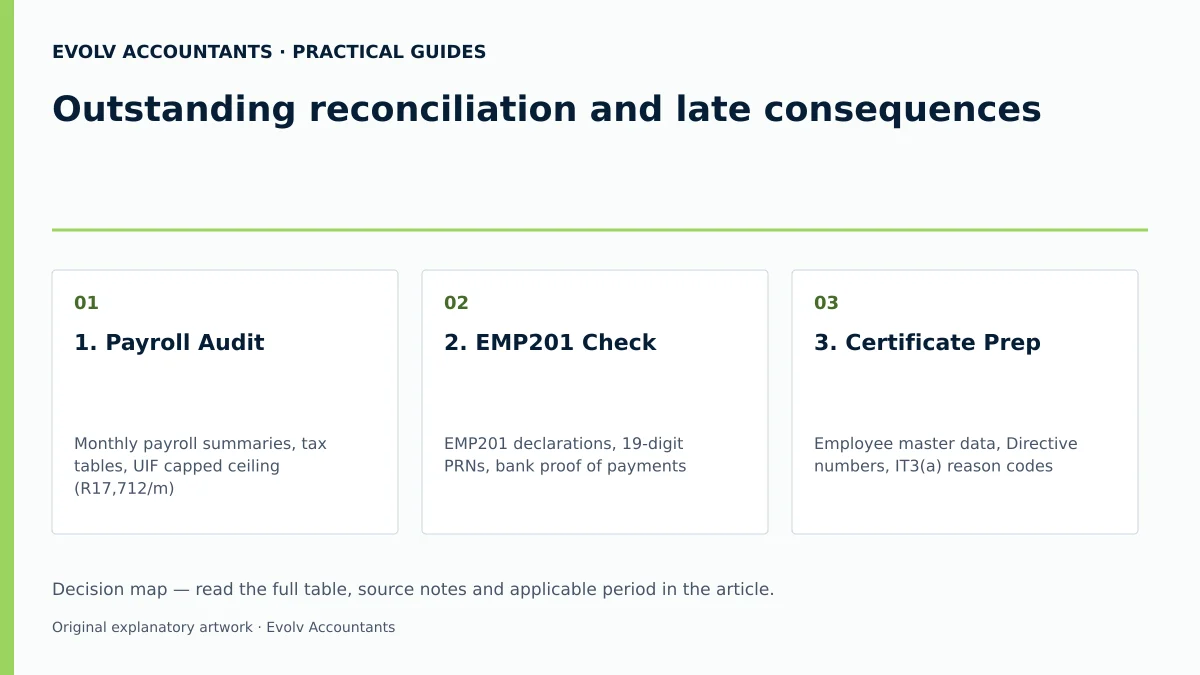
| 1. Payroll Audit | Monthly payroll summaries, tax tables, UIF capped ceiling (R17,712/m) 10 19 23 | Payroll Administrator | Annual PAYE, SDL, and UIF totals recalculated per employee 19 | Adjust internal payroll registers before generating certificates 19. |
| 2. EMP201 Check | EMP201 declarations, 19-digit PRNs, bank proof of payments 6 22 24 | Bookkeeper / Tax Practitioner | All monthly declarations for the reconciliation period checked, with payments and allocations reconciled 5 | File missing EMP201s if system blocks EMP501 request 8 48. |
| 3. Certificate Prep | Employee master data, Directive numbers, IT3(a) reason codes 15 27 | Payroll Specialist | Zero validation errors on IRP5/IT3(a) certificate file 26 54 | Rectify invalid tax codes or tax over-deduction flags 70. |
| 4. Return Request | eFiling / e@syFile login, active EMP501 tax type profile 7 28 | Registered Tax Practitioner | EMP501 return requested and historic data refreshed 41 49 | Confirm channel consistency (eFiling vs e@syFile) 45 47. |
| 5. Reconciliation | EMP501 work page, certificate summaries, variance reasons 16 53 | Financial Manager / Evolv Advisor | Declared monthly liabilities balance with certificate totals 16 | Complete mandatory "Reason for Over/Understatement" 52 53. |
| 6. Submission | Electronic EMP501 declaration, authorised signature 55 56 | Representative Employer | System status updates to "Filed through eFiling" or "Processed" 62 63 | Respond to Excessive Liability Change (ELC) notice via SOQS 68. |
| 7. Debt & Remission | EMP301 Penalty Notice, EMPSA Statement of Account 57 59 | Tax Practitioner / Evolv Specialist | Check the debt balance and any remission decision; retain the RFR reference separately 57 60 | Submit formal RFR detailing reasonable grounds on eFiling 60. |
Practical hypothetical example (Illustrative)
Consider a South African SME with 5 full-time employees operating in the 2026 tax year.
- Payroll Data: Monthly leviable remuneration is R100,000 (annual payroll R1,200,000).
- SDL Calculation: Because projected annual payroll exceeds R500,000, SDL applies at 1% of leviable remuneration, equaling R1,000 per month (R12,000 annually) 30 32 34.
- UIF Calculation: Each employee earns R20,000 per month, which exceeds the statutory maximum earnings ceiling of R17,712 per month 23 31. Monthly UIF is calculated strictly on the capped ceiling of R17,712 per employee: 1% employee deduction (R177.12) + 1% employer contribution (R177.12) = R354.24 per employee 23 31. For 5 employees, monthly UIF equals R1,771.20 (annual UIF total R21,254.40) 23 31.
- Late Reconciliation Scenario: The employer submitted all 12 monthly EMP201s timeously but submitted the annual EMP501 declaration 2 months late.
- Reconciliation & Penalty Outcome: Because monthly taxes were paid on time, no 10% late payment penalty applies 3. However, SARS issues an EMP301 notice levying a recurring administrative non-compliance penalty under Paragraph 14(6) calculated on annual PAYE for the 2 overdue months, capped at 10% 1 3. The employer generates valid IRP5 certificates totalling R12,000 SDL, R21,254.40 UIF, and declared PAYE, submits the overdue EMP501 on eFiling, verifies the status updates to "Processed", and files an RFR requesting remission of the administrative penalty based on documented administrative delays 3 60 63.
Frequently Asked Questions
What happens if I try to submit an EMP501 without filing all monthly EMP201s?
SARS will automatically reject or block the EMP501 return request 8 48. The system displays an error message informing the employer that the reconciliation cannot be processed due to missing EMP201 returns 8. All 12 monthly EMP201 declarations must be submitted and processed before SARS will issue or accept the EMP501 return 8 48.
Can I revise an e@syFile EMP501 submission using SARS eFiling?
No 46 47. Once a specific channel (eFiling or e@syFile) is selected for a reconciliation period, all subsequent revisions or Request for Correction (RFC) submissions for that tax period must be made using that same channel 45 46 47. Attempting to amend an e@syFile submission on eFiling will result in a system block 47.
How is the late submission administrative penalty calculated?
Under Paragraph 14(6) of the Fourth Schedule, SARS levies a recurring monthly penalty for each month or part of a month that the EMP501 remains outstanding 1 3. The penalty is calculated as a percentage of the total employees' tax liability for the relevant reconciliation period, subject to an aggregate maximum cap of 10% 3.
What should an employer do if SARS issues a Notice of Excessive Liability Change?
An Excessive Liability Change (ELC) notice is issued when the monthly liabilities declared on the EMP501 differ significantly from original EMP201 returns 68 69. The employer must submit supporting payroll records and explanatory documents via the SARS Online Query System (SOQS) within the specified turnaround time to substantiate the changes 58 68.
Can an employer refund over-deducted PAYE directly to employees during reconciliation?
No 19 43 74. Employers are strictly prohibited from refunding employees' tax directly to workers after the close of the tax year or outside the salary payment period 19 43 74. Over-deductions must be correctly reflected on the employee's IRP5 certificate and EMP501 return; SARS will assess the individual employee's personal tax return (ITR12) and issue any applicable refund directly to the taxpayer 19 66. Describe your declaration, payment-allocation or reconciliation question and the payroll records available. Ask Evolv about outstanding reconciliation and late consequences. Share the relevant records so the support required can be scoped.
Related guides
- Correcting an IRP5 issued with the wrong income code
- Submitting an EMP201 employer declaration
- Compliance and Regulations: Keeping Your Business on Track
Sources
- https://www.sars.gov.za/wp-content/uploads/Ops/Guides/EMP-GEN-02-G01-A-Guide-to-the-Employer-Reconciliation-Process-External-Guide.pdf
- https://www.sars.gov.za/wp-content/uploads/Ops/Guides/UIF-GEN-01-G01-Guide-for-Employers-in-respect-of-the-Unemployment-Insurance-Fund-External-Guide.pdf
- Guide for Employers in Respect of Employees' Tax (2027) | South African Revenue Service
- https://www.sars.gov.za/wp-content/uploads/Ops/Guides/SDL-GEN-01-G01-Guide-for-Employers-in-respect-of-Skills-Development-Levy-External-Guide.pdf
- COMPLETING THE MONTHLY EMPLOYER DECLARATION (EMP201) | South African Revenue Service
- Unemployment Insurance Fund | South African Revenue Service
- Skills Development Levy | South African Revenue Service