
Finding proof of your own VAT registration
19 September 2025

Finding proof of your own VAT registration requires the SARS Notice of Registration, checked against the business details and effective date; a pending application is not that proof.
Obtaining official proof of VAT registration requires accessing your SARS eFiling profile or requesting a formal Notice of Registration directly from SARS.
For South African small and medium-sized enterprises (SMEs), verifying and holding primary evidence of value-added tax (VAT) registration is a essential operational requirement 1 2. Official proof of VAT registration is established exclusively through formal South African Revenue Service (SARS) documentation—specifically the Notice of Registration or a verified record on the SARS eFiling platform—rather than informal correspondence or verbal assurances 3 4.
Current SARS administrative guidance enforces a compulsory VAT registration threshold of R2.3 million in taxable supplies over a consecutive 12-month period (administered with effect from 1 April 2026), alongside voluntary registration options where turnover exceeds R120,000 or an average of R4,200 per month 5 6 7 8. While historical SARS guides referenced a R1 million compulsory threshold, SARS currently administers applications against the updated threshold position 7 9. Proof establishes registration details and supports onboarding checks.
Filing, payment and input-tax eligibility remain separate obligations 1 2 10.
Official notice of registration and profile records
This guide assists South African SME owners, registered representative taxpayers, financial managers, and tax practitioners operating within the Republic of South Africa 11 12. Completion of this task means successfully acquiring an official, current SARS Notice of Registration or verifying an active vendor profile on eFiling, confirming that SARS has allocated a valid 10-digit VAT reference number to your entity and recorded its active status on the central tax register 2 3 13.
Legal, Regulatory, and Evolv Operational Frameworks
To navigate VAT registration evidence effectively, SMEs must distinguish between legislative requirements, regulator administrative positions, and practical accounting recommendations:
— Practical point from this guide
- Statutory Law (VAT Act 89 of 1991 & Tax Administration Act 28 of 2011): The law obliges every vendor making taxable supplies in the course of an enterprise to register when thresholds are met, issue valid tax invoices, declare output tax, deduct allowable input tax, update registered details within 21 business days of any change, and retain financial records for at least five years 1 14 15 16.
- Regulator Guidance (SARS Administrative Position): SARS administers compulsory VAT registration when taxable supplies exceed or are contractually expected to exceed R2.3 million in a 12-month period 5 17. SARS explicitly notes that while legal regulations undergo formal updating, it administers new VAT registration applications based on the increased threshold announced with effect from 1 April 2026 7. Older vendor guides retain the historic R1 million threshold 9. This distinction represents SARS's operational policy rather than an unqualified statutory amendment to section 23 of the VAT Act 7 9. For voluntary registration, SARS administers a minimum threshold of R120,000 in past or prospective 12-month turnover, or an average of R4,200 per month over at least two months 6 8.
- Evolv Recommendations: Evolv Accountants advises businesses to store digital and physical copies of their Notice of Registration in their core compliance vault, perform bi-annual threshold reviews, and ensure that registered trading names, physical addresses, and banking details on SARS eFiling perfectly match CIPC and banking records 14 18.
Prepare the information and authority: official notice of registration
Before retrieving profile records or requesting a Notice of Registration, you must compile the necessary documentation, ensure statutory authority, and understand core tax definitions 12 19 20.
Required Documents and System Inputs
- Entity Identification: CIPC registration documents for companies or close corporations, trust deeds for trusts, or official identity documents for sole proprietors and representative taxpayers 4 21.
- Proof of Address & Banking: Operational physical address documentation (not older than three months) and South African business bank account details 22 23.
- Financial Evidence: Historical tax invoices issued, signed financial statements, executed contracts, or lease agreements confirming taxable turnover 24.
- Core System Inputs: The vendor's 10-digit VAT reference number, registered main trade classification code from the VAT 403 guide, designated accounting basis (invoice or payments basis), and allocated tax period category (Category A, B, C, D, or E) 25 26 27.
Required Permissions and Statutory Authority
Accessing official profile records requires valid SARS eFiling credential authority 28. For corporate entities, statutory duties rest with the appointed representative taxpayer—such as the Public Officer for a company, the main member for a close corporation, or the main trustee for a trust 12 29.
Where an external accounting firm or tax practitioner acts on your behalf, a formal SARS Power of Attorney (POA) must accompany the mandate 20. If an employee of a registered tax practitioner presents documents at a SARS branch, they must present a letter of authority and proof of employment 30. A Power of Attorney cannot be used to sign registration declarations on behalf of the applicant or representative taxpayer 30 31.
Key Statutory Definitions
Under South African tax law, a "person" includes an individual, company, close corporation, partnership, trust fund, or municipality 11 32. An "enterprise" is defined in the VAT Act as "any activity carried on continuously or regularly... where goods or services are supplied" for consideration 11. A "vendor" is any person who is registered or required to register for VAT 33 34.
A "representative vendor" is the natural person residing in South Africa who is legally responsible for fulfilling statutory duties under the VAT Act 12 29.
Complete the task step by step: profile records
Follow this structured, primary-source workflow to retrieve your official Notice of Registration and inspect your vendor profile records on eFiling 3 28 35.
Step 1: Log On to SARS eFiling
Navigate to the official SARS eFiling portal and log in using your secure username and password 28 36.
Step 2: Navigate to SARS Registered Details
- For Individual portfolios: Select Home on the top menu, then locate SARS Registered Details on the left menu 28.
- For Tax Practitioner and Organisation portfolios: Select the Organisations menu tab, then select SARS Registered Details from the side menu 28.
Step 3: Access Registration Maintenance
Click Maintain SARS Registered Details to launch the RAV01 registration form container 35. On the confirmation screen, select I Agree to confirm that you hold legal authorisation to maintain the registered details of the vendor 35.
Step 4: Retrieve the Notice of Registration
SARS provides two primary methods on eFiling to obtain the official Notice of Registration:
- The Direct Shortcut: Click the Notice of Registration icon located on the top right-hand side of the eFiling home screen 3.
- The Standard Side-Menu Path: Select SARS Registered Details on the left menu, click Notice of Registration, and select VAT 3.
The system will generate an official SARS Notice of Registration PDF displaying your 10-digit VAT reference number, legal name, trading name, tax period, and effective registration date 2 3.
Step 5: Manage Tax Practitioner Approval Requests (If Applicable)
If a tax practitioner initiates a VAT product registration or profile update, an access request is generated 35. The individual or representative taxpayer must log into eFiling, navigate to the Manage Access Request page, enter the unique identification code received via email or SMS, and complete biometric facial authentication to authorize the practitioner 35 37.
Step 6: Verify Active Status via Public Vendor Search
To confirm that your registration is live across SARS systems, access the public VAT Vendor Search function on the SARS website 3 4 13. Enter your 10-digit VAT registration number or registered business details to confirm active status 4 13.
Check the result against the evidence: official notice of registration
Submitting a VAT application form (VAT101/RAV01) does not automatically mean that registration has been granted 37 38. You must verify completion against independent, official SARS evidence 3 4 39.
Understanding the Verification and Risk Engine Process
When a VAT application or profile update is submitted, SARS executes an automated risk assessment 13 37.
- Immediate Allocation: Where no risk is flagged, SARS issues a 10-digit VAT reference number immediately 13 28.
- Registration Application Review Notice: Where risk is identified or validation is required, SARS issues a Review Notice on your eFiling correspondence page 37. This notice specifies the supporting documents required to be submitted within 21 business days 37 40. Failure to submit required supporting documents within 21 business days results in automatic rejection of the application 40.
Definitive Evidence of Completion
Use the official Notice of Registration as primary proof and cross-check the current VAT registration where necessary. The following records have different purposes:
- Official SARS Notice of Registration: A printed or saved PDF document issued directly by SARS containing the entity's 10-digit VAT reference number and tax details 2 3.
- eFiling "My Compliance Profile" Status: An overall tax-compliance indicator under "My Compliance Profile", which does not replace the Notice of Registration or determine whether VAT registration exists 39.
- Public Vendor Search Confirmation: An active result returned when querying your business's details on the SARS public VAT Vendor Search portal 4 13.
SARS officers are strictly prohibited from verbally confirming VAT registration numbers over the phone or in person; official written notices serve as sole proof 4.
Handle exceptions and unresolved cases: profile records
When standard profile retrieval or registration processing encounters obstacles, specific exception protocols must be followed 37 41 42.
Common Profile Exceptions and Solutions
- Review Notice and Document Verification: If your application is flagged for review, obtain the exact case number from the Registration Application Review Notice on eFiling 37 40. Upload clear A4-formatted supporting documents (such as issued invoices, bank statements, or lease contracts) via eFiling or the SARS Online Query System within 21 business days 40 43.
- Third-Party Banking Details: SARS generally mandates that VAT refunds be paid directly into a bank account held in the vendor's name 23 42. Third-party bank accounts are permitted solely for holding or subsidiary companies within a recognised group of companies, or foreign entities 42 44. In such cases, a completed form VAT 119i (Indemnity in respect of VAT Bank Details) must be submitted to SARS 23 42.
- Backdating Capped at Six Months: When registering compulsory VAT retroactively on eFiling (RAV01), backdating is limited to a maximum of six months from the date the threshold was exceeded 41. If compulsory backdating exceeds six months, you must schedule a virtual or in-person SARS branch booking and present signed contracts, historical financial statements, and issued tax invoices 41 43.
- Separate Branch Registration: If an enterprise operates separate branches or divisions with independent accounting systems, a separate VAT registration number may be requested for each branch using form VAT102e 45 46.
Specialist Boundaries and Formal Rulings
Where administrative profile updates cannot resolve complex statutory questions—such as disputes regarding liability dates, mandatory accounting basis changes, or complex contractual arrangements—taxpayers must submit a formal application for a binding VAT Ruling under section 41B of the VAT Act using form VAT301, or initiate a formal dispute via eFiling 47 48 49 50.
The five-year period is a minimum, not an automatic destruction date. SARS record-keeping guidance requires the relevant records to remain available; retain them beyond the ordinary minimum where an ongoing audit, investigation, objection or appeal or another applicable rule requires it.
Next steps for VAT registration
Below is a reusable task and completion checklist to assist your business in retrieving, checking, and maintaining proof of VAT registration.
| Step | Input or evidence | Responsible person | Completion check | Exception or next action |
|---|---|---|---|---|
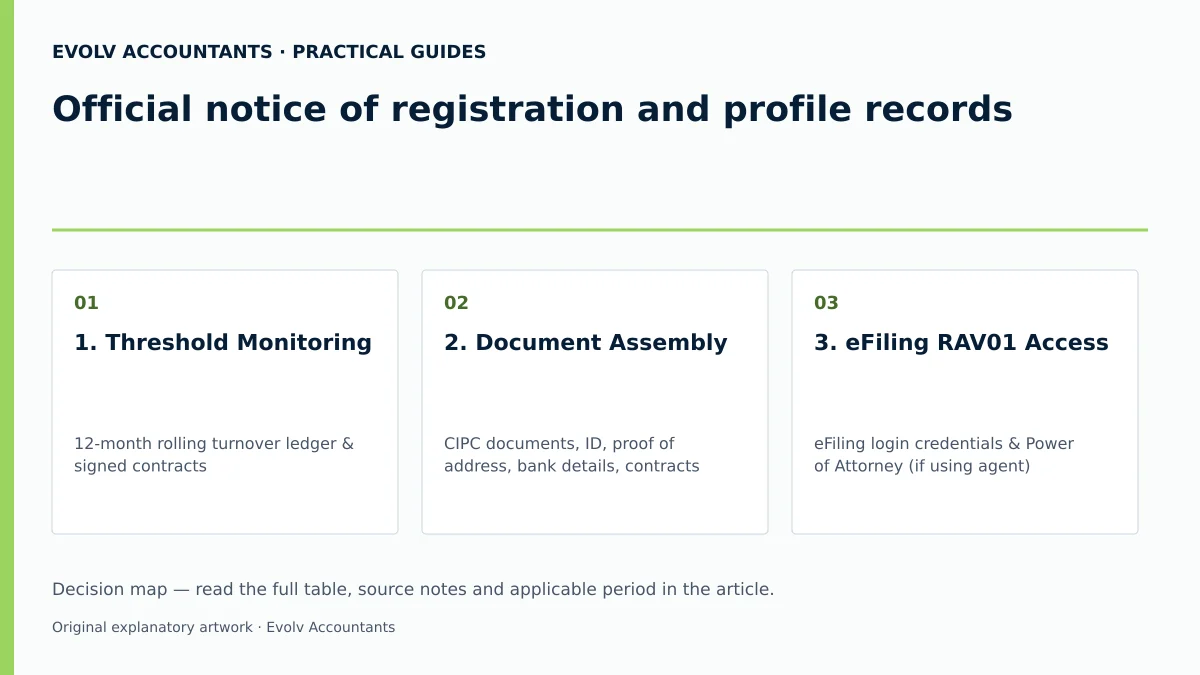
| 1. Threshold Monitoring | 12-month rolling turnover ledger & signed contracts 5 17 | Financial Manager / Accountant | Compulsory threshold (R2.3m) or voluntary criteria checked 5 6 7 | If compulsory threshold exceeded, apply within 21 business days 17. |
| 2. Document Assembly | CIPC documents, ID, proof of address, bank details, contracts 19 20 24 | Representative Taxpayer / Owner | All documents verified and saved in A4 PDF format 24 40 | Obtain form VAT 119i if third-party bank account is used 23 42. |
| 3. eFiling RAV01 Access | eFiling login credentials & Power of Attorney (if using agent) 20 28 | Representative Taxpayer / Tax Practitioner | Logged on to eFiling; Maintain Registered Details selected 28 35 | Execute biometric facial authentication if prompted on submission 35 37. |
| 4. Verification Response | Registration Application Review Notice & case number 37 40 | Representative Taxpayer / Accountant | Supporting documents uploaded within 21 business days 40 | If deadline missed, review the rejection notice and obtain SARS instructions 40. |
| 5. Proof Retrieval | eFiling Notice of Registration download function 3 | Financial Manager / Tax Practitioner | Official SARS Notice of Registration PDF downloaded & archived 2 3 | Check SARS public VAT Vendor Search if document fails to generate 4 13. |
| 6. Profile Maintenance | Updated banking, address, or Public Officer details 14 18 | Representative Taxpayer | RAV01 updated within 21 business days of any change 14 18 | Submit RAV01 amendment to avoid administrative non-compliance flags 14 18. |
Practical Example: Reproducible Compliance Scenario
Scenario: Apex Engineering Solutions CC, a South African close corporation, provides specialized machinery repairs. Assume Apex began trading on 1 April 2026 and made R2,450,000 in taxable supplies during April 2026, with no earlier registration liability, surpassing the compulsory VAT registration threshold administered by SARS (R2.3 million) 5 7.
- Application: Within 21 business days of exceeding the threshold, Apex's representative taxpayer logged onto eFiling, navigated to SARS Registered Details -> Maintain SARS Registered Details (RAV01), and completed the VAT product container, selecting Category A (bi-monthly) tax periods and the invoice accounting basis 17 25 27 35 51.
- Verification Notice: Upon submission, eFiling issued a Registration Application Review Notice requesting supporting financial evidence 37.
- Document Submission: Apex uploaded copies of its issued invoices, signed customer contracts, CIPC registration documents, and bank statements via eFiling within 10 business days 24 37 40.
- Final Proof: Five days later, SARS issued a 10-digit VAT reference number (represented here by a hypothetical VAT-number placeholder). Apex downloaded its official Notice of Registration via the eFiling shortcut icon and verified its active listing on the SARS VAT Vendor Search portal 2 3 13. Apex archived the Notice of Registration in its core compliance file and updated its invoice template to include its new VAT number 1 52.
Frequently Asked Questions
How can I immediately check if my business's VAT registration is active?
You can immediately verify active registration status by visiting the public VAT Vendor Search page on the official SARS website and entering your 10-digit VAT registration number or registered business name 4 13. Alternatively, log into eFiling and view your "My Compliance Profile" or download a fresh Notice of Registration 3 39.
What is the difference between a SARS Notice of Registration and a VAT return?
A Notice of Registration is an official confirmation document issued by SARS proving that your business is a registered vendor and reflecting your 10-digit VAT reference number, legal name, tax period, and liability date 2 3. A VAT return (Form VAT201) is a periodic declaration submitted by a vendor at the end of each tax period to declare output tax collected and deduct input tax incurred 53 54.
Why does current SARS web guidance state a R2.3 million threshold while older guides mention R1 million?
SARS currently administers new VAT registration applications based on the increased compulsory threshold of R2.3 million in taxable supplies across a 12-month period, announced with effect from 1 April 2026 5 7. Older vendor guides (such as Issue 15 of the VAT 404 Guide) reflected the historic statutory threshold of R1 million 9. SARS administers applications under the updated administrative threshold position 7.
How long does SARS take to issue a VAT reference number after an application is submitted?
Where no risk is identified during automated processing, SARS issues a VAT reference number immediately 13 28. If your application is selected for risk validation or document review, processing depends on submitting required supporting documents within 21 business days 37 40.
What happens if SARS issues a Registration Application Review Notice after I submit my application?
A Review Notice indicates that SARS requires supporting documents—such as issued tax invoices, signed contracts, CIPC documents, and bank statements—to validate your application 24 37. You must upload these documents via eFiling, the SARS Online Query System, or at a SARS branch within 21 business days; otherwise, your application will be rejected 40. Ask Evolv about official notice of registration and profile records. Share the relevant records so the support required can be scoped. *
Related guides
- VAT registration for non resident businesses
- When a South African business must register for VAT
- The Proactive SARS Audit Guide: Keeping Your Business Ledger Sanitised
Sources
- Obligations of a VAT vendor | South African Revenue Service
- https://www.sars.gov.za/wp-content/uploads/Ops/Guides/Legal-Pub-Guide-VAT404-VAT-404-Guide-for-Vendors.pdf
- Register for VAT | South African Revenue Service
- https://www.sars.gov.za/wp-content/uploads/Ops/Guides/VAT-REG-02-G01-Guide-for-Completion-of-VAT-Application-External-Guide.pdf
- FAQs for VAT vendors | South African Revenue Service