
VAT registration through eFiling
24 February 2026

VAT registration through eFiling is an application through an authorised SARS profile, with completed details and evidence supporting eligibility and the effective date.
Registering a South African enterprise for VAT through SARS eFiling requires structured representative authorisation, precise financial evidence, and sequential submission of form WRAV01.
To successfully obtain Value-Added Tax (VAT) vendor status in South Africa, commercial enterprises must navigate the administrative requirements set by the South African Revenue Service (SARS) 1 2. The process involves establishing representative authorisation on eFiling, submitting required entity and financial details, passing automated risk screenings, and providing verifiable supporting documentation within strict statutory timeframes 3 4 5.
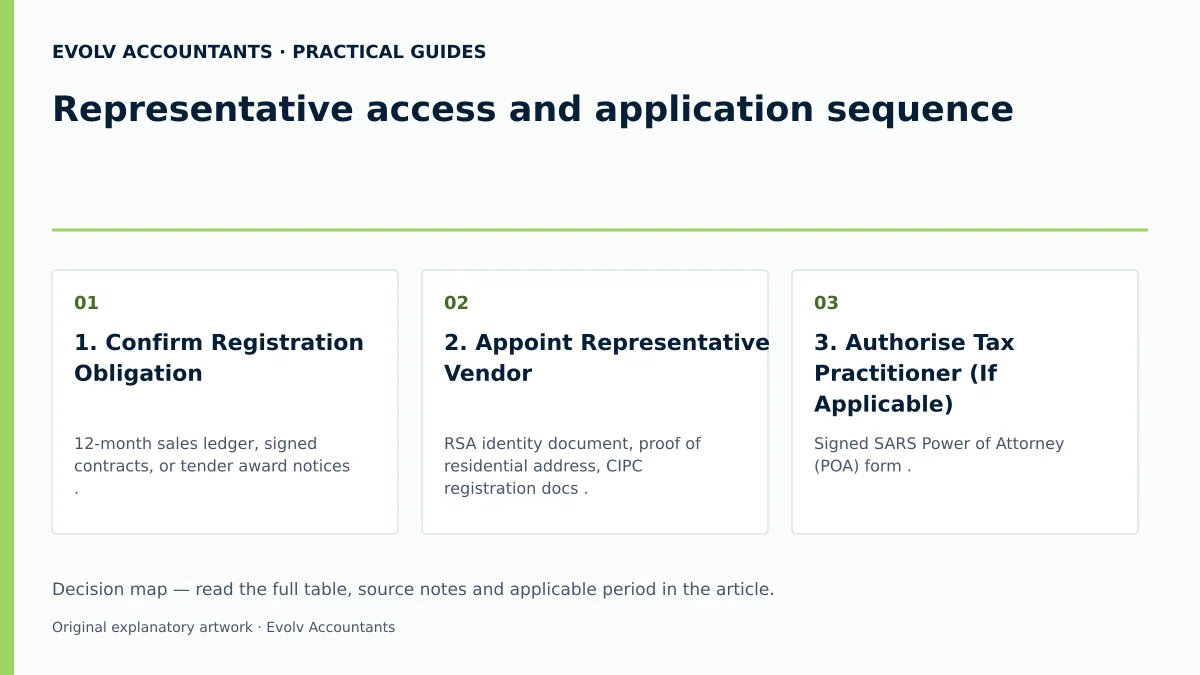
Representative access and application sequence
This practical guide is designed for South African small and medium-sized enterprises (SMEs) operating within the South African tax jurisdiction 1. Completion of the VAT registration process means that SARS has evaluated the applicant enterprise, allocated a valid 10-digit VAT reference number, and issued an official Notice of Registration, establishing an active vendor profile on the SARS register 6 7 8.
Legal statutory framework versus regulator administrative guidance
In South African tax administration, it is critical to distinguish between statutory law enacted by Parliament, official regulator administrative guidance published by SARS, and practical professional advisory recommendations provided by Evolv Accountants:
— Practical point from this guide
- Statutory law: Under the Value-Added Tax Act 89 of 1991 (VAT Act) and the Tax Administration Act 28 of 2011 (TA Act), carrying on an enterprise requires registration when threshold requirements are met 1 9 10. Historically, Section 23(1) of the VAT Act established a statutory compulsory registration threshold of R1 million in taxable supplies over a 12-month period 11 12.
- Regulator administrative guidance: Current SARS online registration guidance administers a compulsory VAT registration threshold of R2.3 million in taxable supplies across any consecutive 12-month period 11 13. SARS administers new VAT registration applications based on this increased threshold announced with effect from 1 April 2026 14. While older published guides (such as the VAT 404 Guide for Vendors) retain the R1 million threshold text 12 15, SARS operational channels enforce the R2.3 million administrative position 13 14. This operational stance reflects regulator administration rather than an unqualified statutory amendment to Section 23 by the rates Act 13 14.
- Evolv recommendations: Evolv Accountants advises SMEs to establish clear internal records, verify representative access early, and align financial evidence before initiating eFiling submissions to prevent administrative delays or application rejections 2 5.
Prepare the information and authority: representative access
Before accessing the SARS eFiling registration profile, the applicant enterprise must establish official representative authority and gather prescribed supporting evidence 2 3 16.
Representative vendor definitions and legal capacity
Under the VAT Act and TA Act, SARS requires every non-individual vendor (or non-resident individual) to appoint a natural person residing in South Africa as the representative vendor (or representative taxpayer) 17 18. The appointed capacity depends on the legal form of the entity 18 19:
- Company / Close Corporation: Public Officer 18 19.
- Partnership: Main Partner 19.
- Trust: Main Trustee 19.
- Association / Club / Non-Profit: Treasurer or Main Member 19.
- Municipality / Public Authority: Accounting Officer 19.
Authority, permissions, and tax practitioner delegation
Where an enterprise uses an external registered tax practitioner to submit the registration application, formal authority must be established on eFiling 3 16:
- Power of Attorney (POA): A signed SARS Power of Attorney must accompany practitioner representation 16. However, a tax practitioner is strictly prohibited from signing the VAT application declaration on behalf of the applicant or representative vendor 20 21.
- Access Request Approval: When a tax practitioner initiates a VAT product registration for an entity on eFiling, SARS automatically generates an access request 3. A unique identification code is sent via email or SMS to the Registered Representative (RR) or individual taxpayer 3.
- Facial Biometric Authentication: The RR or individual must log into eFiling, navigate to the Manage Access Request page, enter the unique identification code, and successfully complete facial biometric authentication to authorize the practitioner to proceed 3.
Prescribed evidence and supporting documentation
SARS mandates that all financial metrics reported on the application must be substantiated by primary written evidence 21 22.
Acceptable primary evidence
- Copies of tax invoices previously issued 23.
- Signed customer contracts or binding written sales agreements 23.
- Signed lease agreements for commercial premises (where lessor and lessee are separate legal entities) 23.
- Signed annual financial statements 23.
- Official written notification confirming a tender award 23.
- Proof of taxable supplies made by the seller where an enterprise is acquired as a going concern 23.
Unacceptable documents
SARS explicitly rejects non-factual or prospective documentation to prove historical or contractually committed taxable supplies 24:
- Business plans or cash flow projections 24.
- Ambitious non-factual operating forecasts 24.
- Unconfirmed purchase orders lacking proof of actual supply 24.
- Tender proposals prior to an official award 24.
Complete the task step by step: application sequence
The application sequence is conducted electronically through the SARS Registered Details (WRAV01 / RAV01) maintenance interface on eFiling 3 8 25.
Sequenced application process
- eFiling Logon: Access the official SARS eFiling portal using authorised user credentials 25.
- Navigate to Registered Details: For Organisations and Tax Practitioner portfolios, navigate to the Organisations tab on the main menu and select SARS Registered Details 3 25. (For individual portfolios, select Home -> SARS Registered Details) 3 25.
- Maintain Registered Details: Select Maintain SARS Registered Details and accept the authorisation declaration screen (I Agree) to confirm authority to perform profile maintenance 3.
- Tax Product Activation: Under the tax product menu, select VAT under My tax products and click Add new product registration 3 4. If a tax practitioner initiates this step, the RR must approve the pending request using the biometric authentication workflow 3.
- Complete Container Particulars (Form WRAV01):
- Registered & Trading Particulars: Verify pre-populated entity details and insert the trading name 4.
- Liability Date: Specify the date the enterprise became liable for compulsory registration or the intended liability date for voluntary registration 4 26 27 28.
- Business & Farming Activity Codes: Insert the 4-digit main industry classification code obtained from the VAT 403 Trade Classification Guide 4 29. Select additional farming activity codes if applicable 4 29.
- Registration Category: Select compulsory registration (where 12-month taxable supplies exceed or will exceed R2.3 million) or the applicable voluntary registration sub-category 4 13 30 31.
- Turnover Values: Declare actual or contractually expected 12-month values for standard-rated supplies and zero-rated supplies 4 32.
- Accounting Basis: Select the Invoice Basis (standard accrual method) or Payment Basis (cash method) 4 33. (Note: Payment basis is available only to qualifying natural persons, partnerships of natural persons with turnover under R2.5 million, municipalities, or welfare organisations) 34 35.
- Tax Period Category: Select Category A or B (bi-monthly cycles) 36, Category C (monthly, mandatory if turnover exceeds R30 million) 36 37, Category D (6-monthly for qualifying farmers/micro-businesses) 38 39, or Category E (annual) 40.
- Addresses & Banking Details: Verify physical and postal addresses 4. Provide verified local corporate bank account details 4 41.
- Submit & Biometric Verification: Submit form WRAV01 7. Individual applicants or representative vendors may be required to execute facial biometric verification directly on screen to finalise submission 7.
Check the result against the evidence: representative access
Submitting the eFiling WRAV01 form does not automatically constitute tax registration or legal acceptance by SARS 7 42.
Immediate issuance versus validation review
- Immediate Number Allocation: SARS states: "Where no risk is identified, SARS will issue a VAT reference number immediately" 25.
- Registration Application Review Notice: Due to risk management controls against fraudulent registrations, SARS screens all submissions 7. If risk flags or validation requirements are triggered, SARS issues a formal Registration Application Review Notice on the eFiling correspondence page 7.
- 21-Day Document Window: The review notice specifies the exact supporting documents required and assigns a unique case number 5 7. The applicant must upload all requested supporting evidence via eFiling, submit via the SARS Online Query System, or present documents in person at a SARS branch (by appointment, in A4 format) within 21 business days 2 5. Failure to submit complete evidence within 21 business days results in automatic application rejection 5.
Independent verification methods
Vendors can independently verify registration completion through two primary channels:
- eFiling Notice of Registration: Log into eFiling, select SARS Registered Details on the side menu, click Notice of Registration, and select VAT to download the official registration confirmation notice 8.
- Public VAT Vendor Search: Navigate to the SARS website, access the VAT Vendor Search tool, and enter the entity details or assigned reference number to confirm active status on the public register 6 43 44.
Handle exceptions and unresolved cases: application sequence
Edge cases and statutory boundaries
- Backdating Compulsory Liability Dates: The eFiling RAV01 system allows automated backdating of compulsory VAT liability dates up to a maximum of 6 months from the threshold breach date 26. If compulsory backdating exceeds 6 months, eFiling cannot process the request automatically; the representative vendor must schedule a SARS virtual or branch appointment and present historical financial statements, signed contracts, and issued invoices to justify the historical liability date 26. Voluntary registration normally starts on the application date; a backdating request requires supporting justification and SARS consideration 26.
- Tender Applicants: Enterprises bidding for private or public sector tenders cannot apply for VAT registration in anticipation of winning a contract 45 46. SARS will reject pre-award tender applications 24 46. Registration is permitted only after the tender outcome is finalised, the contract is officially awarded, and written proof of award is provided 23 45.
- Third-Party Banking Exceptions: SARS requires VAT refunds and registration details to match the vendor's own South African bank account 41. Third-party bank accounts are prohibited except for subsidiary or holding companies within a recognised group structure or foreign entities 27 47 48. In such exceptional group cases, the account holder must execute form VAT119i (Indemnity in respect of VAT Bank Details) to indemnify SARS against potential payment losses 41 48.
- Missing Information or Disallowance: If SARS issues a notice of rejection or disallows a voluntary application due to lack of a fixed place of business or improper accounting records, the applicant must resolve the underlying non-compliance before resubmitting 49 50.
Reproducible hypothetical example
To illustrate the operational mechanics and threshold rules for South African SMEs, consider the following hypothetical scenario:
Scenario: Apex Engineering Solutions (Pty) Ltd
- Entity: A South African private company providing commercial fabrication services in Gauteng.
- Standard Rate: 15% VAT rate applicable to standard-rated taxable supplies 51 52.
- Historical Turnover (Past 10 Months): R180,000 per month in standard-rated sales invoices issued, totalling R1,800,000.
- New Contract Executed: On 15 October 2026, Apex signs a legally binding written contract with a mining enterprise to deliver structural steel framing valued at R2,550,000 over the following 12 months.
Threshold Calculation & Statutory Position
- Compulsory Threshold Analysis:
- Historical turnover is R1,800,000 over 10 months; it is assessed separately from the future contractual test 32.
- Contractually committed taxable supplies (following 12 months): R2,550,000 13 53.
- Prospective written-contract value over the next 12 months: R2,550,000 13 53.
- Result: The total value of taxable supplies exceeds the administered compulsory registration threshold of R2.3 million 11 13. Apex becomes legally obliged to apply for compulsory VAT registration within 21 business days of signing the contract 13 53.
- VAT Liability Calculation:
- Once registered, Apex must levy 15% output tax on all standard-rated taxable supplies made 51 54.
- On a R100,000 invoice (excluding VAT), output tax charged is R15,000 (total invoice R115,000) 51 52.
- Apex deducts allowable input tax incurred on qualifying business expenses (substantiated by valid full tax invoices containing Apex's VAT number and supplier details for supplies over R5,000) 51 55 56 57.
- If output tax collected in a bi-monthly Category A tax period is R45,000 and allowable input tax paid is R28,000, net VAT payable to SARS on form VAT201 by the last business day of the month following the period end is R17,000 58 59 60 61.
Task and completion checklist
The following structured checklist provides SMEs with a operational breakdown for executing and verifying VAT registration through eFiling 3 4 5 25:
| Step | Input or evidence | Responsible person | Completion check | Exception or next action |
|---|---|---|---|---|
| 1. Confirm Registration Obligation | 12-month sales ledger, signed contracts, or tender award notices 23 32. | Financial Manager / Public Officer 19. | Total taxable turnover exceeds R2.3m (compulsory) or R120k (voluntary) 13 30. | If below the standard threshold, check the alternative voluntary-registration grounds before deciding not to apply 24 62. |
| 2. Appoint Representative Vendor | RSA identity document, proof of residential address, CIPC registration docs 17 18 63. | Board of Directors / Company Representative 19. | Natural person residing in RSA designated as Public Officer/RR 17 18. | Non-resident representatives must appoint a local resident representative vendor 17. |
| 3. Authorise Tax Practitioner (If Applicable) | Signed SARS Power of Attorney (POA) form 16. | Representative Vendor 20 21. | POA uploaded to practitioner portfolio; practitioner cannot sign WRAV01 16 20. | RR must execute facial biometric approval upon eFiling access request 3. |
| 4. Initiate eFiling WRAV01 Container | eFiling logon credentials, company registration details 4 25. | Registered Tax Practitioner or RR 3. | VAT product container opened under Maintain SARS Registered Details 3 4. | Complete facial biometric authentication if access request pending 3. |
| 5. Complete Financial & Activity Details | VAT 403 trade code, bank details, turnover values, accounting basis 4 29 32 33. | Representative Vendor / Tax Practitioner 3 4. | Form WRAV01 fully populated and submitted electronically 4 7. | System prompts individual/RR for facial biometric verification on submission 7. |
| 6. Monitor Review Notice & Upload Documents | SARS Registration Application Review Notice, case number 5 7. | Tax Practitioner / Financial Manager 3 5. | Review notice checked on eFiling correspondence page 7. | If no risk flagged, VAT reference number issued immediately 25. |
| 7. Submit Supporting Documentation | Issued invoices, signed contracts, bank statements, lease agreements 23. | Representative Vendor / Tax Practitioner 5 23. | Complete evidence pack uploaded via eFiling within 21 business days 5. | Failure to submit requested evidence within 21 business days results in rejection 5. |
| 8. Verify Final Vendor Registration | eFiling profile notice or SARS public search portal 6 8. | Public Officer / Auditor 8. | Official Notice of Registration downloaded; vendor listed on SARS search 6 8. | Maintain records for 5 years; commence issuing compliant tax invoices 54 55. |
Frequently Asked Questions
How long does SARS take to issue a VAT number after eFiling submission?
Where SARS risk management algorithms identify no risk flags or validation anomalies, eFiling issues a 10-digit VAT reference number immediately upon submission 6 25. However, if validation is required, SARS issues a Review Notice granting 21 business days to submit supporting evidence 5 7. Processing then depends on successful document verification and potential site inspections 42.
Can a tax practitioner sign the VAT registration application on our behalf?
No. While a registered tax practitioner may prepare and submit the application on eFiling under a valid Power of Attorney, SARS strictly mandates that the declaration on form WRAV01 must be signed or biometrically approved by the individual owner, partner, or appointed representative vendor (e.g. Public Officer) 16 20 21.
What is the difference between the statutory threshold and the administered registration threshold?
Section 23 of the VAT Act sets a statutory compulsory threshold of R1 million in taxable supplies 11 12. However, current SARS administrative guidance enforces an operational compulsory threshold of R2.3 million (and a voluntary threshold of R120,000) for new applications 13 14 30. This reflects SARS's operational administration rather than an unqualified statutory amendment 13 14.
Can we use prospective cash flow projections to prove turnover for voluntary registration?
No. SARS explicitly excludes business plans, projected cash flow statements, non-factual forecasts, and unconfirmed purchase orders as evidence of taxable supplies 24. Applicants must provide objective historical evidence (such as sales invoices or financial statements) or binding written contracts 23.
What happens if we do not submit supporting documents within 21 business days?
If SARS issues a Registration Application Review Notice requesting supporting documentation, failure to submit the required evidence within 21 business days from the notice date results in the automatic rejection of the VAT registration application 5. Review the rejection notice and obtain SARS instructions on the appropriate next step. Ask Evolv about representative access and application sequence. Share the relevant records so the support required can be scoped.
Related guides
- Reconciling VAT201 to the general ledger
- When a South African business must register for VAT
- The Proactive SARS Audit Guide: Keeping Your Business Ledger Sanitised
Sources
- Register for VAT | South African Revenue Service
- FAQs for VAT vendors | South African Revenue Service
- https://www.sars.gov.za/wp-content/uploads/Ops/Guides/Legal-Pub-Guide-VAT404-VAT-404-Guide-for-Vendors.pdf
- https://www.sars.gov.za/wp-content/uploads/Ops/Guides/VAT-REG-02-G01-Guide-for-Completion-of-VAT-Application-External-Guide.pdf
- Obligations of a VAT vendor | South African Revenue Service