
Preparing an ITR14 company income tax return
14 June 2026

Preparing an ITR14 company income tax return requires South African corporate taxpayers to accurately declare income, customising return wizard schedules against financial records.
South African Small and Medium Enterprises (SMEs) must submit the Company Income Tax Return (ITR14) via SARS eFiling to declare annual financial activities, tax computations, and statutory disclosures 1 2. Return completion depends on initial customisation questions that determine whether an entity is classified as dormant, a micro business, a small business, or a medium to large enterprise 3 4.
Compulsory supporting documents, including signed Annual Financial Statements (AFS) for small and medium-to-large businesses, must be prepared and retained alongside mandatory schedules for beneficial ownership and crypto asset transactions 5 6 7.
ITR14 question flow and supporting schedules
Reader, jurisdiction, and assessment framework
This guide is structured for directors, financial officers, and tax representatives of South African Close Corporations (CCs) and Private Companies (Pty Ltd) operating under the Income Tax Act, 1962 8 9. Completing an ITR14 return is a legal declaration to the South African Revenue Service (SARS) 10 11. Completion signifies that all gross income, allowable deductions, balance sheet items, and statutory disclosures have been fully verified and submitted through eFiling 2 10 12.
Years of assessment and core tax rates
Corporate income tax rates and relief thresholds are governed by the specific year of assessment ending within the fiscal period 13 14:
- Standard Corporate Income Tax (CIT) Rate: For years of assessment ending on any date from 1 April 2023 to 31 March 2027, the standard corporate tax rate is fixed at 27% 13. (For financial years ending between 1 April 2020 and 30 March 2023, the standard rate was 28% 13).
- Small Business Corporation (SBC) Progressive Rates (s12E): Qualifying Small Business Corporations benefit from progressive tax brackets 14 15. For the year of assessment ending between 1 April 2025 and 31 March 2026, the rates are 14:
- R1 to R95 750: 0% of taxable income 14.
- R95 751 to R365 000: 7% of taxable income above R95 750 14.
- R365 001 to R550 000: R18 848 + 21% of taxable income above R365 000 14.
- R550 001 and above: R57 698 + 27% of taxable income above R550 000 14.
For the year of assessment ending between 1 April 2026 and 31 March 2027, the lower tax-free threshold increases to R99 000 14:
- R1 to R99 000: 0% 14.
- R99 001 to R365 000: 7% of taxable income above R99 000 14.
- R365 001 to R550 000: R18 620 + 21% of taxable income above R365 000 14.
- R550 001 and above: R57 470 + 27% of taxable income above R550 000 14.
Prepare the information and authority: itr14 question flow
Mandatory inputs and pre-filing verification
Before requesting an ITR14 return on eFiling, the company's legal entity information—including registered name, trading name, registration number, public officer particulars, contact details, and banking details—must be verified 18 19 20. If demographic details require updating, the Company Representative or Public Officer must complete the "Maintain SARS Registered Details" (RAV01) process prior to opening the return 18 20 21. Changes to banking or public officer details require presenting relevant material at a SARS branch 2 18.
Authentication on eFiling is established via the Public Officer's digital login credentials 10 22.
Company classifications in the return wizard
The first page of the ITR14 return contains the customisation wizard ("Information to create this income tax return") 3 4 23. Answers provided to these initial questions dictate which container sections and schedules are rendered 3 4 23:
- Dormant Company: Classified if the entity was not actively trading and received no income and incurred no expenses during the entire year of assessment 3 24. If trading occurred during any portion of the year, it cannot be classified as dormant 24 25.
- Micro Business: A trading company with qualifying turnover not exceeding R1 million and total assets (current and non-current) not exceeding R5 million 24 26 27.
- Small Business: A company (not classified as a Micro Business, Body Corporate, or Share Block) with total assets not exceeding R10 million and gross income (sales/turnover plus other income) not exceeding R20 million for financial year ends from 30 April 2013 onwards 26 28 29.
- Medium to Large Business: Any company with gross income exceeding R20 million or total assets exceeding R10 million 5 30 31.
Altering wizard questions after starting data entry can delete previously completed sections and cause data loss 23 32.
Complete the task step by step: supporting schedules
Sequenced eFiling return completion workflow
Follow this grounded process to complete the ITR14 return and attach mandatory supporting schedules 1 33 34:
- Access and Customise the Return Wizard: Log into SARS eFiling, access the Income Tax Work Page, and click the ITR14 hyperlink 20 23 35. Complete all questions on the "Registered Details", "Dormant", "Company Type", "Capital Gain/Loss Transactions", and "Voluntary Disclosure Programme" wizard tabs 23 25.
- Declare Beneficial Ownership: For ITR14 returns submitted for the 2022 tax year onwards, disclose all natural persons who ultimately own or exercise effective control over the company 5 36. Enter an integer between 0 and 9 36 37. A zero (0) is permissible only where no natural person meets the ultimate control criteria (such as listed entities or non-profit companies) 36 37 38.
- Complete the Share Register: State the number of share classes issued (up to 3 classes) and details of share holders (up to 20 holders) 36 37 39.
- Declare Crypto Asset Transactions: Disclose whether the company engaged in crypto asset transactions 40 41. Normal income tax rules apply 6. Complete mandatory fields for gross crypto assets in the income statement, net trading profit or loss, and crypto asset values on the balance sheet 12 42 43.
- Capture Balance Sheet and Income Statement: Input figures directly from the company's standalone Annual Financial Statements (not consolidated group accounts) 44 45 46. Complete non-current assets, current assets, total liabilities, and equity balances in Rand values (no cents) 44 47.
- Apply Tax Computation Adjustments: Complete debit adjustments (exempt income or special allowances) and credit adjustments (non-deductible expenses or accounting revaluations) to reconcile accounting profit with taxable income 48 49.
- Small Business Corporation (s12E) Verification: If claiming SBC tax rates, complete the s12E schedule confirming that gross income is ≤ R20 million 50 51, all shareholders were natural persons throughout the tax year 50 52, investment and personal service income combined do not exceed 20% of total receipts/accruals 50 53, the entity is not a Personal Service Provider 50 52, and shareholders hold no shares in other unapproved corporate entities 52.
- Upload Compulsory Supporting Documents: Save the return draft 34 54. On the Income Tax Work Page, upload signed Annual Financial Statements (compulsory for Small and Medium-to-Large businesses, comprising Income Statement, Balance Sheet, and Notes) 7 55. File size must not exceed 5MB per document in allowed formats (.pdf, .docx, .xlsx, .jpg, etc.) 56.
- Final Legal Declaration and Submission: Verify all pre-populated and captured fields 57 58. The Public Officer authenticates submission via eFiling login 10 22. Submit the return and supporting document container 56 59.
Check the result against the evidence: itr14 question flow
Independent verification of completion
Submitting an ITR14 on eFiling does not automatically imply SARS acceptance or final assessment 60 61. The Public Officer must verify return progress on the "Income Tax Work Page" and "Return Submission Dashboard" 60 61.
Dashboard indicators and audit tracking
SARS communicates return processing status via visual dashboard indicators 61 62:
- Green Indicator ("Verification completed and assessment finalised"): The return and financial statements have been accepted without adjustment, and an official Notice of Assessment (ITA34C) is issued 63 64.
- Amber Indicator ("Verification in progress" or "Audit in progress"): SARS is evaluating submitted relevant materials or conducting a technical audit 62.
- Red Indicator ("SARS is awaiting your relevant material"): SARS has issued a formal letter requesting specific supporting documentation or a revised declaration 61 62.
SARS no longer issues the IT14SD supplementary declaration; verification requests are issued via formal letter specifying the precise relevant materials required 58 65. All supporting records, financial statements, working papers, and schedules must be retained for a minimum of five years from the date of return submission 16 66. If an audit or dispute is underway, records must be retained until the matter is fully finalised 16.
— Practical point from this guide
Handle exceptions and unresolved cases: supporting schedules
Request for Correction (RFC) boundaries
If an error or omission is identified after submission, a Request for Correction (RFC) can be performed on eFiling 57 67. Performing an RFC creates a pre-populated new version of the return 57 68. However, SARS strictly prohibits an RFC under the following circumstances 67 69:
- An active Limited or Full Scope audit case exists for the tax year 67 69.
- A compliance audit case has been finalised 67 69.
- A revised declaration or agreed estimate was issued by SARS 67 69.
- Requested relevant material was submitted after a compliance audit case was opened 67 69.
- A formal dispute is currently in progress 69.
- The statutory prescribed period to amend an assessment has expired 69.
Where an RFC is blocked due to an audit or dispute, the company must follow formal objection procedures or request a reduced assessment under Section 93 of the Tax Administration Act 67 70.
Edge cases and specialist boundaries
- Dormancy Transition: If a company traded for any portion of the year before becoming inactive, it cannot select "Dormant" and must complete a full trading return 24 25 71.
- Crypto Asset Barter Transactions: Exchanging goods or services for crypto assets constitutes a barter transaction, requiring tax valuation at fair market value upon receipt or accrual 6 17.
- VDP Submissions: Declarations linked to the SARS Voluntary Disclosure Programme (VDP) must include all agreed income and expenses 72. A VDP return that results in a credit or refund will be rejected by eFiling and requires direct VDP unit intervention 72.
Next steps for Corporate income tax
Reproducible hypothetical example (SBC vs Standard CIT)
Consider a qualifying Small Business Corporation (Pty) Ltd incorporated in South Africa, with all natural shareholders, zero personal service income, and no foreign shareholding 50 52.
- Year of Assessment: Financial year ending 31 March 2026 14.
- Illustrative Financial Data:
- Gross Sales / Turnover: R4 000 000 (illustrative value) 26 51.
- Allowable Expenses & Deductions: R3 200 000 (illustrative value) 48 49.
- Net Taxable Income: R800 000 (illustrative value).
Tax Liability Calculation (2025/2026 Rates) 14:
- Under SBC Progressive Tax Rates (s12E) 14:
- First R95 750 taxable income @ 0% = R0 14.
- R95 751 to R365 000 (R269 250 @ 7%) = R18 847,50 14.
- R365 001 to R550 000 (R185 000 @ 21%) = R38 850,00 14.
- Above R550 000 (R250 000 (R800 000 - R550 000) @ 27%) = R67 500,00 14.
- Total SBC Tax Due: R18 847,50 + R38 850,00 + R67 500,00 = R125 197,50 14.
- Under Standard Corporate Income Tax Rate (27%) 13:
- Taxable Income of R800 000 @ 27% = R216 000,00 13.
- Tax Saved via SBC Qualification: R216 000,00 - R125 197,50 = R90 802,50.
Artefact: Task and completion checklist
| Step | Input or evidence | Responsible person | Completion check | Exception or next action |
|---|---|---|---|---|
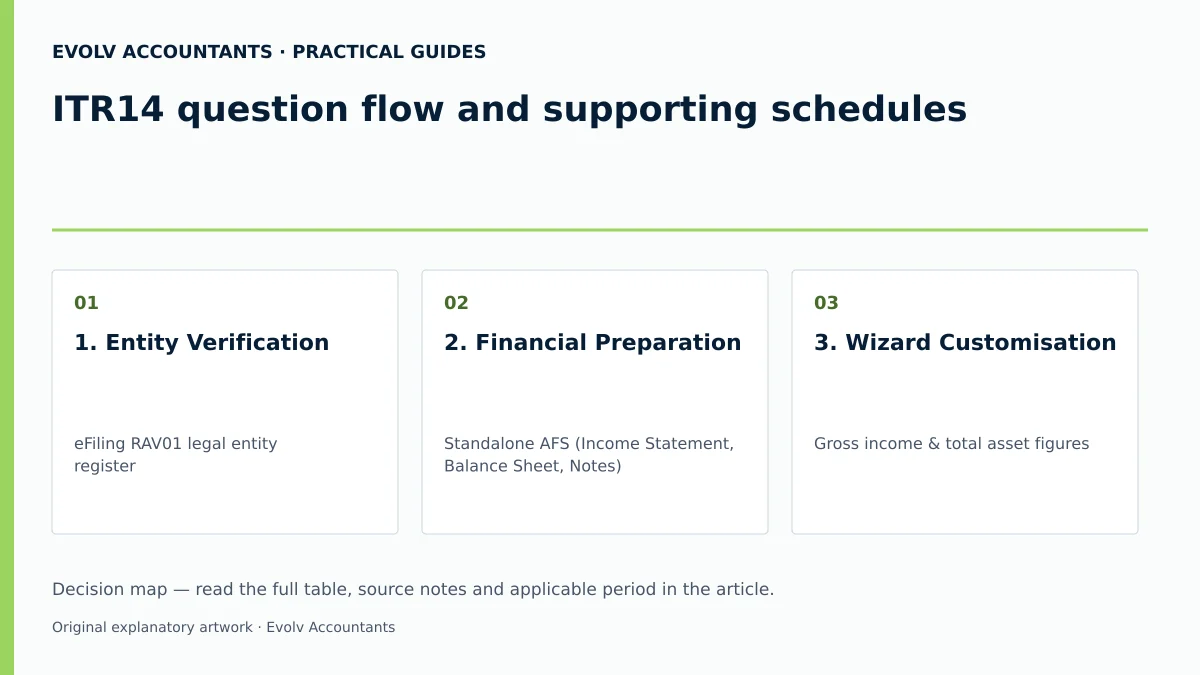
| 1. Entity Verification | eFiling RAV01 legal entity register 18 | Public Officer / Tax Representative 18 | Demographic details, public officer & bank records confirmed active 18 20 | Update details via "Maintain SARS Registered Details" prior to requesting ITR14 18 21 |
| 2. Financial Preparation | Standalone AFS (Income Statement, Balance Sheet, Notes) 7 | Company Accountant / Director 16 | Financials signed by Public Officer; balance sheet balanced in Rand values 7 16 47 | Resolve draft status before final submission; retain signed copy 7 16 |
| 3. Wizard Customisation | Gross income & total asset figures 3 26 | Public Officer / Practitioner 23 33 | Correct Return Type generated (Dormant, Micro, Small, Medium/Large) 29 73 74 | Avoid changing wizard responses mid-completion to prevent data loss 23 32 |
| 4. Disclosures & Schedules | Share register, beneficial owner records, crypto logs 12 36 40 | Public Officer / Compliance Officer 36 58 | Beneficial owners (0-9) & crypto trading profit/loss captured 12 36 42 | Verify natural person ownership criteria for s12E SBC eligibility 50 52 |
| 5. eFiling Submission | Completed ITR14 & PDF AFS (≤5MB) 7 56 | Public Officer 10 22 | Return status updated to "Filed" on Income Tax Work Page 59 | Submit uploaded supporting document container immediately 56 59 |
| 6. Assessment Audit | eFiling Dashboard status & ITA34C notice 60 64 | Public Officer / Tax Advisory 61 62 | Green status & ITA34C issued or relevant materials uploaded for verification 58 61 64 | If blocked from Request for Correction, lodge formal objection or Section 93 reduced assessment 67 70 |
Frequently Asked Questions
What are the primary financial statement requirements for submitting an ITR14?
For Small Businesses (gross income ≤ R20m, assets ≤ R10m) and Medium-to-Large Businesses, submitting signed Annual Financial Statements (AFS) is compulsory 7 28. The AFS must contain at least an Income Statement, Balance Sheet, and Notes to the AFS, signed by the Public Officer 7 16. For dormant companies and micro businesses, AFS upload is optional 7 55.
How does the initial wizard impact the sections visible on the ITR14 return?
The customisation wizard asks structured questions regarding dormant status, entity type, gross income, total assets, capital gains, VDP, and special incentives 3 4 23. Changing answers on the wizard after completing return containers can delete populated data and remove entire sections from the return 23 32.
What disclosure is required for beneficial ownership on the ITR14?
For tax years 2022 onwards, companies must disclose all natural persons who ultimately own or exercise effective control 5 36. The form accepts an entry between 0 and 9 beneficial owners 36 37. A zero (0) is valid when no natural person meets ultimate control criteria, such as in public or non-profit entities 36 37 38.
How are crypto asset transactions treated on the company tax return?
Normal income tax rules apply to crypto assets 6. Taxpayers must declare trading profits or losses, gross crypto income included in the income statement, and the Rand value of crypto assets held on the balance sheet 6 12 42.
What happens if SARS selects an ITR14 return for audit verification?
When selected for verification, the eFiling dashboard displays an amber or red status 61 62. SARS issues a formal letter requesting specific relevant material 58 65. Supporting documents must be uploaded via eFiling links within the specified deadline 58 61.
Related guides
- Reconciling accounting profit to taxable income
- Company income tax rates and year end considerations
- The Proactive SARS Audit Guide: Keeping Your Business Ledger Sanitised
Sources
- https://www.sars.gov.za/wp-content/uploads/IT-GEN-04-G01-How-to-complete-the-Income-Tax-Return-ITR14-for-Companies-External-Guide.pdf
- Corporate Income Tax | South African Revenue Service
- Companies, Trusts and Small Business Corporations (SBC) | South African Revenue Service
- https://www.sars.gov.za/wp-content/uploads/Ops/Guides/IT-ELEC-03-G01-Guide-to-complete-the-Company-Income-Tax-Return-ITR14-eFiling-External-Guide.pdf