
Preparing your first VAT return after registration
2 April 2026

Preparing your first Value-Added Tax (VAT) return requires confirming your opening vendor date and aligned tax period cut-off date.
For South African small and medium enterprises (SMEs), completing an initial VAT return involves verifying the effective registration date issued by the South African Revenue Service (SARS), determining the assigned tax period category, gathering compliant tax invoices, calculating output tax versus deductible input tax, and submitting the electronic declaration (VAT201) via eFiling. Successful submission requires strict adherence to statutory record-keeping rules, administrative filing deadlines, and accurate documentary evidence.
Opening vendor date and first period cut off
When a South African enterprise completes its registration with SARS, it is formally assigned an effective date of registration, referred to as the opening vendor date 1. From this specific date, the enterprise becomes a registered vendor under South African tax law and assumes the statutory duty to charge output tax on taxable supplies and the entitlement to deduct input tax on permissible business expenditure 2 3.
The initial reporting obligation culminates at the first period cut off, which marks the end of the vendor's first allocated tax period 4.
VAT tax periods in South Africa are categorised into distinct reporting groups that dictate filing frequency 5:
- Category A: Two-monthly tax period ending on the last day of January, March, May, July, September, and November 5 6.
- Category B: Two-monthly tax period ending on the last day of February, April, June, August, October, and December 5 6.
- Category C: Monthly tax period required for vendors whose taxable supplies exceed or are likely to exceed R30 million in a 12-month period 7 8.
- Category D: Six-monthly tax period ending in February and August, available to qualifying micro-businesses and small farming enterprises with turnover below R1.5 million 9 10.
- Category E: Annual tax period ending on the last day of the year of assessment, restricted to qualifying property leasing or equipment rental companies dealing with connected persons 11 12.
Completion of the first VAT return means that the vendor has accurately accounted for all taxable transactions occurring between the opening vendor date and the first period cut off, submitted a fully completed VAT201 declaration to SARS, and settled any net output tax liability or substantiated a net input tax refund claim 2 13 14.
Under Section 23 of the Value-Added Tax Act, as set out in statutory guides such as VAT 404, the compulsory VAT registration threshold is established at R1 million in taxable turnover across a 12-month period 15. Current SARS web registration guidance administers an updated operational threshold of R2.3 million. This reflects SARS's administrative position regarding registration processing rather than an unqualified statutory amendment to Section 23 of the VAT Act.
Prepare the information and authority: opening vendor date
To prepare the first VAT201 return, SME owners and financial managers must assemble specific legal authorities, operational access, and accounting inputs:
Operational Access and Authority
- Notice of Registration: The official document issued by SARS confirming the enterprise's 10-digit VAT registration number, allocated tax period category, and opening vendor date 1 16.
- Activated eFiling Profile: The vendor must register on SARS eFiling and activate the Value-Added Tax (VAT201) tax type under profile management 17 18.
Sales and Output Tax Documentation
- Full Tax Invoices (Consideration of R5,000 or more): Must contain the words "Tax Invoice", "VAT Invoice", or "Invoice"; the supplier's trading name, address, and 10-digit VAT number; the recipient's name, address, and VAT number; a serial number and issue date; a full description of goods/services; quantity or volume; and explicit tax figures or a statement that 15% VAT is included 19.
- Abridged Tax Invoices (Consideration under R5,000): Must contain supplier details, serial number, issue date, full description, and VAT charges, but omits recipient details and quantity fields 19.
Purchase and Input Tax Documentation
- Supplier Tax Invoices: Valid tax invoices from registered vendor suppliers supporting all claimed input tax deductions 20 21.
- Import Documentation: Bills of entry, customs declarations, and official SARS payment receipts for imported goods 22 23.
- Second-Hand Goods Declarations: Form VAT264 signed by non-vendor suppliers for purchases of second-hand goods, accompanied by proof of payment and seller identity documents 24.
Legal, Regulatory, and Professional Boundaries
- Statutory Law: The VAT Act (Act 89 of 1991) and Tax Administration Act (Act 28 of 2011) define legal rights, obligations, and penalties 2 25.
- Regulator Guidance: SARS external guides (such as GEN-ELEC-04-G01 and VAT 404) specify the administrative mechanics for requesting, completing, and submitting returns 17 26.
- Evolv Recommendations: Professional accounting and advisory guidance provided by Evolv Accountants to ensure proper bookkeeping, invoice verification, tax position accuracy, and compliance alignment.
As SARS specifies in its official vendor obligations guide, "A vendor is required to retain these records for a period of 5 years." 2
— Practical point from this guide
Complete the task step by step: first period cut off
Filing the first VAT return requires completing a sequenced administrative workflow on eFiling 17 27:
- Activate VAT Tax Type on eFiling: Log into SARS eFiling, select Profile > Tax Types > Manage Tax Types, tick Value Added Tax (VAT201), enter the 10-digit reference number, and submit until the status shows "Successfully Activated" 17.
- Inspect the VAT Filing Control Table: Navigate to Returns > Returns Issued > Request VAT Control Table. Enter a date range up to 12 months to verify your liability date, tax period category, and period breaker line 17 28.
- Request the VAT201 Return: Go to Returns > Returns Issued > Value Added Tax (VAT201). Select the applicable tax period (CCYYMM) corresponding to your first period cut off and click "Request Return" 27.
- Verify Pre-populated Vendor Details: Review the pre-populated containers displaying the business trading name, 10-digit VAT registration number, tax period, and 19-digit Payment Reference Number (PRN) 16 29.
- Calculate Output Tax (Part A):
- Field 1: Enter the total VAT-inclusive consideration for standard-rated supplies (excluding capital goods and accommodation) 30. Field 4 automatically calculates the output tax using the standard tax fraction (15/115) 30 31.
- Field 1A: Enter VAT-inclusive amounts for standard-rated capital goods or services sold 32. Field 4A calculates the output tax 33.
- Field 2 & 2A: Enter zero-rated local supplies in Field 2 and direct exported goods in Field 2A (customs code mandatory for Field 2A) 34 35.
- Field 3: Enter exempt supplies (e.g. financial services, residential accommodation) and non-supplies 35.
- Field 13: Calculates Total Output Tax (sum of Fields 4, 4A, 9, 11, and 12) 13 36.
- Calculate Input Tax (Part B):
- Field 14 & 14A: Enter deductible VAT paid on local capital purchases in Field 14 and imported capital goods in Field 14A 21.
- Field 15 & 15A: Enter deductible VAT paid on general operational goods/services in Field 15 and imported operational goods in Field 15A 21.
- Field 16, 17 & 18: Record adjustments for change in use, bad debts, or credit/debit note adjustments 13.
- Field 19: Calculates Total Input Tax (sum of Fields 14 through 18) 13.
- Determine Net Result (Field 20 / Field 38):
- Net liability exists if Field 13 exceeds Field 19 (Field 20 is positive) 13.
- Net refund exists if Field 19 exceeds Field 13 (Field 20 is negative) 37.
- Submit the Declaration: Click "Submit VAT201" on the toolbar. The electronic credentials of the eFiler serve as the legal signature 38.
- Execute Payment: For net liabilities, submit payment via eFiling credit push or EFT using the pre-populated PRN prior to the last business day of the month 26 39 40.
Check the result against the evidence: opening vendor date
Submitting a return on eFiling does not automatically guarantee final assessment or acceptance by SARS. Independent completion verification requires checking the following primary evidence:
- eFiling Work Page Status: Access the VAT201 Work Page and ensure the return status reflects "Filed through eFiling" or "Submitted" with a recorded version number, rather than remaining in "Saved" status 41 42.
- Statement of Account (VATSOA): Request a Statement of Account under Returns > Returns Issued > Value Added Tax (VAT201) > Request Statement of Account 43. Select the specific tax period range 43. A processed return will reflect the declared assessment amount, applied payments, and a zero closing balance 44.
- Assessment Notice (VAT217): Download the official Notice of Assessment (VAT217) from eFiling to confirm whether SARS accepted the self-assessment declaration or issued a verification query 45.
- Refund Verification: If Field 20 reflects a refund, SARS is required to process the payment within 21 business days from receipt of the correct return and all requested supporting documents 46 47.
- Physical Archive Integrity: Audit trail compliance requires archiving all original sales invoices, supplier tax invoices, bank statements, VAT264 forms, and import bills of entry in a secure repository for 5 years 2 20.
Handle exceptions and unresolved cases: first period cut off
During the initial tax period, SME vendors frequently encounter complex edge cases and administrative exceptions:
Transactions Prior to Opening Vendor Date
Supplies rendered or purchases made prior to the official opening vendor date cannot be included in the first VAT201 return 48. Input tax on pre-incorporation or pre-registration expenses is denied unless specific statutory backdating provisions or corporate incorporation exceptions apply 48 49.
Missing Supplier Tax Invoices at Period Cut Off
Under Section 16(2) of the VAT Act, a vendor cannot deduct input tax without holding a compliant tax invoice at the time of filing 20 50. If a supplier invoice is missing at the first period cut off, the input tax claim cannot be included in that return 51 52. The claim must be deferred to a subsequent tax period once the document is obtained, provided it is claimed within 5 years from the date of first entitlement 51 52.
Estimated Assessments under Section 95(1)(c)
If a vendor fails to submit the first VAT201 return or fails to provide requested supporting documents during a verification check, SARS may issue an estimated assessment under Section 95(1)(c) 45 53. Vendors have up to 40 business days from the date of the estimate (or up to 5 years if a formal extension request is approved by SARS) to submit the relevant material to replace the estimate 54 55.
Revisions and Input Tax Restrictions
If an error is identified after submitting the first return, the vendor may file a Request for Correction (RFC) on eFiling, creating a new version of the return 56 57. However, SARS rules strictly prohibit increasing input tax deductions on a revised past return 51 52. Any omitted input tax must be claimed in a current or future tax period within the 5-year statutory limitation period 51 52.
Next steps for VAT returns
To maintain continuous VAT compliance following your first return, use the operational task checklist below and review common administrative questions.
Task and Completion Checklist
| Step | Input or evidence | Responsible person | Completion check | Exception or next action |
|---|---|---|---|---|
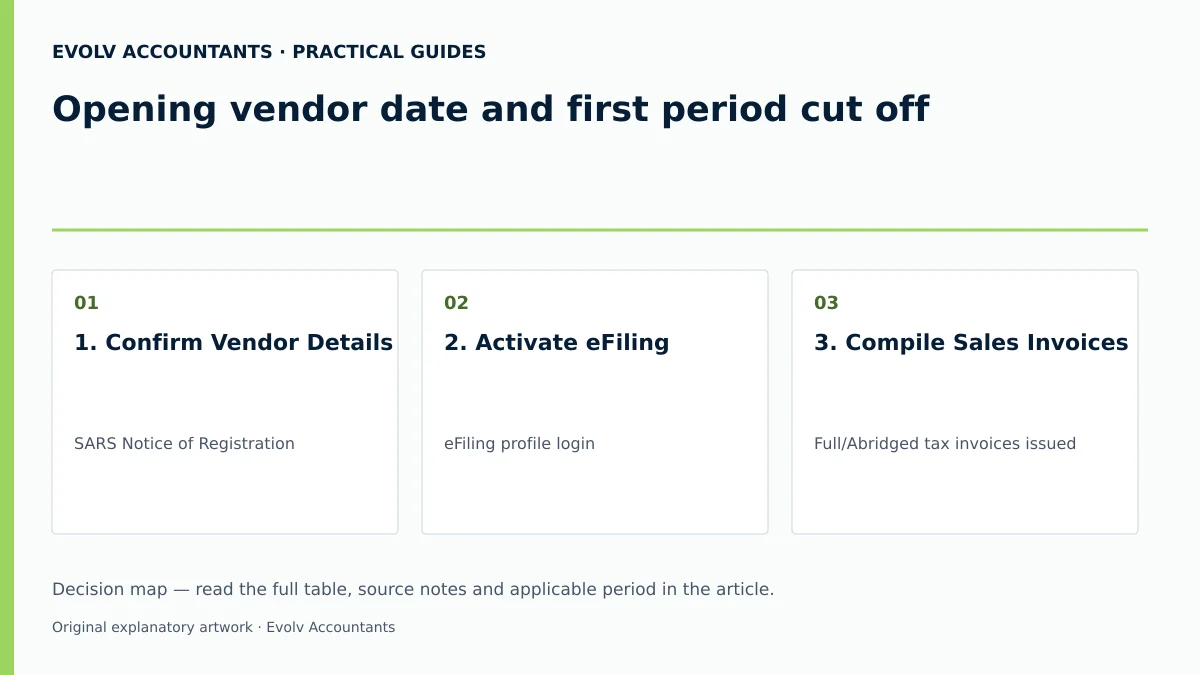
| 1. Confirm Vendor Details | SARS Notice of Registration 1 | Financial Manager / Evolv | 10-digit VAT number and opening date verified on eFiling 1 16 | Contact SARS if category or registration details are incorrect 58 59 |
| 2. Activate eFiling | eFiling profile login 17 | Tax Practitioner / Evolv | VAT201 tax type shows "Successfully Activated" 17 | Resolve profile transfer or user permission errors on eFiling 60 |
| 3. Compile Sales Invoices | Full/Abridged tax invoices issued 19 | Bookkeeper | All sales mapped to Field 1, 1A, 2, 2A, or 3 30 32 34 35 | Issue credit/debit notes for billing adjustments 61 |
| 4. Validate Input Invoices | Supplier tax invoices & VAT264 forms 20 24 | Accounts Payable | Every claim backed by valid tax invoice in hand 20 50 | Defer undocumented claims to future tax period within 5 years 51 52 |
| 5. Request & Complete Return | eFiling VAT201 Work Page 27 | Tax Advisory / Evolv | Field 13 (Output), Field 19 (Input), Field 20 verified 13 | Save draft if awaiting internal management sign-off 41 |
| 6. Submit & Pay / Claim Refund | Pre-populated PRN & credit push 29 40 | Financial Director | eFiling status "Filed through eFiling"; PRN payment cleared 26 41 | Respond to SARS document verification queries within 21 days 46 47 |
Reproducible Hypothetical Example
Context: Apex Tech Solutions (Pty) Ltd is a South African software SME registered for VAT with an effective opening vendor date of 1 March. SARS allocated the enterprise to Category B (two-monthly tax period ending on the last day of April) 5 6.
Transactions for March and April (First Tax Period):
- Standard-Rated Sales: R115,000 (VAT inclusive) charged to local clients.
- Standard-Rated Operational Purchases: R46,000 (VAT inclusive) paid for office rent and cloud hosting.
- Standard-Rated Capital Purchase: R23,000 (VAT inclusive) paid for operational server equipment.
Calculation:
- Output Tax Calculation:
Field 1 (Consideration) = R115,000 30 Field 4 (Output Tax) = R115,000 × (15 ÷ 115) = R15,000 30 Field 13 (Total Output Tax) = R15,000 13
- Input Tax Calculation:
Field 14 (Capital Input) = R23,000 × (15 ÷ 115) = R3,000 21 Field 15 (Operational Input) = R46,000 × (15 ÷ 115) = R6,000 21 Field 19 (Total Input Tax) = R3,000 + R6,000 = R9,000 13
- Net Liability (Field 20):
Field 20 (VAT Payable) = Field 13 - Field 19 = R15,000 - R9,000 = R6,000 13
Outcome: Apex Tech Solutions submits the VAT201 return via eFiling on 25 May. The eFiling work page reflects "Filed through eFiling" 41 42. The R6,000 net liability is settled via eFiling credit push using the pre-populated PRN on 31 May (the last business day of the month) 26 39 40. All underlying tax invoices are archived for 5 years 2 20.
Frequently Asked Questions
What is an opening vendor date, and how is it determined by SARS?
The opening vendor date is the official effective date of registration determined by the Commissioner and specified on the Notice of Registration 1 15. From this date, the business is legally recognised as a vendor, obligated to charge VAT on taxable supplies, and entitled to claim input tax on qualifying expenditure 2 3.
What happens if a supplier invoice is missing at the first tax period cut off?
Under Section 16(2) of the VAT Act, a vendor cannot claim an input tax deduction without holding a valid tax invoice 20 50. If an invoice is missing at the period cut off, the claim must be excluded from that return and deferred to a future return once the document is obtained, within the 5-year statutory period 51 52.
Can input tax be increased on a revised VAT201 return for a past tax period?
No. SARS rules explicitly restrict vendors from increasing input tax deductions when submitting a Request for Correction (RFC) or revision for a past tax period 51 52. Omitted input tax must instead be claimed in a current or future tax period 51 52.
How do eFiling submission deadlines differ from manual SARS branch filings?
Vendors submitting returns manually at a SARS branch must complete their submission and payment by the 25th day of the calendar month following the tax period 26 62. Registered eFilers receive an extension until the last business day of the calendar month to submit returns and make electronic payments 26 39.
How long must a vendor retain tax invoices and VAT records after filing?
Both the VAT Act and the Tax Administration Act mandate that vendors must securely retain all accounting records, tax invoices, credit/debit notes, bank statements, and customs documents for at least 5 years 2 20 63. Ask Evolv about opening vendor date and first period cut off. Share the relevant records so the support required can be scoped.
Related guides
- Completing a VAT201 return step by step
- VAT return periods and filing categories in South Africa
- The Proactive SARS Audit Guide: Keeping Your Business Ledger Sanitised
Sources
- https://www.sars.gov.za/wp-content/uploads/Ops/Guides/Legal-Pub-Guide-VAT404-VAT-404-Guide-for-Vendors.pdf
- Obligations of a VAT vendor | South African Revenue Service
- Tax periods for VAT | South African Revenue Service
- https://www.sars.gov.za/wp-content/uploads/Ops/Guides/GEN-ELEC-04-G01-Guide-for-completing-the-Value-Added-Tax-VAT201-Declaration-External-Guide.pdf
- FAQs for VAT vendors | South African Revenue Service