
Recovering a forgotten SARS tax number
1 February 2026

Recovering a forgotten SARS tax number requires verifying personal identity through official channels without exposing sensitive credentials or creating duplicate eFiling accounts.
Taxpayers who have misplaced their Personal Income Tax (PIT) reference number can retrieve it through several secure, official channels provided by the South African Revenue Service (SARS) 1 2. Identity exposure is prevented because SARS will not disclose a tax reference number to unauthorised third parties without a valid Power of Attorney or registered tax practitioner authorisation 2.
Available recovery channels include the SARS Online Query System (SOQS), USSD, SMS, the SARS MobiApp, eFiling, the Lwazi ChatBot, or an appointment at a SARS branch office 3 4 5.
Official tax number recovery without exposing identity
If you cannot locate your tax reference number, retrieve the existing SARS record before requesting a new registration. For payroll onboarding, supply the number securely from the official IT150 notice. A misplaced number does not itself prove that the tax profile is inactive or that a return, reconciliation or TCS request has failed. Primary guidance.
— Practical point from this guide
Approved identity-protected recovery channels
SARS provides multiple self-service and digital options to recover a tax reference number without compromising personal credentials:
- SARS Online Query System (SOQS): Taxpayers can navigate to the SOQS portal and select the "What's my tax number?" option to submit an automated lookup request 2 3.
- USSD Mobile Channel: Dialling 1347277# from a mobile phone presents a menu allowing taxpayers to request their tax number via SMS and receive an IT150 notice via email 3 5.
- SMS Service: Texting "TRN" followed by a space and the taxpayer's South African ID number, passport number, or asylum-seeker permit number to 47277 prompts an automated tax number response 5.
- Lwazi ChatBot: Available on eFiling and the SARS MobiApp, the virtual assistant Lwazi guides users through the "Request Tax Reference Number" workflow after verifying their ID/passport number and registered cell phone or email details 5 10 11.
- eFiling & MobiApp Self-Service: Registered eFiling users can log in, navigate to "SARS Registered Details", select "Notice of Registration", and click "Request New" to view and download their IT150 notice 5 12 13.
Security controls and third-party restrictions
Under statutory tax administrative rules, SARS maintains strict identity protection protocols 2 14. A tax reference number will not be disclosed to any third party unless that individual is a formally appointed tax practitioner or holds a valid Power of Attorney (POA) 2. For direct electronic recovery, security contact details (mobile number and email address) are authenticated using One-Time Pins (OTPs) 15 16 17. To prevent brute-force security risks, SARS limits consecutive OTP resend requests to a maximum of two attempts 16.
Biometric facial recognition technology matches real-time user images against reference data to eliminate profile hijacking 18 19.
Preserve the original records: official tax number recovery without exposing identity
Regulatory guidance and framework
Document maintenance and tax profile recovery must adhere to regulator guidelines, specifically SARS External Guide GEN-ELEC-18-G01 (effective 25 August 2025) for eFiling profile management 20 and GEN-REG-01-G04 (effective 02 March 2026) for registration and RAV01 amendments 21. Furthermore, electronic communication and eFiling terms are regulated under Section 255(1) Rules of the Tax Administration Act, 2011 14.
Maintaining historical submissions and account history
Taxpayers and legal entities must never attempt to erase account history or create secondary profiles when a tax number is misplaced 8 22. Under SARS user migration protocols, taxpayers registered on eFiling prior to 1 July 2019 who held multiple login accounts are authenticated and migrated to a single primary sign-on 22 23. Historical tax submissions, notices of assessment, and correspondence remain linked under portfolio management rather than being discarded 22 24 25.
Distinguishing Security Contact Details from Entity Contact Details
Preserving original records requires understanding the dual contact structure on eFiling 26 27:
- Security Contact Details: Configured under "Profile and Preference Setup", these details (mobile number and email) are used exclusively for multi-factor authentication, login OTPs, and password recovery 16 26 27. Updating security details does not alter legal entity records 27.
- Entity Contact Details: Managed via the Registration, Amendments and Verification (RAV01) form, these details govern official tax correspondence, statutory notices, and legal documentation issued by SARS 27 28.
Choose the correct amendment route: documented completion and exceptions
Administrative recovery versus legal demographic amendment
Evolv Accountants recommends selecting the precise administrative route based on the operational scenario:
- Route A: Standard Digital Retrieval (Notice of Registration): Applicable when the tax reference number is active and identity details match SARS records. The Notice of Registration (IT150) is requested via eFiling, USSD, or Lwazi ChatBot 5 12.
- Route B: Login Security Contact Update: Applicable when an eFiler has forgotten their login security contact details. South African citizens can select "Update Contact Details" on the eFiling login screen, complete biometric facial recognition, and capture new security contact details without logging in 29 30.
- Route C: Demographic & Product Amendment (RAV01): Applicable when updating legal entity particulars, trading names, registered addresses, banking details, or tax product subscriptions (Income Tax, PAYE, VAT) 21 28 31.
- Route D: Exception & Branch Escalate: Applicable when a tax number is coded as inactive, belongs to a deceased estate, involves multiple conflicting tax numbers, or when non-South African citizens fail automated digital matching 8 29 32 33.
Make and verify the correction: official tax number recovery without exposing identity
Approved execution sequence
To complete tax number recovery and update account particulars securely, follow this approved sequence:
- Initiate Query: Submit a tax reference number enquiry through SOQS, or USSD (1347277#) 3 4 5.
- Authenticate Session: Enter the 6-digit OTP sent to your confirmed security cell phone number or email address 16 17.
- Complete Biometric Verification: When prompted on eFiling or the SARS MobiApp, capture 5 facial images (1 front-facing source image and 4 directional liveliness check images: up, down, left, right) 18 19.
- Generate IT150 Notice: Log into eFiling, navigate to Home > SARS Registered Details > Notice of Registration, and select Request New 12 13.
- Confirm Legal Authorisation (RAV01): When updating legal entity details, navigate to Maintain SARS Registered Details, accept the authorisation declaration ("I agree"), update the fields, and submit using an OTP 34 35 36.
Verification and proof of changed record
Evidence that the tax record has been successfully retrieved or updated includes:
- An on-screen confirmation message displaying successful authentication or contact detail update 30 37 38.
- An official Notice of Registration (IT150) issued by SARS reflecting the correct tax reference number, name, and ID/passport number 5 12.
- Updated status displaying "Active" under Registered Representative profile management or RAV01 registration work page history 39 40.
Consequences and remaining exceptions: documented completion and exceptions
Downstream compliance and record reconciliation
Once the tax reference number is recovered, SMEs must reconcile downstream business records:
- Payroll & Employer Records: Update the employee’s verified PIT reference number in the payroll record used for IRP5/IT3(a) certificates and employer reconciliation. A monthly EMP201 is an employer summary declaration, not an employee-by-employee PIT-number return.
- Tax Product Subscriptions: Verify that Corporate Income Tax (CIT), Value Added Tax (VAT), and Pay-As-You-Earn (PAYE) registrations are correctly reflected under the organisation portfolio on eFiling via RAV01 21 31 34.
- Tax Compliance Status (TCS): Check the eFiling dashboard for outstanding returns, account balances, or compliance penalties 23 42.
Branch appointment requirements and supporting documents
Where digital recovery is unavailable due to system exceptions or unverified identity records, taxpayers must book an appointment at a SARS branch office 5 6 43 44. The old IT77 registration form for individuals has been discontinued. Taxpayers must present the following mandatory supporting documents:
- Proof of Identity: Certified or uncertified copy alongside the original valid South African ID (green barcoded book or Smart ID card), driving licence, passport, or asylum-seeker permit 43.
- Proof of Residential or Business Address: Document clearly showing the taxpayer's name and physical address, subject to validity windows 45:
- Less than 3 months old: Utility account (water/electricity), educational institution account, medical aid statement, telephone account, e-Toll account, or retail account statement 45.
- Less than 6 months old: Mortgage statement from a mortgage lender 45.
- Less than 1 year old: Motor vehicle licence document, SABC TV licence, or short-term/life insurance policy document 45.
- Proof of Bank Details: Original bank confirmation letter on a bank letterhead with an original stamp confirming account holder legal name, account number, account type, branch code, and opening date (less than 1 month / 30 days old), or an original/eStamped bank statement less than 3 months old 46.
Next steps for SARS account and eFiling
Control ownership and governance
SME management should assign a dedicated control owner (such as a Public Officer or Senior Financial Officer) to oversee tax profile governance:
- Conduct bi-annual reviews of eFiling user profiles, portfolio links, and security contact details 24 26.
- Review the security option configured on each individual profile. SARS’s guide describes two-factor authentication and MobiApp passwordless login as separate options which cannot both be switched on at the same time; follow the current prompts for the selected option.
- Manage tax practitioner mandates strictly through the "Manage Access Requests" portal, ensuring external advisors receive shared access without surrendering corporate profile ownership 8 49.
Tax registration recovery checklist
- [ ] Gather Primary Identity Evidence: Obtain the taxpayer's original South African ID card/book or valid passport 7 43.
- [ ] Select Official Retrieval Channel: Initiate recovery via SOQS, USSD (1347277#), or Lwazi ChatBot 3 4 5.
- [ ] Complete Multi-Factor OTP Verification: Enter the 6-digit OTP sent to the registered security cell phone or email 16 17.
- [ ] Execute Biometric Facial Recognition: Capture required facial images on eFiling or MobiApp if prompted 18 19.
- [ ] Download IT150 Notice: Access eFiling SARS Registered Details > Notice of Registration and select Request New 12 13.
- [ ] Reconcile Business & Payroll Records: Update payroll software and verify entity tax product registrations on RAV01 6 31 41.
Correction audit trail
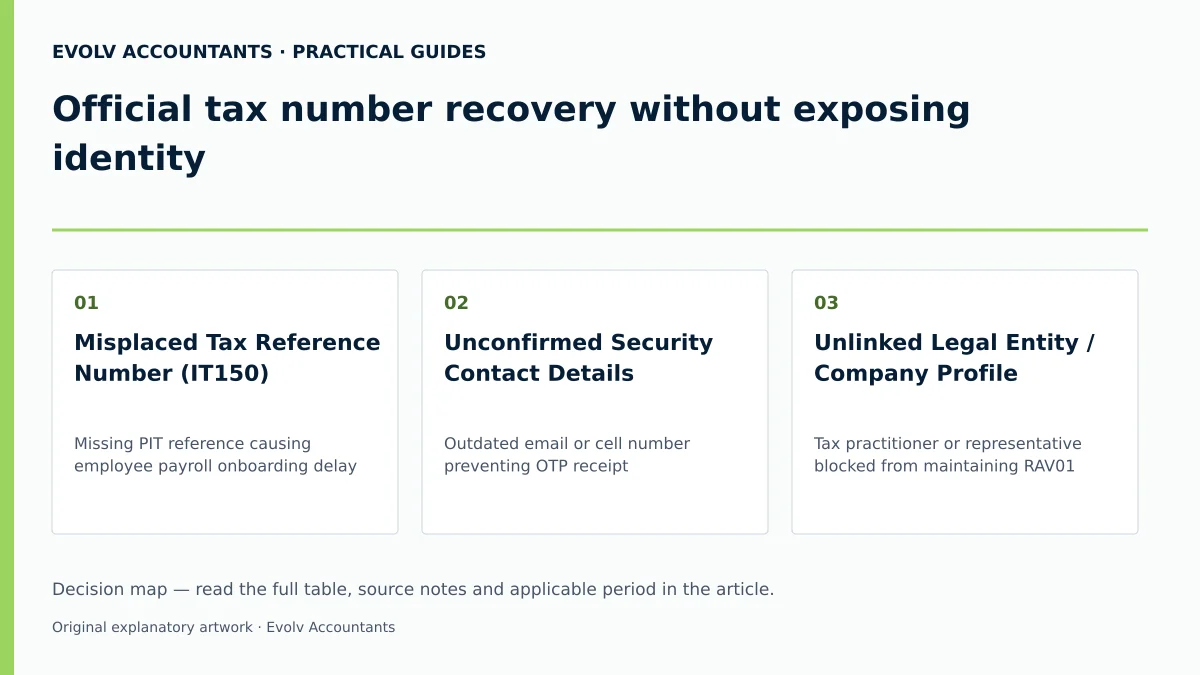
| Original record | Error | Authorised action | Changed record | Proof and downstream check |
|---|---|---|---|---|
| Misplaced Tax Reference Number (IT150) | Missing PIT reference causing employee payroll onboarding delay 2 6 | Request lookup via SOQS, USSD (1347277#), or Lwazi ChatBot 3 4 5 | Validated Tax Reference Number retrieved 5 12 | Official IT150 Notice generated; employee payroll IRP5 file updated 5 6 12 |
| Unconfirmed Security Contact Details | Outdated email or cell number preventing OTP receipt 15 26 | For an eligible South African citizen with a valid SA ID, use “Update Contact Details” and facial biometrics; otherwise use the official assistance route 29 30 | Verified security contact cell number and email on eFiling profile 26 30 | On-screen verification message; successful OTP delivery for profile changes 30 50 |
| Unlinked Legal Entity / Company Profile | Tax practitioner or representative blocked from maintaining RAV01 31 49 | Submit "Activate Registered Representative" request or request shared access 8 39 49 | Activated Registered Representative status or authorised practitioner access 39 49 | Authorisation confirmed via "Manage Access Requests"; RAV01 unlocked 35 49 |
Practical recovery scenario
Consider a South African SME, Cape Manufacturing (Pty) Ltd, onboarding a new machine operator, Sipho Nkosi. Sipho cannot locate his personal tax reference number, stalling his payroll setup.
To resolve the issue without exposing sensitive personal credentials to third parties:
- Sipho signs into his own SARS eFiling profile. He keeps his credentials private.
- He opens SARS Registered Details, selects Notice of Registration and requests a new IT150 notice 12 13.
- He checks the identity and reference number on the official notice before supplying the number securely to the payroll administrator 6 41.
- If he cannot access his profile, he resolves the security contact details through the official recovery route rather than creating a duplicate tax registration 29 30.
Frequently Asked Questions
Can an external accountant or tax practitioner retrieve my personal tax number on my behalf?
SARS strictly prohibits disclosing a taxpayer's reference number to third parties unless the person is a registered tax practitioner or holds a formal Power of Attorney (POA) 2. For a legal entity, SARS’s RAV01 guide says an accountant or tax practitioner cannot be its Registered Representative unless employed by that entity. Individual representative roles and practitioner access must be established through the applicable legal authority; employment is not a universal rule for representing an individual.
What should I do if my security contact details on eFiling are outdated and I cannot receive an OTP?
South African citizens can click "Update Contact Details" directly on the eFiling login page without logging in 29 30. You must complete biometric facial recognition on a camera-enabled device or SARS MobiApp, after which you can update your security email and cell number 15 29 30. Non-citizens or people who fail biometric checks can contact the SARS Contact Centre or book a branch appointment for assistance.
How many times can I request SARS to resend a One-Time Pin (OTP)?
For security reasons, OTPs are time-sensitive and you can only opt to resend an OTP twice 16. If an OTP expires, request a resend within the permitted limit. Use account recovery if the registered contact details themselves are wrong; changing those details is not the routine remedy for an expired OTP.
What supporting documents are required if I must visit a SARS branch to confirm my tax registration?
You must bring original proof of identity (green barcoded ID, Smart ID card, or passport) 43, proof of address less than 3 months old (utility bill, telephone account, or medical aid statement) 45, and an original stamped bank letter less than 1 month (30 days) old or bank statement less than 3 months old 46. Note that the old IT77 registration form has been discontinued 43.
How does biometric facial recognition work during eFiling updates?
Biometric facial recognition captures 5 images via a camera-enabled computer or the SARS MobiApp: 1 front-facing source verification photo and 4 liveliness check photos (head turned up, down, left, and right) 18 19. These images are matched real-time against official reference records to protect against profile hijacking 18. Ask Evolv about official tax number recovery without exposing identity. Share the relevant records so the support required can be scoped.
Related guides
- Registering an individual for income tax
- Registering a company as an eFiling taxpayer
- Compliance and Regulations: Keeping Your Business on Track
Sources
- How do I register for tax | South African Revenue Service
- https://www.sars.gov.za/wp-content/uploads/Ops/Guides/GEN-ELEC-18-G01-How-to-Register-for-eFiling-and-Manage-Your-User-Profile-External-Guide.pdf
- https://www.sars.gov.za/wp-content/uploads/Ops/Guides/GEN-REG-01-G04-How-to-Complete-the-Registration-Amendments-and-Verification-Form-RAV01-External-Guide.pdf
- Register as a taxpayer | South African Revenue Service