
Registering an individual for income tax
8 December 2024

Registering an individual for personal income tax requires verified identity documentation and establishing official tax record standing with SARS.
Every natural person who earns taxable income, becomes subject to statutory filing obligations, or requires an official personal income tax reference number within South Africa must register with the South African Revenue Service (SARS) 1 2 3. Formal registration establishes a unique ten-digit tax reference number linked to the taxpayer's legal identity 2 4.
Individuals can complete registration through digital platforms such as eFiling, the SARS Online Query System (SOQS), USSD, as well as through employer auto-enrolment or an in-person branch appointment 2 5 6 7. Ensuring that verified identity documents, residential proof, and bank account credentials match official records prevents processing delays and verification holds 8 9 10 11.
Registration requirement and identity evidence
Scope, Jurisdiction, and Legal Standing
This guide applies to individual taxpayers, South African small and medium-sized enterprises (SMEs), employers, and appointed representatives operating within the South African tax jurisdiction under current SARS administrative procedures 1 7 12 13. Completing income tax registration means that SARS has formally authenticated the individual’s identity evidence, established a personal income tax profile, and issued an official ten-digit tax reference number reflected on a Notice of Registration (IT150) 2 4 14.
— Practical point from this guide
Distinguishing Legal Duty, Regulator Guidance, and Evolv Practice
- Statutory Law: Under South African tax legislation, natural persons deriving taxable remuneration or meeting statutory liability criteria are legally obligated to register as taxpayers and maintain accurate registered particulars with SARS 1 2 15.
- Regulator Guidance: SARS provides operational standards and guides—including external guides GEN-ELEC-18-G01 and GEN-REG-01-G04—specifying acceptable identity documents, proof of address, bank confirmation standards, biometric facial recognition protocols, and the Registration, Amendments and Verification (RAV01) form workflow 8 9 10 12 16.
- Evolv Recommendations: Evolv Accountants advises SME employers and individual clients to perform pre-registration document audits, confirm existing registration status prior to payroll onboarding, and secure proper representative authority to avoid duplicate profiles or verification rejections 4 7 13 17.
Prepare the information and authority: registration requirement
Required Primary Documents and Input Evidence
Before initiating registration, the applicant or representative must gather verified primary documentation matching SARS record criteria 7 8 9 10:
- Proof of Identity:
- South African Citizens: Certified or uncertified copy of a valid green barcoded identity document or Smart ID card, accompanied by the original identification 7 8.
- Non-South African Residents: Original and copy of a valid passport, permit, or asylum seeker certificate 7 8.
- Minors: Copy of the birth certificate alongside a copy of the parent or legal guardian’s identity document (or death certificate if applicable) 8.
- Proof of Residential or Business Address:
- General Utility and Accounts: Municipal rates, water, electricity, educational institution, medical aid, telephone, e-Toll, or retail account statements less than 3 months old 9.
- Financial and Government Documents: Mortgage statements less than 6 months old; motor vehicle licence or SABC television licence documents less than 1 year old 9.
- Lease Agreements: Current, valid lease or franchise agreement 9.
- Third-Party Address Accommodation: Completed Confirmation of Residential or Business Address form (CRA01) attached to the third party's proof of address 18. Where municipal accounts are unavailable in rural areas, an official letter from the local Chief or Councillor is accepted 18.
- Proof of Banking Particulars:
- An original bank letter on a bank letterhead with an original bank stamp (not older than 1 month / 30 days) confirming the legal account holder name, account number, account type, branch code, and opening date 10.
- Alternatively, an original bank statement, ATM/internet-generated statement, or eStamped statement not older than 3 months 10.
- Spousal/Partner Accounts: Certified copy of the marriage certificate (or affidavit for life partners) if using a spouse's bank details 10.
Representative Permissions and Authorisation
An accountant or tax practitioner cannot act as a Registered Representative unless directly employed by the legal entity 13. Independent tax practitioners must be registered with a Recognised Controlling Body (RCB) and SARS 19 20. To register or manage tax affairs on behalf of an individual, the practitioner or representative must hold a valid Power of Attorney (POA) or obtain authorised access through eFiling’s "Manage Access Requests" workflow 4 21 22.
Complete the task step by step: identity evidence
Primary Registration Channels
The selected official registration channels below include eFiling, SOQS, USSD, employer-assisted registration and a branch appointment.
Step 1: Check Existing Registration Standing
Before submitting a new application, verify whether SARS has already issued a tax number 4 26. Since July 2022, SARS automatically registers certain individuals using third-party data from employers and financial institutions 26. Check registration status via the SARS Online Query System (SOQS), USSD (1347277#), or by contacting the SARS Contact Centre (0800 00 7277) 4 5 6.
Step 2: Digital Registration via eFiling
- Navigate to the official eFiling portal and select Register 2 27.
- Input full legal personal details (matching identity document exactly) and click Next 27.
- Provide active security contact details (mobile phone number and email address) to receive One-Time Pins (OTPs) 27 28 29.
- Create a secure username and password, then click Submit 27.
- South African citizens carrying a valid ID are directed to the Biometric Facial Recognition Authentication step 16 27.
Step 3: Complete Biometric Authentication
- Use a camera-enabled desktop, laptop, or smartphone via the SARS MobiApp 28.
- Capture live facial photos, which are matched real-time against official reference data 16.
- Upon successful real-time matching, SARS automatically registers the individual and generates a personal income tax reference number 2 14.
Step 4: Submission via Alternative Channels
- SARS Online Query System (SOQS): Submit an online registration request by entering identity particulars and uploading scanned supporting documents 5 23.
- Employer eFiling Registration: Employers can register employees directly using eFiling Tax Reference Number (TRN) enquiry services 7 25.
- SARS Branch Visit: If digital channels are unviable, schedule an appointment online before visiting a branch with original identity, address, and banking documents (noting that the legacy IT77 form has been discontinued) 7 8.
Check the result against the evidence: registration requirement
Submission of a registration request does not constitute final registration 11 30 31. Independent confirmation must be verified through official evidence 4 14 32.
Independent Verification Indicators
- System Status Update: On eFiling, the registration case status must transition from "Request Under Verification" or "Awaiting Registration Verification" to "Request Successful" or "Active" 17 20 32 33.
- Official SARS Notification: Automatically registered individuals or new eFilers receive an SMS and formal notification letter from SARS containing their ten-digit tax reference number 14 26 32.
- Notice of Registration (IT150): The definitive proof of tax registration is the Notice of Registration (IT150) document issued by SARS 4 34.
How to Retrieve the Notice of Registration (IT150)
Once registered, access the IT150 document through any of the following verified methods 34 35 36:
- eFiling Portal: Log in, select Home, navigate to SARS Registered Details on the left menu, click Notice of Registration, and select Request New 35 36.
- Lwazi ChatBot: Launch Lwazi on eFiling or MobiApp, type "Hello", select menu option 1 ("Request Tax Reference Number"), authenticate via ID and mobile number, and receive the IT150 via email 34.
- Mobile / USSD / SMS Services: Dial 1347277#, or SMS TRN followed by the ID number to 47277 34.
Handle exceptions and unresolved cases: identity evidence
Biometric Recognition Failure or Data Mismatch
If biometric facial recognition cannot match captured photos against reference data, or if camera-enabled hardware is unavailable, eFiling creates an automated verification case 11 28 30. The user is prompted to upload supporting identity and address documents 11 37. If reference image data is completely absent, the applicant must book a SARS branch appointment for manual biometric verification 28 30.
Duplicate Contact Details or Active Profile Collisions
If an email address or mobile cell phone number entered during eFiling registration is already actively registered under another eFiling user profile, SARS displays an error message 28 29. The user must provide an alternative, unlinked contact number/email or schedule a branch appointment to resolve profile ownership 28 29.
Pre-Existing, Inactive, or Deceased Tax Numbers
Applicants who hold multiple historical tax reference numbers, or whose tax profile is marked inactive or coded as a deceased estate, cannot complete automated online registration 30 38 39. They must visit a SARS branch office to activate or consolidate their income tax record 30 38 39.
Insolvent Estates and Representative Activations
In the event of taxpayer insolvency, the appointed administrator or trustee must visit a branch or use SOQS to code the initial tax reference number as an insolvent estate before registering secondary tax profiles on RAV01 40 41. Executors of deceased estates must activate representative status on eFiling prior to requesting estate registration 20.
Next steps for SARS account and eFiling
Practical Task Checklist
- Verify Existing Standing: Query SOQS, or USSD (1347277#) to confirm whether auto-registration has already occurred 4 5 6 26.
- Audit Supporting Evidence: Inspect identity cards/passports, utility bills (< 3 months old), and stamped bank letters (< 30 days old) to guarantee exact match with legal full names 8 9 10.
- Execute eFiling Registration: Access eFiling, complete personal details, verify via OTP, and perform live biometric facial recognition 2 27 28.
- Resolve Verification Cases: If flagged for manual review, log into eFiling, attach required PDF supporting documents under case details, and submit 11 37 42.
- Obtain Notice of Registration (IT150): Download the official IT150 notice from eFiling (SARS Registered Details > Notice of Registration) or Lwazi ChatBot for employer/record archives 34 35.
- Maintain RAV01 Profile: Use the RAV01 form under Maintain SARS Registered Details to keep address, email, and banking particulars updated within 21 business days of any change 12 35 43.
Task and Completion Checklist (Artefact)
| Step | Input or evidence | Responsible person | Completion check | Exception or next action |
|---|---|---|---|---|
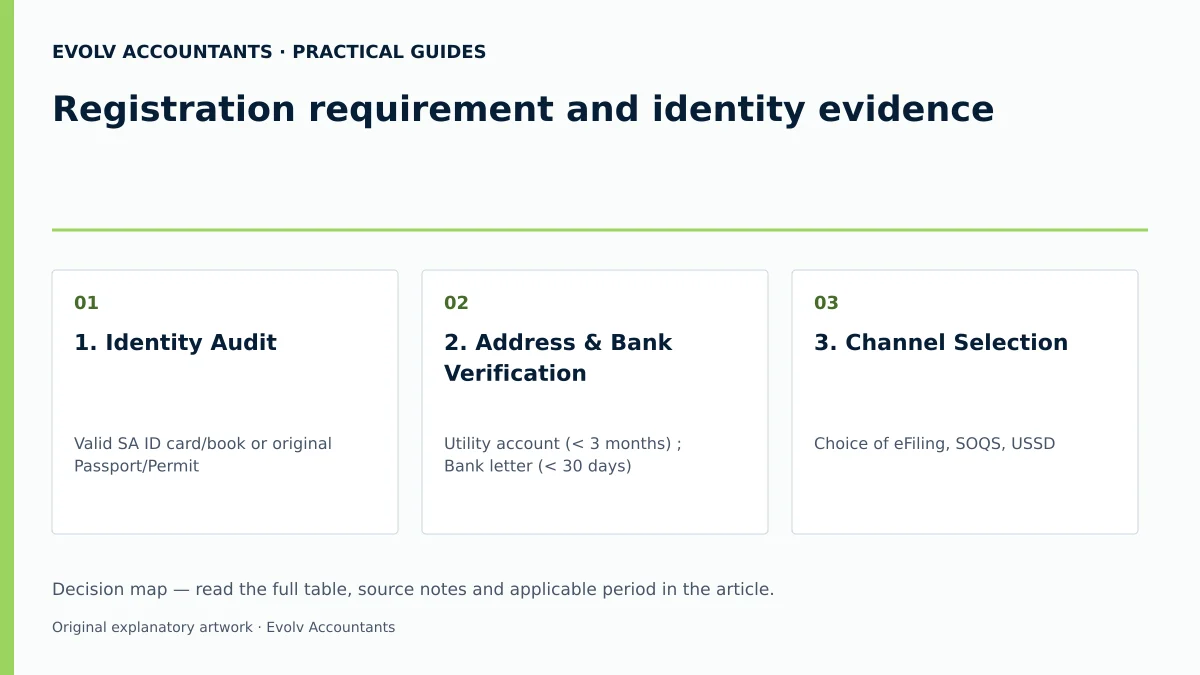
| 1. Identity Audit | Valid SA ID card/book or original Passport/Permit 7 8 | Individual / HR Officer | Visual inspection of legal full name and ID number | Obtain certified copy or temporary ID if lost 8 |
| 2. Address & Bank Verification | Utility account (< 3 months) 9; Bank letter (< 30 days) 10 | Individual / Accountant | Document dates and names match ID exactly | Complete CRA01 form if address is in third-party name 18 |
| 3. Channel Selection | Choice of eFiling, SOQS, USSD 2 5 6 | Individual / Representative | Portal access established and contact details input | Book branch appointment if digital access unavailable 7 28 |
| 4. Biometric Authentication | Live facial scan on camera device / MobiApp 16 28 | Individual Taxpayer | Real-time match outcome displayed on screen 16 | Upload supporting documents if case created 11 37 |
| 5. Reference Number Retrieval | Notice of Registration (IT150) download 4 34 | Individual / Tax Practitioner | Ten-digit tax reference number displayed on IT150 4 14 | Request IT150 via Lwazi ChatBot or eFiling menu 34 35 |
| 6. eFiling Profile Linking | RAV01 registration particulars on eFiling 12 | eFiling User / Representative | Tax product listed under active SARS profile 12 35 | Submit POA or access request if practitioner managing 4 21 |
Reproducible Hypothetical Example
Illustrative Example: Onboarding a New SME Employee
Note: All values below are illustrative.
- Scenario: ABC Logistics (Pty) Ltd hires Mr. S. Sithole as an operations clerk. Mr. Sithole does not possess a tax reference number.
- Documentation Collected:
- Certified copy of South African Smart ID Card 8.
- Residential proof: Telkom account statement dated 10 days prior (< 3 months old) 9.
- Banking proof: Stamped bank opening letter dated 5 days prior (< 30 days old) 10.
- Action Sequence:
- ABC Logistics queries the SARS TRN Enquiry Service on eFiling using Mr. Sithole’s ID number to confirm no existing tax registration exists 4 7.
- Mr. Sithole accesses SARS eFiling on a smartphone, selects Register, enters his personal details, and completes live biometric facial recognition 16 27.
- SARS real-time biometrics validate his identity against reference records, automatically generating personal income tax reference number 1428614286 2 14.
- Mr. Sithole logs into eFiling, navigates to SARS Registered Details > Notice of Registration, downloads his IT150 notice, and submits it to ABC Logistics payroll 35.
Frequently Asked Questions
How does an individual verify whether SARS has already issued a personal income tax number?
An individual can check existing tax registration standing by using the SARS Online Query System (SOQS) ("What's my tax number?"), dialling USSD code 1347277#, or calling the SARS Contact Centre on 0800 00 7277 4 5 6. Employers can also check registration standing via eFiling TRN Enquiry Services 7 25.
What secondary documents are required if proof of residential address is in a spouse or third party's name?
When proof of address is in the name of a third party, the applicant must complete the Confirmation of Entity Residential/Business Address form (CRA01) 18. The CRA01 form must be submitted along with the third party’s proof of residential address (less than 3 months old) and a copy of the third party's identity document 9 18.
What occurs if online biometric facial recognition fails during eFiling registration?
If biometric authentication cannot match captured photos against official reference data, eFiling generates a case number and requests the upload of supporting identity, address, and bank documents 11 37. If no reference image exists on SARS records, the user must book an online appointment to complete registration at a SARS branch office 28 30.
Can an employer or tax practitioner register an employee for tax without a formal Power of Attorney?
Employers can register their employees for income tax directly through eFiling employer services without requiring a separate Power of Attorney 7 25. However, an independent tax practitioner or representative requesting access to manage or retrieve an individual's personal tax affairs must hold a valid Power of Attorney or obtain authorisation via eFiling "Manage Access Requests" 4 21 22.
How is a Notice of Registration (IT150) obtained once tax registration is completed?
Registered eFilers can request an official IT150 by logging into eFiling, selecting SARS Registered Details > Notice of Registration, and clicking Request New 35 36. Alternatively, taxpayers can request the IT150 via the Lwazi ChatBot on eFiling/MobiApp, SMS TRN [ID Number] to 47277, dial 1347277# 34.
Related guides
- Registering a company as an eFiling taxpayer
- Recovering a forgotten SARS tax number
- Compliance and Regulations: Keeping Your Business on Track
Sources
- How do I register for tax | South African Revenue Service
- Register as a taxpayer | South African Revenue Service
- https://www.sars.gov.za/wp-content/uploads/Ops/Guides/GEN-ELEC-18-G01-How-to-Register-for-eFiling-and-Manage-Your-User-Profile-External-Guide.pdf
- https://www.sars.gov.za/wp-content/uploads/Ops/Guides/GEN-REG-01-G04-How-to-Complete-the-Registration-Amendments-and-Verification-Form-RAV01-External-Guide.pdf