
Registering an employer with the UIF
30 July 2026

Registering an employer for the Unemployment Insurance Fund requires establishing identity with SARS or the UI Commissioner to obtain a unique reference number.
South African employers paying remuneration to qualifying workers are legally mandated to register for Unemployment Insurance Fund (UIF) contributions 1 2. Under statutory tax law, the primary registration channel depends on whether the business is liable for Pay-As-You-Earn (PAYE) or Skills Development Levy (SDL) 3 4.
Employers required to pay PAYE or SDL register directly through the South African Revenue Service (SARS), whereas employers exempt from PAYE registration register directly with the Unemployment Insurance Commissioner (UI Commissioner) 3 4. However, under regulator guidance effective from 1 February 2020, all employers—regardless of where contribution payments are made—must also register employee records with the UI Commissioner to maintain the national employee database 5 6 7.
Evolv Accountants recommends conducting an employer tax status audit prior to registration to select the correct statutory channel and prevent administrative duplication.
Employer identity registration and reference number
For small and medium enterprises (SMEs) operating within the Republic of South Africa, employer identity registration is the foundational statutory duty establishing an entity on national labor and tax databases 3 8. This guide applies to SME directors, financial managers, and payroll administrators navigating current statutory framework requirements under the Unemployment Insurance Contributions Act No. 4 of 2002 (UIC Act) and the Tax Administration Act No. 28 of 2011 (TA Act) 8 9 10.
Completing employer identity registration means that the business has formally declared its status as a qualifying employer, satisfied demographic and corporate vetting, and received a unique UIF reference number 3 11 12. This reference number acts as the primary legal identifier for making monthly contribution payments, submitting worker declarations, and enabling employees to access short-term financial relief for unemployment, illness, maternity, adoption, or parental leave 8 13 14.
To execute this duty correctly, employers must distinguish between three distinct pillars of regulatory authority:
- Statutory Law: The UIC Act mandates that every employer paying remuneration to an employee working 24 hours or more per month must contribute 1% of the employee's remuneration, matched by a 1% employer contribution, up to the statutory earnings ceiling 2 15 16 17.
- Regulator Guidance: Operational instructions issued by SARS and the Department of Employment and Labour prescribe distinct digital portals (SARS eFiling for tax contribution collections and uFiling for UI Commissioner worker database declarations) 6 18 19.
- Evolv Recommendations: SME leadership should establish centralised payroll record-keeping systems before initiating portal registration to ensure that registered details match corporate governance documentation across all state departments 20 21.
Prepare the information and authority: employer identity registration
Before initiating registration, SME leadership must gather essential documentation and establish clear legal authority under statutory definitions 3 21 22.
Under the Fourth Schedule to the Income Tax Act and the UIC Act, an employer is defined as any person who pays or is liable to pay remuneration to any person 21 23. An employee is defined as any natural person who receives remuneration or to whom remuneration accrues for services rendered, excluding independent contractors 21 24. The representative employer—such as a public officer, director, or company secretary—carries personal legal responsibility for fulfilling all employer duties 22 25.
To complete employer registration smoothly, SMEs must compile the following core inputs and verification records:
— Practical point from this guide
- Corporate Governance Documentation: Companies and Intellectual Property Commission (CIPC) registration certificate, company trading name, registered name, and official CIPC registration number 26.
- Tax Identification: SARS income tax reference number and existing PAYE reference number (if already registered for employees' tax) 1 26.
- Representative Employer Identity: Full legal name, South African identity number or passport details, physical address, postal address, mobile number, and verified email address of the public officer, owner, or director 11 22 27.
- Operational Employment Inputs: The exact date on which the first contributing employee was employed, the total count of contributing employees, the primary nature of business, and initial worker details (ID numbers, gross remuneration, and beneficiary details) 12 26 27 28.
- Third-Party Authorisation: Where an external accounting firm or labour practitioner performs registration on behalf of the SME, a formal power of attorney or digital authorisation confirming practitioner status is required 26 29 30.
Evolv recommends performing an internal audit of employee engagement contracts prior to submission to confirm that all staff members meet contributor criteria and that no excluded workers (such as those working under 24 hours a month) are included in contribution calculations 15 31.
Complete the task step by step: reference number
Registering an employer identity and securing a reference number requires a structured sequence grounded in official primary instructions 1 3 30 32.
Step 1: Determine the Statutory Registration Channel
Analyse whether the business is required to register with SARS or the UI Commissioner for contribution payments 3 4. If the SME is required to pay PAYE or SDL, or has registered voluntarily with SARS, registration for UIF contribution payment MUST be processed through SARS 3 4. If the SME is exempt from PAYE and SDL registration, contribution payment registration MUST be made directly with the UI Commissioner 4.
Step 2: SARS Employer Registration Route (For PAYE/SDL Employers)
- Access the SARS online portal (eFiling) or visit a SARS branch to complete employer registration via the Client Information System 1 6 18.
- Register for UIF as an additional tax type under the existing single-tax-type profile 1.
- Upon approval, SARS issues a unique employer reference number pre-populated on monthly EMP201 declarations, alongside a unique Payment Reference Number (PRN) for allocating payment transfers 13 18.
Step 3: UI Commissioner / uFiling Route (For Non-PAYE Employers & Worker Database Setup)
- Access the uFiling portal (www.ufiling.co.za), accept the statutory terms and conditions, and initiate user account registration 11 32.
- Input the user's demographic information (full names, ID number, contact details) and complete account activation via the emailed link and temporary password 11 33.
- Complete the security vetting procedure by answering demographic verification questions based on Department of Employment and Labour records 33 34.
- Navigate to the registration manager, select "Register a new Employer", and choose "Commercial Employer" 26 30.
- Select the relevant ownership type (e.g. Company or Close Corporation) and confirm authorisation status (as Owner/Director/Member or as an authorised agent acting on behalf of the entity) 26.
- Complete the qualification criteria screen by entering the employment commencement date of the first contributor, total number of contributors, trading name, registered name, CIPC registration number, and nature of business 26.
- Capture initial employee details (ID number, commencement date, gross remuneration, deductible salary) and add at least one beneficiary per employee 12 28.
- Submit the completed application to trigger automated verification and reference number allocation 11 12.
Check the result against the evidence: employer identity registration
Submitting an online registration form does not equate to official registration acceptance 33 35. SME leadership must verify registration completion against objective, independent evidence 12 35.
Valid completion evidence includes:
- Official Notification Email: A formal confirmation email issued by the Department of Employment and Labour containing the allocated UI reference number 12 26.
- SARS Registration Notice: An official SARS notice of registration confirming that the UIF tax type is active on the SME's tax profile 1.
- uFiling Portal Approval Status: Within the uFiling registration manager under "Requests", the application status must reflect as "Accepted" rather than "Pending" 35.
- Active Declarations Dashboard: The SME's employer profile in the uFiling Declarations Manager or SARS eFiling system displays active monthly return periods ready for declaration 35 36 37.
Evolv recommends retaining copies of all registration confirmation notices and reference emails in the SME's permanent corporate compliance file for at least five years, in accordance with statutory record-keeping obligations under Chapter 4 of the Tax Administration Act 20 38.
Handle exceptions and unresolved cases: reference number
During the registration process, SMEs may encounter administrative edge cases, technical errors, or systemic exceptions 27 33 39.
Key title-specific exceptions and their resolution protocols include:
- uFiling Demographic Vetting Failure: If an applicant answers security questions incorrectly during user account setup, uFiling displays a "Vetting Failed" notice and suspends the registration account 33 34. To resolve this, the applicant must submit identity documentation directly to uFiling support via the prescribed support email channel 33 40 41.
- Duplicate Identity Error: When attempting to register, the system may flag that "The ID Number entered already has a UIF Reference number" 27. This occurs if the entity or director was previously registered. In such cases, the SME must select "Add an existing Employer" in uFiling and enter the existing UI reference number to request access approval from the primary account owner 27 42.
- Changes in Registered Particulars: Statutory tax law mandates that any change to registered business details, addresses, or representative officers must be communicated to SARS within 21 business days under Section 23 of the TA Act 39.
- Cessation of Business: If an SME ceases trading or stops employing staff, it must notify SARS and the UI Commissioner in writing within 14 days of ceasing business operations 43 44.
- Banking Details Mismatch: Bank account details on uFiling can only be captured once online 45 46. To update or correct banking records, the SME must complete form UI2.8 (attested by its commercial bank) and submit it via email to the designated Department of Employment and Labour address 45 47.
Evolv recommends escalating unresolved registration disputes or historical registration blocks to a qualified tax practitioner or payroll specialist when portal vetting failures persist beyond five business days.
Next steps for UIF employer duties
Once employer identity registration is complete and a reference number is issued, SME leadership must transition to ongoing monthly compliance duties 13 24 48.
Monthly Operational Task Checklist
- Extract monthly payroll data and confirm total gross remuneration paid to all qualifying employees 24 49.
- Calculate individual employee deductions (1% of remuneration) and employer matching contributions (1%) 16 17.
- Apply the statutory earnings ceiling cap (R17 712 per month) to ensure no employee deduction exceeds R177,12 per month 13 16.
- Submit monthly payment declarations via SARS EMP201 (for SARS-registered employers) or uFiling by the 7th of the following month 13 24 48.
- Remit full 2% contributions to SARS or the UIF using the pre-populated Payment Reference Number (PRN) prior to the statutory deadline 13 18 48.
- Submit monthly worker employment declarations (UI-19 details) directly to the UI Commissioner database via uFiling or electronic payroll file upload 19 24 50.
- Maintain detailed payroll and deduction registers for at least five years 20 38.
Reproducible Hypothetical Contribution Calculation Example
To illustrate how monthly contributions are calculated and capped under current statutory thresholds, consider a hypothetical SME with three employees during a monthly payroll cycle 13 16 49 51:
- Employee A (Junior Assistant): Monthly gross remuneration = R10 000,00 16.
- Employee deduction (1%): R100,00 16.
- Employer contribution (1%): R100,00 16 17.
- Total combined contribution: R200,00 16.
- Employee B (Senior Specialist): Monthly gross remuneration = R17 712,00 (exactly at the statutory ceiling) 13 16.
- Employee deduction (1%): R177,12 13.
- Employer contribution (1%): R177,12 13.
- Total combined contribution: R354,24 13.
- Employee C (Executive Director): Monthly gross remuneration = R35 000,00 (exceeds the statutory ceiling of R17 712,00) 13 16.
- Capped remuneration for UIF calculation: R17 712,00 13 16.
- Employee deduction (1% capped): R177,12 13.
- Employer contribution (1% capped): R177,12 13.
- Total combined contribution: R354,24 13.
- SME Total Monthly Summary: Total remuneration subject to UIF = R45 424,00; Total Employee Deductions = R454,24; Total Employer Contributions = R454,24; Total Payment Remitted via EMP201/PRN = R908,48 13 18 49 52.
All threshold rates and caps in this example are sourced directly from the Minister of Finance gazetted limits effective 1 June 2021 (R17 712 per month / R212 544 annually) 13 16 51 52.
Task and Completion Checklist
| Step | Input or evidence | Responsible person | Completion check | Exception or next action |
|---|---|---|---|---|
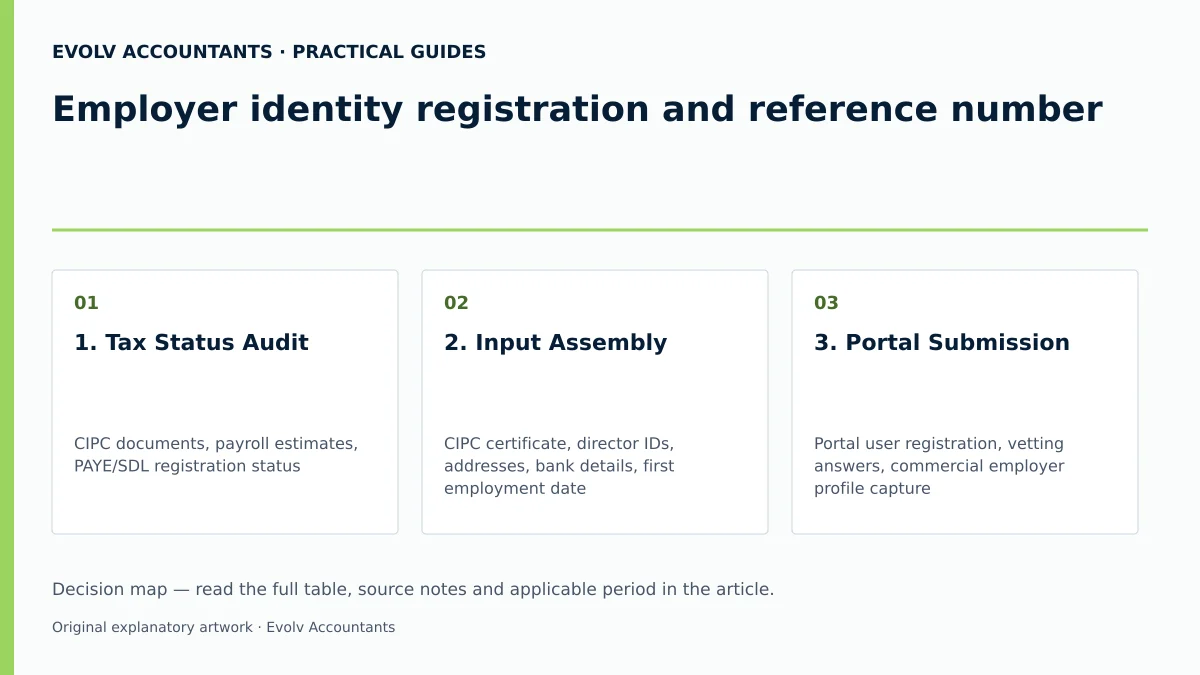
| 1. Tax Status Audit | CIPC documents, payroll estimates, PAYE/SDL registration status 1 4 26 | Public Officer / Financial Manager 22 | Statutory registration portal (SARS vs UI Commissioner) determined 3 4 | If uncertain, consult Evolv for a payroll tax scoping review. |
| 2. Input Assembly | CIPC certificate, director IDs, addresses, bank details, first employment date 26 27 | Company Secretary / Accountant 22 | All director and enterprise details compiled and cross-verified 27 33 | Correct any address or ID discrepancies prior to digital submission. |
| 3. Portal Submission | Portal user registration, vetting answers, commercial employer profile capture 11 26 33 | Authorised Representative / Practitioner 26 29 | Online registration application submitted successfully 11 12 | If vetting fails, submit identity verification to uFiling support 33 34. |
| 4. Evidence Verification | Department of Employment and Labour confirmation email or SARS registration notice 1 12 | Public Officer / Financial Manager 22 | Active UI reference number received and verified on portal dashboard 12 35 | Follow up with portal support if request status remains pending 35. |
| 5. Compliance Directory Setup | Registration notices, UI reference confirmation, initial UI-19 employee records 12 38 50 | Payroll Administrator 20 | Permanent record created and stored in compliance directory 20 38 | Schedule monthly EMP201 declaration and PRN payment deadlines 13 48. |
Frequently Asked Questions
Must an SME register with both SARS and the UI Commissioner for UIF?
An SME must determine its primary payment destination based on PAYE and SDL liability 3 4. Employers liable for PAYE or SDL pay contributions directly to SARS via EMP201 declarations 1 4 13. However, all employers must ensure their employee employment records are registered on the UI Commissioner database (via uFiling or UI-19 submissions) so that employees are indexed for statutory benefits 5 6 19 50.
What is the statutory deadline for registering as an employer?
Under statutory regulations, an employer must apply for registration within 14 days of becoming an employer or hiring its first contributing employee 3 43. Failing or neglecting to register within the prescribed period constitutes an offence under Chapter 17 of the Tax Administration Act 10 53.
Are all employees subject to mandatory UIF deductions?
No 15 31. While the UIC Act applies to most employees, statutory exclusions include employees working less than 24 hours per month for a specific employer, national/provincial public servants, and designated public office holders 15 31. Independent contractors are also excluded from the definition of an employee 21 24.
How is the maximum monthly UIF contribution calculated for high earners?
UIF contributions are calculated at 1% for the employee and 1% for the employer (2% total) on gross remuneration, but contributions are capped at the statutory ceiling of R17 712 per month (R212 544 annually) effective from 1 June 2021 13 16 17 51. For any employee earning above R17 712 per month, the maximum employee deduction is strictly capped at R177,12 per month, with a matching R177,12 from the employer 13.
What happens if an employer fails to pay monthly UIF contributions on time?
Late payments attract interest calculated at the statutory prescribed rate from the day following the due date until full payment is received 54 55. Additionally, a mandatory 10% penalty is imposed on unpaid amounts under Section 13 of the UIC Act 55. Continued non-compliance constitutes a criminal offence punishable by a fine or imprisonment for up to two years 10 53 56. Ask Evolv about employer identity registration and reference number. Share the relevant records so the support required can be scoped.
Related guides
- When a small business must register for UIF
- Calculating employer and employee UIF contributions
- Compliance and Regulations: Keeping Your Business on Track
Sources
- Unemployment Insurance Fund | South African Revenue Service
- https://www.sars.gov.za/wp-content/uploads/Ops/Guides/UIF-GEN-01-G01-Guide-for-Employers-in-respect-of-the-Unemployment-Insurance-Fund-External-Guide.pdf
- https://www.labour.gov.za/DocumentCenter/Publications/Unemployment%20Insurance%20Fund/uFiling%20System%20User%20Guide.pdf
- Unemployment Insurance Fund
- Unemployment Insurance Fund