
TCS PIN expiry and tax compliance status
26 February 2026

Replacing an expired TCS PIN requires access to the relevant approved request on SARS eFiling.
The PIN’s active, expired or cancelled state is separate from the compliance result it reveals. Check My Compliance Profile, remedy or challenge any incorrect non-compliance, then use “New PIN” where available and retain the issued PIN letter. SARS TCS PIN management.
PIN validity and replacement evidence
SARS issues TCS PINs under a modernised digital framework that replaced paper Tax Clearance Certificates (TCC) 1 8 9. Under regulator guidance, "a taxpayer's compliance status is not static and changes according to his/her/its continued compliance with tax requirements" 2. When a third party queries a TCS PIN on eFiling, the system evaluates live compliance across four core pillars: overall compliance, registration status, return submissions, and debt obligations 7 10.
An attempt to renew or replace a PIN often fails due to specific underlying profile errors 3 6 11:
- Expired or Cancelled PIN Status: A TCS PIN carries an explicit expiry period (selected through the applicable PIN-management options) or may be manually cancelled on eFiling 3 12 13.
- Unmerged Tax Profiles: If an SME holds multiple tax reference numbers (e.g. Corporate Income Tax, PAYE, and VAT) that have not been consolidated via the eFiling Merge tool or declared on form ERC01, SARS blocks access to a unified compliance profile 6 11 14.
- Outstanding Returns or Arrears: Unfiled Value Added Tax (VAT201), Employees' Tax (EMP201), or Company Income Tax (ITR14) returns, as well as outstanding administrative penalties, immediately trigger a red "Non-Compliant" status indicator on the My Compliance Profile (MCP) dashboard 7 15 16.
- Erroneous Demographic Particulars: Discrepancies in the registered company name, trading name, address, or contact details on form RAV01 prevent profile verification 6 17 18.
The material consequence of an expired or invalid TCS PIN is immediate operational disruption 2 19. Third parties—including municipal procurement officers, corporate clients, and financial institutions—cannot verify the entity's standing, leading to held vendor payments, disqualified tender submissions, or halted commercial contracts 2 19 20.
PIN Statuses and Operational Impact
eFiling categorises each TCS request under specific status codes: Pending, Review in Progress, Approved, Declined, or Expired 3. Within an approved request, the security PIN itself displays an independent indicator: Active, Inactive, or Cancelled 3. SME management must distinguish between an expired PIN attached to an approved compliant record and a valid PIN whose live compliance result is non-compliant 3 5 7.
— Practical point from this guide
Preserve the original records: pin validity
Statutory law under Section 29 of the Tax Administration Act, 2011 (TAA) obliges taxpayers to retain original records, submissions, and correspondence supporting their tax position 21. Erasing submission history or ignoring past notices compromises the audit trail required during SARS reviews 22 23 24.
Evolv recommends establishing a permanent digital archive containing the following primary evidence 22 25 26 27:
- Original TCR01 Submission Forms: The initial application record containing contact details, requested application type (Good Standing or Approval International Transfer), and chosen PIN validity duration 12 17 28.
- SARS Confirmation Letters: Official TCS Pin Issued letters generated by eFiling, preserving the original Request Reference Number, issue date, PIN number, and stated expiry date 3 25.
- eFiling User Rights and Access Logs: Audit logs of eFiling administrator actions showing which internal users or registered tax practitioners were granted "Tax Compliance Status" and "Tax Compliance Status Verification" access rights 14 27 29.
- RAV01 Maintenance History: Historic notices of registration and saved RAV01 submission confirmations stored under the "Maintain Registered Details History" tab on eFiling 23 26 30.
When replacing a PIN, existing historical records must remain intact 23 31. eFiling automatically retains past applications under the TCS dashboard, allowing SMEs to review historic tender, foreign investment, or good standing submissions 32.
Choose the correct amendment route: replacement evidence
Remediating an invalid or expired PIN requires selecting the exact procedural route prescribed by SARS guidance and tax legislation 4 33 34 35:
- Check My Compliance Profile (MCP)
Route 1: Re-issuing a New PIN for an Approved Request
If the entity's overall status on the My Compliance Profile remains green ("Compliant"), a replacement PIN can be issued directly without submitting a new TCR01 application 4 7. The eFiler navigates to the approved Good Standing or Approval International Transfer request, selects the item, clicks "New PIN", chooses the required validity duration from the drop-down menu, and confirms the re-issue 4 28. The previous active PIN is automatically cancelled and replaced by the new token 4.
Route 2: Correcting Administrative Non-Compliance
If the profile displays a red "Non-Compliant" status due to unfiled returns or unallocated balances, the SME must use the eFiling remedy pathways 7 16 36:
- Submission Defaults: Click the red indicator under "Submission of Returns" to navigate directly to the relevant return work page (e.g. Income Tax, VAT, or PAYE) to capture and file the outstanding period 16.
- Outstanding Debt: Hover over the debt indicator to access account payment options, submit an online payment arrangement request, or request an account statement via "Fix My Account" 15 16 37.
Route 3: Challenging Disputed Non-Compliance
Where non-compliance stems from a SARS system error or an incorrect assessment, the eFiler can select the "Challenge Status" button on the MCP dashboard 34. This action opens a case with SARS, requiring the taxpayer to upload supporting documentation justifying a status re-evaluation 22 34. If SARS accepts the request, a limited-time manual override is applied to the compliance profile 38.
For broader legal disputes regarding assessed tax liability, taxpayers must lodge a formal objection under Section 104 of the Tax Administration Act 35 39.
Make and verify the correction: pin validity
To ensure seamless replacement of an expired PIN, SME managers should execute the following systematic procedure:
- Access eFiling Portfolio: Log in as an authorised eFiling Administrator or Registered Representative and select the correct taxpayer profile from the taxpayer list 27 29 40.
- Verify Access Rights: Navigate to "Organisation" > "Rights Group" > "Manage Groups" and ensure "Tax Compliance Status" rights are selected and updated 14 29.
- Inspect My Compliance Profile: Select the "Tax Status" tab and open "My Compliance Profile" to review all registered tax types and colour indicators 7 41 42.
- Confirm Entity Merge: Verify that all active tax reference numbers (Income Tax, PAYE, VAT) are fully merged under "SARS Registered Details" > "Merge Entities" 6 14 43.
- Remediate Defaults: Complete missing return submissions or settle outstanding debts using the online remedy prompts 16.
- Re-issue or Request PIN: If replacing an expired PIN on an approved profile, click "New PIN" under existing requests 4. If initiating a fresh application, select "Tax Compliance Status Request", select "Good Standing", complete form TCR01, and submit 12 32 44.
- Confirm Status and Download Evidence: Check that the PIN status updates to "ACTIVE" and print or save the official "Tax Compliance Status PIN Issued" letter 4 25.
Artefact: Correction audit trail
| Original record | Error | Authorised action | Changed record | Proof and downstream check |
|---|---|---|---|---|
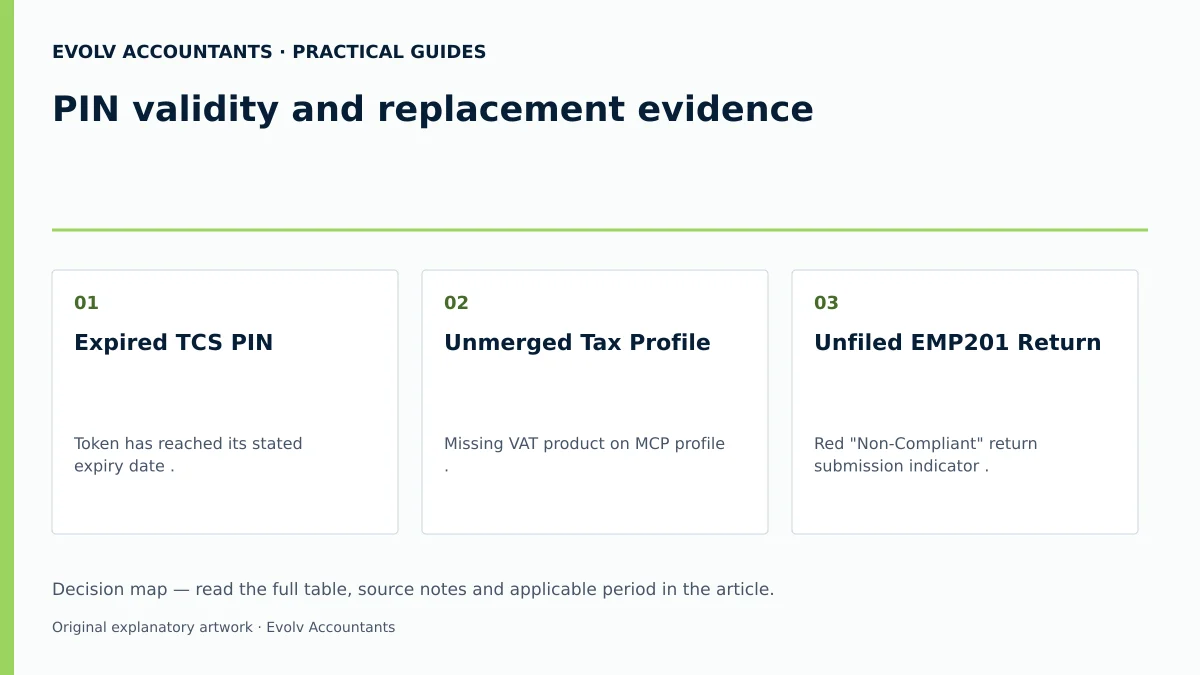
| Expired TCS PIN | Token has reached its stated expiry date 3 12. | Authorised eFiler selects "New PIN" under the relevant approved request where available 4. | Active PIN issued with updated expiry date 4. | "Tax Compliance Status PIN Issued" letter printed; PIN verified on third-party portal 25 45. |
| Unmerged Tax Profile | Missing VAT product on MCP profile 6 14 46. | Execute "Merge Entities" under SARS Registered Details on eFiling 6 14 43. | Consolidated profile displaying all active tax types 11 14. | Check that the relevant tax products appear, then review their actual compliance indicators 7 42. |
| Unfiled EMP201 Return | Red "Non-Compliant" return submission indicator 7 15. | Capture and submit outstanding monthly payroll return on eFiling 16. | Return work page status updated to "Submitted" 16. | Recheck the MCP after processing and investigate any remaining outstanding returns or other non-compliance 7 15. |
| Incorrect Registered Address | Out-of-date legal entity details on RAV01 6 18. | Update address details on form RAV01 via "Maintain SARS Registered Details" 18 47 48. | RAV01 submitted with OTP verification 48 49. | Confirm the accepted address update on the applicable registered-details record or notice 26. |
Consequences and remaining exceptions: replacement evidence
While routine PIN replacements are processed automatically on eFiling, specific statutory exceptions require direct manual intervention 33 50 51:
- Registration Amendments at SARS Branches: Updating core legal entity fields (such as CIPC registration status or legal entity structure) cannot be finalised online 33 52. The eFiler will receive a system prompt stating that no eFiling functionality exists for that change, requiring an in-person branch appointment with supporting documents 33 50.
- Backdating PAYE Liability Dates: Backdating payroll tax liability dates beyond permitted eFiling thresholds requires booking a branch visit and submitting signed employment contracts or financial statements 50 53.
- Approval International Transfer (AIT) Requests: Unlike standard Good Standing requests, AIT applications (used for transferring funds abroad or post-ceasing tax residency) require mandatory supporting documents, such as bank statements issued within 14 days and proof of source of funds 28 54 55. SARS holds a statutory right under Section 256 of the TAA to extend the standard 21-business-day processing window to conduct detailed audits 51.
Reproducible Hypothetical Example
Consider an SME, Cape Manufacturing CC, registered for Corporate Income Tax, PAYE, and VAT. The company requires a Good Standing TCS PIN to submit a commercial supplier bid.
Upon logging into eFiling, the Registered Representative notes that the existing PIN has expired 3. The MCP dashboard displays a red "Non-Compliant" status due to an unpaid administrative penalty of R250.00 (illustrative value) originating from a historic late submission 15. In addition, the company's estimated annual payroll exceeds the statutory Skills Development Levy (SDL) threshold of R500 000.00 (sourced threshold under regulator guide rules), but SDL was omitted during profile activation 53.
To resolve these defects:
- Cape Manufacturing CC pays the R250.00 balance via eFiling e-Payment, clearing the debt indicator 15 16.
- The Registered Representative accesses form RAV01 under "Maintain SARS Registered Details", adds SDL under payroll tax products, and submits the form using OTP authentication 47 49 56.
- Once the MCP dashboard reflects an overall green "Compliant" status (which may take up to 48 hours to refresh), the eFiler selects "New PIN", selects the appropriate “PIN Valid for” option, and generates a new active security PIN 4 15.
Next steps for Tax clearance and compliance
Maintaining continuous tax compliance requires structured internal controls and professional oversight 27 29 57. Evolv recommends appointing a designated control owner (e.g. Public Officer or Finance Lead) to perform monthly reviews of the My Compliance Profile dashboard to catch missing filings or penalties before a PIN expires 15 27 57.
Frequently Asked Questions
Does a red compliance status automatically cancel a TCS PIN?
Outstanding returns can make the status shown to a verifier non-compliant. SARS’s PIN-management guide allows “New PIN” while the request status is “Approved”; it does not state that a red MCP indicator automatically cancels an existing PIN or always prevents reissue. Remedy the actual outstanding returns and check the live result separately. SARS TCS guide.
What is the difference between requesting a "New PIN" and submitting a "Challenge Status" request?
Requesting a "New PIN" generates a replacement security token for an existing request whose request status remains “Approved” 4. Selecting "Challenge Status" initiates a formal case with SARS to dispute a non-compliant status indicator when the taxpayer believes the SARS system record is erroneous 34.
How should I check a TCS PIN’s expiry date?
Check the validity option selected in PIN management and the actual expiry date on the issued PIN letter. A valid PIN shows current compliance status when queried; that result may change during the PIN’s life. SARS TCS guide.
Why does eFiling show "Awaiting Registration Verification" when activating Tax Compliance Status?
This message appears when the eFiling profile user has not yet completed the initial registration verification or entity confirmation process 58 59. The eFiler must select "Continue" to verify entity reference numbers or submit supporting documents establishing their authority as Registered Representative 58 60 61.
What replaced the old paper Tax Clearance Certificate (TCC) and Tender PIN options?
In 2015, SARS replaced paper TCCs with the electronic TCS system 1. Effective April 2023, SARS consolidated application types by eliminating the standalone "Tender" option (which is now fulfilled by "Good Standing") and combining Emigration and Foreign Investment Allowance into "Approval International Transfer" 54 62.
Related guides
- Tax compliance for a newly registered company
- Obtaining a tax compliance status PIN
- The Proactive SARS Audit Guide: Keeping Your Business Ledger Sanitised
Sources
- https://www.sars.gov.za/wp-content/uploads/Ops/Guides/GEN-ELEC-08-G01-Guide-to-the-Tax-Compliance-Status-functionality-on-eFiling-External-Guide.pdf
- Manage your Tax Compliance Status | South African Revenue Service
- https://www.sars.gov.za/wp-content/uploads/Ops/Guides/LAPD-TAdm-G01-Short-Guide-to-the-Tax-Administration-Act-2011.pdf
- https://www.sars.gov.za/wp-content/uploads/Ops/Guides/GEN-REG-01-G04-How-to-Complete-the-Registration-Amendments-and-Verification-Form-RAV01-External-Guide.pdf