
Resolving a UIF registration number mismatch
21 April 2025

A UIF registration-number mismatch requires checking that each SARS and UI Commissioner reference belongs to the correct employer and is linked where required.
The two authorities’ reference numbers need not be identical.
A registration identifier mismatch arises when a South African small or medium enterprise (SME) holds non-aligned reference numbers across the South African Revenue Service (SARS) and the Unemployment Insurance Commissioner (UI Commissioner) 1 2 3. Employers liable for Pay-As-You-Earn (PAYE) or Skills Development Levy (SDL) are legally mandated to pay monthly Unemployment Insurance Contributions (UIC) directly to SARS under their SARS EMP reference number 1 4.
Under Section 10 of the Unemployment Insurance Contributions Act 4 of 2002 (UIC Act), all employers must also maintain an active registration with the UI Commissioner to submit monthly employee worker declarations (UI-19 forms or uFiling declarations) to populate the central worker database 2 5 6.
Correcting a mismatch requires verifying employer tax liabilities, aligning registration records across SARS eFiling and the Department of Employment and Labour uFiling portal, and ensuring that monthly employee declarations correctly reflect the master UIF reference number 3 6 7.
Registration identifiers across UIF and SARS
Target Reader, Jurisdiction, and Reporting Period
This practical guide is designed for South African SME business owners, financial managers, and internal payroll administrators operating within the Republic of South Africa 8 9. The statutory framework applies to the current tax year and ongoing monthly reporting cycles, governed by the contribution threshold set by the Minister of Finance 10 11. Effective 1 June 2021, the maximum remuneration threshold for UIC calculation purposes is R17,712 per month (R212,544 annually) 11.
Meaning of Successful Completion
Successful completion means verifying that the distinct SARS and UIF identifiers both refer to the correct employer and are captured in the appropriate fields, ensuring that monthly financial contributions remitted to SARS via EMP201 reconcile fully with employee records on the central UIF database 2 4 6 12.
Framework Distinctions: Law, Guidance, and Evolv Recommendations
To maintain strict compliance, SMEs must distinguish between legislative requirements, official regulator guidance, and professional accounting practices:
- Statutory Law: The legal mandate to register, deduct, and remit UIC is governed by the Unemployment Insurance Contributions Act 4 of 2002 (UIC Act), the Unemployment Insurance Act 63 of 2001 (UI Act), Paragraph 15 of the Fourth Schedule to the Income Tax Act 58 of 1962, and Chapter 3 of the Tax Administration Act 28 of 2011 (TA Act) 1 8 9 13.
- Regulator Guidance: Operational instructions are set out in SARS External Guides (such as EMP-REG-03-G01 and UIF-GEN-01-G01) and the Department of Employment and Labour uFiling System User Guide 9 14 15.
- Evolv Recommendations: Evolv Accountants advises SMEs to perform quarterly cross-system audits, verifying that monthly EMP201 receipts from SARS match uFiling submission acknowledgements to avoid end-of-year EMP501 reconciliation blocks.
Prepare the information and authority: registration identifiers across uif
Resolving reference mismatches requires compiling verified documentation, establishing administrative authority, and adhering to strict legal submission rules 16 17 18.
Required Documentation and Data Inputs
Before initiating profile amendments or system linking, assemble the following primary evidence:
- SARS EMP103 Registration Certificate: Official proof of your 10-digit SARS employer reference number (starting with a '7') issued upon successful registration 19 20.
- UIF Reference Number: The 8-digit reference number (e.g., 1234567/8) issued by the UI Commissioner 7 21.
- CIPC Entity Documentation: Official CIPC registration certificate detailing the registered company name and company registration number (captured without spaces or slashes) 22.
- Representative Employer Identity Details: South African Identity Document or passport details of the appointed Representative Employer 18 22.
- Proof of Business Address and Bank Details: Recent utility bill or lease agreement (under 3 months old) and verified banking particulars 17 23 24.
Legal Authority and Power of Attorney Restrictions
Under statutory rules, a Representative Employer (such as a Public Officer, Managing Director, or Partner residing in South Africa) is personally responsible for performing employer duties under Paragraph 16 of the Fourth Schedule 18 25.
As stated in SARS external guidance, "all new employers must therefore register with the UI Commissioner, including those employers who are required to registered with SARS" 3.
Crucially, SARS registration rules state that a Power of Attorney will not be accepted for signatories confirming representative employer declarations, and a registered tax practitioner may not sign registration applications on behalf of the applicant 17 26.
Key Statutory Definitions
- Employer: Any person who pays or is liable to pay remuneration to any person, acting as a principal or in a fiduciary capacity 27.
- Employee: Any natural person who receives remuneration or to whom remuneration accrues in respect of services rendered, excluding independent contractors 27.
- Representative Employer: A natural person residing in South Africa responsible for fulfiling statutory employer obligations (e.g., Public Officer for a company) 18.
Complete the task step by step: sars
Follow this step-by-step process grounded in SARS and Department of Employment and Labour primary instructions to resolve reference discrepancies 3 4 7 28:
- Verify Collection vs Declaration Channel: Determine whether your business pays UIC to SARS or directly to the UI Commissioner 1 29. If your SME is liable for PAYE or SDL, or has registered voluntarily with SARS, you must remit monthly UIC payments to SARS 1 30. Employers exempt from SARS PAYE/SDL registration must register and pay directly to the UI Commissioner 29.
- Complete SARS Employer Registration (If Unregistered): Submit form EMP101 (or EMP102 for additional branches/divisions) to SARS within 21 days of becoming an employer 28 31. Registering for PAYE or SDL automatically registers the entity for UIF contribution collection with SARS 32 33.
- Obtain the EMP103 Certificate: Once SARS processes the registration, obtain your EMP103 Registration Certificate confirming your active tax numbers 20.
- Register or Access the uFiling Portal: Log on to www.ufiling.co.za 34. Complete the user registration and security vetting process 34 35.
- Link Existing Employer Reference on uFiling: Navigate to Registrations -> Add on uFiling 7. Select "Commercial Employer", enter the 8-digit UI reference number, and enter the associated SARS PAYE reference number 7.
- Trigger Director Approval: The uFiling system will generate an automated approval request email sent to the registered Owner/Director 36. Track the status under Registrations -> Requests until it changes from "Pending" to "Accepted" 36.
- Submit Monthly Financial Declarations to SARS: Submit monthly EMP201 declarations to SARS by the 7th of each month, using the pre-populated 19-digit Payment Reference Number (PRN) 4 37.
- Submit Monthly Worker Declarations to UI Commissioner: Regardless of where financial payments are made, submit monthly employee details (UI-19 form or uFiling declaration file) strictly to the UI Commissioner 6 38.
Check the result against the evidence: registration identifiers across uif
Do not assume that submitting an application or updating a profile equates to official acceptance 20 36 39. Verify completion through independent primary evidence:
- SARS EMP103 Certificate Verification: Inspect the issued EMP103 certificate to confirm that Employees' Tax (PAYE), SDL, and UIF tax types are active under the correct legal name and registration number 19 20.
- uFiling Profile Acceptance Status: Check the Registrations -> Requests dashboard on uFiling to verify that the linked employer status displays "Accepted" rather than "Pending" or "Rejected" 36.
- Declarations Manager Validation: Access the uFiling Declarations Manager and run the "Calculate Returns" function to ensure declarations reflect "Submitted" status without errors or outstanding UI7 returns 39.
- EMP501 Annual Reconciliation: Verify that the total annual UIC declared and remitted on monthly EMP201 returns matches the aggregate UIF contributions reported on employee IRP5/IT3(a) tax certificates during the annual SARS reconciliation process 12 40.
Handle exceptions and unresolved cases: sars
Mismatched Registration Identifiers and Dual Registrations
If a business has accidentally registered twice—creating duplicate records across SARS branches or holding separate unlinked UI numbers—it must rectify the structure immediately 19. Investigate duplicate or incorrectly linked registrations; legitimate separately registered branches must be distinguished from accidental duplicates and linked to the correct main employer registration 19 31.
Vetting Failures on uFiling
When registering an account or adding an employer on uFiling, system vetting may fail if demographic information (such as ID numbers, addresses, or phone numbers) does not match Department of Employment and Labour records 35 41. If vetting fails, follow the portal prompt to contact uFiling Support through “UIF Services Support”.
Send identity documents only through the route and with the safeguards specified by the support team. uFiling user guide.
Reporting Changes in Business Details
Under Section 23 of the Tax Administration Act and statutory UIF rules, registered employers must communicate any changes to postal/physical addresses, representative details, banking particulars, or email addresses to SARS within 21 business days 23 30.
Ceasing Business Operations and Deregistration
If an employer ceases business or no longer employs staff, it must notify SARS in writing within 14 days under Paragraph 15(3) of the Fourth Schedule and Section 8(2A) of the UIC Act 43. SARS will refuse deregistration if any outstanding returns or unpaid tax liabilities remain unresolved 44.
Specialist Escalation Boundaries
Where electronic portals block linking or system validation errors persist, escalate through official channels:
- SARS Contact Centre: 0800 00 7277 (or +27 11 602 2093 from outside South Africa) 45 46.
- In-Person SARS Branch Submission: Applications or corrections requiring personal submission must be presented by the individual owner, legal representative, or registered tax practitioner at the local SARS branch 45.
- Evolv Professional Assistance: Engage Evolv Accountants to audit historical payroll records, resolve eFiling/uFiling linkage blocks, and handle complex multi-year reconciliations.
Next steps for UIF employer duties
Task and Completion Checklist
| Step | Input or evidence | Suggested owner | Completion check |
|---|---|---|---|
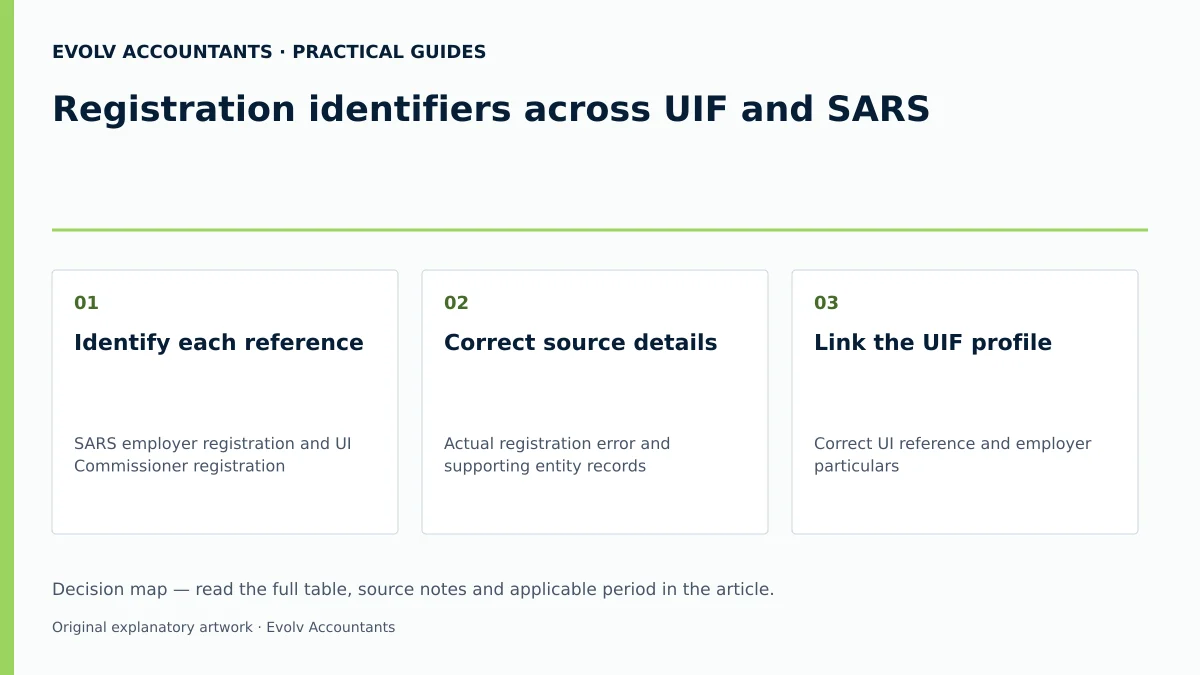
| Identify each reference | SARS employer registration and UI Commissioner registration | Employer or accountant | Each reference belongs to the correct legal employer; numbers need not be identical |
| Correct source details | Actual registration error and supporting entity records | Authorised representative | Use the authority’s supported registered-details correction route and retain the result |
| Link the UIF profile | Correct UI reference and employer particulars | Authorised uFiling user | Employer-link request accepted where required; resolve vetting failures through UIF Services Support |
| Check payment | Applicable authority’s return, reference and receipt | Finance manager | Correct employer and period credited |
| Check declarations | Monthly employee records | Payroll administrator | UI Commissioner submission confirmation retained |
Official guidance; Official guidance.
Reproducible Hypothetical Example
Scenario: Apex Tech Solutions (Pty) Ltd employs 3 full-time staff members in the current tax year. The company is registered with SARS for PAYE and UIF under reference 7123456789 and holds UI reference 1234567/8 1 7 20.
- Remuneration Assessment:
- Employee A: Earns R15,000 gross per month.
- Employee B: Earns R20,000 gross per month.
- Employee C: Earns R10,000 gross per month.
- Applying the Statutory Threshold:
- Statutory UIC rate: 1% employee deduction + 1% employer contribution = 2% total contribution 10 48 49.
- Maximum monthly threshold per employee: R17,712 (effective 1 June 2021) 11.
- Employee A: Capped remuneration = R15,000. Contribution = R15,000 × 2% = R300 (R150 employee + R150 employer) 10 49.
- Employee B: Remuneration exceeds R17,712 cap. Capped remuneration = R17,712 10 11. Contribution = R17,712 × 2% = R354.24 (R177.12 employee + R177.12 employer) 10 49.
- Employee C: Capped remuneration = R10,000. Contribution = R10,000 × 2% = R200 (R100 employee + R100 employer) 10 49.
- Monthly Financial Return (EMP201):
- Total monthly UIC payable to SARS = R300 + R354.24 + R200 = R854.24 10 50.
- Submitted via SARS eFiling using the 19-digit PRN before the 7th of the following month 4 37.
- Monthly Employee Declaration (UI-19):
- Detailed breakdown of all 3 employees submitted via uFiling to the UI Commissioner under reference 1234567/8, referencing SARS EMP number 7123456789 6 7.
Frequently Asked Questions
Q1: What is the primary difference between registering for UIF with SARS versus the UI Commissioner?
Employers liable for PAYE or SDL (or voluntarily registered with SARS) must pay monthly UIF contributions directly to SARS 1 30. Employers exempt from PAYE/SDL pay contributions directly to the UI Commissioner 29. However, all employers must be registered with the UI Commissioner to submit monthly employee declarations (UI-19 forms) to update the central worker database 2 6.
Q2: Can a tax practitioner sign the SARS employer registration forms on behalf of a company?
No. SARS external guidance explicitly specifies that application forms (EMP101/EMP102) may not be signed by a Tax Practitioner on behalf of the applicant 26. The declaration must be signed by the Representative Employer (e.g., Public Officer or Managing Director) residing in South Africa 18 25 26.
Q3: What happens if an employer fails to pay monthly UIF contributions on time?
If UIC payments are not received by SARS within 7 days after the end of the month, interest is charged at the prescribed statutory rate from the day following the due date 37 47 51. Additionally, a mandatory penalty of 10% is imposed on the unpaid contribution amount under Section 13 of the UIC Act 47.
Q4: Are manual paper tax forms and manual payments still accepted by SARS?
SARS guidance states that manual tax forms and manual payments ceased to be accepted from 1 April 2016. Use the supported electronic return channel and an approved payment method. SARS separately lists eFiling, EFT and payments through approved banks; e@syFile is not itself the only way to pay. SARS UIF payment methods.
Q5: How long must an employer retain records of UIF declarations and payrolls?
Employers are legally required to retain all payroll records, employee declaration details, and return documentation for a minimum period of 5 years from the date of submission 52. These records must be made available for inspection by SARS or UIF auditors upon request 52. Ask Evolv about registration identifiers across UIF and SARS. Share the relevant records so the support required can be scoped.
Related guides
- Correcting UIF over deductions on payroll
- When a small business must register for UIF
- Compliance and Regulations: Keeping Your Business on Track
Sources
- https://www.sars.gov.za/wp-content/uploads/Ops/Guides/UIF-GEN-01-G01-Guide-for-Employers-in-respect-of-the-Unemployment-Insurance-Fund-External-Guide.pdf
- https://www.labour.gov.za/DocumentCenter/Publications/Unemployment%20Insurance%20Fund/uFiling%20System%20User%20Guide.pdf
- https://www.sars.gov.za/wp-content/uploads/Ops/Guides/EMP-REG-03-G01-Guide-for-completion-of-Employer-Registration-application-External-Guide.pdf
- Unemployment Insurance Fund | South African Revenue Service