
Setting up the first payroll for a small business
24 April 2026

Setting up a small-business payroll requires checking PAYE, SDL and UIF registration duties, verifying employee records, and controlling deductions, employer contributions and monthly submissions.
Set up payroll by checking PAYE, SDL and UIF registration duties, employee records, current tax calculations and submission controls. Separate employee deductions from employer contributions. For SARS monthly employer payments, use the seven-calendar-day deadline after month-end, brought forward to the preceding business day where the seventh is a weekend or public holiday. Reconcile and check payment allocation after submission. These controls help identify errors; they do not guarantee compliance or immunity from liability.
Payroll setup scope and first pay run controls
This guide is designed for South African SME owners, company directors, financial managers, and payroll administrators establishing payroll operations for the first time. All guidance is grounded in South African tax legislation, including the Income Tax Act No. 58 of 1962 (Fourth Schedule), Unemployment Insurance Contributions Act No. 4 of 2002 (UIC Act), Unemployment Insurance Act No. 63 of 2001 (UI Act), Skills Development Levies Act No. 9 of 1999 (SDL Act), and Tax Administration Act No. 28 of 2011 (TA Act) 5 8 9 10.
Statutory rates, thresholds, and calculations reflect the 2026/2027 tax year (1 March 2026 to 28 February 2027) administered by SARS 11 12.
Completing payroll setup means far more than calculating employee net salaries. Full completion requires establishing the registrations applicable to the employer, validating employee master data, formalising gross-to-net calculation controls, securing payment release authorisations, and completing monthly EMP201 declarations alongside bi-annual EMP501 reconciliations 1 3 13 14.
— Practical point from this guide
Prepare the information and authority: payroll setup scope
Statutory registrations and representative employer authority
SARS’s current registration guidance requires employer registration within21 business days after becoming an employer, unless none of the employees is liable for normal tax. Check SDL liability separately. UIF payment registration is with SARS where PAYE/SDL liability or voluntary SARS employer registration requires it; otherwise register for payment with the UI Commissioner.
All employers must provide employee declarations to the UI Commissioner. SARS registration guidance; SARS UIF registration rules.
For non-natural entities—such as private companies (Pty Ltd), close corporations (CC), trusts, or partnerships—a resident natural person must be designated as the representative employer under Paragraph 16 of the Fourth Schedule 17 18 19 20. The representative employer is legally responsible for performing all statutory employer duties and carries personal liability for unremitted taxes and non-compliance penalties 2 18.
Scope of statutory taxes: PAYE, SDL, and UIF
Employers must understand the legal thresholds and obligations governing the three main payroll taxes:
- Pay-As-You-Earn (PAYE): According to the Fourth Schedule, an employer must "deduct or withhold employees' tax from remuneration" whenever an employee earns above the statutory tax threshold 21. For the 2027 tax year (1 March 2026 to 28 February 2027), the annual tax threshold for individuals under 65 years of age is R99,000 22 23.
- Unemployment Insurance Fund (UIF): Mandatory contributions fund short-term unemployment, maternity, and illness benefits 8 24. Total monthly contributions equal 2% of qualifying remuneration, split equally: 1% deducted from the employee and 1% contributed by the employer 25 26. Contributions are capped at the statutory monthly earnings ceiling of R17,712 (R212,544 per annum), yielding a maximum monthly employee deduction of R177.12 and employer contribution of R177.12 25 27 28. Employees working under 24 hours per month for an employer are exempt 29 30.
- Skills Development Levy (SDL): Governed by the SDL Act, this compulsory 1% levy on leviable remuneration funds national workforce training via Sector Education and Training Authorities (SETAs) 2 31 32. An employer is legally exempt from paying SDL if there are reasonable grounds for believing that total leviable remuneration paid to all employees across the next 12 months will not exceed R500,000 33 34 35.
Essential employee master data and record-keeping rules
Employers must maintain accurate payroll registers and retain employee records for five years under Chapter 4 of the Tax Administration Act 36 37 38 39. Before running the first payroll, administrators must collect and verify:
- Personal & Tax Identifiers: Full legal name, South African ID or passport number, residential address, bank details, and an active Tax Reference Number (TRN) 40 41. If an employee lacks a TRN, the employer can register them via eFiling TRN Enquiry Services 42 43.
- Employment Terms & Tax Directives: Employment contract, pay frequency (monthly, weekly), nature of person classification (e.g. Nature A for standard individuals) 40 41 44, and official SARS tax directives for fixed tax rates or lump sums where applicable 45 46 47.
Complete the task step by step: first pay run controls
Executing a compliant pay run requires a structured, repeatable sequence of controls to prevent calculation errors, under-withdrawals, or missed deadlines.
Step 1: Pre-payroll verification and gross-to-net calculations
Calculate gross employment income by aggregating basic wages, overtime, allowances (e.g. travel allowance subject to 80% or 20% PAYE inclusion), and taxable fringe benefits (e.g. company vehicle or employer-paid medical aid) 48 49 50. Subtract allowable deductions—such as employee retirement annuity or pension fund contributions limited under Section 11F—to determine the balance of remuneration 51 52 53.
Reproducible hypothetical pay run example
Consider a South African SME running a monthly pay run for an employee aged 30 earning a basic monthly salary of R20,000 during the 2026/2027 tax year 11 12:
- PAYE Withholding Calculation:
- Annual Equivalent Remuneration: R20,000 × 12 = R240,000 54.
- Gross Annual Tax (2027 tax brackets: 18% on taxable income up to R245,100): R240,000 × 18% = R43,200 12 55.
- Less Primary Tax Rebate (2027 tax year): R17,820 22 23.
- Net Annual Tax Liability: R43,200 − R17,820 = R25,380 per annum 22 55.
- Monthly PAYE Deduction: R25,380 ÷ 12 = R2,115.00 56 57.
- UIF Contribution Calculation:
- Employee monthly remuneration (R20,000) exceeds the monthly ceiling of R17,712 25 27.
- Employee UIF Deduction (1% of R17,712): R177.12 26 27.
- Employer UIF Contribution (1% of R17,712): R177.12 26 27.
- Total Monthly UIF Liability: R354.24 25 27.
- SDL Calculation:
- Assuming the SME's total annual payroll exceeds R500,000, SDL applies at 1%: R20,000 × 1% = R200.00 31 58. (If annual payroll is R500,000 or below, SDL is R0.00 due to statutory exemption 33 34 35).
- Pay Run Net Summary:
- Net Salary Payable to Employee: R20,000 basic − R2,115.00 PAYE − R177.12 UIF = R17,707.88.
- Total Monthly Remittance to SARS: PAYE (R2,115.00) + Total UIF (R354.24) + SDL (R200.00) = R2,669.24 1 27 31.
Step 2: Pay run sign-off and bank disbursement
Perform an independent review matching total gross-to-net reports against bank EFT batch files before releasing net salaries 6.
Step 3: Request and submit the monthly EMP201 declaration
Log onto SARS eFiling or e@syFile™ Employer and request the Monthly Employer Declaration (EMP201) 59 60 61. Capture the calculated monthly liabilities separately for PAYE, SDL, and UIF 1 31 60. Electronic submission must be completed on or before the 7th day of the following calendar month 1 4. If the 7th falls on a Saturday, Sunday, or public holiday, the declaration and payment must be received by SARS on the last business day prior 1 4 62.
Step 4: Settle monthly liabilities using the Payment Reference Number (PRN)
Upon requesting the EMP201, SARS systematically generates a 19-digit Payment Reference Number (PRN) pre-populated on the form 27 31 36 61. Payment must be made via eFiling credit push or electronic funds transfer (EFT) using internet banking, citing the exact 19-digit PRN to ensure correct account allocation 62 63 64. SARS no longer accepts manual tax forms, cheques, or debit pull transactions 61 63.
Check the result against the evidence: payroll setup scope
Submitting an EMP201 declaration or releasing an EFT payment does not automatically guarantee that SARS has accepted the transaction as compliant 36 65 66. Employers must verify completion against four independent evidence sources:
- eFiling Return Status: Confirm that the EMP201 status changes from "Pending" to "Successfully Submitted" 67 68.
- Employer Statement of Account (EMPSA): Request an EMPSA via eFiling to verify that payments have been processed and credited against the correct liability period 6 69 70. SARS applies statutory payment allocation rules in a strict sequence: penalties first, interest second, and outstanding tax liability last 6.
- Tax Compliance Status (TCS): Monitor the business's tax compliance profile on eFiling 65 71 72. Maintaining an active, compliant status is mandatory for claiming excess Employment Tax Incentive (ETI) refunds 65 71 72.
- Bi-Annual Employer Reconciliations (EMP501): Employers must complete bi-annual employer reconciliations submitted with employee tax certificates [IRP5/IT3(a)] 13 73 74:
- Interim Reconciliation: Covers the six-month period from March to August and must be submitted during September and October 73 74 75.
- Annual Reconciliation: Covers the full 12-month tax year (March to February) and must be submitted by the annual closing date published by SARS 13 73 74.
- Reconciliations containing up to 50 certificates can be filed via eFiling; payrolls with more than 50 certificates must be submitted via e@syFile™ Employer 76 77.
Handle exceptions and unresolved cases: first pay run controls
Correcting PAYE over-deductions and under-deductions
- Over-deductions: Employers are strictly prohibited from issuing tax refunds directly to employees after the close of the tax year 78 79. Over-deducted PAYE is refunded to the employee by SARS upon personal income tax assessment (ITR12) 78 79. During an active tax year, an employer may adjust PAYE in subsequent months provided the adjustment does not reduce monthly PAYE below Rnil 78 79.
- Under-deductions: If an employer fails to deduct the full PAYE required, the employer becomes personally liable to SARS for the shortfall, plus a 10% late payment penalty and statutory interest 6 7 78 80. The employer may recover the outstanding tax from future employee remuneration only after applying for a SARS directive specifying the recovery terms 78 81.
Penalty notices and Excessive Liability Changes
- Penalty Assessment Notices (EMP301): If SARS levies late submission or payment penalties, the employer may lodge an electronic Request for Remission (RFR) via eFiling stating valid grounds for relief 70 82.
- Notice of Excessive Liability Change (ELC): If monthly EMP201 declarations differ substantially from the underlying IRP5/IT3(a) certificate values during reconciliation, SARS issues an ELC notice 66. Supporting payroll registers must be uploaded via the SARS Online Query System (SOQS) to resolve the query 66 83.
Specialist boundaries
Complex payroll matters—such as variable remuneration under Section 7B, CCMA arbitration awards, foreign service income exemptions, or business restructuring—require formal advice from qualified tax practitioners 84 85 86.
Next steps for Payroll operations
Reusable Task and Completion Checklist
Use the structured checklist below to manage and audit payroll setup and first pay run operations.
| Step | Input or evidence | Suggested owner | Completion check |
|---|---|---|---|
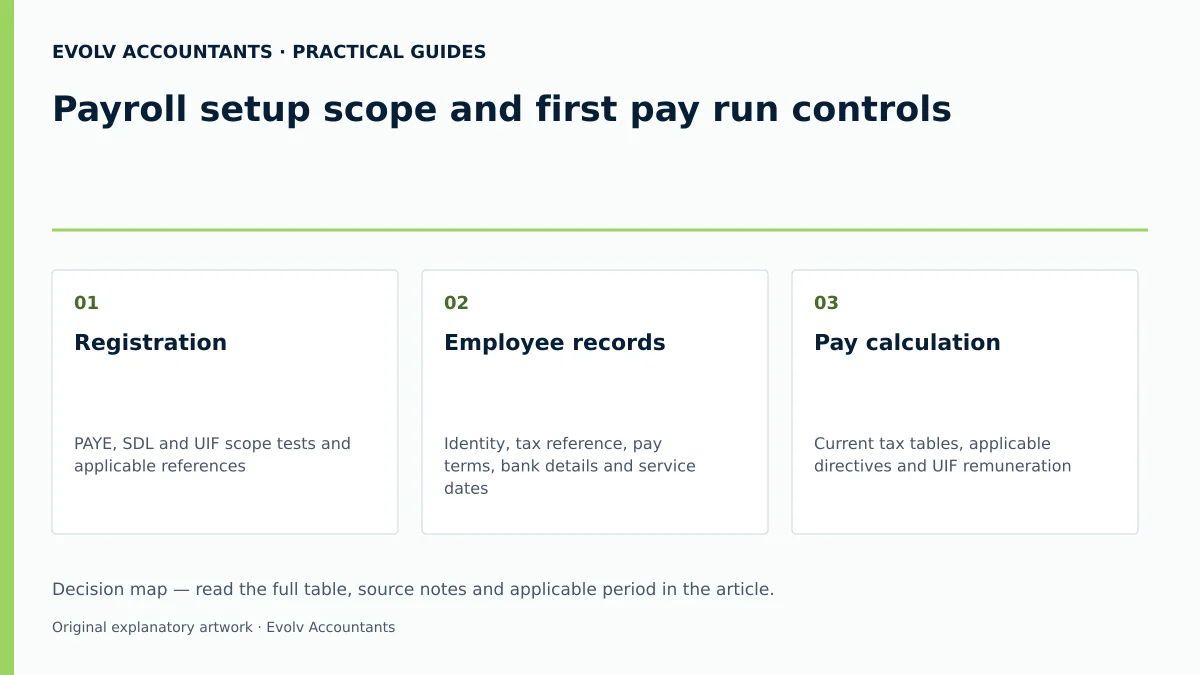
| Registration | PAYE, SDL and UIF scope tests and applicable references | Employer or representative | Required SARS and UI Commissioner registrations checked; do not assume every employer owes every tax |
| Employee records | Identity, tax reference, pay terms, bank details and service dates | Payroll administrator | Facts checked against source records; use supported SARS tax-reference services where required |
| Pay calculation | Current tax tables, applicable directives and UIF remuneration | Payroll administrator | Check employee PAYE/UIF deductions separately from employer UIF and SDL costs |
| Monthly returns and payments | EMP201 and PRN where SARS collection applies; prescribed UIF employee declarations | Authorised declarant and finance manager | Submit each required stream, pay on time and check actual allocation |
| Correct errors | Source payroll, submitted return and receipt | Accountant | Use the applicable correction or payment-query route and retain its result |
| Reconciliation | EMP501, certificates, declarations and payments where required | Accountant | Balance supported totals, submit and inspect the processing result; a receipt alone is not final acceptance |
Official guidance; Official guidance; Official guidance; Official guidance.
Frequently Asked Questions
FAQ 1: When must an SME register as an employer with SARS?
An employer must apply to register with SARS for payroll taxes within 21 business days of becoming an employer, unless no employees earn above the normal tax threshold 3 15. Application is submitted electronically via SARS eFiling or form EMP101e 3 16.
FAQ 2: What is the maximum monthly UIF contribution for an employee?
UIF contributions equal 2% of remuneration (1% employee deduction + 1% employer contribution) 25 26. Contributions are capped at the monthly earnings ceiling of R17,712 (R212,544 per annum) 25 27 28. For employees earning R17,712 or more per month, the maximum employee deduction is R177.12 and the maximum employer contribution is R177.12 (R354.24 total) 26 27.
FAQ 3: Is a small business with an annual payroll of R400,000 required to pay SDL?
No. An employer is legally exempt from paying SDL if there are reasonable grounds for believing that total leviable remuneration paid to all employees over a 12-month period will not exceed R500,000 33 34 35. However, the business remains obligated to register for and remit PAYE and UIF where applicable 33 90.
FAQ 4: What happens when payroll tax is paid late?
A 10% late-payment penalty and statutory interest can apply to unpaid liabilities after the due date. Filing and payment are separate duties: submitting a return does not pay the liability, and lateness of a return alone does not establish an unpaid amount. The monthly payment deadline moves to the preceding business day when the seventh falls on a weekend or public holiday. SARS penalty guidance.
FAQ 5: What is the difference between an EMP201 and an EMP501?
The EMP201 is a monthly self-assessment declaration declaring total PAYE, SDL, UIF, and ETI liabilities for that month 1 14 60. The EMP501 is a bi-annual reconciliation statement submitted within SARS’s published interim and annual windows that reconciles all monthly EMP201 declarations and payments against individual employee tax certificates [IRP5/IT3(a)] 13 73 74.
Related guides
- UIF obligations for domestic workers
- When an employer must register for PAYE
- Compliance and Regulations: Keeping Your Business on Track
Sources
- https://www.sars.gov.za/wp-content/uploads/Ops/Guides/EMP-REG-03-G01-Guide-for-completion-of-Employer-Registration-application-External-Guide.pdf
- Unemployment Insurance Fund | South African Revenue Service
- https://www.sars.gov.za/wp-content/uploads/Ops/Guides/SDL-GEN-01-G01-Guide-for-Employers-in-respect-of-Skills-Development-Levy-External-Guide.pdf
- https://www.sars.gov.za/wp-content/uploads/Ops/Guides/UIF-GEN-01-G01-Guide-for-Employers-in-respect-of-the-Unemployment-Insurance-Fund-External-Guide.pdf
- Guide for Employers in Respect of Employees' Tax (2027) | South African Revenue Service
- Rates of Tax for Individuals | South African Revenue Service
- COMPLETING THE MONTHLY EMPLOYER DECLARATION (EMP201) | South African Revenue Service
- Registering for Employees' Tax [Pay-As-You-Earn (PAYE)] | South African Revenue Service
- https://www.sars.gov.za/wp-content/uploads/Ops/Guides/EMP-GEN-02-G01-A-Guide-to-the-Employer-Reconciliation-Process-External-Guide.pdf
- Skills Development Levy | South African Revenue Service
- https://www.labour.gov.za/DocumentCenter/Publications/Unemployment%20Insurance%20Fund/uFiling%20System%20User%20Guide.pdf