
Sharing a TCS PIN with a customer or tender office
12 September 2026

Sharing a Tax Compliance Status PIN requires an authorised South African business to grant a customer or tender office online access to its real-time tax status via eFiling.
The South African Revenue Service (SARS) Tax Compliance Status (TCS) system replaced the legacy paper-based Tax Clearance Certificate (TCC) system to modernise tax administration 1 2. Under this digital framework, generating a TCS PIN allows third parties—such as commercial buyers, state procurement officers, or tender boards—to verify a taxpayer's live tax standing online without granting access to confidential financial statements or return details 1 3 4.
A TCS PIN provides access strictly to the taxpayer's real-time compliance profile at the exact moment of viewing 1 3. Compliance can change as filing and payment obligations change. Check the live result, including any recognised payment arrangements; an active PIN is not a permanent compliance guarantee 3 5.
PIN permission scope and safe sharing
Understanding the distinction between statutory law, regulator administrative guidance, and practical advisory recommendations is essential for South African small and medium enterprises (SMEs) managing commercial contracts and public tenders.
— Practical point from this guide
- Statutory Law: Section 256 of the Tax Administration Act, 2011 (Act No. 28 of 2011) codifies the confirmation of tax compliance status 6. The legislation mandates that SARS issue or decline a tax compliance status confirmation within 21 business days of application 7. Under statutory provisions, SARS may decline confirmation if the taxpayer has outstanding tax returns or unpaid tax debts without an agreed payment arrangement or suspension of payment 7. Furthermore, Section 67 enforces strict taxpayer secrecy, ensuring that third-party verification via a PIN reveals only the overall compliance status rather than confidential tax return data 1 4.
- Regulator Guidance: SARS operational guides mandate that the legacy "Tender" application type has been phased out, and taxpayers must issue a "Good Standing" TCS PIN for both commercial customer compliance checks and public tender applications 8 9. Guidance dictates that eFiling administrators must configure specific user rights within "Manage Groups" to control who can request or verify PINs 10 11.
- Evolv Recommendations: Evolv Accountants advises SME directors to treat a TCS PIN as controlled access credentials. Businesses should establish internal governance ensuring that My Compliance Profile (MCP) indicators are audited prior to PIN generation, PIN validity periods are limited to the minimum duration necessary for the contract or tender window, and PIN usage is tracked using eFiling audit logs 11 12 13 14.
Completion of this reader task means that the SME has successfully audited its tax profile, generated an active Good Standing TCS PIN on eFiling with an appropriate validity window, safely transmitted the PIN and tax reference number to the requesting party, and verified third-party access through SARS audit trails 1 11 13 14.
Prepare the information and authority: pin permission scope
Before generating and sharing a TCS PIN, an SME must assemble the required eFiling permissions, legal authority, and registration records.
Required Documentation and System Inputs
- Registered Tax Reference Numbers: The entity's primary Income Tax reference number, Value-Added Tax (VAT) registration number (if liable), and Pay As You Earn (PAYE) employer reference number 11 15.
- Entity Reference Number Confirmation & Merged Profile: Confirmation that all active tax types are merged under a single eFiling profile to ensure the My Compliance Profile reflects complete entity tax health 11 16.
- TCR01 Form Inputs: Valid contact particulars, specifically a designated mobile telephone number and email address, as SARS issues PIN notifications directly to these channels 17 18.
- Configured PIN Expiry Window: Select the appropriate option offered under “PIN Valid for” and verify the expiry date shown on the issued PIN letter 13.
User Rights and Authority Setup
To manage TCS PINs, eFiling profile administrators for Organisation or Tax Practitioner portfolios must explicitly assign access rights 10. Navigating to Organisation > Rights Group > Manage Groups > Group Details (System Default or custom group), the administrator must tick the Tax Compliance Status check box (to request PINs) and Tax Compliance Status Verification check box (to verify third-party PINs) before selecting Update 10 11.
Where a registered tax practitioner or representative submits requests on behalf of the business, formal authorisation must be granted through eFiling's Manage Access Requests functionality using a One-Time PIN (OTP) process 19 20.
Complete the task step by step: safe sharing
SME managers and accounting teams should follow this structured, five-step sequence grounded in official SARS eFiling operational procedures 2.
Step 1: Verify System Rights and Portfolio Selection
Log into SARS eFiling, select the correct entity from the Taxpayer List under the Organisation or Tax Practitioner portfolio, and confirm that TCS rights are active in the user's assigned group 10 21.
Step 2: Audit "My Compliance Profile" (MCP)
Navigate to the top menu and select Tax Status > Tax Compliance Status > My Compliance Profile 21 22. Inspect the dashboard summary across the three core compliance pillars 23:
- Registration Status: Confirms active registration for all tax types the business is liable for 23.
- Submission of Returns: Confirms that no required tax returns (Income Tax, Provisional Tax, VAT, PAYE, SDL, UIF) are outstanding past stipulated filing due dates 23 24.
- Debt: Confirms that no unpaid tax debt exists without an active SARS payment arrangement or formal suspension of debt 23.
Ensure all overall compliance indicators display as Green ("Compliant") or "Compliant (New Taxpayer)" before proceeding 22 23.
Step 3: Complete the Tax Compliance Status Request (TCR01)
- Select Tax Compliance Status Request from the left menu or dashboard tab 25 26.
- Select Good Standing from the Type drop-down menu (note that "Good Standing" fulfills both commercial customer and tender requirements) 8 9 27.
- Click Request to open the TCR01 application form 27.
- Verify prepopulated legal entity details and capture mandatory contact details (cellphone number and email address) 17.
- For Good Standing PIN management, select the required option in the “PIN Valid for” dropdown; verify the issued expiry date rather than using the AIT form’s months field 13.
- Click Submit form 13.
Step 4: Retrieve and Extract the Issued TCS PIN
Upon submission, navigate to the Tax Compliance Status work page under STATUS OF EXISTING REQUESTS > GOOD STANDING 28 29. Select the Request Reference No hyperlink 29. The system displays the approved request containing the unique 10-character alphanumeric TCS PIN, Issue Date, and Expiry Date 30 31.
To retain documentary proof, click Print PIN to generate and download the official "TAX COMPLIANCE STATUS PIN ISSUED" letter 32. Alternatively, select SMS PIN and enter a mobile number to dispatch the PIN via official SARS SMS 31.
Step 5: Securely Transmit Credentials to the Receiving Party
Transmit the 10-character TCS PIN alongside the company's registered Income Tax Reference Number to the customer or tender procurement office via encrypted email or secure client portal. Instruct the receiving institution to verify the status online via SARS eFiling under Tax Compliance Status Verification 3 33 34.
Check the result against the evidence: pin permission scope
SME management should not assume that submitting a PIN request or sending a PIN to a client completes the compliance loop. Independent evidence must be verified.
- Official Confirmation Letter: Verify that the official TAX COMPLIANCE STATUS PIN ISSUED letter is stored in the eFiling documentation repository with a status of Approved and ACTIVE 30 32.
- eFiling Verification Audit Log ("Who Viewed My Status"): To confirm that a customer or tender board has actually verified the PIN, navigate to Tax Status > Tax Compliance Status > Who viewed my status 14 35. Capture the search date range and click Request 14. The resulting grid displays 14 36:
- Third Party Name (the verifying institution) 36.
- Date and Time Stamp of verification 36.
- Tax Compliance Status shown at that moment (e.g., Compliant) 36.
- Verification Channel (eFiling or SARS Branch) 36.
- Verification audit trail: Use “Who viewed my status” to check the verifier, date and result. Do not rely on receiving an automatic SMS for every query. SARS TCS audit trail.
Handle exceptions and unresolved cases: safe sharing
When tax profile irregularities or non-compliant indicators arise, SMEs must apply specific operational remedies.
Addressing Non-Compliant Indicators (Red Indicators)
If the My Compliance Profile displays Red ("Non-Compliant"), click the expand button next to the failing category (Submission of Returns or Debt) to identify specific outstanding tax periods or account balances 23 38.
- Outstanding Returns: Submit all missing returns immediately via eFiling.
- Outstanding Debt: Pay the outstanding balance or submit an eFiling payment arrangement request 23 39. Note that payments or return filings may take up to 48 hours to reflect on the MCP dashboard 5.
Using "Challenge Status"
If non-compliance is reflected incorrectly due to a SARS system error or unallocated payment, click the Challenge Status button on the MCP dashboard 40. This opens an eFiling case and provides a work page to upload supporting evidence (such as proof of payment or filing receipts) for SARS manual review 25 40 41. The status of the query can be monitored under My Account Enquiries 42.
Managing Compromised or Expired PINs
- Cancelling a PIN: If a PIN was shared in error or an unverified third party gains access, select the request on the TCS dashboard and click Cancel PIN 43. Confirming cancellation immediately updates the status to CANCELLED, preventing any further third-party verifications 43 44.
- Issuing a New PIN: While a request status remains Approved, an SME can click New PIN at any time, select a new validity period, and click OK 45. This automatically cancels the previous active PIN and issues a fresh PIN 45.
Newly Registered Taxpayers
Entities recently incorporated that have not reached their first tax filing or payment due date will display an overall indicator of Compliant (New Taxpayer) 22. SARS shares a specific note with third parties confirming limited compliance history, which may require the SME to supply supplementary registration documents during tender evaluation 22 34.
Statutory SARS Review Windows
Under Section 256(2) of the Tax Administration Act, SARS is allowed up to 21 business days to issue or decline a TCS confirmation 7. SARS may extend this timeframe where comprehensive audit reviews are required 7.
Next steps for Tax clearance and compliance
Task and Completion Checklist
| Step | Input or evidence | Responsible person | Completion check | Exception or next action |
|---|---|---|---|---|
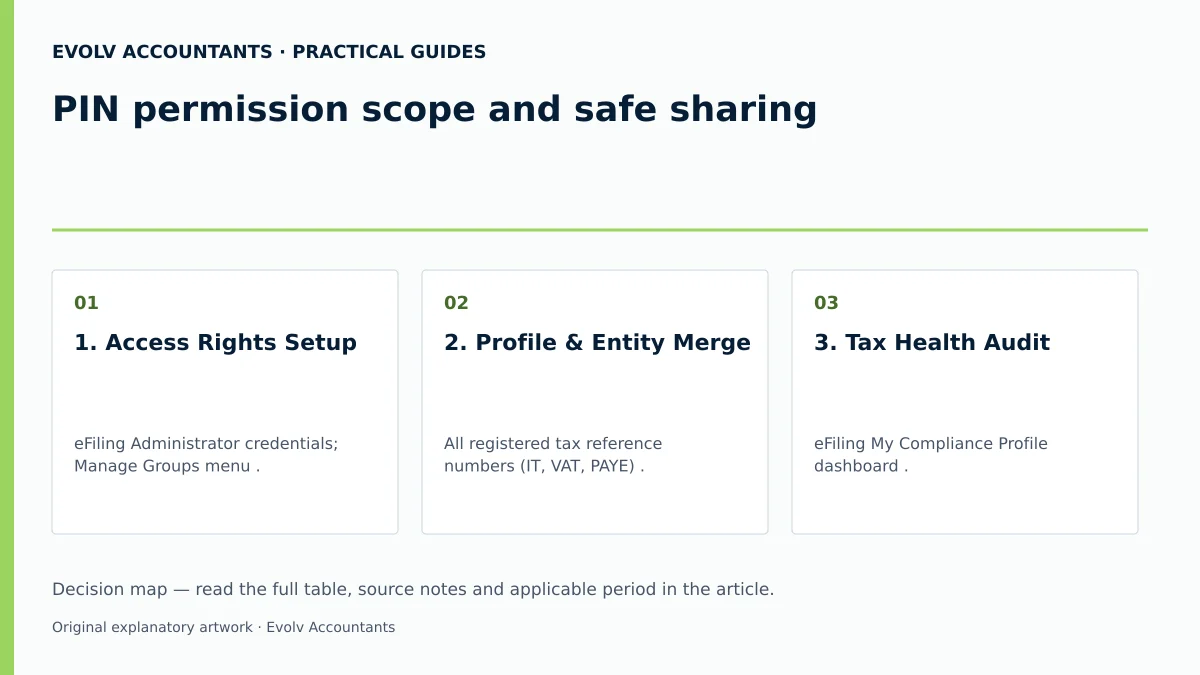
| 1. Access Rights Setup | eFiling Administrator credentials; Manage Groups menu 10. | eFiling Admin / Financial Director | Tax Compliance Status check boxes ticked and updated 10 11. | Re-assign user rights or request representative authorisation via OTP 11 19. |
| 2. Profile & Entity Merge | All registered tax reference numbers (IT, VAT, PAYE) 11 15. | Public Officer / Tax Practitioner | All tax products visible on My Compliance Profile 11 16. | Execute "Merge Entities" function on eFiling or visit a SARS branch 11 16 39. |
| 3. Tax Health Audit | eFiling My Compliance Profile dashboard 21 22. | Accountant / Financial Manager | Green "Compliant" indicators across Registration, Returns, and Debt 23. | Remedy outstanding returns/debt or submit a "Challenge Status" case 39 40. |
| 4. TCR01 PIN Application | Good Standing application type; contact details; validity period 13 17 27. | Tax Practitioner / Financial Officer | TCR01 submitted successfully; Request status reads Approved 13 30. | Await SARS 21 business day processing window if flagged for manual review 7. |
| 5. PIN Extraction & Share | Official eFiling TCS dashboard; Print PIN function 30 32. | Compliance Officer / Director | 10-character PIN extracted; TCS PIN Issued letter printed 31 32. | Use SMS PIN or encrypted email to transmit credentials to third party 31. |
| 6. Third-Party Audit Check | Who viewed my status query dashboard on eFiling 14 35. | Internal Auditor / Compliance Manager | Record the third-party viewing details and actual result available in the status-history functions 36. | If PIN is misused, click Cancel PIN and issue a New PIN immediately 43 45. |
Reproducible Hypothetical Example
Consider an SME, Vanguard Engineering (Pty) Ltd, preparing a supply tender for a municipality.
- Setup: Vanguard holds active registrations for Corporate Income Tax, VAT, and PAYE 15.
- Profile Verification: The financial manager logs into eFiling and inspects the My Compliance Profile, confirming green indicators across all tax types 21 23.
- PIN Request: On 15 October 2026, the manager accesses Tax Compliance Status Request, selects Good Standing, inputs a cell phone number and email address, selects the required option offered by PIN management, and submits the TCR01 form 13 17 27.
- PIN Issuance: eFiling instantly approves the request and generates a 10-character PIN (9A8B7C6D5E) with an expiry date recorded on the issued letter 30 31.
- Sharing & Audit: Vanguard submits PIN 9A8B7C6D5E and Income Tax Reference Number 9123456789 with its tender submission. Checking the Who viewed my status log on eFiling confirms that the Municipal Tender Board successfully verified Vanguard's compliant status at 14:15 on 18 October 2026 14 36.
Frequently Asked Questions
Does sharing a TCS PIN allow a customer or tender board to see our full tax returns or bank details?
No 1. The TCS PIN system is strictly designed to protect taxpayer confidentiality under Section 67 of the Tax Administration Act 1 4. Third parties using your PIN see only an overall compliance indicator (e.g., Compliant or Non-Compliant), entity name, trading name, and tax reference numbers at the moment of verification 1 36 37. No return figures, financial statements, or banking details are exposed 1.
Can we use a "Good Standing" TCS PIN for state tenders, or is a separate Tender PIN required?
A "Good Standing" PIN is used for both commercial customers and state tender applications 8 9. SARS has phased out the legacy "Tender" option on eFiling, and the "Good Standing" application type is the relevant SARS request type for demonstrating tax standing; the tender’s other requirements still apply 8 9.
What happens if our compliance status turns red after we have already shared a PIN with a client?
A TCS PIN provides real-time access rather than a static snapshot 1 3. If your business fails to submit a subsequent tax return or misses a payment due date, your My Compliance Profile indicator turns Red ("Non-Compliant") 5 23. If the client or tender board verifies the PIN while the status is red, eFiling displays the non-compliant standing 3 36. You must rectify the outstanding item or agree on a SARS payment arrangement to restore green status 23 39.
How long is a TCS PIN valid, and can we revoke it if a contract falls through?
Use the period offered in the applicable “PIN Valid for” menu and confirm the expiry date on the issued letter. The months field in the cited guide’s section 9.6 concerns the Approved International Transfer form and must not be presented as the Good Standing PIN menu. You can cancel an approved request’s PIN through PIN management. SARS TCS guide.
How long does SARS take to issue a TCS PIN after form submission?
In most cases where My Compliance Profile is fully compliant and tax types are merged, eFiling issues the TCS PIN instantly upon TCR01 form submission 11 28 30. However, under Section 256(2) of the Tax Administration Act, SARS is allowed up to 21 business days if manual verification, registration checks, or audit reviews are required 7. Ask Evolv about PIN permission scope and safe sharing. Share the relevant records so the support required can be scoped.
Related guides
- TCS PIN expiry and tax compliance status
- Obtaining a tax compliance status PIN
- The Proactive SARS Audit Guide: Keeping Your Business Ledger Sanitised
Sources
- Manage your Tax Compliance Status | South African Revenue Service
- https://www.sars.gov.za/wp-content/uploads/Ops/Guides/GEN-ELEC-08-G01-Guide-to-the-Tax-Compliance-Status-functionality-on-eFiling-External-Guide.pdf
- https://www.sars.gov.za/wp-content/uploads/Ops/Guides/LAPD-TAdm-G01-Short-Guide-to-the-Tax-Administration-Act-2011.pdf
- https://www.sars.gov.za/wp-content/uploads/Ops/Guides/GEN-REG-01-G04-How-to-Complete-the-Registration-Amendments-and-Verification-Form-RAV01-External-Guide.pdf