
Submitting an IRP6 through eFiling
21 February 2026

Submitting an IRP6 return through eFiling requires calculating provisional tax on estimated taxable income and submitting the electronic declaration timeously to the South African Revenue Service.
Navigating the South African provisional tax system demands precise input validation, adherence to statutory calculation rules, and strict retention of submission evidence 1 2. Provisional tax is not a separate tax, but a legal mechanism designed to collect normal income tax liabilities in advance across the year of assessment 1 3.
For South African Small and Medium Enterprises (SMEs), complete task execution involves compiling validated financial estimates, logging into the South African Revenue Service (SARS) eFiling platform, submitting the electronic IRP6 form, settling liabilities using approved banking protocols, and extracting an independent Provisional Tax Statement of Account (PROVSA) as conclusive proof of compliance 4 5 6.
IRP6 input validation and submission evidence
This practical guide is designed for South African SME directors, financial managers, internal accountants, and registered tax practitioners responsible for corporate tax administration 2 7. The legal jurisdiction is South Africa, governed by the Income Tax Act No. 58 of 1962 and the Tax Administration Act No. 28 of 2011 8.
The primary compliance periods covered in this guide encompass the 2026 year of assessment (1 March 2025 – 28 February 2026) and the 2027 year of assessment (1 March 2026 – 28 February 2027), alongside corporate financial years ending between 1 April 2025 and 31 March 2027 9 10 11. Every rate, threshold, and calculation must be anchored strictly to its applicable year of assessment 9 11.
Completion of this task does not merely mean transmitting numbers on an eFiling screen 2. True completion requires three distinct pillars:
- Validated Inputs: Financial estimates derived from accounting records and grounded in statutory basic amount rules 12 13.
- Executed Transmission: Formal electronic submission generating a verified 'Filed through eFiling' return status 5 14.
- Independent Evidence: Payment settlement verified via a 19-digit Payment Reference Number (PRN) and an official SARS Provisional Tax Statement of Account (PROVSA) showing a zero or settled balance 6 15.
Taxpayers must distinguish between statutory law (the Income Tax Act and Tax Administration Act), regulator operational guidance (SARS external guides and tutorials), and Evolv professional recommendations 8 16. While SARS guidance provides operational rules for eFiling navigation, statutory law dictates legal liability, penalty exposure, and interest accruals 8 16 17. Evolv recommends establishing internal sign-off controls prior to final submission.
— Practical point from this guide
Prepare the information and authority: irp6 input validation
Before initiating an IRP6 return on eFiling, the responsible person must assemble all required documentation, verify system access permissions, and validate key mathematical inputs 2.
Required Documentation and Records
- Prior Notice of Assessment (ITA34): The most recent assessment issued by SARS to establish the official 'basic amount' 12 13.
- Management Accounts and Forecasts: Year-to-date trial balances, revenue schedules, and cash flow projections to support taxable income estimates 18 19.
- Employees' Tax (PAYE) Records: Monthly EMP201 summaries proving PAYE withheld for directors or employees during the period 20 21.
- Foreign Tax Credit Certificates: Documentation supporting tax paid to foreign governments under section 6quat 20 22.
- Capital Transactions Schedule: Detailed records of capital asset disposals to isolate current taxable capital gains from basic amounts 13 23.
System Access and Authorisations
- An active SARS eFiling profile with provisional tax product activation (PROV) linked to the corporate tax reference number 4 24.
- Valid security contact details (mobile number or email address) for One Time Pin (OTP) multi-factor authentication 25.
- Linked eFiling banking profile configured for Credit Push payments with the relevant commercial bank 26 27.
Statutory Definitions and Validation Rules
- Provisional Taxpayer: All registered companies automatically fall into the provisional tax system 20. Directors of private companies and members of close corporations are treated as employees and are not automatically provisional taxpayers in their personal capacities unless they receive non-remuneration business income 7 28.
- Basic Amount: For companies, the basic amount is the taxable income assessed by SARS for the latest preceding year of assessment, less any taxable capital gains included in that assessment 13. For natural persons, it also excludes severance benefits and retirement lump sums 12.
- The 14-Calendar-Day Rule: A prior assessment qualifies as the latest preceding year only if the notice of assessment (ITA34) was issued by SARS at least 14 calendar days prior to the date on which the provisional tax return is submitted 29. If issued within 14 days of submission, the taxpayer must rely on the previous assessed year 29 30.
- The 18-Month Adjustment Rule: If the latest preceding year of assessment ended more than 18 months before the end of the current provisional tax period, the basic amount must be automatically increased by 8% per annum 13 31.
Complete the task step by step: submission evidence
To ensure full submission evidence, follow this sequenced process grounded directly in current SARS eFiling operational instructions 2 32.
- [Login & Profile Access] ➔ (Request IRP6 Return) ➔ [Validate Particulars]
- ➔ [Capture Estimates & Credits] ➔ [Recalculate & File] ➔ [Settle via Credit Push]
Step 1: Access eFiling Profile and Authenticate
Navigate to the official SARS website (www.sars.gov.za) and click Login 33. Enter your registered Username and Password 33 34. Complete the security check by entering the 6-digit One Time Pin (OTP) sent to your registered mobile number or email address 25. Upon successful authentication, the eFiling Dashboard will display 24.
Step 2: Request the Provisional Tax Return
From the top navigation menu, select Returns, then click Returns Issued, and select Provisional Tax (IRP6) from the left-hand sub-menu 24. In the top right-hand corner, select the applicable tax period from the drop-down menu (e.g. 2026-01 for first period 2026, 2026-02 for second period 2026, or 2027-01 for first period 2027) and click Request Return 14 24.
Step 3: Open the Provisional Tax Work Page and IRP6 Form
The Provisional Tax Work Page will open showing the return status as 'Issued' 14. Click on the hyperlink labelled IRP6 under the Return Type column to open the electronic return for completion 14 35.
Step 4: Validate Pre-Populated Taxpayer Particulars
Review the pre-populated section containing Taxpayer Particulars, including Registered Name, Tax Reference Number, Year of Assessment, and Tax Period 35. Verify that the Historical Information block displays the correct Year Last Assessed and Basic Amount 36. If the taxpayer has not been assessed within the last five years or is a new company, these fields will be blank 5 36.
Step 5: Capture Financial Estimates and Mandatory Fields
Complete the mandatory form fields (highlighted with red indicators on screen) 21 37:
- Gross Income: Enter total estimated turnover, sales, and other gross income for the full tax year 21.
- Estimated Taxable Income: Enter the total estimated taxable income for the full year of assessment (including current taxable capital gains) 21 23.
- Employees' Tax (PAYE): Enter total PAYE deducted during the period 21 37. If no PAYE was deducted, capture 0.00 (this field is strictly mandatory and cannot be left blank) 21 37.
- Foreign Tax Credits: Capture allowable foreign tax credits under section 6quat for the period, or enter 0.00 if not applicable 20 21 37.
Step 6: Recalculate Tax and Audit Auto-Calculations
Click the Recalculate Tax button 21 37. The eFiling system will automatically compute normal tax on estimated taxable income at the applicable corporate tax rate (27% for standard companies in the 2026 and 2027 years of assessment) 9 38 39. For the first period, the system calculates half of total normal tax less PAYE and foreign tax credits 38 40. For the second period, it calculates full annual tax less PAYE, foreign credits, and first period payments actually made 39 41.
Step 7: Save Draft and Submit Return
To save progress without submitting, click Save 5. When fully verified, click File Return 5. The legal Declaration screen will display 5. Review the declaration text confirming that the information is true and correct, and click Confirm 5. A confirmation screen will display stating: "Your return has been successfully submitted" 5. Click Continue to return to the Work Page 5.
Step 8: Initiate Payment via Credit Push
On the Provisional Tax Work Page, if tax is payable, click Payments > Pay Now > Create Additional Payment 27. Select Provisional Tax (PROV) as the Tax Type 27. Confirm the Tax Reference Number, Tax Period (CCYYNN), and Amount 42. Select Make Payment 42. Log into your commercial internet banking facility to authorise the Credit Push transaction prior to the statutory deadline 26 42.
Check the result against the evidence: irp6 input validation
Independent verification is essential to prove tax compliance to auditors, lenders, and SARS 2 6. Never assume that clicking 'File Return' equals tax clearance 2 6.
eFiling Status Verification
Return to the Provisional Tax Work Page and verify that the eFiling Status field reflects Filed or Filed through eFiling with a populated submission date and version number 6 14.
Extracting the Statement of Account (PROVSA)
To obtain legal proof of assessment and payment processing:
- On the Provisional Tax Work Page, click the Request Statement of Account button 6 43.
- Select either Tax Year (entering the specific year, e.g. 2026) or Balance Brought Forward 43.
- Click Continue, then click the generated hyperlink to open the official Provisional Tax Statement of Account 43.
- Confirm that the PROVSA displays the processed IRP6 declaration, the processed payment, and a closing balance of zero 43 44.
- Work Page Status: 'Filed' ➔ Request Statement of Account ➔ Download PROVSA PDF ➔ Audit Archival
Payment Reference Number (PRN) Audit
Every eFiling payment generates a unique 19-digit Payment Reference Number (PRN) ending in the tax type indicator P0001 (1st period) or P0002 (2nd period) 15. Reconcile the PRN on your bank confirmation advice against the beneficiary ID reflected on the IRP6 payment advice to ensure non-rejection 15. Payments that do not comply with the exact PRN and beneficiary ID will fail automated allocation 15.
Handle exceptions and unresolved cases: submission evidence
When estimates are challenged or submission errors occur, structured exception handling prevents administrative penalties and litigation 6 19.
SARS Paragraph 19(3) Engagement Letters
Under paragraph 19(3) of the Fourth Schedule, SARS may require a taxpayer to justify any estimate submitted on an IRP6 return or provide detailed management accounts and expenditure breakdowns 19 23 45.
- Mechanism: SARS issues a formal engagement letter via eFiling and email 45.
- Mandatory Action: Supporting documents must be uploaded on eFiling or the SARS Online Query System (SOQS) within 10 business days of notification 45.
- Outcome: If SARS is dissatisfied with the justification, the Commissioner may unilaterally increase the estimate to a reasonable amount 19 23 45. Crucially, an increase of estimate by SARS under paragraph 19(3) is not subject to objection and appeal 19 23 45.
Underestimation Penalties (Paragraph 20)
If actual taxable income assessed on the final ITR14 corporate return exceeds the estimated taxable income declared on the second IRP6 return, Paragraph 20 underestimation penalties apply 17 46:
| Actual Taxable Income | Penalty Trigger Condition | Statutory Penalty Calculation |
|---|---|---|
| Up to R1 Million | Second estimate is less than 90% of actual taxable income AND less than the basic amount 47 48. | 20% of the difference between normal tax on the lesser of (90% of actual income OR basic amount) and total tax paid (PAYE + provisional tax) 47 49. |
| Above R1 Million | Second estimate is less than 80% of actual taxable income 50. | 20% of the difference between normal tax on 80% of actual taxable income and total tax paid (PAYE + provisional tax) 50 51. |
Deemed Nil Submissions and Late Filing Penalties
If a provisional taxpayer fails to submit the second IRP6 return within four months after the last day of the year of assessment, the taxpayer is legally deemed to have submitted an estimate of nil taxable income 17 52. This automatically triggers a 20% underestimation penalty upon final assessment 17. Furthermore, late payment of provisional tax incurs an immediate 10% penalty under Paragraph 27, alongside statutory interest under Section 89bis 53 54.
Correcting Submission Errors (Request for Correction)
If an IRP6 return was submitted for an incorrect period (e.g. filed under period 01 instead of period 02):
- Request the correct IRP6 period return via Returns Issued > Provisional Tax (IRP6) 6 43.
- Click Request for Correction (RFC) on the incorrect period's Work Page to unlock the return, adjust figures to zero or correct values, and re-file 6 43.
Evidence Boundary Notice: Tax Regimes
Provisional taxpayers must strictly separate standard corporate tax, Small Business Corporations (SBC), and Turnover Tax 9 10:
- Standard Companies: Flat rate of 27% on taxable income for years of assessment ending between 1 April 2024 and 31 March 2027 9.
- Small Business Corporations (SBC): Progressive graduated tax rates under section 12E (e.g. for 2026 YOA: 0% up to R95,750; 7% from R95,751 to R365,000; 21% from R365,001 to R550,000; 27% above R550,000) 10. SBC eligibility requires meeting strict annual gross income thresholds and shareholding rules 10.
- Turnover Tax: A simplified micro-business tax regime for entities with turnover up to R1 million, operating under separate Sixth Schedule rules 55.
Next steps for Provisional tax
Task and Completion Checklist
| Step | Input or evidence | Responsible person | Completion check | Exception or next action |
|---|---|---|---|---|
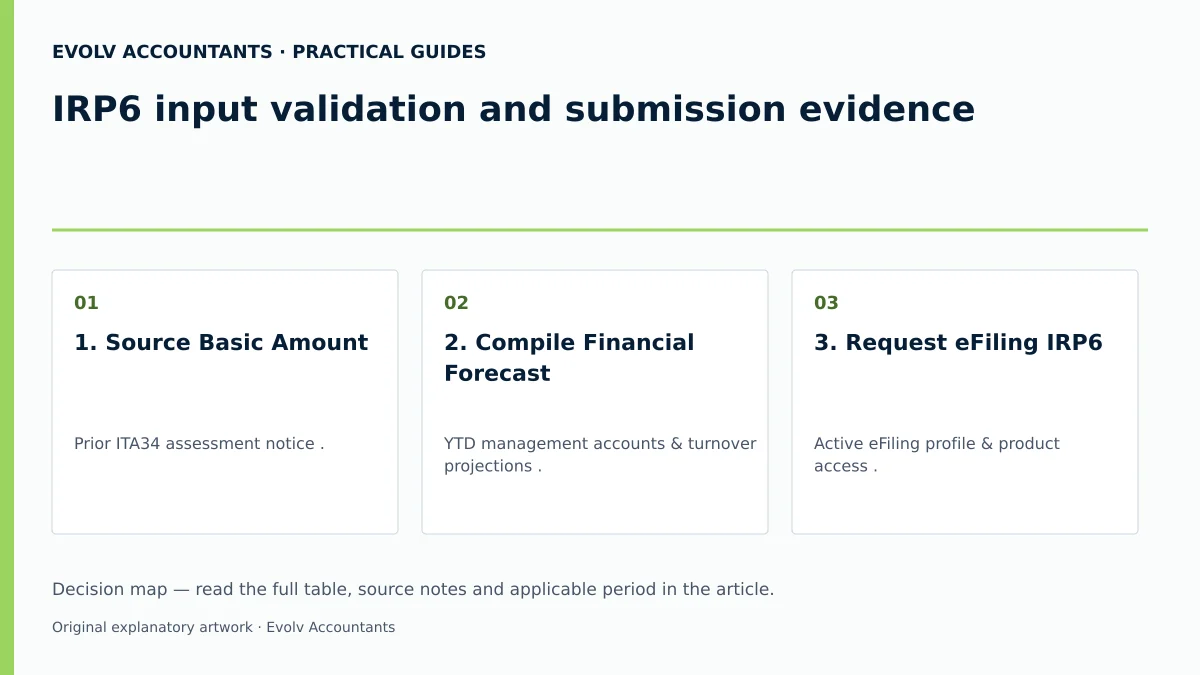
| 1. Source Basic Amount | Prior ITA34 assessment notice 12 13. | Tax Administrator / Accountant | ITA34 issue date verified >14 calendar days prior 29. | Apply 8% per annum increase if latest assessment is >18 months old 13 31. |
| 2. Compile Financial Forecast | YTD management accounts & turnover projections 18 19. | Financial Director / SME Owner | Approved taxable income estimate recorded 18 23. | Request Evolv advisory review if trading conditions fluctuate 19. |
| 3. Request eFiling IRP6 | Active eFiling profile & product access 4 24. | Tax Practitioner / Accountant | IRP6 status reflects 'Issued' on Work Page 14. | Activate PROV product under eFiling profile setup if missing 4. |
| 4. Capture & File IRP6 | Gross income, PAYE, & estimated taxable income 21. | Tax Administrator | Screen message: 'Your return has been successfully submitted' 5. | Use Request for Correction (RFC) if incorrect period selected 6 43. |
| 5. Settle Tax Liability | 19-digit PRN & banking Credit Push authorisation 15 27. | Authorised Bank Signatory | Bank payment receipt matched with PRN beneficiary ID 15 42. | Authorise payment before last working day if deadline falls on weekend 15. |
| 6. Verify Completion Evidence | eFiling Work Page & PROVSA statement 6 43. | Financial Manager | PROVSA displays processed return and zero balance 43 44. | Respond within 10 business days if SARS issues Para 19(3) letter 45. |
Reproducible Hypothetical Example: Company Provisional Tax Calculation
To illustrate the exact math, consider a standard private company (non-SBC) with a financial year ending 28 February 2026 (2026 Year of Assessment) 9 56.
Background & Basic Amount Validation
- Notice of Assessment (ITA34) for the 2025 tax year was issued on 10 July 2025 reflecting an assessed taxable income of R800,000 (no capital gains) 13 29.
- Because the assessment was issued more than 14 calendar days before the first provisional tax deadline (31 August 2025), R800,000 is the valid basic amount 29 57.
- The estimate is made within 18 months of the prior year-end, so no 8% uplift is required 13 57.
First Provisional Tax Period (Due 31 August 2025)
- Estimated Taxable Income for 2026 YOA: R1,000,000 40 56.
- Applicable Rate: 27% standard corporate rate (2026 YOA) 9.
- Calculated Full-Year Normal Tax: R1,000,000 × 27% = R270,000 9 40.
- First Period Payment Liability (A/2): R270,000 / 2 = R135,000 40.
- Less PAYE / Foreign Tax Credits: R0 40.
- First Payment Made: R135,000 paid timeously on 31 August 2025 40 56.
Second Provisional Tax Period (Due 28 February 2026)
- Revised Estimated Taxable Income for 2026 YOA: R1,200,000 41 56.
- Calculated Full-Year Normal Tax: R1,200,000 × 27% = R324,000 9 41.
- Less First Period Payment Paid: R135,000 41.
- Second Payment Liability: R324,000 - R135,000 = R189,000 41.
- Second Payment Made: R189,000 paid timeously on 28 February 2026 41 56.
Final Assessment & Underestimation Penalty Audit
- Upon final ITR14 assessment, SARS determines actual taxable income as R1,250,000 50.
- Penalty Threshold Check: Because actual taxable income exceeds R1 million, the 80% rule applies 50.
- 80% of Actual Taxable Income = R1,250,000 × 80% = R1,000,000 50.
- Result: The second period estimated taxable income (R1,200,000) was greater than 80% of actual taxable income (R1,000,000) 50. Therefore, no Paragraph 20 underestimation penalty is levied 50.
Frequently Asked Questions
What is the basic amount for a company's IRP6 provisional tax return?
For a company, the basic amount is the taxable income assessed by SARS for the latest preceding year of assessment, excluding any taxable capital gains included in that prior assessment 13. To qualify as the basic amount, the notice of assessment (ITA34) must have been issued by SARS at least 14 calendar days prior to the date on which the IRP6 return is submitted 29. If the latest preceding assessment ended more than 18 months prior to the current period, the basic amount must be increased by 8% per annum 13 31.
What happens if an IRP6 return is submitted late or not submitted at all?
If a company fails to submit its second IRP6 return within four months after the end of the year of assessment, it is legally deemed to have submitted an estimate of nil taxable income 17 52. When SARS processes the final corporate income tax return (ITR14), a 20% underestimation penalty under Paragraph 20 will automatically be levied on the shortfall 17. Additionally, late payment incurs an immediate 10% penalty under Paragraph 27 plus Section 89bis interest 53 54.
How is the second provisional tax payment calculated for a standard company versus an SBC?
For a standard company, normal tax is calculated at a flat 27% rate on estimated taxable income for the 2026 and 2027 years of assessment 9. For a Small Business Corporation (SBC) qualifying under section 12E, normal tax is calculated using progressive sliding scale tax brackets (e.g. in the 2026 YOA, 0% on taxable income up to R95,750; 7% from R95,751 to R365,000; 21% from R365,001 to R550,000; and 27% above R550,000) 10. In both cases, the second payment equals full calculated tax less PAYE, foreign tax credits, and the first provisional payment actually paid 41.
How can a taxpayer prove that an IRP6 return has been accepted and settled?
Taxpayers should never rely solely on bank submission slips 2 6. To establish complete evidence, log into eFiling, navigate to the Provisional Tax Work Page, verify that the return status displays 'Filed', and click Request Statement of Account 6 43. Download the official Provisional Tax Statement of Account (PROVSA) PDF, which reflects the processed declaration, payment credits, and closing account balance 43 44.
What is a SARS Paragraph 19(3) request, and how should a company respond?
Paragraph 19(3) of the Fourth Schedule empowers SARS to request justification and supporting documentation for any provisional tax estimate submitted 19 23. When SARS issues a Paragraph 19(3) engagement letter via eFiling, the taxpayer has exactly 10 business days to upload trial balances, management accounts, and calculation notes 45. If SARS rejects the justification, the Commissioner may unilaterally increase the estimate, and this adjustment is legally excluded from objection and appeal 19 23 45. Ask Evolv about iRP6 input validation and submission evidence. Share the relevant records so the support required can be scoped.
Related guides
- Who is a provisional taxpayer in South Africa
- Provisional tax payment calendar for individuals
- The Proactive SARS Audit Guide: Keeping Your Business Ledger Sanitised
Sources
- Provisional Tax | South African Revenue Service
- https://www.sars.gov.za/wp-content/uploads/Ops/Guides/GEN-PT-01-G02-How-to-eFile-your-Provisional-Tax-Return-External-Guide.pdf
- https://www.sars.gov.za/wp-content/uploads/Ops/Guides/GEN-PT-01-G01-Guide-for-Provisional-Tax-External-Guide.pdf
- Companies, Trusts and Small Business Corporations (SBC) | South African Revenue Service