
Submitting IRP5 certificates to SARS
2 April 2025

Submitting IRP5 certificates to SARS requires employers to file an accurate EMP501 reconciliation and verify accepted certificate status.
Under South African tax legislation, representative employers are legally required to deduct PAYE and the employee UIF portion, fund SDL and the employer UIF portion, and account for the combined liabilities and reconcile these monthly declarations (EMP201) bi-annually with the South African Revenue Service (SARS) using the EMP501 employer reconciliation return 1 2 3.
Submitting tax certificates—comprising IRP5 certificates where tax was withheld and IT3(a) certificates where exemptions or thresholds apply—is the mechanism through which SARS verifies payroll tax compliance and pre-populates individual annual income tax returns (ITR12) 4 5. Achieving a fully accepted certificate state requires employers to ensure that total certificate tax values balance with declared monthly liabilities and actual payments made to SARS, while maintaining compliance across electronic submission channels 2 6 7 8.
Submission receipt and accepted certificate state
For South African small and medium-sized enterprises (SMEs), completing tax certificate submissions requires managing the distinct statutory requirements of SARS 1 2. Representative employers operate under a statutory obligation to withhold PAYE and employee UIF, fund the employer levies, and declare the correct liabilities, remitting monthly declarations via the EMP201 return 1 3 9 10 11.
— Practical point from this guide
The submission of IRP5 and IT3(a) certificates occurs during two mandatory employer reconciliation periods within each transaction year: the interim reconciliation (covering March to August, submitted between September and October) and the annual reconciliation (covering March to February, submitted at the end of the tax year by dates announced in the Government Gazette) 12 13 14 15.
A critical operational distinction exists between obtaining an initial submission receipt and achieving an accepted certificate state 8 16. When an employer transmits the EMP501 return and associated certificates via eFiling or e@syFile Employer, SARS issues an immediate electronic acknowledgement stating "EMP501 received", setting the status to "In progress" 7 16 17. This initial receipt merely confirms that data transmission occurred; it does not constitute statutory completion or proof of validation 8 16.
True completion—the accepted certificate state—is achieved only after SARS automated validation engines verify certificate field logic, confirm that total certificate tax values balance with EMP201 declarations and actual payments on the employer's account, and post the financial data to SARS systems 2 8 18. Once accepted, SARS pre-populates the certificate data directly onto employees' individual annual income tax returns (ITR12), where it remains non-editable by employees 4 19.
Prepare the information and authority: submission receipt
Before initiating an electronic submission, small business owners and representative employers must assemble required documents, authority structures, and technical inputs 1 3 17 20. Statutory law under the Fourth Schedule to the Income Tax Act places sole legal responsibility for payroll tax deductions, record-keeping, and reconciliations on the representative employer 1 3 21. Evolv Accountants recommends assigning operational execution to a qualified payroll manager while maintaining direct representative oversight.
Technical Prerequisites and Submission Channel Limits
Employers must establish electronic access by activating the EMP501 organisation tax type within their SARS eFiling profile 20. Submission channel selection is governed by strict statutory limits:
- eFiling Channel: Quickest channel for SMEs submitting a maximum of 50 IRP5/IT3(a) certificates per reconciliation period 7 22.
- e@syFile™ Employer Channel: Mandatory electronic application for employers submitting more than 50 tax certificates, requiring valid eFiling credentials for online transmission 7 17.
- SARS Branch Channel: Restricted to a maximum of 5 tax certificates, requiring a virtual or physical booking appointment 6.
Regulators enforce a strict single-channel rule: once a specific channel is selected for a reconciliation period, all subsequent corrections or revisions for that same period must be processed through that exact channel 7 23. A new channel can only be chosen when initiating a reconciliation for a new tax period 7.
Information and Payroll Data Inputs
Preparing for submission requires gathering the following validated primary inputs 2 5 9 24 25 26 27:
- Employer Registration Particulars: Valid 10-digit PAYE reference number, SDL reference number, and SARS-issued UIF reference number 27 28.
- Monthly Declaration Records: Historical EMP201 returns reflecting monthly PAYE, SDL, UIF, and Employment Tax Incentive (ETI) liabilities, alongside corresponding 19-digit Payment Reference Numbers (PRNs) and bank proof of payments 1 9 26.
- Validated Employee Information: Legal full names, physical and postal addresses, bank details, and active employee Income Tax Reference Numbers (which cannot contain all zeros or be shared across multiple employees) 24 29.
- Structured Tax Certificate Numbers: Every certificate requires a unique 30-digit Certificate Number structured as follows: the first 10 digits represent the PAYE reference number, the next 4 digits indicate the Transaction Year, the next 2 digits reflect the Reconciliation Period ("08" for interim, "02" for annual/final), and the final 14 digits comprise a unique alpha-numeric sequence 27. Duplicate certificate numbers are rejected, and cancelled numbers can never be reused 27.
- Tax Directive References: Official SARS directive numbers, dates, source codes, and authorised tax values for lump sum payouts, severance benefits, or approved fixed tax rates 25 30.
Complete the task step by step: accepted certificate state
Achieving an accepted certificate state requires completing a structured, sequential workflow grounded in primary SARS operational guidelines 6 7 8 17 31 32 33 34 35 36.
Step 1: Payroll Audit and Liability Recalculation
Recalculate total remuneration, allowable retirement deductions, and statutory payroll tax liabilities across all employee records for the applicable transaction year 31 37 38. Verify that tax is correctly categorised under code 4101 (SITE - historic/nil), code 4102 (PAYE), or code 4115 (tax on lump sums) 39 40. Ensure that IT3(a) certificates (code 4150) reflect zero tax deductions and that IRP5 certificates contain tax values greater than zero 5.
Step 2: Data Import and Certificate Validation
Access the chosen channel (eFiling or e@syFile) and import the payroll CSV/ZIP file or capture certificates manually 7 17. Execute system validation checks 34. Automated validation verifies employee tax reference numbers, confirms directive details against the SARS directive database, and checks that captured PAYE does not exceed the sum of taxable and non-taxable source codes 24 25 41.
Step 3: EMP501 Reconciliation Request and Pre-population
Request the EMP501 return for the specific period (e.g., "202608" for interim or "202602" for annual) 13 42. If monthly liability figures or ETI values were updated prior to reconciliation, click "Refresh Historic Data" on the eFiling work page to synchronize pre-populated values with the latest SARS records 43. When claiming ETI on e@syFile, select "SARS Values" to ensure correct pre-population, as manual upward adjustments of ETI are prohibited 32.
Step 4: Variance Balancing and Reason Declaration
Compare the pre-populated monthly EMP201 liabilities against the auto-calculated certificate totals and actual payments posted to the account 2 26 44. If a difference exists between total declared liabilities and certificate totals that falls outside SARS defined threshold limits, the employer must complete the mandatory "Reason for Over/Understatement of Declaration" field 26 44 45 46.
Step 5: Final Electronic Declaration and Submission
Navigate to "My Reconciliation Declaration", review the populated figures, and read the legal declaration carefully 35 36. The representative employer declares that the reconciliation is true and correct, all required taxes have been declared, and liability for any difference is accepted 36. Click "Submit form" and select "Agree" to transmit the reconciliation to SARS 36.
Check the result against the evidence: submission receipt
Employers must independently verify completion evidence rather than assuming that transmitting data completes the legal requirement 8 16.
Step-by-Step Evidence Verification Process
- Initial Status Check: Immediately following submission, navigate to "Returns History" -> "Employees Tax (EMP501)" on eFiling or e@syFile 47 48. Confirm that status reflects "Filed through eFiling" or "Filed through e@syFile" 47.
- Query SARS Status: Open the EMP501 work page and click "Query SARS Status" 47. Select the tax year and click "Request Status" to view real-time processing feedback from SARS engines 47.
- Balancing and Financial Posting Check: Verify whether SARS balancing engines successfully matched the EMP501 return with submitted IRP5 certificates 8. When balancing succeeds, financial data posts to the employer's master account, finalising the processing state 8.
- Official SARS Correspondence Inspection: Click the "Correspondence" icon on eFiling, select "Search Correspondence", and retrieve official notices issued for the transaction year 49 50:
- EMP501 Reconciliation Result Letter: Official notice confirming successful reconciliation and final certificate acceptance 50 51.
- Employer Statement of Account (EMPSA): Statement displaying monthly liability postings, payments, allocations, interest, or administrative penalties 51 52.
- Notice of Excessive Liability Change (ELC): Issued if a substantial difference exists between declared monthly EMP201s and certificate values 51 53.
Handle exceptions and unresolved cases: accepted certificate state
During reconciliation, employers may encounter specific operational exceptions, validation blocks, or system queries 41 53 54 55.
Missing EMP201 Declarations
If an employer attempts to submit an EMP501 reconciliation without having submitted all monthly EMP201 returns for the period, SARS blocks the submission 54 56. The system displays the error message: "Your request for an EMP501 reconciliation cannot be processed as you have not submitted the required EMP201 returns for the reconciliation period." 54 56. The employer must submit all outstanding monthly EMP201 declarations before requesting the reconciliation 54.
Invalid Tax Certificate Errors
SARS validation blocks reconciliation submissions containing invalid tax certificates 41 57. Specific invalid conditions include certificates reflecting R1 remuneration with substantial employees' tax, or certificates where claimed PAYE exceeds the sum of taxable and non-taxable source codes 41 57. Employers are notified by formal letter and cannot submit the EMP501 until invalid certificates are amended or removed 57.
Notice of Excessive Liability Change (ELC)
When a substantial variance exists between monthly EMP201 declarations and certificate totals, SARS issues a Notice of Excessive Liability Change (ELC) 53.
- Negligence or Oversight: If the variance is due to internal capture errors, the employer must correct the affected monthly period and resubmit the EMP501 within the stipulated turnaround time 58.
- Known Accounting Discrepancies: If the variance arises from valid accounting adjustments, the employer must provide detailed explanations in the over/understatement field and contact the SARS Service Centre to finalise the case 58 59.
Prohibition on Employer PAYE Refunds
Statutory tax law strictly prohibits employers from refunding over-deducted Employees' Tax directly to employees after the end of the tax year or outside the immediate salary payment period 31 60 61. Any over-deducted PAYE must remain reflected on the employee's IRP5 certificate; SARS will assess the individual employee via their personal ITR12 return and issue any applicable tax refund directly to the individual 4 31.
Request for Correction (RFC) and SARS Audit Restrictions
To rectify errors on a processed EMP501 or amend tax certificates, employers must submit a Request for Correction (RFC) via the original submission channel 55. However, if SARS has initiated an audit on the employer's payroll account, the RFC function is locked 55. No revised reconciliation can be submitted until the SARS audit case is formally finalised 55.
Next steps for Employer reconciliations
To maintain continuous payroll tax compliance, South African SMEs should establish an ongoing reconciliation schedule 1 12 62.
Practical Implementation Checklist
- Reconcile monthly payroll totals against SARS EMP201 declarations and bank payment reference receipts immediately following each month-end 1 9.
- Verify employee Income Tax Reference Numbers during onboarding using the Tax Reference Number (TRN) inquiry tool on eFiling 4 24.
- Perform interim reconciliation in September/October (period 08), ensuring interim certificates are transmitted to SARS (interim certificates must not be issued to employees) 12 14 39.
- Complete the annual reconciliation for period 02 within SARS’s published annual submission window, verify accepted certificate state on eFiling, and issue final IRP5/IT3(a) certificates to employees 12 14 63.
- Retain all EMP201 declarations, EMP501 returns, proof of payment PRNs, and tax certificates for a minimum statutory period of five years for audit purposes 33 61.
Artefact: Task and completion checklist
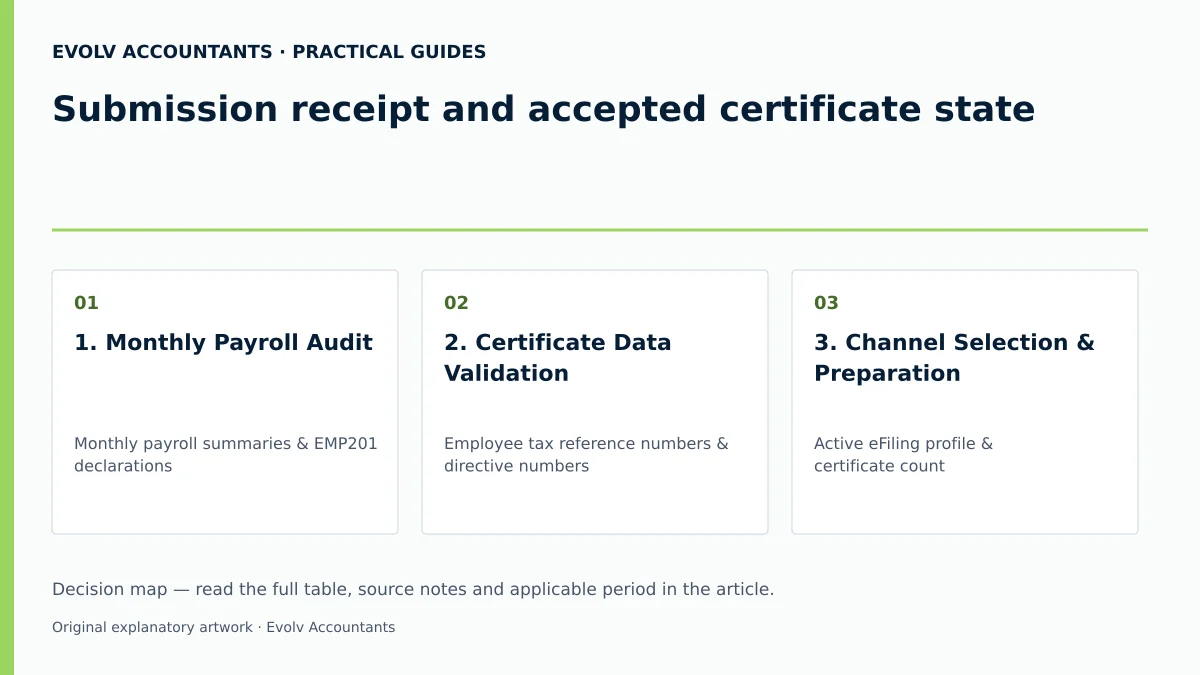
| Step | Input or evidence | Responsible person | Completion check | Exception or next action |
|---|---|---|---|---|
| 1. Monthly Payroll Audit | Monthly payroll summaries & EMP201 declarations | Payroll Administrator | PAYE, SDL, and UIF liabilities match payroll register | File Request for Correction (RFC) on EMP201 prior to recon if errors found 64. |
| 2. Certificate Data Validation | Employee tax reference numbers & directive numbers | Payroll Specialist | Required employee identity and tax-reference fields checked against source records and current BRS 24 29 | Use eFiling TRN enquiry service to retrieve missing tax numbers 24. |
| 3. Channel Selection & Preparation | Active eFiling profile & certificate count | Representative Employer | eFiling selected for ≤50 certificates; e@syFile for >50 certificates 7 17 | Install latest version of e@syFile Employer if handling >50 certificates 22. |
| 4. Reconciliation Balancing | Pre-populated EMP201 totals vs certificate totals | Finance Manager | Reconcile certificate values, monthly declared liabilities and actual payments; explain and resolve differences 2 | Complete mandatory reason field if variance exceeds defined threshold 46. |
| 5. Declaration Submission | Electronic signature on EMP501 declaration | Representative Employer | Status reflects "EMP501 received" and "In progress" 16 | Query SARS status page to track progress and verify final balancing 47. |
| 6. Final Acceptance Check | EMP501 Reconciliation Result letter & EMPSA | Compliance Officer | Financial info posted; result letter generated on eFiling 8 51 | Respond to Notice of Excessive Liability Change (ELC) if issued 53. |
| 7. Employee Certificate Issuance | Final annual IRP5/IT3(a) certificates (period 02) | HR / Payroll Lead | Copies delivered to employees; ETI fields excluded from copies 63 65 | Instruct employees to submit revised ITR12 if certificates are subsequently updated 55. |
Reproducible Hypothetical Example
Consider a South African SME, Evolv Tech Solutions (Pty) Ltd, operating during the 2026/2027 tax year with an annual leviable payroll of R3,600,000 (R300,000 per month) across 10 full-time employees.
Statutory Rates and Thresholds:
- Skills Development Levy (SDL): Applicable rate is 1% of total leviable remuneration, as projected annual payroll exceeds the R500,000 exemption threshold 10 66 67.
- Monthly SDL Liability: R300,000 x 1% = R3,000 10 67. Annual total = R36,000.
- Unemployment Insurance Fund (UIF): Total contribution rate is 2% (1% employee deduction + 1% employer contribution), subject to the statutory monthly earnings ceiling of R17,712 per employee (R177.12 maximum monthly deduction per employee) 9 11.
- Assuming 10 employees each earn R30,000/month (capped at R17,712 ceiling):
- Total Monthly UIF Remuneration = 10 x R17,712 = R177,120 9 11.
- Monthly Employee UIF Deduction (1%) = R1,771.20; Monthly Employer UIF Contribution (1%) = R1,771.20 11.
- Total Monthly UIF Contribution = R3,542.40 11. Annual total = R42,508.80.
- Pay-As-You-Earn (PAYE): Calculated per statutory tax tables 21 68. Assume total monthly PAYE deducted across 10 employees = R45,000. Annual total = R540,000.
Reconciliation Balancing: At year-end (period 02), Evolv Tech Solutions requests the EMP501 on eFiling 42. The auto-calculated certificate totals show:
- Total IRP5 PAYE (code 4102): R540,000 40.
- Total Employee & Employer UIF (code 4141): R42,508.80 40.
- Total Declared EMP201 Liabilities: PAYE R540,000 + SDL R36,000 + UIF R42,508.80 = R618,508.80 26.
- Total Actual Payments Posted (linked via PRNs): R618,508.80 9 26.
Because certificate totals match declared EMP201 liabilities and actual payments exactly, the variance is R0.00 2 44. Upon electronic submission, SARS automated balancing succeeds, posting the financial data and issuing an EMP501 Reconciliation Result letter confirming an accepted certificate state 8 51.
Frequently Asked Questions
What is the difference between an IRP5 certificate and an IT3(a) certificate?
An IRP5 certificate is issued to an employee when Employees' Tax (PAYE) was deducted or withheld from their remuneration (reflected under source codes 4101, 4102, or 4115) 5 40. An IT3(a) certificate is issued when no tax was deducted, requiring a valid reason code under source code 4150 5.
Can an employer submit an EMP501 reconciliation using SARS eFiling if they have 75 employees?
No. SARS eFiling limits employer reconciliations to a maximum of 50 IRP5/IT3(a) certificates 7 22. Employers submitting more than 50 tax certificates must use the e@syFile™ Employer application 7 17.
Are employers permitted to issue interim tax certificates (period 08) to employees?
No. Tax certificates generated for the interim reconciliation period (period 08, March to August) are transmitted electronically to SARS only and must not be issued to employees 39. Employees only receive tax certificates following the annual reconciliation (period 02) 63.
What happens if an employer deducted too much PAYE from an employee during the tax year?
An employer cannot refund over-deducted PAYE directly to an employee after the tax year end 31 60 61. The full tax deducted must be declared on the employee's IRP5 certificate; SARS will calculate any refund due to the employee when processing their individual annual income tax return (ITR12) 4 31.
Should Employment Tax Incentive (ETI) figures be printed on the employee's copy of the IRP5 certificate?
No. Statutory guidelines state that no ETI-related fields or codes may be printed on the IRP5/IT3(a) tax certificate copy issued to the employee 65. ETI data is transmitted strictly to SARS within the electronic submission file 17 65.
Related guides
- Dealing with a late EMP501 submission
- Submitting an EMP201 employer declaration
- Compliance and Regulations: Keeping Your Business on Track
Sources
- https://www.sars.gov.za/wp-content/uploads/Ops/Guides/EMP-GEN-02-G01-A-Guide-to-the-Employer-Reconciliation-Process-External-Guide.pdf
- https://www.sars.gov.za/wp-content/uploads/Ops/Guides/SDL-GEN-01-G01-Guide-for-Employers-in-respect-of-Skills-Development-Levy-External-Guide.pdf
- Unemployment Insurance Fund | South African Revenue Service
- https://www.sars.gov.za/wp-content/uploads/Ops/Guides/UIF-GEN-01-G01-Guide-for-Employers-in-respect-of-the-Unemployment-Insurance-Fund-External-Guide.pdf
- Guide for Employers in Respect of Employees' Tax (2027) | South African Revenue Service
- Skills Development Levy | South African Revenue Service