
Submitting monthly employee UIF declarations
5 June 2025

Submitting monthly employee UIF declarations requires South African employers to furnish complete worker payroll and employment records directly to the Unemployment Insurance Commissioner.
Employers must submit monthly employee details directly to the UI Commissioner, including where SARS collects the contributions. Employers liable for PAYE or SDL, or voluntarily registered with SARS as employers, pay UIF through SARS. Other employers pay the UI Commissioner. An EMP201 payment declaration does not replace employee declarations. SARS UIF guide.
Employee declarations and submission confirmations
This guide is written for South African SME owners, payroll administrators, and financial managers. The compliance period covers the recurring monthly payroll cycle, with declaration data due to the Unemployment Insurance Commissioner by the 7th day of each calendar month following the payroll period 1 8.
Completing an employee declaration means transmitting an itemised record of every worker's identity, employment status, monthly hours worked, and UIF-deductible remuneration into the UI Commissioner's database 1 9 10. Employers must distinguish between paying monthly tax liabilities and lodging employee declarations 4 5. Submitting an EMP201 return declares the payment allocation; the corresponding amount must also be paid but does not populate individual worker benefit credits at the Department of Employment and Labour 2 4 5.
— Practical point from this guide
Full compliance requires individual worker records to be accepted by the UI Commissioner's database, establishing an auditable record that protects worker benefit rights and guards the business against non-compliance penalties 10 11 12.
Prepare the information and authority: employee declarations
Before submitting monthly electronic returns, employers must assemble required records, verify statutory definitions, and establish user permissions 13 14 15.
Mandatory Inputs and Documentation
Employers must prepare the following primary records prior to submission:
- Employee Identification: South African Identity Numbers or valid foreign passports 13 14.
- Employment Details: Contracts specifying commencement dates, job titles, and monthly working hours 1 14.
- Payroll Records: Salary slips reflecting gross earnings, allowances, and calculated UIF deductions 14 16.
- Designated Beneficiaries: Identity and contact details for up to four employee beneficiaries 17 18.
- Verified Banking Details: Employer bank details for the payment account being used; follow the employer bank-account workflow when adding an account 18 19.
Statutory Definitions and Exclusions
Under the Unemployment Insurance Act 63 of 2001 and Unemployment Insurance Contributions Act 4 of 2002, an employee is any natural person receiving remuneration for services rendered, excluding independent contractors 1 20. Contributions are compulsory, excluding:
- Employees working fewer than 24 hours per month for an employer 21 22.
- Public service employees in national or provincial government 21 22.
- Elected public office holders, municipal councillors, and traditional leaders 21 22.
Rates, Thresholds and Calculation Rules
Statutory contribution rates and thresholds are set by the Minister of Finance 23 24:
- Employee Rate: 1% of qualifying remuneration withheld from employee pay 25 26.
- Employer Rate: 1% of qualifying remuneration paid by the employer 25 26.
- Total Rate: 2% of qualifying remuneration 23 25 26.
- Statutory Remuneration Ceiling: Effective 1 June 2021, the maximum statutory earnings ceiling is R17 712 per month (R212 544 per annum) 5 24 25.
- Maximum Monthly Deduction: Employee deduction is capped at R177,12 per month (1% of R17 712), and total contribution is capped at R354,24 per month (2% of R17 712) 5 27. Earnings exceeding R17 712 per month are excluded 5 24.
User Permissions and Authority
Administrators acting for a business must hold designated authority 15 28. On uFiling, representative employers or tax practitioners assign permissions including Administrator, Capture Declarations, Submit Declarations, Pay, or View Only roles 15 28. Employers must align tax registration rules with declaration channels. As stated in SARS guidance, "the UI-19 declaration must ONLY be submitted to the UI Commissioner" 4.
Complete the task step by step: submission confirmations
Employers must follow a sequential process to capture monthly declarations and secure confirmations 9 13 29.
Step-by-Step Submission Procedure
- Access uFiling: Log on to www.ufiling.co.za using authenticated credentials 13.
- Select Profile: Navigate to Declarations Manager and select the target employer profile 9 30.
- Update Master Data: Click Add Declaration or Add Employee to enter identity numbers, names, start dates, and beneficiaries 14 17 18 27.
- Enter Salaries: Input gross remuneration, monthly hours worked, and UIF deductible salary capped at R17 712 per month 14 24 25 27.
- Review Returns: Select View Returns and click Calculate Returns to generate declaration statements 31 32. Upload a bulk payroll file for larger teams 7 31.
- Submit Declaration: Open the active month's summary and click Submit Declaration 29 32. A system confirmation message will display 29 32.
- Cross-Reference Payment: Pay 2% via SARS eFiling using the pre-populated PRN on the EMP201 5 33. Non-SARS registered employers pay on uFiling via debit pull or bank transfer 29 34 35.
Check the result against the evidence: employee declarations
Submission confirmation requires independent evidence from the portal rather than assuming clicking submit guarantees processing 32.
Verification Mechanics and Portal Statuses
After submitting declarations on uFiling, employers re-query database status by clicking Calculate Returns on the dashboard 32. Statuses indicate processing states:
- Submitted: Declaration submitted to UIF; check the employee details and resolve any reported errors separately 29 32.
- Pending UI7 Submission: Additional manual documentation or historical returns required 32.
- Declaration Issues: Errors exist between captured employee data and UIF records 32.
- Declaration Not Allowed: Filing restrictions are active, requiring resolution with the Department 32.
Statutory Record-Keeping Obligations
Under Chapter 4 of the Tax Administration Act and Fourth Schedule provisions, employers must retain records of remuneration paid and UIF deductions for every employee 36 37. Records must be kept in electronic or written format for at least 5 years from submission 37. These include identity details, tax numbers, payroll registers, uFiling receipts, and copy UI-19 forms for inspection by SARS or UIF auditors 7 37.
Reproducible Hypothetical SME Example
Consider South African SME Oakwood Trading CC preparing its monthly UIF declaration for three employees:
- Employee A: Gross salary R10 000,00 (below ceiling) 24 25. Deductible Salary: R10 000,00 24 25. Employee Deduction (1%): R100,00 25 26. Employer Contribution (1%): R100,00 25 26. Total Contribution (2%): R200,00 23 25.
- Employee B: Gross salary R17 712,00 (at ceiling) 5 24 25. Deductible Salary: R17 712,00 24 25. Employee Deduction (1%): R177,12 5 25. Employer Contribution (1%): R177,12 5 25. Total Contribution (2%): R354,24 25 27.
- Employee C: Gross salary R25 000,00 (above ceiling) 5 24 25. Deductible Salary (Capped): R17 712,00 5 24 25. Employee Deduction (1%): R177,12 5 25. Employer Contribution (1%): R177,12 5 25. Total Contribution (2%): R354,24 25 27.
Payroll Summary: Total Gross Salary R52 712,00; Total UIF Deductible Salary R45 424,00; Employee Deductions R454,24; Employer Contributions R454,24; Total Monthly UIF Payable R908,48.
On uFiling, Oakwood Trading CC enters salary details 9 14. The system calculates contributions totalling R908,48 9 32. Clicking Submit Declaration updates portal status to "Submitted", confirming submission; it does not independently establish benefit credits 29 32.
Artefact: Task and Completion Checklist
| Step | Input or evidence | Suggested owner | Completion check | Exception or next action |
|---|---|---|---|---|
| Assemble records | Identity, service dates, hours and payroll | Payroll administrator | Employee records agree with source documents | Resolve missing or inconsistent details |
| Calculate contributions | UIF remuneration after exclusions and the monthly ceiling | Payroll administrator | Employee and employer portions checked separately | Do not cap the separate actual-gross-pay field |
| Update and submit | Correct employee master details and monthly declaration | Authorised uFiling user | Confirmation retained; status shows “Submitted” | Review the declaration history and seek support for unresolved errors |
| Match payment | Applicable SARS or UI Commissioner receipt and account record | Finance manager | Correct employer, period, amount and allocation checked | A PRN or payment instruction alone is not proof of credited payment |
| Archive | Payroll, submitted declaration and payment evidence | Employer | Accessible records and unresolved-item log retained | Follow up each outstanding item |
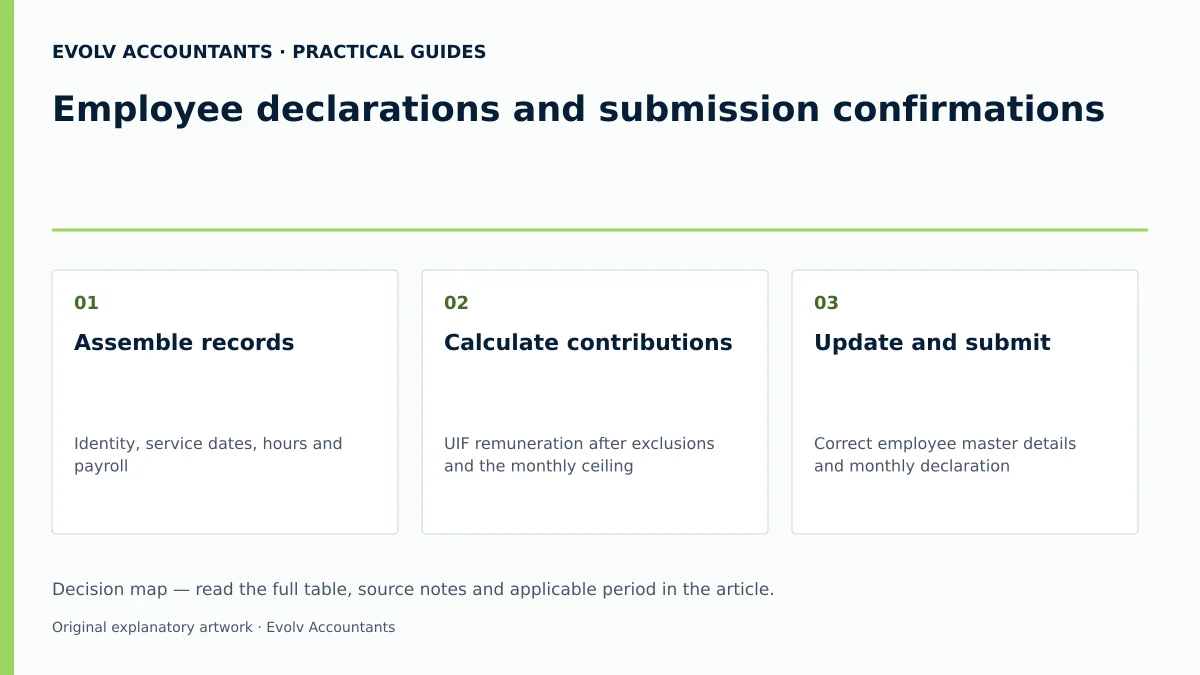
Official guidance; Official guidance; Official guidance.
Handle exceptions and unresolved cases: submission confirmations
SMEs frequently encounter administrative edge cases and technical errors during submission 32 38 41.
Title-Specific Edge Cases and Troubleshooting
- uFiling Vetting Failure: Demographic details entered on uFiling are vetted against Department records 13 38. Vetting failures suspend the account 38 42. If vetting fails, follow the portal prompt to contact uFiling Support through “UIF Services Support”. Send identity documents only through the route and with the safeguards specified by the support team. uFiling user guide.
- Updating bank details: Use the employer payment-account workflow for an employer account. The guide permits “Add New” on the list of employer bank accounts; the UI2.8 process applies to changes to the user’s own banking information. uFiling guide.
- Mismatched SARS and UIF Records: Employers paying UIF to SARS via EMP201 often omit monthly employee breakdowns on uFiling 2 4 5, leaving workers uncredited. Employers must submit uFiling declarations concurrently with SARS eFiling payments 4 5.
- Unlinked Employees on New Profiles: New employer profiles on uFiling require at least one employee record saved before generating return schedules 27.
Specialist Boundaries and Professional Guidance
Law and regulator guidance enforce statutory deadlines, interest on late payments 39, 10% default penalties 40, and criminal liability for non-submission 11 12. Evolv recommendations advise SMEs to establish automated payroll controls, conduct quarterly UIF audits, and engage registered tax practitioners when resolving backlogged returns 15 28 44.
Next steps for UIF employer duties
South African SMEs should establish a monthly workflow for payroll submissions and verification.
Practical Action Plan for SMEs
- Audit Active Payroll Records: Verify workers working 24 hours or more per month are catalogued with valid IDs 14 21 22.
- Apply Remuneration Ceiling: Ensure payroll software enforces the R17 712 monthly ceiling and R177,12 maximum employee deduction 5 24 25.
- Submit Monthly Declarations: File uFiling declarations by the 7th of each month 1 32.
- Reconcile Tax Payments: Ensure EMP201 payment figures on SARS eFiling match total employee declarations on uFiling 5 9 33.
- Verify Database Status: Click Calculate Returns monthly to confirm statuses reflect Submitted 29 32.
- Archive Compliance Records: Retain submission receipts, UI-19 forms, and payroll reports in a 5-year archive 7 37.
Frequently Asked Questions
What is the difference between submitting an EMP201 return to SARS and submitting employee UIF declarations to the UI Commissioner?
An EMP201 return to SARS is a payment declaration for combined PAYE, SDL, and UIF liabilities 5 33. An employee UIF declaration to the UI Commissioner details each worker's salary, monthly hours worked, and identity information 1 7 14. SARS collects funds for tax-registered employers, but only the UI Commissioner maintains the worker database assessing benefit claims 2 4 10.
How is the UIF contribution calculated if an employee earns more than R17 712 per month?
Effective 1 June 2021, the monthly remuneration ceiling is fixed at R17 712 per month (R212 544 per annum) 5 24 25. For employees earning above R17 712, the 1% employee deduction is capped at R177,12 per month, and the 1% employer contribution is capped at R177,12 per month, totalling R354,24 per month 5 27. Earnings above R17 712 are excluded from the calculation 5 24.
Must an SME submit monthly UIF employee declarations if all staff earn below the income tax threshold?
Yes. Every employer paying remuneration to qualifying employees working 24 hours or more per month must submit monthly declarations to the UI Commissioner, regardless of whether employees earn below the tax threshold 3 21 22 45. Non-SARS registered employers submit declarations and pay contributions directly to the UI Commissioner via uFiling 3 6 45.
How can an employer verify that a monthly uFiling declaration was accepted rather than merely uploaded?
Navigate to Declarations Manager on uFiling, select View Returns, and click Calculate Returns 9 32. A green status showing Submitted confirms the declaration was processed and recorded 29 32. Statuses such as Declaration Issues or Pending UI7 Submission indicate errors requiring correction 32.
What are the legal consequences if an employer fails to submit monthly UIF employee declarations?
Failing to submit monthly declarations or pay contributions is an offence under the Tax Administration Act and Unemployment Insurance Contributions Act 4 11 12. Defaulting employers face a 10% penalty on unpaid amounts 40, interest at prescribed rates 39, estimated assessments 46, and fines or imprisonment up to two years upon conviction 12 47.
Related guides
- Reconciling EMP501 to monthly EMP201 declarations
- When a small business must register for UIF
- Compliance and Regulations: Keeping Your Business on Track
Sources
- https://www.sars.gov.za/wp-content/uploads/Ops/Guides/UIF-GEN-01-G01-Guide-for-Employers-in-respect-of-the-Unemployment-Insurance-Fund-External-Guide.pdf
- https://www.labour.gov.za/DocumentCenter/Publications/Unemployment%20Insurance%20Fund/uFiling%20System%20User%20Guide.pdf
- Unemployment Insurance Fund | South African Revenue Service
- Unemployment Insurance Fund
- Unemployment Insurance Fund