
Tracking a VAT refund through eFiling
14 December 2025

Tracking a VAT refund through eFiling requires reviewing official return statuses, monitoring line-item audit triggers, and verifying Payment Reference Numbers on the eFiling Refund Dashboard.
For South African Small and Medium Enterprises (SMEs), managing Value-Added Tax (VAT) reimbursements demands structured monitoring of administrative statuses rather than assuming that filing a return guarantees payout 1 2. When input tax charged on enterprise purchases exceeds output tax collected on sales, a vendor generates a valid VAT refund claim on its VAT201 declaration 1.
South African Revenue Service (SARS) regulatory guidelines mandate that eligible refunds must be disbursed within 21 business days of receiving a correctly completed return, provided no verification holds, outstanding tax returns, or banking errors exist 3 4. By tracking unique Payment Reference Numbers (PRNs) across the eFiling Refund Dashboard and VAT Control Table, finance teams maintain oversight of refund progress, statutory interest entitlements, and audit response deadlines 5 6 7.
Official status checks and reference tracking
This practical guidance is designed for SME financial managers, directors, and internal accounting staff operating within the Republic of South Africa under SARS tax administration 8 9. It applies across all standard tax periods, including bi-monthly categories (Category A or B), monthly filings for larger enterprises (Category C for turnover exceeding R30 million), and four-monthly cycles for small farming enterprises (Category D) 10 11 12.
In practice, completing the tracking task means establishing verifiable proof that SARS has assessed the return, finalised any risk verification, applied necessary debt equalisation set-offs, and deposited the approved funds into the vendor's verified bank account 3 4 13.
To maintain clarity, tax management must distinguish between statutory law, regulator guidance, and Evolv advisory recommendations:
— Practical point from this guide
- Statutory Law: Under Sections 16(5) and 44 of the Value-Added Tax Act 89 of 1991, read alongside Chapter 13 of the Tax Administration Act 28 of 2011, SARS is legally required to pay a valid refund within 21 business days 14. If SARS fails to pay within this period without a lawful reason for suspension or recalculation, statutory interest at the prescribed rate becomes payable to the vendor 3 5.
- Regulator Guidance: Operational instructions in SARS external guides specify that vendors must monitor progress via the eFiling Refund Dashboard, verify return statuses on the VAT201 Work Page, and trace payments using pre-populated 19-digit Payment Reference Numbers (PRNs) 5 7 15.
- Evolv Recommendation: Evolv Accountants recommends that SMEs implement a weekly digital tracking log immediately upon submitting a refund return. Finance teams should cross-reference eFiling status updates against internal ledger records and download a fresh Statement of Account (VATSOA) whenever a status shift occurs 14 15.
Prepare the information and authority: official status checks
Before initiating reference tracking on eFiling, the responsible person must assemble key primary records and verify portal access rights 16 17.
Essential documentation and system inputs
- Submitted VAT201 Return: The saved or filed declaration reflecting the output tax, input tax, and net refund claimed in Field 20 and Field 34 18 19.
- 19-Digit Payment Reference Number (PRN): A unique reference pre-populated by SARS on every generated VAT201 return, used to trace payments and specific period queries 7 20.
- Valid Tax Invoices and Substantiating Records: Full tax invoices, credit notes, export documentation, and bills of entry supporting all input tax deductions claimed 21 22.
- Bank Account Details and Indemnity Form: Proof of a valid South African bank account opened in the name of the vendor 23. Payouts into third-party bank accounts are prohibited except for foreign entities or corporate group structures submitting Form VAT119i 24 25 26.
Access permissions and system definitions
To track refund references, the user profile must be registered on eFiling with the VAT tax type activated under profile management 16 17.
Key statutory and administrative definitions include:
- Input Tax: VAT charged to and paid by a vendor on the supply of goods or services acquired for carrying on an enterprise 1.
- Output Tax: VAT levied and collected by a vendor in respect of the supply of goods or services 1.
- Verification: A targeted document review conducted by SARS officials to evaluate the accuracy of a single tax return 27 28.
- Audit: An intensive examination of accounting books and underlying records covering single or multiple tax periods 27 29.
Administrative position on VAT registration thresholds
Calculating taxable turnover determines whether a business is required or permitted to register for VAT, which underpins all refund eligibility 30 31.
In older statutory guides, Section 23(1) sets the compulsory VAT registration threshold at R1 million in taxable supplies over a consecutive 12-month period 30. Current SARS registration guidance administers an operational threshold of R2.3 million for registration processing 32. This R2.3 million figure represents an administrative position applied by SARS during application processing rather than an unqualified statutory amendment to Section 23 30.
The voluntary registration threshold remains at R50 000 in taxable supplies made within a 12-month period, or R120 000 for commercial accommodation 31. Micro-businesses registered for Turnover Tax may also elect to register voluntarily for VAT if voluntary criteria are met 33.
Complete the task step by step: reference tracking
Tracking a refund requires executing a systematic, sequenced workflow on the eFiling platform 17 34 35.
Sequenced reference tracking process
- Log in to eFiling: Access the eFiling profile using authorised credentials 16 36.
- Access VAT Returns: Select Returns from the main menu, click Returns Issued, and select Value Added Tax (VAT201) 34.
- Inspect the VAT Control Table: Select Request VAT Control Table to view filing compliance across a maximum 12-month date range 17. Confirm the period indicator ribbons: an orange ribbon signals a return is required, while a blue ribbon signals no return is required 37.
- Retrieve the VAT201 Work Page: Click on the specific tax period to open its work page and note the pre-populated 19-digit Payment Reference Number (PRN) 7 18 34.
- Check Return Status: Review the return status field on the work page, which displays Saved, Filed through eFiling, Submitted at SARS, or Filed through another channel 38 39 40 41.
- Open the eFiling Refund Dashboard: Navigate to the Refund Dashboard to view real-time processing indicators, audit selections, and refund release states 5 35.
- Check SARS Correspondence: Select SARS Correspondence to inspect any formal notices, including verification letters or Section 95 estimated assessment notices (VAT217) 42 43.
- Upload Supporting Material: If selected for verification, click the active supporting documents container on the VAT Work Page or access the SARS Online Query System (SOQS) to submit requested files in PDF format 43 44.
- Request Statement of Account (VATSOA): Click Request Statement of Account on the work page to verify debt equalisation set-offs or statutory interest accruals 13 14 15.
Reproducible hypothetical example
- Vendor Profile: Cape Logistics CC (Category B bi-monthly vendor, accounting on the invoice basis at the standard 15% VAT rate) 2 10 45.
- Tax Period Financials:
- Standard-rated taxable sales (Field 1 consideration): R230 000.00 45.
- Output tax calculated (Field 4 = R230 000 × 15 / 115): R30 000.00 45.
- Permissible input tax on capital machinery and operational stock (Field 15): R75 000.00 1 19.
- Net calculation (Field 20 = Field 13 - Field 19): R30 000.00 - R75 000.00 = -R45 000.00 (Refund Claim) 19 46.
- Tracking Progression:
- Day 1 (25 October): Return submitted via eFiling. PRN 2026102500000000201 generated 7 18. Work Page displays status Filed through eFiling 39.
- Day 3 (28 October): Status updates on Refund Dashboard to Selected for Audit 47. A verification letter appears under SARS Correspondence 43.
- Day 5 (30 October): Bookkeeper uploads tax invoices via the eFiling supporting documents container 43.
- Day 16 (12 November): Audit finalised. SARS issues audit completion notice. Refund Dashboard updates to Processed 47.
- Day 18 (14 November): EFT payout of R45 000.00 reflects in bank account, completed within the 21-business-day statutory window 3 5.
Check the result against the evidence: official status checks
A fundamental rule of South African tax compliance is that submitting a return on eFiling does not equal final acceptance or payout approval 3 38 48. As SARS guidance notes, "Copies of the VAT201 Returns printed from eFiling and used for manual filing will not be accepted" 16.
To verify completion, finance teams must match internal records against four independent external sources:
- Refund Dashboard Clearance: The dashboard status must reflect complete processing without outstanding document requests 5 35.
- Statement of Account (VATSOA): The statement must show the credit entry applied, debt equalisation set-offs (if any), and a zero balance for that specific tax period 13 14 15.
- Bank Statement Confirmation: Direct EFT credit from SARS must reflect in the business bank account, exactly matching the net refund total in Field 34 14 46.
- Audit Finalization Letter: If selected for verification, an official completion letter must be present under SARS Correspondence confirming that no adjustments were raised 27 43.
Handle exceptions and unresolved cases: reference tracking
When refund processing stalls, vendors must identify the underlying administrative exception and apply the appropriate procedural remedy 3 25 49.
21-Business-day timer suspensions and recalculations
SARS is permitted to hold or recalculate the 21-business-day payout period without paying statutory interest under specific statutory exceptions 3 5 50:
- Incomplete or Defective Return: The return contains errors or missing demographic data 3 50.
- Unverified Banking Details: Bank details are incorrect, missing, or undergoing verification 3 50.
- Outstanding Returns: The vendor has failed to submit outstanding returns for VAT or other tax types 3 50.
- Access Denied: SARS officials are unable to gain access to the vendor's books and records for inspection 50. The 21-day period is suspended from the date access is requested until access is granted 50.
Section 95 estimated assessments
If a vendor fails to submit requested supporting documents within the specified timeframe, SARS may issue an estimated assessment under Section 95(1)(c) of the Tax Administration Act (Notice VAT217) 42.
Vendors have the right to request an extension to submit relevant material up to 5 years and 40 business days after the original estimate assessment date 51. To submit material after an estimate, the vendor must click Request for Extension on the VAT Work Page 41 51 52. If the extension request is granted, the vendor is permitted to upload the supporting documents to enable SARS to revise the assessment 52 53.
Corrections and past period revisions
If a vendor discovers an error on a previously filed return, a Request for Correction (RFC) can be submitted on eFiling 49 54. RFC generates a new return version under the same PRN 54.
Crucially, a vendor is not allowed to increase input tax deductions when revising a past tax period 55 56. If input tax was omitted, the vendor must claim the deduction on a subsequent VAT201 return, provided it is claimed within 5 years from the date of first entitlement 55 56. Revisions from Version 3 onwards automatically require supporting documents to be uploaded upon submission 57.
Next steps for VAT refunds
To maintain rigorous administrative oversight over VAT refund claims, SME management should implement the operational task checklist below.
Task and completion checklist
| Step | Input or evidence | Responsible person | Completion check | Exception or next action |
|---|---|---|---|---|
| 1. Access Verification | eFiling profile & active VAT tax type authorisation 16 17 | Financial Manager | VAT201 return issuance functionality enabled 17 34 | Reactivate VAT tax type under eFiling profile management 17 |
| 2. Return Submission | Reconciled input/output general ledger & tax invoices 19 21 | Internal Bookkeeper | Field 34 reflects net refund; eFiling status displays Filed through eFiling 39 46 | Correct calculation errors before filing; verify PRN assignment 7 18 |
| 3. Reference Tracking | 19-digit Payment Reference Number (PRN) 7 20 | Tax Accountant | Refund Dashboard displays real-time status updates 5 35 | Check SARS Correspondence for verification/audit requests 43 |
| 4. Document Upload | PDF tax invoices, credit notes & bank details proof 23 43 | Tax Practitioner | eFiling supporting documents container status updates to Uploaded 43 | Submit via SARS Online Query System (SOQS) if container fails 44 |
| 5. Payout Verification | Statement of Account (VATSOA) & business bank statement 14 15 | Financial Director | Bank credit matches Field 34; VATSOA reflects zero period balance 15 46 | Lodge dispute (DISP01) on eFiling if refund is unlawfully refused 24 60 |
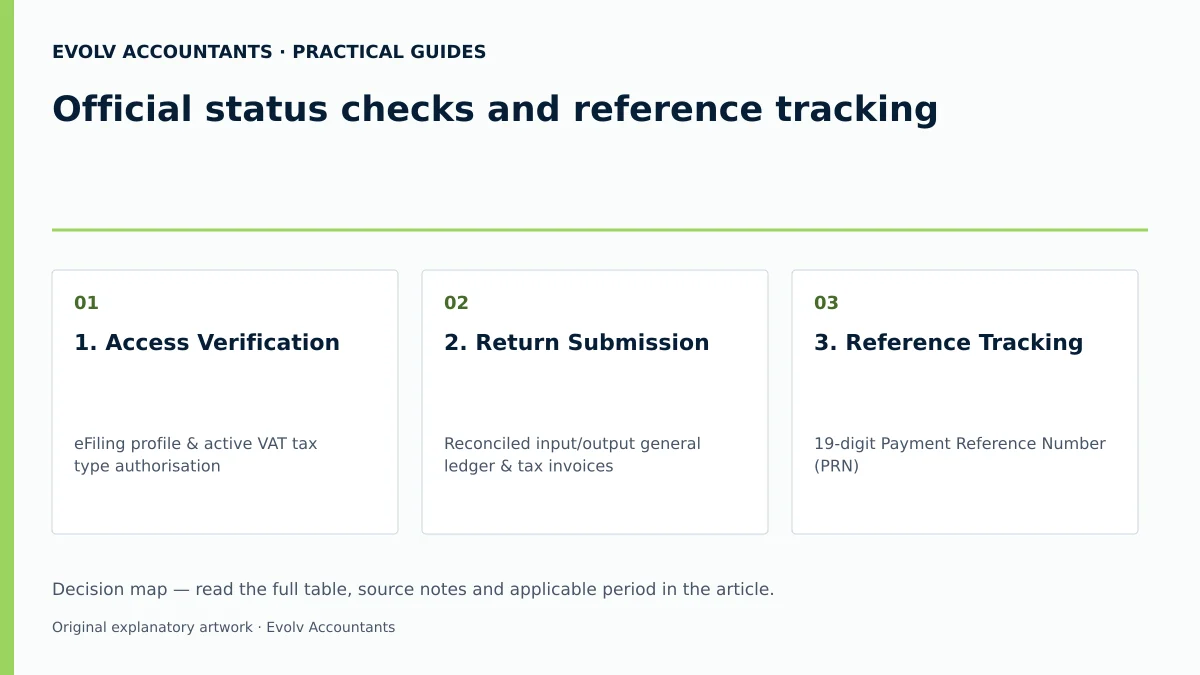
Reusable task checklist for SME finance teams
- Confirm that eFiling profile credentials and VAT tax type activations are up to date 16 17.
- Generate the VAT Control Table on eFiling to verify that no prior tax returns are outstanding 3 17.
- Confirm that business banking details registered with SARS are active and match bank records 3 23.
- Submit the VAT201 return on eFiling prior to the last business day of the month 2 61.
- Record the unique 19-digit Payment Reference Number (PRN) on the internal accounting schedule 7 20.
- Log into eFiling weekly to check the Refund Dashboard and SARS Correspondence 5 35 43.
- Upload all requested verification documents within the specified timeframe upon receiving a query letter 28 43.
- Pull a Statement of Account (VATSOA) upon audit clearance to verify set-offs and interest 13 14 15.
Frequently Asked Questions
How long does SARS have to pay a valid VAT refund before interest begins to accrue?
SARS is required to pay a valid VAT refund within 21 business days of receiving a correctly completed VAT201 return 3 4. If payout is delayed beyond 21 business days without a lawful suspension or recalculation, SARS must pay statutory interest at the prescribed rate 3 5.
What happens if my VAT refund is selected for verification or audit?
Selection for verification or audit pauses the standard refund payout pending examination of supporting records 3 48. SARS issues a letter under eFiling Correspondence requesting relevant material 43. The vendor must upload tax invoices and documents via eFiling 28 43. SARS has 21 business days from receiving all requested documents to finalise the review or pay interest on delayed refunds 3 58.
Can a VAT refund be paid into a third-party bank account?
No. To prevent refund fraud, SARS strictly prohibits paying VAT refunds into third-party bank accounts 24 26. Payouts into third-party accounts are permitted only for foreign companies or entities within a recognised corporate group structure (holding/subsidiary companies) that submit Form VAT119i along with an indemnity and company resolution 24 25 26.
How do I correct an error if I underclaimed input tax on a past return?
You cannot increase input tax deductions by submitting a revision (RFC) for a past tax period 55 56. Instead, you must claim the omitted input tax on your next current VAT201 return 55 56. The law allows vendors to claim historical input tax on a future return up to 5 years from the date of initial entitlement 55 56.
What should I do if SARS issues a Section 95 estimated assessment on my refund return?
If SARS issues a Section 95 estimated assessment (VAT217) due to missing documents, you cannot lodge an immediate dispute against the estimate 42 59. Instead, you must submit a Request for Extension on the eFiling VAT Work Page to allow the submission of the required supporting material 41 51 52. Once approved, uploading the documents enables SARS to adjust the assessment 52 53.
Related guides
- Why a VAT refund can be delayed
- VAT refunds after a change of bank details
- The Proactive SARS Audit Guide: Keeping Your Business Ledger Sanitised
Sources
- VAT Refunds for vendors | South African Revenue Service
- https://www.sars.gov.za/wp-content/uploads/Ops/Guides/Legal-Pub-Guide-VAT404-VAT-404-Guide-for-Vendors.pdf
- https://www.sars.gov.za/wp-content/uploads/Ops/Guides/GEN-ELEC-04-G01-Guide-for-completing-the-Value-Added-Tax-VAT201-Declaration-External-Guide.pdf
- FAQs for VAT vendors | South African Revenue Service
- https://www.sars.gov.za/wp-content/uploads/Ops/Guides/VAT-REG-02-G01-Guide-for-Completion-of-VAT-Application-External-Guide.pdf