
Why a VAT refund can be delayed
27 July 2025

A VAT refund delay means SARS has not yet released the claimed refund, often because it needs returns, evidence or verified banking details.
When a South African Small and Medium Enterprise (SME) submits a Value-Added Tax (VAT) return reflecting an excess of input tax over output tax, SARS is required to process and pay the resulting refund 1. However, a declaration of a refundable amount on form VAT201 does not guarantee immediate credit into the vendor's bank account 2 3.
Refunds are routinely held in administrative suspension while SARS executes risk engine checks, verifies source documentation, checks for unfiled tax returns across all tax types, or validates banking particulars 2 4. Understanding the clear boundary between return submission, audit verification, and final payment release is essential for managing enterprise working capital and resolving SARS queries effectively 2 5.
Refund status versus verification and payment status
For registered vendors operating within South Africa across standard tax periods (such as Category A or B bi-monthly cycles, or Category C monthly cycles), tracking a VAT refund requires distinguishing between three distinct administrative states on SARS eFiling 6 7 8.
- Refund Status (Declared Refund): This reflects the mathematical output of the VAT201 return calculation 3 9. When total permissible input tax deductions in Field 19 exceed total output tax liabilities in Field 13, Field 20 auto-calculates a negative net liability, which populates as a refund claimed in Field 38 3 9 10. This represents the vendor's self-assessed claim 11.
- Verification or Audit Status: This indicates that the refund claim has been flagged by the SARS automated risk engine for review 4 12. Under Chapter 5 of the Tax Administration Act (TAA), SARS selects returns for verification or detailed audit based on risk profile or random sampling 12 13. During this phase, the return status on the VAT201 Work Page updates to reflect active verification containers ("Documents for Review" or "Documents for Audit"), and a formal request letter is issued requiring supporting documentation 5 12 14.
- Payment Status (Authorised Settlement): True administrative completion is achieved only when SARS authorises the refund payout, reflects the credit transaction on the official VAT Statement of Account (VATSOA), and transfers funds into the vendor's validated bank account—or offsets the credit against pre-existing tax debts via debt equalisation 2 15 16.
Submitting a VAT201 return merely initiates the assessment process; it does not constitute final settlement or acceptance by the revenue authority 2 17 18.
Prepare the information and authority: refund status
Before investigating or attempting to resolve a delayed VAT refund, the vendor or appointed representative taxpayer must assemble all primary supporting records and secure the required statutory eFiling permissions 19 20 21.
— Practical point from this guide
Required Primary Documentation
- Valid Tax Invoices: For standard-rated supplies where consideration is R5 000 or more, full tax invoices compliant with Section 20(4) must be held 22. These must display the supplier's and recipient's legal names, physical addresses, VAT registration numbers, serialised invoice numbers, dates, full descriptions of goods or services, quantities, and explicit 15% VAT breakdowns 22 23. For supplies under R5 000, abridged tax invoices under Section 20(5) are required 22.
- Credit and Debit Notes: Formal Section 21 adjustments supporting any reductions or additions to input or output tax 9 10 24.
- Importation Proof: Bills of entry (e.g. form SAD 500), official SARS eFiling payment receipts for import VAT, and EDI Customs Status 1 Release Messages substantiating input tax claims in Fields 14A and 15A 25 26.
- Bank Account Details and Indemnity Forms: Proof of an active South African business bank account held directly in the vendor's registered name 27. If third-party banking details are used—permitted strictly for non-resident companies or group holding/subsidiary entities—a fully executed indemnity form VAT119i accompanied by a formal company resolution must be provided 19 27 28.
Authority and System Access
- eFiling Security Access: The individual querying the status must be registered on eFiling with assigned security rights for the specific VAT tax type 29 30.
- Representative Taxpayer Appointment: In terms of the TAA, a company director, public officer, or legal representative must be formally registered with SARS 21 31. If an external practitioner manages the inquiry, a valid Power of Attorney (POA) must be lodged 32 33.
Complete the task step by step: verification and payment status
Resolving a delayed refund requires following the official SARS eFiling procedural sequence without skipping administrative steps 14 30 34.
- Step 1: Check Return Status on eFiling VAT Work Page
- Step 2: Access Refund Dashboard & Review SARS Letters
- Step 3: Compile & Upload Complete Supporting Documents
- Step 4: Monitor Assessment Notice (VAT217) & VATSOA
- Query the VAT201 Work Page: Log onto eFiling, navigate to Returns > Returns History > Value Added Tax (VAT201), and select the specific tax period 30 35. Inspect the eFiling Status field 5.
- Review the eFiling Refund Dashboard and Correspondence: Access the eFiling Refund Dashboard to view specific status codes explaining payment holds 7 36. Open SARS Correspondence to download any official verification request letters or audit notices 14.
- Compile and Submit Supporting Material: When a verification letter is issued, an upload container activates on the VAT201 Work Page under SUPPORTING DOCUMENTS 5 14. Collate all matching tax invoices, monthly purchase reconciliations, and output calculation schedules 12 20. Upload the PDF files directly via the eFiling work page or through the SARS Online Query System (SOQS) 14 37. Ensure file attachments meet SARS size and format constraints 14.
- Inspect Assessment Notices: Once SARS completes its review, check for an Assessment Notice (VAT217) on the work page 5 38. If the refund is approved without adjustment, monitor the account balance on the Statement of Account 39 40.
Check the result against the evidence: refund status
Vendors must rely on independent, objective compliance evidence to confirm that a refund has moved from verification to final settlement 36 39 40:
- SARS Statement of Account (VATSOA): Request an updated VATSOA via eFiling under Returns > Request Statement of Account 34 40. A processed refund appears as a credit entry setting off against liability or as a formal payout transaction line 15 16.
- eFiling Refund Dashboard Status: The dashboard status will update from "Selected for Audit/Verification" or "Banking Details Invalid" to "Paid" alongside the exact payment release date 7 36.
- Bank Account Reflection: Direct credit reflection in the vendor's verified commercial bank account matching the Payment Reference Number (PRN) associated with the specific VAT201 return period 41 42 43.
- Debt Equalisation Notification: If the refund was applied against outstanding tax liabilities in other tax types (such as Pay-As-You-Earn or Corporate Income Tax), SARS issues a formal set-off notice detailing the allocation across main and branch registrations 15 16.
Handle exceptions and unresolved cases: verification and payment status
When refund processing encounters administrative blockages or estimated assessments, vendors must apply statutory remedy mechanisms 19 44 45 46.
Section 95(1)(c) Estimated Assessments
If a vendor fails to submit requested supporting documents within the specified timeframe, SARS is empowered under Section 95(1)(c) of the TAA to issue an estimated assessment (VAT217PE), frequently disallowing claimed input tax 38 44 47.
- Request for Extension: Section 95 allows a vendor to submit a formal "Request for Extension" on eFiling to lodge relevant supporting material after an estimated assessment has been issued, provided the request is submitted within 40 business days of the assessment date 38 45.
- Suspension of Payment / Dispute: Although Section 95 estimates cannot be disputed directly via standard objection while the opportunity to submit material remains open, a vendor can request a Suspension of Payment if SARS raises an artificial debit balance resulting from disallowed input tax 5 44 47.
The 21-Business-Day Rule and Interest Calculation
As SARS outlines in its official vendor guidance, "SARS is required to pay that VAT refund within 21 business days after receiving the correctly completed VAT return" 48. If payment is not made within 21 business days, SARS must pay interest at the prescribed statutory rate 2 7. However, the 21-business-day clock is legally suspended or re-calculated under specific conditions 7 49:
- Clock Suspended: Placed on hold from the date SARS requests access to books and records until the vendor grants complete access 49.
- Clock Re-calculated: Reset to zero if the return is incomplete/defective, if banking details are unverified or incorrect, or if the vendor has any outstanding tax returns across any tax type 2 49.
Past-Period Input Tax Adjustments
If an input tax claim was omitted from a historic VAT201 return, a vendor cannot simply increase the input tax on a revised return for that past period 50 51. Regulator guidance stipulates that input tax deductions attributable to past periods must be claimed on the current or a future VAT201 return within five years from the date of first entitlement 50 51 52.
Statutory Dispute Process (DISP01)
If SARS officially disallows an input tax claim or refuses a refund following verification, the vendor may lodge a formal Notice of Objection (DISP01) via eFiling within 80 business days of the assessment date 19 46.
Next steps for VAT refunds
Reusable Task Checklist
- [ ] Request the latest VAT Statement of Account (VATSOA) on eFiling to verify current account balance 39 40.
- [ ] Check the eFiling Refund Dashboard for specific hold codes or banking verification flags 7 36.
- [ ] Inspect SARS Correspondence on eFiling for active audit, verification, or Section 95 letters 5 14.
- [ ] Verify that all supplier invoices for the period strictly satisfy Section 20(4) tax invoice criteria 22.
- [ ] Confirm that banking details on file match the vendor's legal entity name exactly or lodge form VAT119i 19 27 28.
- [ ] Collate purchase schedules, tax invoices, and export/import proof into a single structured PDF package 12 20 26.
- [ ] Upload supporting documents via the eFiling VAT Work Page or SARS Online Query System 14 37.
- [ ] If an estimated assessment was raised, submit a Request for Extension within 40 business days 45.
Task and Completion Checklist (Artefact)
| Step | Input or evidence | Responsible person | Completion check | Exception or next action |
|---|---|---|---|---|
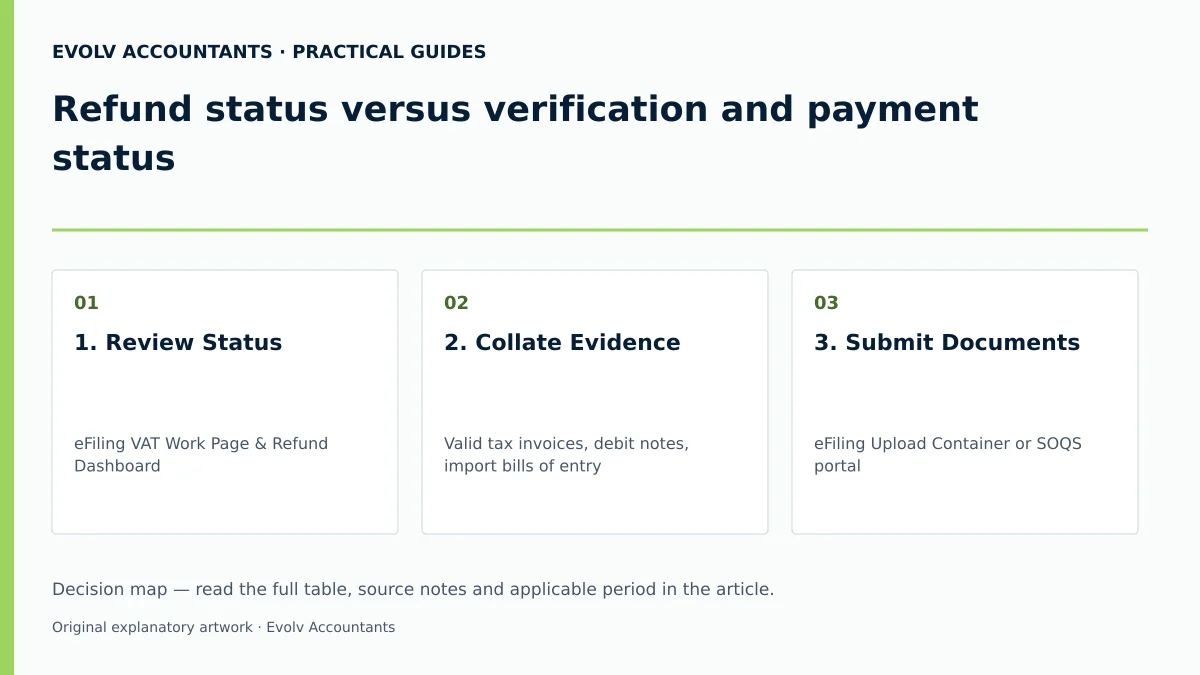
| 1. Review Status | eFiling VAT Work Page & Refund Dashboard 5 7 | Financial Controller / eFiler 29 30 | Status shows "Selected for Verification" or "Paid" 5 7 | If "Invalid Bank Details", update details or submit VAT119i 2 19 27. |
| 2. Collate Evidence | Valid tax invoices, debit notes, import bills of entry 20 22 26 | Bookkeeper / Tax Practitioner 22 34 | 100% schedule reconciliation to Field 19 input tax 9 20 | Obtain missing tax invoices from suppliers within 5-year window 50 53. |
| 3. Submit Documents | eFiling Upload Container or SOQS portal 14 37 | Representative Taxpayer / Agent 21 32 | eFiling confirmation screen & uploaded status 14 17 | Request extension within 40 days if documents delayed 45. |
| 4. Check Assessment | SARS Assessment Notice (VAT217 / VAT217PE) 5 38 | Tax Advisor / Public Officer 21 34 | VAT217 issued matching declared refund amount 5 38 | Lodge DISP01 objection within 80 business days if disallowed 46. |
| 5. Confirm Payout | Updated VATSOA & commercial bank statement 39 40 42 | Finance Director / Owner 21 27 | Credit entry reflected on bank account matching PRN 42 43 | Check for debt set-off against other outstanding tax types 15 16. |
Reproducible Hypothetical Example
All numeric values in this scenario are purely illustrative and served to demonstrate standard VAT calculation and verification principles.
Scenario Background: Omega Trading (Pty) Ltd, an SME operating on the invoice accounting basis, completes its Category A VAT201 return for the two-month period ending 31 May 8 11 34.
Step 1: Output Tax Calculation (Part A of VAT201)
- Standard-rated taxable sales (VAT inclusive): R1 150 000.00 54
- Applicable tax fraction (r / (100 + r) where r = 15%): 15 / 115 54
- Output Tax (Field 4): R1 150 000.00 × (15 / 115) = R150 000.00 9 54
- Total Output Tax (Field 13): R150 000.00 9 10
Step 2: Input Tax Calculation (Part B of VAT201)
- Standard-rated local capital purchases (Field 14): R230 000.00 (VAT component: R30 000.00) 9 10
- Standard-rated local operational expenses (Field 15): R1 380 000.00 (VAT component: R180 000.00) 9 10
- Total Permissible Input Tax (Field 19): R30 000.00 + R180 000.00 = R210 000.00 9 10
Step 3: Net Calculation and Refund Trigger (Field 20 & Field 38)
- Net Calculation (Total A - Total B): R150 000.00 - R210 000.00 = -R60 000.00 3 9
- Field 38 populates as -R60 000.00 (indicating a net refund due of R60 000.00) 3 42.
Verification Outcome: SARS flags the return for verification due to the capital input jump 4 12. The 21-business-day processing clock is suspended on Day 4 when SARS issues a document request letter 14 49. Omega Trading uploads all compliant Section 20(4) tax invoices via eFiling on Day 8 14 22. SARS completes the review on Day 14, unfreezes the clock, and authorises the R60 000.00 refund payout into Omega Trading's bank account 2 7.
Because the refund was finalised within 14 business days of receiving all requested documents, no interest is payable by SARS 2 48.
Frequently Asked Questions
How long does SARS have to pay a VAT refund before interest accrues?
SARS is required by law to pay a correctly declared VAT refund within 21 business days of receiving the completed VAT201 return 2 48. If SARS fails to pay within 21 business days, interest accrues at the prescribed statutory rate 2 7. However, if SARS requests supporting documents or access to records, the 21-day counter is suspended or re-calculated until all required documentation is provided 2 49.
Can I use my personal bank account or a director's account for company VAT refunds?
No 19 27. SARS strictly prohibits the use of third-party bank accounts for VAT refund payouts to combat fraud 19 55. Third-party bank account usage is permitted only in two narrow exceptions: for non-resident companies or for subsidiary/holding companies operating within a formal "group of companies" structure 19 56. In those exempt cases, a formal indemnity form VAT119i must be lodged with SARS 19 27 28.
What happens if I miss the deadline to submit supporting documents for a VAT audit?
If supporting documents are not submitted within the requested timeframe, SARS may issue a Section 95(1)(c) estimated assessment (VAT217PE), which typically disallows the claimed input tax and creates an immediate tax debt 38 44 47. The vendor can request an extension to submit the relevant supporting material on eFiling within 40 business days of the assessment notice 45.
I forgot to claim input tax on an invoice from three months ago. Can I revise the old return?
No 50 51. SARS rules state that a vendor cannot increase input tax deductions when revising a past-period VAT201 return 50 51. Instead, the omitted input tax must be claimed on your current or a future VAT201 return, provided it is claimed within five years from the date of first entitlement 50 51 52.
What is the compulsory VAT registration threshold for South African businesses?
Under Section 23(1) of the VAT Act, compulsory VAT registration is required if the total value of taxable supplies made by a business exceeds R1 million in any consecutive 12-month period, or will exceed that amount under a written contractual obligation 57 58. Voluntary registration is permitted if taxable turnover has exceeded R50 000 in the past 12 months or is expected to exceed R50 000 within 12 months under specific statutory conditions 59 60 61. Current administrative registration guidance provided by SARS manages processing operational parameters up to R2.3 million in screening workflows, while statutory threshold obligations under Section 23 retain the R1 million base 57 61 62. Describe the refund query and the records available. Evolv can discuss the support needed for your case. Ask Evolv about refund status versus verification and payment status. Share the relevant records so the support required can be scoped.
Related guides
- Documents SARS may request during VAT verification
- Responding to a VAT supporting document request
- The Proactive SARS Audit Guide: Keeping Your Business Ledger Sanitised
Sources
- VAT Refunds for vendors | South African Revenue Service
- https://www.sars.gov.za/wp-content/uploads/Ops/Guides/GEN-ELEC-04-G01-Guide-for-completing-the-Value-Added-Tax-VAT201-Declaration-External-Guide.pdf
- https://www.sars.gov.za/wp-content/uploads/Ops/Guides/Legal-Pub-Guide-VAT404-VAT-404-Guide-for-Vendors.pdf
- https://www.sars.gov.za/wp-content/uploads/Ops/Guides/VAT-REG-02-G01-Guide-for-Completion-of-VAT-Application-External-Guide.pdf
- FAQs for VAT vendors | South African Revenue Service