
UIF declarations through payroll software versus uFiling
28 April 2025

Choosing a UIF declaration channel requires checking how employee records reach the UI Commissioner and retaining the submission result.
Contribution payment follows the employer’s applicable SARS or UI Commissioner registration.
South African small and medium-sized enterprises (SMEs) face a dual statutory obligation regarding the Unemployment Insurance Fund (UIF): paying monthly financial contributions and submitting employee employment records 1 2.
Paying monthly contributions for Pay-As-You-Earn (PAYE) registered employers is executed via the South African Revenue Service (SARS) using the Monthly Employer Declaration (EMP201) on SARS eFiling or e@syFile 3 4 5, whereas employee record declarations (form UI-19 data) must be submitted directly to the Unemployment Insurance Commissioner 2 6.
Employers may fulfil their UI-19 record declaration duties either by manually capturing or uploading files on the Department of Employment and Labour’s uFiling portal 7 8 9 or by transmitting automated electronic payroll files directly through compliant payroll software 10.
— Practical point from this guide
Neither channel is universally superior; uFiling provides a direct web interface ideal for small or domestic payrolls without dedicated software 7 11, while a suitably configured payroll product may generate the required files and reduce repeated capture; verify those features and reconcile both submission streams 5 10 12.
Channel responsibilities and acknowledgement evidence
Employers operating in South Africa must distinguish between two primary channels used for managing Unemployment Insurance Fund duties: the government-hosted uFiling online portal and integrated commercial payroll software 5 7 10. Understanding the precise scope, channel responsibilities, and resulting submission evidence of each option is vital for establishing robust payroll compliance 4 12 13.
Option A, the uFiling portal, is a free online application administered by the Department of Employment and Labour designed for employers, tax practitioners, and third-party delegates 7 8 11. It allows users to register companies, update employee demographic and salary details, declare monthly contributions, and process payments directly to the Fund 7 9 14. The system automatically generates monthly declarations based on captured employee profile data 15.
Acknowledgement evidence on uFiling consists of digital dashboard status changes—updating to "Submitted" once finalised—alongside automated email or SMS notifications and downloadable payment histories 13 16 17.
Option B, integrated payroll software, relies on specialised payroll applications that compute monthly tax liabilities, cap earnings at statutory thresholds, and generate electronic export files 4 5 10. Payroll software creates two distinct output streams: financial declaration files submitted to SARS via eFiling or e@syFile (EMP201 returns) 4 5, and electronic UI-19 declaration files transmitted directly to the UI Commissioner 10.
Acknowledgement evidence under Option B is split between SARS-issued Payment Reference Numbers (PRNs) and submission receipts for EMP201 returns 4 5, e@syFile reconciliation logs for bi-annual EMP501 submissions 12, and electronic file delivery confirmations from the UI Commissioner’s database 10.
Neither channel is a universal choice. uFiling is a free service with employer and employee maintenance and bulk-upload functions. A payroll product may support electronic UIF files and reconciliation controls, but verify the actual product’s capabilities, licence costs, file compatibility and acknowledgement process before relying on them.
Software does not guarantee matching SARS payments and certificates. uFiling user guide; SARS UIF guide.
Compare the criteria that matter: channel responsibilities
Selecting the appropriate compliance channel requires evaluating operational control, statutory liability, reporting efficiency, tax integration, cash management, and system constraints 4 5 12 15. The comparison matrix below outlines how Option A (uFiling) and Option B (Payroll Software) perform across these critical criteria.
Decision comparison matrix
| Criterion | uFiling | Payroll software | Check before relying on it |
|---|---|---|---|
| Employee records | Official interface for employer and employee details and declarations | A product may prepare or transmit a prescribed file | Confirm the product’s actual export/transmission support and current UIF requirements |
| Calculations | Capture and review the remuneration and declaration data required | A product may calculate contributions from payroll records | Independently check exclusions, contribution base and ceiling |
| Contribution payment | UI Commissioner payment facilities apply to employers paying that authority | Payment-file or SARS-return support depends on the product | Use the correct collecting authority; PAYE/SDL-liable and voluntary SARS employers pay SARS |
| Submission evidence | Retain confirmation and “Submitted” declaration status | Retain the receiving authority’s submission result, where supported | A generated export, PRN or local software log alone does not prove successful delivery or payment |
| Practical choice | Consider capture workload and the official interface | Compare verified features, cost and workflow | Treat time savings as an evaluation criterion, not a guaranteed outcome |
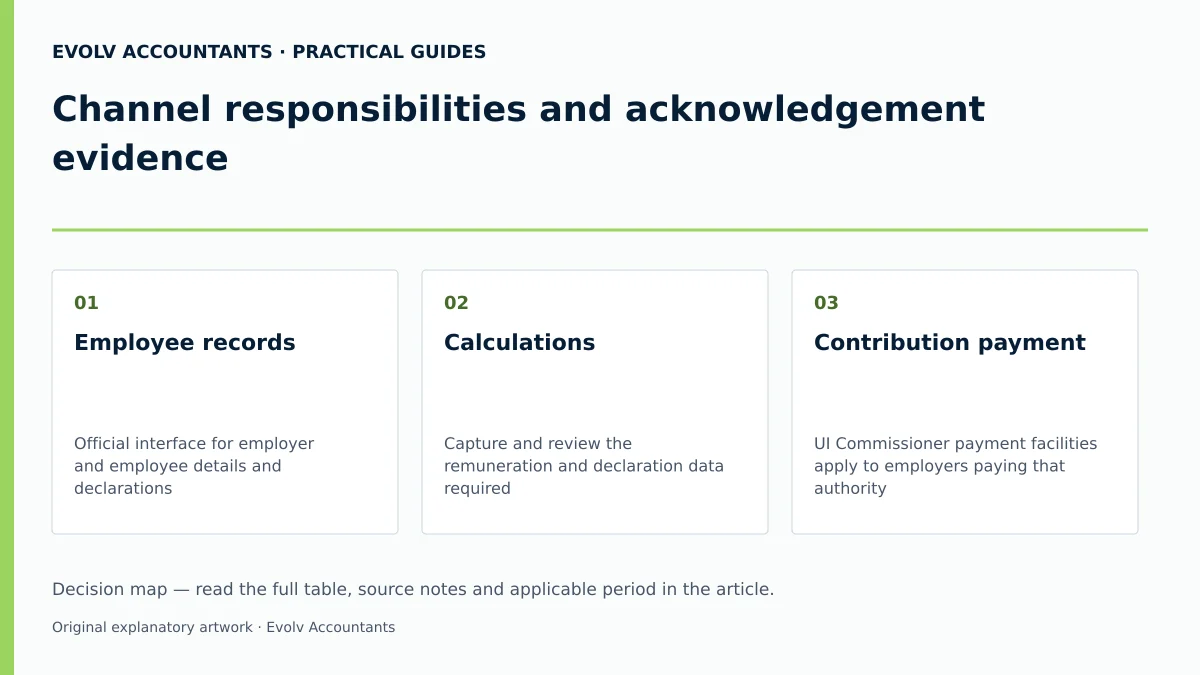
Official guidance; Official guidance; Official guidance.
How the obligations differ: acknowledgement evidence
To maintain full statutory compliance, South African employers must distinguish formal legal rules from professional recommendations and software product features 1 12 21. The legal framework governing unemployment insurance is established under the Unemployment Insurance Act, 2001 (UI Act) and the Unemployment Insurance Contributions Act, 2002 (UIC Act), administered jointly by SARS and the Unemployment Insurance Commissioner 1 21 22.
Statutory legislation enforces strict non-negotiable rules for all employers:
- Mandatory Monthly Contributions: Every employer and employee subject to the UIC Act must contribute on a monthly basis 23. The statutory contribution rate is exactly 1% of remuneration paid by the employer and 1% deducted from the employee's remuneration, totalling a 2% contribution 24 25 26.
- Statutory Ceiling: Contributions apply only up to the statutory remuneration ceiling 24 26. With effect from 1 June 2021, the maximum earnings ceiling is R17,712 per month (R212,544 annually) 4 24 27. Remuneration exceeding R17,712 per month is exempt from UIF contributions, capping the maximum monthly deduction at R177.12 for the employee and R177.12 for the employer (R354.24 total) 4 24.
- Submission Deadlines: Contributions deducted must be paid over within seven days after the end of the month during which they were deducted 28 29. If the seventh day falls on a weekend or public holiday, payment must be made on the last business day prior 28 29.
- Channel Separation for Employee Records: In its official external guide, SARS instructs that "the UI-19 declaration must ONLY be submitted to the UI Commissioner" 6. Paying UIF contributions to SARS on an EMP201 return does not discharge the employer’s obligation to submit monthly employee declarations (UI-19 details) to the UI Commissioner 2 6 10.
- Reconciliation and Record Keeping: Employers are required under Paragraph 14(3) of the Fourth Schedule to the Income Tax Act to submit annual (and interim) EMP501 reconciliations linking EMP201 payments to IRP5/IT3(a) certificates 12. Remuneration registers, proof of payment, and declaration details must be retained for at least five years 30 31.
Professional recommendations focus on bridging the operational gap between tax payments and labour record updates 2 6 12. Evolv Accountants recommends that PAYE-registered SMEs use payroll software to automate the extraction of electronic UI-19 files alongside SARS eFiling EMP201 data, then reconcile the relevant employee details and totals across both submission streams 4 10 12 15.
Software product features—such as automated tax table updates, bulk CSV file formatting, and integrated bank payment instructions—are practical tools that assist compliance but do not alter statutory liability 5 9 32. The legal responsibility for accurate withholding, timely payment, and complete record retention rests solely on the employer 25 29 33 34.
Two business situations with different outcomes: channel responsibilities
The optimal compliance path depends on the employer's tax registration status, employee count, and administrative structure 3 18 35. Below are two contrasting business scenarios illustrating how operational facts alter channel selection.
Scenario A: Domestic or micro-business employer
Hypothetical Facts: A small close corporation employs two domestic workers and one administrative assistant. The business is not registered for PAYE or Skills Development Levy (SDL) with SARS as total remuneration falls below tax thresholds 3 35.
Application & Outcome: Because the business is not required to register with SARS for PAYE, Section 9(1) of the UIC Act dictates that it must register directly with the UI Commissioner for paying UIF contributions 3 35. Using uFiling (Option A) is the most efficient choice 7 11. The employer captures employee profiles once on uFiling 9 15. Each month, uFiling generates the declaration, calculates the 2% contribution, and allows direct payment to the Fund via debit pull or online bank transfer 13 15 32.
The employer fulfils both record declaration and contribution payment duties through a single web portal 7 9 13.
Scenario B: Commercial SME with mixed wage structures
Hypothetical Facts: A growing manufacturing company employs 15 factory workers paid weekly and 10 office staff paid monthly. The company is registered with SARS for PAYE and SDL 3 18.
Application & Outcome: Section 8(1) of the UIC Act requires this employer to pay all UIF contributions directly to SARS via the monthly EMP201 return 3 4 18. Using uFiling alone creates severe operational friction because uFiling does not process SARS EMP201 tax payments for PAYE-registered commercial firms 3 4 18. The business adopts integrated payroll software (Option B) 5 10.
The software automatically calculates weekly and monthly UIF deductions, applies the statutory ceiling, and aggregates total liabilities for the monthly EMP201 submission on SARS eFiling 4 5. Concurrently, it exports an electronic UI-19 file containing employee commencement dates and monthly salary updates, which is transmitted directly to the UI Commissioner 6 10.
Reproducible hypothetical calculation
To illustrate statutory contribution calculations, consider a commercial SME with two employees during the current tax year 4 24 25:
- Executive Employee (High Salary):
- Gross Monthly Remuneration: R25,000.00 24 27.
- Capped Remuneration Threshold: R17,712.00 per month 4 24 27.
- Employee Deduction (1% of R17,712.00): R177.12 4 24.
- Employer Contribution (1% of R17,712.00): R177.12 4 24.
- Total Monthly UIF Contribution: R354.24 4 24.
- Note: Remuneration above R17,712.00 (R7,288.00) is excluded from UIF calculations 4 27.
- Administrative Employee (Standard Salary):
- Gross Monthly Remuneration: R10,000.00 24 25.
- Subject Remuneration: R10,000.00 (below ceiling) 24 25.
- Employee Deduction (1% of R10,000.00): R100.00 24 25.
- Employer Contribution (1% of R10,000.00): R100.00 24 25.
- Total Monthly UIF Contribution: R200.00 24 25.
- Combined EMP201 Declaration to SARS:
- Total UIF Employee Deductions Declared: R277.12 4 5 36.
- Total UIF Employer Contributions Declared: R277.12 4 5 36.
- Total Monthly Payable to SARS via EMP201: R554.24 4 5 36.
When the comparison needs specialist input: acknowledgement evidence
Standard monthly declarations are straightforward, but specific contractual, legal, or structural conditions require professional accounting and tax advisory input 37 38 39. Employers should seek specialist guidance in the following complex situations:
- Independent Contractors vs. Natural Person Employees: The UIC Act explicitly excludes independent contractors from UIF contributions 8 40. Determining whether a worker is a natural person employee or a bona fide independent contractor requires applying Fourth Schedule common-law dominant impression tests 38 40. Misclassifying employees as independent contractors exposes employers to back-dated assessments, interest, and penalties 33 41 42.
- Excluded Earnings Components: Remuneration definitions for UIF exclude specific payments, including pensions, superannuation allowances, retirement allowances, and commission-based payments under statutory exclusions 36 38. Incorrectly including or excluding these components distorts EMP201 declarations 5 36.
- Excluded Categories of Workers: Employees working fewer than 24 hours per month for a specific employer, as well as public office holders and state officers, are statutorily excluded from UIF 43 44.
- Representative Employer Liabilities: Liquidators, executors, public officers, and corporate managers acting as representative employers inherit legal duties under Chapter 10 of the Tax Administration Act 37 39. Failing to withhold or pay over contributions can lead to personal liability assessments 37 39.
- Discrepancies Between SARS and UI Commissioner Registries: When historical EMP201 payments made to SARS fail to reflect on the UI Commissioner’s employee database, former employees may be denied unemployment or maternity benefits 1 7 45. Resolving missing service records requires manual UI-19 reconciliations and submission audits 10 12.
- uFiling Profile Locking & Vetting Failures: If vetting fails, follow the portal prompt to contact uFiling Support through “UIF Services Support”. Send identity documents only through the route and with the safeguards specified by the support team. uFiling user guide.
Next steps for UIF employer duties
To maintain clean compliance records and prevent statutory penalties, employers should implement a structured decision record and operational workflow 5 30 33.
Numbered compliance checklist for SMEs
- Verify Tax Registration Status: Confirm whether the entity is registered with SARS for PAYE/SDL or registered solely with the UI Commissioner 3 18 35.
- Confirm Payment Channel: Route monthly UIF contribution payments to SARS via EMP201 if registered for PAYE 3 4 5, or directly to the UI Commissioner via uFiling if exempt from PAYE 3 35.
- Audit Monthly Remuneration & Ceilings: Ensure payroll calculations apply the 1% employee and 1% employer contribution rates, capping monthly remuneration at R17,712.00 (maximum R177.12 deduction per party) 4 24 25.
- Submit Monthly UI-19 Employee Declarations: Transmit electronic UI-19 payroll files or update uFiling employee profiles by the 7th of every month 6 8 10 28.
- Reconcile EMP201 Payments with Annual EMP501 Returns: Ensure that total monthly UIF declarations submitted on EMP201 returns match the annual IRP5/IT3(a) certificates issued to staff during bi-annual SARS reconciliations 12.
- Archive Proof of Submission: Retain all eFiling payment receipts, PRN allocations, e@syFile logs, and uFiling status confirmation records in an accessible electronic archive for at least five years 4 13 30.
Frequently Asked Questions
How do payment deadlines differ when the 7th falls on a weekend?
Statutory rules dictate that monthly UIF contributions must be paid within seven days following the end of the month 28 29. If the seventh day falls on a Saturday, Sunday, or public holiday, the final due date automatically shifts to the last business day prior to the weekend or public holiday 28 29.
Is an employer required to submit UI-19 forms if UIF is paid to SARS?
Yes. Paying UIF contributions to SARS via the monthly EMP201 return only settles the financial tax liability 4 18. The employer remains legally required to submit UI-19 employee details (listing employment commencement, earnings, and termination reasons) directly to the UI Commissioner, either via uFiling or electronic payroll exports 2 6 10.
What is the statutory contribution ceiling for monthly UIF deductions?
Effective from 1 June 2021, the maximum earnings ceiling for UIF calculations is R17,712 per month or R212,544 per annum 4 24 27. Deductions are capped at R177.12 per month for the employee and R177.12 per month for the employer 4 24.
What are the legal penalties for failing to submit monthly UIF returns?
Failing to pay contributions on time results in a statutory default penalty of 10% of the unpaid amount 42, alongside interest charged at the prescribed rate 41. Furthermore, non-submission of returns or failure to maintain records constitutes a statutory offence under Chapter 17 of the Tax Administration Act, punishable by a fine or imprisonment for up to two years upon conviction 6 33 34 48.
How long must an employer retain payroll and UIF submission records?
Under Paragraph 14(1) of the Fourth Schedule to the Income Tax Act and Chapter 4 of the Tax Administration Act, employers must retain all remuneration registers, employee details, and declaration records for a minimum of five years from the return submission date 30 31. Tell Evolv which UIF registration, declaration or payment question you need help to resolve. Ask Evolv about channel responsibilities and acknowledgement evidence. Share the relevant records so the support required can be scoped.
Related guides
- UIF declarations during unpaid leave
- When a small business must register for UIF
- Compliance and Regulations: Keeping Your Business on Track
Sources
- Unemployment Insurance Fund | South African Revenue Service
- https://www.sars.gov.za/wp-content/uploads/Ops/Guides/UIF-GEN-01-G01-Guide-for-Employers-in-respect-of-the-Unemployment-Insurance-Fund-External-Guide.pdf
- Unemployment Insurance Fund
- https://www.labour.gov.za/DocumentCenter/Publications/Unemployment%20Insurance%20Fund/uFiling%20System%20User%20Guide.pdf
- Unemployment Insurance Fund